
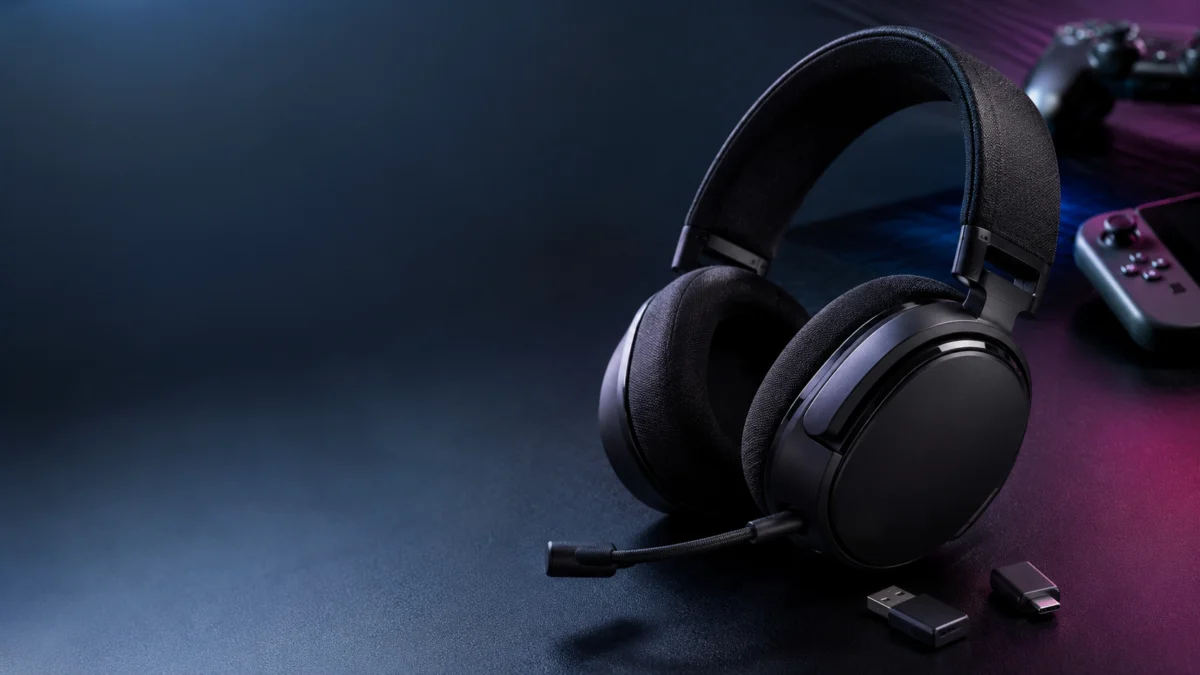
Quick answer: For most players, the SteelSeries Arctis Nova 5 Wireless is the best overall pick under $150 — it works across PC, PS5, Switch 2, and mobile over 2.4GHz plus Bluetooth. On Xbox, choose the Turtle Beach Stealth 600 Gen 3 (Xbox Version) instead; it is the only model here with Xbox’s required wireless chip. For PC battery life, pick the HyperX Cloud III S Wireless. For PS5 FPS, start with the Razer BlackShark V2 HyperSpeed.
Choosing a wireless gaming headset under $150 starts with one question before anything else: which platform are you buying it for? Xbox Series X|S requires a model with Microsoft’s proprietary wireless authentication chip built into the dongle — standard USB headsets do not connect at all. Nintendo Switch 2 supports Bluetooth audio output, but disables Bluetooth microphone input at the operating system level, meaning a 2.4GHz USB-C dongle is the only reliable option for voice chat in multiplayer. Once your platform is confirmed, the next decision is whether you need simultaneous dual-wireless connection or the lowest-latency link to a single device. This guide covers six headsets — one for each major platform and budget scenario — based on manufacturer specifications and real user reports confirmed across multiple community forums.
Quick Picks — Best Wireless Gaming Headsets Under $150
Pick by platform first. For several systems, the SteelSeries Arctis Nova 5 Wireless is the safest all-rounder. On Xbox, choose the Turtle Beach Stealth 600 Gen 3 (Xbox Version). On PC, the HyperX Cloud III S Wireless leads on battery life; for PS5 FPS, the Razer BlackShark V2 HyperSpeed; on Switch 2, the Razer Barracuda X Chroma fits the USB-C port directly.
Jump to the section that fits where you are in the decision:
- Match a Headset to Your Use Case
- What to Prioritize — and What to Give Up — Under $150
- What to Check Before Buying
- Quick Elimination Checklist
- Best Overall — SteelSeries Arctis Nova 5 Wireless
- Best for PS5 — Razer BlackShark V2 HyperSpeed
- Best for PC — HyperX Cloud III S Wireless
- Best for Switch 2 — Razer Barracuda X Chroma
- Best for Xbox Series X|S — Turtle Beach Stealth 600 Gen 3
- Best Budget Pick — Logitech G535 Lightspeed
- Known Issues and Real User Complaints
- FAQ — Final Questions Before You Buy
| Headset | Best For | Wireless Type | Platform Support | Battery Life | Approx. Price Range |
|---|---|---|---|---|---|
| SteelSeries Arctis Nova 5 Wireless | Best overall / multiplatform | 2.4GHz USB-C + BT 5.3 | PC, PS5, Switch 2, Mobile | 60 hours | Usually around $130 |
| Razer BlackShark V2 HyperSpeed | PS5 / FPS / mic quality | 2.4GHz USB-C + BT 5.2 + wired USB-A | PC, PS5, Switch 2, Mobile | See official specs | Usually around $130 |
| HyperX Cloud III S Wireless | PC / battery life | 2.4GHz USB-C + BT 5.3 | PC, PS5, Switch 2, Mac | 120 hrs (2.4GHz) / 200 hrs (BT) | Usually $140–$180 |
| Razer Barracuda X Chroma | Switch 2 / lifestyle use | 2.4GHz USB-C + BT 5.3 | PC, PS5, Switch 2, Mac | 70 hrs (RGB off) / 30 hrs (RGB on) | Usually around $140 |
| Turtle Beach Stealth 600 Gen 3 | Xbox (Xbox Version only) | 2.4GHz USB-A + BT 5.2 | PS5, PC (PS Ver.) / Xbox (Xbox Ver.) | 80 hours | Usually $100–$120 |
| Logitech G535 Lightspeed | Budget / lightweight | 2.4GHz USB-A only | PC, PS4, PS5 | See official specs | Usually $110–$120 |
Price note: Prices in this guide move with sales and color variants. The HyperX Cloud III S Wireless in particular often sells above $150 (roughly $140–$180), so treat it as a discount/sale-watch pick rather than a strict under-$150 option. Always confirm the current price on the product page before buying.
Which Headset Should You Buy? Match Your Use Case First
Match your primary use case before comparing individual specs. The table below maps seven common buying scenarios directly to one pick from this guide, based on the platform requirements and the documented strengths covered in each review section. If your scenario appears here, that row is your starting point.
| Your situation | Start with | Why |
|---|---|---|
| PC only, and you hate charging | HyperX Cloud III S Wireless | 120-hour rated battery on 2.4GHz — roughly one month between charges at four hours a day |
| PS5, mainly FPS | Razer BlackShark V2 HyperSpeed | Lightest full-feature model here at 280g, with a three-chamber driver tuned to keep footstep cues clear of the bass |
| Xbox Series X|S | Turtle Beach Stealth 600 Gen 3 (Xbox Version) | The only model in this guide with Xbox’s required wireless authentication chip in the dongle |
| Switch 2 with online voice chat | Razer Barracuda X Chroma | USB-C dongle fits the console directly; Switch 2 blocks Bluetooth mic input at the OS level, so 2.4GHz is the only voice-chat path |
| You play on PC, PS5, and Switch 2 | SteelSeries Arctis Nova 5 Wireless | Quick-Switch between 2.4GHz and Bluetooth, plus a mobile companion app that applies EQ on consoles without a PC in the loop |
| Long sessions, sensitive to weight or clamping | Logitech G535 Lightspeed (or the 165g G435) | 236g with a suspended-band headband that spreads pressure; the Stealth 600 Gen 3’s clamping force is a documented discomfort risk past two to three hours |
| Lowest price, biggest battery | Turtle Beach Stealth 600 Gen 3 | Typically $100–$120 with an 80-hour battery rating — the lowest-priced pick in this guide |
What to Prioritize — and What to Give Up — Under $150
No headset under $150 combines every strength. Each model in this guide trades one documented weakness for its headline advantage: the battery leader uses a flatter, bass-light tuning, the lightest full-feature model fixes its microphone in place, and the only Xbox option carries a comfort penalty. The table below states each trade explicitly, so you can decide which compromise you can live with.
| Headset | You’re prioritizing | You’re accepting |
|---|---|---|
| SteelSeries Arctis Nova 5 Wireless | Multi-platform flexibility and phone-app EQ on consoles | No Xbox support (that’s the separate Nova 5X); a charging-detection bug affects some units |
| Razer BlackShark V2 HyperSpeed | Lightest build (280g) and the widest mic bandwidth in this guide | The mic is not detachable; a Synapse 4 software bug can break the mic on PC over 2.4GHz |
| HyperX Cloud III S Wireless | Class-leading 120/200-hour battery and flat, detail-first tuning | Often priced above $150; bass-light for music and cinematic games; a NGENUITY firmware update can break wireless pairing |
| Razer Barracuda X Chroma | Direct USB-C fit on Switch 2 and a detachable mic for everyday use | RGB lighting cuts the rated battery from 70 to about 30 hours; the same Synapse 4 PC mic bug applies |
| Turtle Beach Stealth 600 Gen 3 | The only Xbox wireless option here, 80-hour battery, lowest price | Clamping-force discomfort reported after two to three hours; heavily compressed sidetone |
| Logitech G535 Lightspeed | 236g weight, plug-and-play simplicity, no software to manage | No Bluetooth, no Xbox, and no Switch 2 handheld use without a USB-A-to-C adapter |
If two rows both fit your setup, break the tie with the Known Issues section: software risks (firmware updates, Synapse 4) matter most if PC is in your setup, while the comfort risk matters most if your sessions regularly run past the two-to-three-hour mark.
What to Check Before Buying a Wireless Gaming Headset
Before comparing battery life or driver specs, confirm your platform and connection requirements first. Xbox requires a dongle with Microsoft’s proprietary chip — standard USB headsets won’t connect at all. Switch 2 blocks Bluetooth mic input system-wide, so a 2.4GHz USB-C dongle is essential for online voice chat. Getting either wrong means buying a headset that won’t do what you need it to do.
The Xbox Compatibility Trap
Xbox Series X|S does not support standard USB Audio Class devices. A headset labeled “PC and PS5 compatible” will not establish wireless audio on Xbox, regardless of whether the USB dongle physically fits the console’s port. Microsoft’s Xbox ecosystem requires a dongle with an embedded Xbox authentication chip — a hardware requirement that cannot be worked around with adapters or software updates.
In this guide, only one headset satisfies this requirement out of the box: the Turtle Beach Stealth 600 Gen 3 (Xbox Version). The SteelSeries Arctis Nova 5X is the Xbox-compatible variant of the Nova 5 series, but it falls outside the standard Nova 5 SKU covered here. If Xbox is your platform, confirm the exact model variant — “Xbox Version” — before checkout. The PlayStation Version and Xbox Version of the Stealth 600 Gen 3 ship with different dongles and are not interchangeable for Xbox wireless use.
Nintendo Switch 2 and Bluetooth Mic Limits
Nintendo Switch 2 has improved its Bluetooth audio support compared to the original Switch, adding AAC codec output for higher-quality audio. However, the system still disables Bluetooth microphone input — the two-way audio profiles (such as HFP and HSP) that enable a headset to both send and receive audio — at the operating system level. According to Nintendo Life and community testing confirmed across multiple Switch 2 users, this limitation exists because Switch 2 prioritizes Bluetooth bandwidth for Joy-Con 2 and other controller peripherals.
The practical result: any Bluetooth-only headset becomes a listen-only device on Switch 2 during online play. To use voice chat in multiplayer, the headset must include a 2.4GHz USB-C dongle, and that dongle must be connected to one of the Switch 2’s USB-C ports. Switch 2 includes USB-C ports on both the top and bottom of the console, making it possible to charge while a dongle is plugged in at the top — a hardware improvement over the original Switch. Headsets with USB-A-only dongles require a USB-C adapter and are less practical for handheld use.
2.4GHz vs Bluetooth — Which One Do You Actually Need?
For gaming — including competitive multiplayer, voice chat, and any session where latency matters — 2.4GHz wireless is the standard that counts. It delivers lower audio latency than Bluetooth and supports simultaneous two-way audio (microphone input and headphone output) in a single connection. Bluetooth A2DP, the standard profile used for music streaming, plays back audio but cannot simultaneously carry microphone audio at gaming-grade speed.
Bluetooth is genuinely useful in one specific scenario: maintaining a secondary connection to a phone or other device so that calls or notifications come through without dropping the main gaming connection. Several headsets in this guide support this dual-wireless configuration simultaneously — the Arctis Nova 5, BlackShark V2 HyperSpeed, Barracuda X Chroma, and Cloud III S Wireless. For pure gaming on a single device, 2.4GHz is the connection that matters. Bluetooth is a convenience add-on, not a gaming-grade substitute.
When to Rule a Headset Out — Quick Elimination Checklist
Eliminating wrong options is faster than comparing every spec. Run through the conditions below before checkout — each one removes at least one model from your shortlist, based on the platform limits and known issues documented in this guide.
- Xbox is your platform → rule out every model here except the Stealth 600 Gen 3 (Xbox Version). The Nova 5X is the separate Xbox variant of the Nova 5, not the standard SKU covered in this guide.
- You need Switch 2 voice chat out of the box → rule out the G535 (USB-A dongle, adapter not included) and any plan to rely on Bluetooth-only audio.
- Your sessions regularly run three hours or longer → reconsider the Stealth 600 Gen 3; clamping-force discomfort after two to three hours is its most consistent community complaint.
- You depend on Razer Synapse 4 and Discord voice on PC → check current community reports on the 2.4GHz mic bug before choosing the BlackShark V2 HyperSpeed or Barracuda X Chroma.
- Your budget cap is a strict $150 → treat the Cloud III S Wireless as a sale-watch pick; it frequently sells in the $140–$180 range.
- You want bass-forward sound for music and cinematic games → the Cloud III S’s flatter tuning is a documented mismatch for that preference.
- You update firmware whenever software prompts you → the Cloud III S’s NGENUITY firmware update failures are the most serious known issue in this guide; read that section first.
Best Overall Under $150 — SteelSeries Arctis Nova 5 Wireless
The Arctis Nova 5 Wireless is the most versatile pick in this price range for players who use multiple platforms or prefer console gaming without depending on a PC. Its mobile companion app loads over 100 game-specific EQ presets directly onto the headset — available on PS5 and Switch 2 via phone, no PC required. The Quick-Switch button toggles between 2.4GHz and Bluetooth 5.3 in a single press. If you also need Xbox support, the Arctis Nova 5X is the Xbox-specific variant with a different dongle.
According to SteelSeries’ official specifications, the Nova 5 Wireless connects via a USB-C 2.4GHz dongle and supports Bluetooth 5.3 for a secondary device. It is compatible with PC, PS5, Nintendo Switch 2, and mobile. Battery life is rated at 60 hours on 2.4GHz. The retractable ClearCast Gen 2 microphone folds into the earcup when not in use. EQ settings can be managed through SteelSeries Sonar on PC or the Sonar mobile companion app on iOS and Android.
Three SKUs of the Nova 5 series exist: the standard Nova 5 (PC, PS5, Switch 2, Mobile), the Nova 5P (PlayStation-optimized), and the Nova 5X (Xbox-compatible). The standard Nova 5 works with PS5 and Switch 2 without issue, but will not establish wireless audio on Xbox. Verify the exact variant in the product title at checkout.
Two known issues are documented in the community. First, a charging management bug — reported across multiple threads on r/steelseries — where some units fail to register a connected USB-C cable as charging. The battery indicator does not light up, and battery level does not recover. A pinhole hardware reset (accessed by removing the earcup cushion) resolves this temporarily for some units, though the fix does not hold for all affected users. Second, some users report that the USB dongle fails to detect the headset after a PC restarts, requiring manual re-pairing each time. Reference thread
Check on Amazon
/
Official site
✅ Buy if…
- You play on multiple platforms (PC + PS5 + Switch 2) and want one headset for all of them
- You want to apply EQ presets on PS5 or Switch 2 without a PC in the setup
- You prefer a mic that folds away when not in use
- You want Quick-Switch between 2.4GHz and Bluetooth without manual pairing steps
❌ Don’t buy if…
- You need Xbox wireless support — buy the Arctis Nova 5X instead
- Charging reliability is critical — the charging detection bug affects some units
- You want a fully detachable microphone rather than a retractable one
Best for PS5 — Razer BlackShark V2 HyperSpeed
For PS5 and FPS gaming, the BlackShark V2 HyperSpeed is the strongest pick in this guide. At 280g, it is the lightest full-feature headset in this roundup. Its TriForce Titanium 50mm driver, per Razer’s official documentation, physically divides the driver into three chambers for independent tuning of high, mid, and low frequencies — reducing bass masking of directional cues like footsteps. The HyperClear Super Wideband Mic covers 50Hz to 14kHz, according to Razer’s specs — significantly wider than typical gaming headset microphones. Before buying, check current community reports on Razer Synapse 4 mic behavior during 2.4GHz use.
Connection options include 2.4GHz via USB-C dongle, Bluetooth 5.2 for secondary device pairing, and wired USB-A as a fallback. SmartSwitch maintains simultaneous connections to both 2.4GHz and Bluetooth hosts — if a call comes in on a paired phone while gaming on PS5, the headset switches automatically to handle it. Platform support covers PC, PS5, Nintendo Switch 2, and mobile. The microphone is not detachable on this model.
A software-caused microphone issue has been confirmed across multiple threads on r/razer and Razer Insider forums. When Razer Synapse 4 is installed, the microphone becomes undetectable or stuck on mute in applications like Discord — but only during 2.4GHz dongle connections. Bluetooth audio remains unaffected. Users who uninstall Synapse 4 entirely report normal microphone function, indicating the issue is a software conflict with Windows audio routing rather than a hardware defect. If you use Synapse 4 for EQ configuration, this is a risk to weigh before purchasing. Reference thread
Check on Amazon
/
Official site
✅ Buy if…
- PS5 is your primary platform and FPS is your main genre
- You want the lightest full-feature headset in this price range
- Microphone clarity for squad play or streaming is a priority
- You want three connection modes (2.4GHz, Bluetooth, wired USB-A) on a single headset
❌ Don’t buy if…
- You use Razer Synapse 4 heavily and rely on microphone in Discord — review current community reports first
- You need a detachable microphone — the mic on this model is fixed
- Xbox wireless support is required — this model does not use Xbox’s proprietary protocol
Best for PC — HyperX Cloud III S Wireless
For PC gaming specifically, the Cloud III S Wireless removes one of the most common friction points in desktop setups: the need to charge regularly. According to HyperX’s official specifications, battery life is rated at 120 hours on 2.4GHz and 200 hours on Bluetooth — roughly twice the capacity of every other headset in this guide. At four hours of daily play, that’s approximately one month between charges. For a desk-based PC setup where the headset rarely leaves the room, this is a meaningful practical advantage over the competition.
The audio configuration uses 53mm angled dynamic drivers — positioned at a deliberate angle relative to the earcup rather than straight-facing. HyperX states this design improves soundstage width and spatial audio directionality. PC users gain access to DTS Headphone:X Spatial Audio as a perpetual license included with the headset. Connection is via USB-C 2.4GHz dongle or Bluetooth 5.3 for secondary device pairing. Supported platforms include PC, PS5, Nintendo Switch 2, Mac, and mobile.
The audio tuning is notably flatter than the previous Cloud II generation. Multiple users describe the Cloud III S as significantly less bass-boosted — closer to neutral frequency response. For competitive FPS, this helps: directional audio cues like footsteps are not masked by boosted low frequencies. For music listening, cinematic RPGs, or anyone who prefers bass-forward sound, this shift is a real trade-off worth knowing before purchase.
The most serious known issue is a firmware update failure confirmed across multiple r/HyperX threads. Running a firmware update through HyperX’s NGENUITY software can permanently break the 2.4GHz pairing between the headset and its USB dongle, rendering the headset unable to connect wirelessly without HyperX support intervention. Community guidance is explicit: do not run NGENUITY firmware update prompts unless HyperX has publicly confirmed the specific update is safe to apply. HyperX acknowledged the issue in their community channels. Reference thread
Check on Amazon
/
Official site
✅ Buy if…
- PC is your platform and you want to eliminate charging as a routine — 120-hour battery is genuinely exceptional
- You play competitive FPS and prefer flat, detail-oriented audio over boosted bass
- You want DTS Spatial Audio without an ongoing subscription
- Long sessions (streaming, MMOs, extended play) require sustained comfort over many hours
❌ Don’t buy if…
- You want strong bass for music, movies, or immersive RPGs — the flatter tuning may disappoint
- You plan to use NGENUITY for firmware updates without checking community advisories first
- Xbox wireless support is required — this model does not support Xbox’s proprietary protocol
Best for Nintendo Switch 2 — Razer Barracuda X Chroma
The Barracuda X Chroma is the most practical choice for Switch 2 because its USB-C 2.4GHz dongle connects directly to the console’s USB-C port without needing an adapter. Since Switch 2 disables Bluetooth mic input at the OS level, the USB-C 2.4GHz connection is the only method that enables voice chat in online multiplayer. The detachable mic also converts the headset into a usable pair of wireless headphones for daily commuting or non-gaming use.
Related guide: Switch 2 Pro Controller PC Setup Guide: How to Use It on Steam and Windows
According to Razer’s official specifications, the Barracuda X Chroma connects via a compact USB-C 2.4GHz wireless dongle and Bluetooth 5.3 for secondary device pairing. SmartSwitch maintains simultaneous connections to both. Battery life is rated at 70 hours with RGB lighting off; active RGB reduces this to approximately 30 hours. Platforms supported include PC, PS5, Nintendo Switch 2, Mac, and mobile. The microphone is fully detachable — removing it leaves the headset looking and functioning as a standard wireless headphone.
The same Razer Synapse 4 microphone bug documented for the BlackShark V2 HyperSpeed has also been reported for the Barracuda X Chroma in Discord during 2.4GHz connections on PC. Uninstalling Synapse 4 restores normal mic function in documented cases. On Switch 2, where Synapse does not run, this issue does not apply. For players using the Barracuda X Chroma primarily on Switch 2, the PC software conflict is not a concern. Reference thread
Check on Amazon
/
Official site
✅ Buy if…
- Nintendo Switch 2 is your primary platform and you need voice chat in multiplayer
- You want a USB-C dongle that fits the Switch 2 directly without an adapter
- A detachable mic matters — the headset functions as casual wireless headphones without it
- RGB lighting is a priority and you understand the battery trade-off (70 hrs off, 30 hrs on)
❌ Don’t buy if…
- You rely heavily on Razer Synapse 4 on PC and use the mic in Discord — review community reports first
- Battery longevity with RGB on is a concern — 30 hours is a significant reduction from the rated 70
- Xbox wireless support is required — this model does not support Xbox’s proprietary protocol
Best for Xbox Series X|S — Turtle Beach Stealth 600 Gen 3 (Xbox Version)
If Xbox Series X|S is your platform, the Stealth 600 Gen 3 (Xbox Version) is the most accessible choice under $150. This specific variant ships with a dongle that includes Microsoft’s proprietary authentication chip — without it, Xbox will not recognize the headset as an audio device. Confirm the exact variant name at checkout: the PlayStation Version uses a different dongle and will not work wirelessly on Xbox, even though the headset hardware is physically the same.
According to Turtle Beach’s official specifications, the Stealth 600 Gen 3 offers up to 80 hours of battery life, connects via 2.4GHz USB-A wireless, and adds Bluetooth 5.2 for simultaneous secondary device pairing — useful for mixing game audio with a phone call or Discord on mobile. The flip-to-mute microphone includes AI noise reduction. Turtle Beach’s Superhuman Hearing feature boosts specific high-frequency bands (footsteps, reload sounds) in compatible titles, a competitive FPS-oriented addition. The Xbox Version dongle also includes a mode switch for PC compatibility.
Three issues recur in the Stealth 600 Gen 3 community with enough consistency to check before buying. First, clamping force: at approximately 318g with a firm headband, multiple users on r/TurtleBeach report discomfort and headaches after two to three hours of continuous use. Second, sidetone quality: the microphone self-monitoring feature sounds heavily compressed to many users — described as low-quality compared to the outgoing mic signal, which is generally rated positively. Third, a PC-specific USB disconnect: some users experience the dongle cycling off and reconnecting every 30–60 seconds, related to Windows power management settings. This is not universal and can often be resolved by adjusting USB power settings. Reference thread: mic/sidetone / Reference thread: PC disconnect
Check on Amazon (Xbox Version)
/
PlayStation version on Amazon
/
Official site
✅ Buy if…
- Xbox Series X|S is your primary platform and you need wireless audio support
- You play FPS and want the Superhuman Hearing frequency boost for footstep detection
- 80-hour battery and Bluetooth secondary pairing matter for long sessions and mixed audio use
- Budget is tight — this is typically the lowest-priced option in this guide with Xbox wireless support
❌ Don’t buy if…
- You game continuously for three or more hours — the clamping force is a documented discomfort risk
- Sidetone quality matters for monitoring your own mic level during calls or streams
- You need PS5 wireless — buy the PlayStation Version instead; the Xbox Version dongle is Xbox-specific
- PC USB stability is critical before testing Windows power management adjustments
Best Budget Option — Logitech G535 Lightspeed
The G535 Lightspeed is built on one principle: stable 2.4GHz wireless at 236g, without Bluetooth, RGB, or software overhead. For PC or PS5 players who do not need secondary device pairing or Switch 2 handheld compatibility, it delivers a clean, lightweight listening experience with a plug-and-play connection. For Switch 2 handheld use, a USB-A to USB-C adapter is required and not included — a practical limitation worth knowing before purchase.
According to Logitech G’s official specifications, the G535 connects exclusively via 2.4GHz Lightspeed USB-A wireless. There is no Bluetooth support. Compatible platforms include PC, PS4, and PS5. The headset weighs 236g and uses a suspended band headband — a design that distributes pressure across the top of the head rather than pressing a single padded beam down onto it. The microphone is a dual-element beamforming design built into the boom arm. Xbox is not supported.
The trade-off is flexibility. If your needs expand — a Switch 2, a phone pairing, or an Xbox — the G535 cannot accommodate those scenarios without a separate headset. For a dedicated single-platform desk setup, that limitation rarely comes up in practice. For players where weight is the single highest priority, Logitech also offers the G435 LIGHTSPEED at 165g, which eliminates the external boom mic in favor of integrated beamforming microphones. Microphone performance on the G435 is a step below a dedicated boom mic, but the weight reduction is meaningful for players with neck or shoulder sensitivity during long sessions.
Check on Amazon
/
G435 on Amazon
/
Official site
✅ Buy if…
- PC or PS5 is your only gaming platform and you do not need Bluetooth
- A lightweight build for long sessions is the priority — 236g with a suspended headband is near the top of this class
- You prefer plug-and-play simplicity without managing companion software or EQ apps
- Budget is the primary constraint and you want a reliable 2.4GHz connection from a known manufacturer
❌ Don’t buy if…
- You need Switch 2 handheld use out of the box — USB-A dongle requires an adapter not included
- Bluetooth pairing to a phone or secondary device matters to you
- Xbox is your platform — G535 does not support Xbox wireless
- You want EQ customization through a companion app or mobile interface
Known Issues and Real User Complaints to Check Before Buying
Three issues recur across this guide with enough consistency to factor into a purchase decision. HyperX’s NGENUITY firmware update can break wireless pairing on the Cloud III S Wireless permanently. Razer Synapse 4 introduces a 2.4GHz microphone bug on both BlackShark V2 HyperSpeed and Barracuda X Chroma. The Arctis Nova 5 has a charging detection bug on some units. None of these affect every user, but each has appeared in multiple independent community reports.
Firmware and Software Bugs (HyperX, Razer)
The most serious known issue in this guide affects the HyperX Cloud III S Wireless. Multiple users on r/HyperX have reported that running a firmware update through NGENUITY breaks the 2.4GHz pairing between the headset and its USB dongle — permanently, in documented cases — leaving the headset unable to connect wirelessly. HyperX acknowledged the problem in community posts. The current community consensus from affected users is to avoid running NGENUITY firmware update prompts entirely unless HyperX has explicitly cleared a specific update as safe to apply. Reference thread
For Razer headsets — the BlackShark V2 HyperSpeed and Barracuda X Chroma — Razer Synapse 4 beta software introduces a microphone bug where the mic becomes undetectable or permanently muted in applications like Discord, but only during 2.4GHz dongle connections. Bluetooth audio is not affected. Multiple users on r/razer and Razer Insider forums report that uninstalling Synapse 4 entirely restores normal microphone function, confirming the issue is a software conflict with Windows audio routing rather than a hardware problem. Players using these headsets on Switch 2 or PS5 without Synapse installed are not affected. Reference thread
Hardware Issues and Comfort
The SteelSeries Arctis Nova 5 has a charging management issue documented across multiple r/steelseries threads. Some units fail to register a connected USB-C cable as charging: the battery indicator does not light up, and the battery level does not recover. A pinhole hardware reset — accessed by removing the earcup cushion — provides temporary relief for some users but is not a permanent fix. A separate issue involves the USB dongle failing to detect the headset after a PC restart, requiring manual re-pairing. Both issues appear intermittently rather than universally. Reference thread
For the Turtle Beach Stealth 600 Gen 3, the recurring physical complaint is clamping force. At approximately 318g with a firm headband, multiple r/TurtleBeach users report discomfort and headaches after two to three hours of continuous use — a concern for extended gaming sessions. The flip microphone performs well for outgoing voice quality but its sidetone — the signal that plays your own voice back into the headset for self-monitoring — is described by many users as heavily compressed, distinct from the actual mic quality others hear. A PC USB disconnect issue (dongle disconnecting and reconnecting every 30–60 seconds) has also been reported; this is generally linked to Windows USB power management settings and can often be resolved in device manager. Reference thread: mic/sidetone / Reference thread: PC disconnect
FAQ — Final Questions Before You Buy
Is there one headset here that works wirelessly on both Xbox and PS5?
No. No single SKU in this guide covers both consoles wirelessly. The Stealth 600 Gen 3 ships as separate Xbox and PlayStation Versions with non-interchangeable dongles, and the Nova 5’s Xbox support comes only through the separate Nova 5X variant. If you own both consoles, plan for the variant that matches your primary platform.
Is the HyperX Cloud III S Wireless actually under $150?
Often it is not. The Cloud III S frequently sells in the $140–$180 range depending on sales and color variants, so treat it as a sale-watch pick rather than a guaranteed under-$150 option. Confirm the current price on the product page before buying — prices in this category move frequently.
Which pick is safest if I might add another console later?
The SteelSeries Arctis Nova 5 Wireless covers the widest ground in this guide — PC, PS5, Switch 2, and mobile — with Quick-Switch dual wireless. Its only platform gap is Xbox, which requires the separate Nova 5X variant. If a future Xbox is likely, decide between the two variants before checkout rather than after.
What do I give up by choosing the cheapest option?
The Logitech G535 Lightspeed drops Bluetooth entirely, does not support Xbox, and needs a USB-A-to-C adapter (not included) for Switch 2 handheld use. For a dedicated PC or PS5 desk setup, those limits rarely matter in practice — you keep a stable 2.4GHz connection at 236g for the lowest price class in this guide.
How We Researched
This guide is based on manufacturer official specifications from SteelSeries, HyperX, Razer, Turtle Beach, and Logitech G, cross-referenced with community-confirmed reports from r/steelseries, r/HyperX, r/razer, r/TurtleBeach, and r/NintendoSwitch. Platform compatibility details for Nintendo Switch 2 draw from Nintendo Life forum coverage and Razer’s official Switch 2 headset documentation. Xbox compatibility requirements are based on Turtle Beach’s official support documentation and community-confirmed Xbox wireless protocol behavior. Sony INZONE H5 was evaluated and excluded based on consistent community feedback regarding value-for-price performance at this price tier. We have not conducted hands-on lab testing. All specifications reflect manufacturer claims; all performance characterizations reflect patterns confirmed across multiple independent community sources.
Final Thoughts — Which One Is Right for You?
The right headset under $150 depends on your platform before it depends on any spec. If Xbox is your platform, start with the Turtle Beach Stealth 600 Gen 3 (Xbox Version) — it is the only model in this guide that satisfies Xbox’s proprietary wireless requirement at this price. If Switch 2 multiplayer with voice chat is the use case, the Razer Barracuda X Chroma’s USB-C dongle is the most practical fit without adapters. For PS5 FPS players who prioritize a light build and a wide-bandwidth mic, the BlackShark V2 HyperSpeed is the strongest option. PC players who want to eliminate charging as a routine will find the HyperX Cloud III S Wireless’s 120-hour battery to be a genuinely meaningful advantage over the field.
For players who move between multiple platforms — PC, PS5, and Switch 2 — the SteelSeries Arctis Nova 5 Wireless remains the most versatile single headset, particularly because its mobile app EQ works on consoles without a PC in the loop. And if the setup is one PC or PS5 and Bluetooth is not needed, the Logitech G535 Lightspeed provides a stable 2.4GHz connection at 236g and a price toward the lower end of this range.
Before purchasing any headset in this guide, review the Known Issues section above — particularly if you are considering the HyperX Cloud III S Wireless or either Razer model. And verify the exact variant name at checkout for the Turtle Beach Stealth 600 Gen 3 (PS vs Xbox versions) and the SteelSeries Arctis Nova 5 (Nova 5 vs Nova 5X vs Nova 5P) — the wrong variant means a headset that won’t work on your platform at all.

Comments