
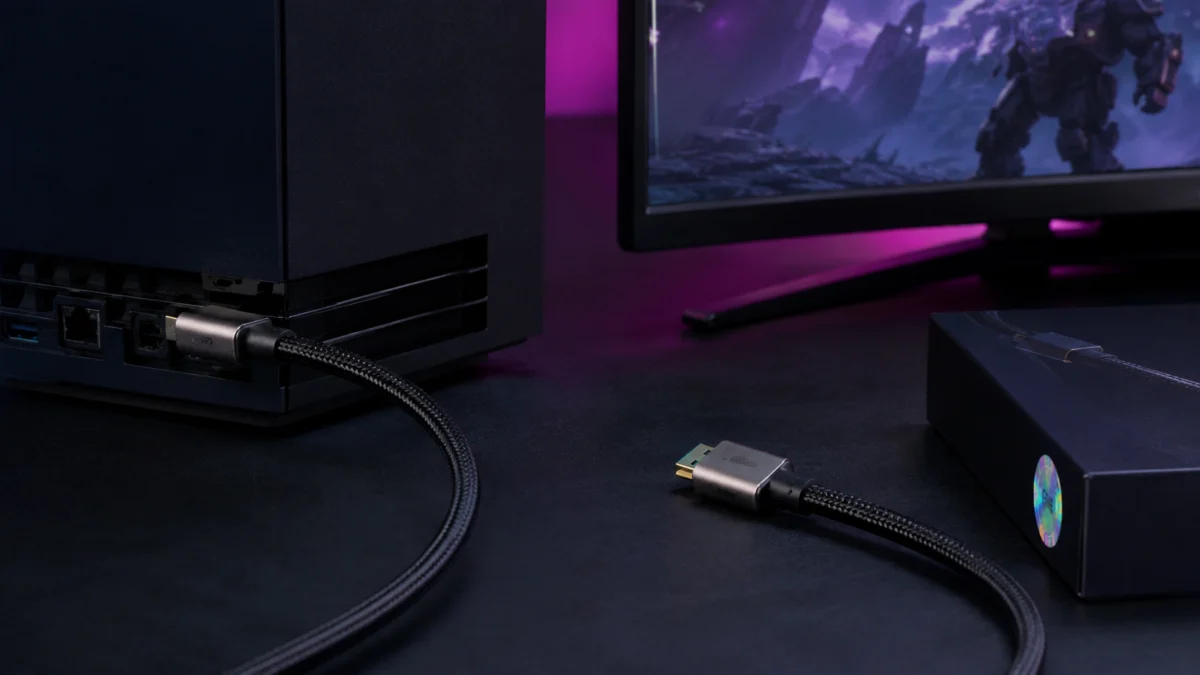
Both the PS5 and Xbox Series X ship with an Ultra High Speed HDMI cable already in the box — the same certified 48Gbps standard you’d spend money on separately. For most setups, no replacement is needed. The situation where a new cable makes sense is specific: the included cable is too short for your room setup, you’ve lost or damaged the original, or you’re running a second display. What the cable cannot fix on its own is 4K120Hz or VRR failing to appear — in every confirmed case across community reports, those issues involve the TV’s HDMI port mode setting, whether a soundbar or AV receiver sits between console and display, or whether the game actually supports the feature. This guide focuses on what to look for before buying, which brands carry official certification, and what to check when the cable alone is not the issue.
Quick Picks: Best Certified HDMI 2.1 Cables for PS5 and Xbox Series X
- Best Overall — Zeskit Maya Certified Ultra High Speed HDMI Cable
- Best Budget — Cable Matters Certified Ultra High Speed HDMI Cable
- Best Short Cable for Desk and Monitor Setups — Anker Certified Ultra High Speed HDMI Cable
- Best Long Cable for TV Setups — PowerA Ultra High Speed HDMI Cable for PS5 (Official License)
- Best Premium Build — Belkin Ultra HDMI 2.1 Cable
- How to Check the Certification Label and QR Code
- Why 4K120Hz or VRR Still May Not Work After Buying a Cable
- Common Buying Mistakes to Avoid
- Final Recommendation
AD: This guide contains affiliate links. We may earn a commission at no additional cost to you if you purchase through these links.
| Cable | Certified | Bandwidth | Available Lengths | Best For | Price Range |
|---|---|---|---|---|---|
| Zeskit Maya | ✅ HDMI LA Certified | 48Gbps | 6ft – 13ft+ | Most setups, strong value | Under $20 |
| Cable Matters | ✅ Ultra High Speed Certified | 48Gbps | 3.3ft – 25ft+ | Budget, widest length range | Under $15 |
| Anker | ✅ Ultra High Speed Certified | 48Gbps | 6ft, 10ft | Desk and monitor setups | Check price |
| PowerA (PS5 Official) | ✅ Officially Licensed by PlayStation | 48Gbps | 10ft (3m) | TV setups, long-reach installs | Around $30 |
| Belkin Ultra HDMI 2.1 | ✅ HDMI Forum Certified | 48Gbps | 6.6ft | Premium build, braided, shielded | Under $50 |
Price ranges reflect general Amazon.com availability and are subject to change. All cables in this guide carry official Ultra High Speed HDMI certification supporting 48Gbps, 4K@120Hz, and 8K@60Hz.
Do You Really Need a New HDMI Cable for PS5 or Xbox Series X?
For most setups, no. Both the PS5 and Xbox Series X include an Ultra High Speed HDMI cable rated at 48Gbps — the same specification as any certified replacement on store shelves. Unless the included cable is too short, damaged, or you need a second one for a different display, buying a new cable will not improve picture quality, frame rate, or VRR behavior on its own.
According to confirmed product and setup documentation for both consoles, the included cable is already the correct type for 4K@120Hz, VRR, ALLM, and eARC. The common situations where a replacement is genuinely useful:
- The 5-foot included cable doesn’t reach your TV across the room
- The original cable was lost, damaged, or went with a sold console
- You’re adding a second gaming display or capture card that needs its own cable
If 4K@120Hz or VRR isn’t working on your current setup and you’re already using the included cable, swapping the cable is not the fix. Based on confirmed community reports, the cause in these cases lies elsewhere — covered in detail in the troubleshooting section below.
What “Ultra High Speed HDMI Cable” Actually Means
“Ultra High Speed HDMI Cable” is the official name for cables certified by the HDMI Forum at 48Gbps bandwidth — enough to carry 4K@120Hz, 8K@60Hz, VRR, and Dynamic HDR. Every cable sold under this name must pass testing at an HDMI Forum Authorized Testing Center, with every length certified individually. The QR code on the packaging confirms certification status using any standard QR scanner or the official HDMI Cable Certification app.
The confusion for buyers comes from how HDMI cables are marketed. The term “HDMI 2.1” refers to the specification version, not certification status. A cable labeled “HDMI 2.1” or “8K cable” on Amazon is not necessarily tested or certified to 48Gbps. Only cables displaying the official Ultra High Speed HDMI Certification Label with a scannable QR code have been independently verified.
According to the HDMI Licensing Administrator (HDMI.org), the certification program exists specifically because resellers often use marketing terms that differ from official HDMI cable names, and counterfeit or non-compliant cables are documented in the market. A cable at the lowest price tier claiming “4K 120Hz” has almost certainly never been submitted to an Authorized Testing Center.
HDMI.org: Ultra High Speed HDMI Cable Certification
There is also a newer standard — the Ultra96 HDMI Cable at 96Gbps, part of the HDMI 2.2 specification — but for PS5 and Xbox Series X gaming in 2026, the 48Gbps Ultra High Speed HDMI Cable fully covers every feature both consoles support.
Best Overall Certified HDMI 2.1 Cable — Zeskit Maya
The Zeskit Maya is a Certified Ultra High Speed HDMI Cable (48Gbps) confirmed through HDMI Licensing and Administration. It supports 4K@120Hz, 8K@60Hz, eARC, VRR, Dolby Vision, and Dolby Atmos. The cable includes a holographic certification label with a scannable QR code to verify compliance before or after purchase via the official HDMI Cable Certification app.
Available lengths include 6ft and 13ft options , making it one of the few budget-to-mid-range certified cables that covers both shorter desk runs and longer living room installations within a single brand. The EMI shielding design exceeds international EMI standards according to the manufacturer’s documentation, reducing interference risk with nearby wireless devices.

Please check the Amazon product page for the latest price and availability.
✅ Buy if…
- You want a certified cable that covers both 6ft and 13ft runs under the same brand
- You’re setting up a PS5 or Xbox Series X with a 4K TV and want VRR confirmed to work
- You want QR verification before buying without paying a premium brand price
❌ Don’t buy if…
- You need a cable under 6ft — other certified options cover short desk runs better
- You need a cable with CL3 in-wall rating for permanent wall installation
- You want an officially licensed PlayStation or Xbox branded product
Best Budget Certified HDMI 2.1 Cable — Cable Matters
Cable Matters offers the widest length range of any certified Ultra High Speed HDMI Cable in this guide — from 3.3ft to 25ft and beyond — all carrying confirmed “Ultra High Speed HDMI Certified” status at 48Gbps. Each cable is individually tested and supports 4K@120Hz, 8K@60Hz, HDR, and eARC. CL3 in-wall-rated models are available for permanent installations.
Cable Matters is frequently cited as one of the most affordable certified options on Amazon.com, often coming in under $15 for standard lengths. A 3-pack option is also available, useful for multi-display households or setups running both a PS5 and Xbox Series X. Both braided and standard jacket versions exist, with the standard version offering the lowest entry price.
![[Ultra High Speed HDMI Certified] Cable Matters 8K HDMI Cable, 6.6ft | 8K@60Hz, 4K@240Hz, Braided, 48Gbps, 2m, HDR, Black, Compatible with PS5, Xbox Series X/S, Apple TV](https://m.media-amazon.com/images/I/41coQ0ChqxL._SL500_.jpg)
Please check the Amazon product page for the latest price and availability.
✅ Buy if…
- You want the lowest price for a genuinely certified 48Gbps cable
- You need an unusual length — under 4ft or over 15ft — and want certified options
- You’re buying multiple cables for a multi-console or multi-display setup
- You’re installing a cable in-wall and need a CL3-rated option
❌ Don’t buy if…
- You want a premium braided build or brand-name peace of mind at a higher budget
- You need a cable officially licensed by PlayStation or Xbox
Best Short HDMI 2.1 Cable for Desk and Monitor Setups — Anker
Anker’s certified Ultra High Speed HDMI cable (48Gbps) is available in 6ft and 10ft lengths and suits desk-distance connections between a PS5 or Xbox Series X and a nearby gaming monitor. The cable carries official HDMI 2.1 certification, supports 4K@120Hz and 8K@60Hz, and features a braided nylon jacket and optimized EMI shielding as confirmed in the manufacturer’s product documentation.
For desk gaming setups — where the console sits within 3 to 6 feet of the display — the 6ft model keeps cable management clean without excess slack. Anker’s reputation for quality control and warranty support makes it a reliable pick for buyers who prioritize brand-backed confidence alongside certification.

Please check the Amazon product page for the latest price and availability.
✅ Buy if…
- You’re connecting a PS5 or Xbox Series X to a gaming monitor on a desk
- You want a braided certified cable with established brand warranty support
- Your run is 6ft or under and you want a tidy, durable cable without excessive slack
❌ Don’t buy if…
- You need a cable longer than 10ft for a living room TV setup
- Budget is the primary concern — Cable Matters certified cables are cheaper
- You specifically want a PlayStation- or Xbox-licensed product
Best Long HDMI 2.1 Cable for TV Setups — PowerA (PS5 Official License)
The PowerA Ultra High Speed HDMI Cable for PS5 is officially licensed by PlayStation and confirmed at 48Gbps. At 10ft (3m) it covers the most common gap between a PS5 and a wall-mounted or entertainment-center TV. It supports 4K@120Hz, 8K@60Hz, Dynamic HDR, VRR, ALLM, and eARC, and carries CL3 in-wall rating. The braided cable design includes a cable tie for routing management.
For Xbox Series X users, Cable Matters also offers a “Designed for Xbox Certified” active fiber optic HDMI cable in 16.4ft that handles longer runs, confirmed via Amazon.com product listings. The PowerA option remains the clearest choice for PS5-centric setups where the official license provides extra purchasing confidence.

Please check the Amazon product page for the latest price and availability.
✅ Buy if…
- Your PS5 or Xbox Series X sits more than 6ft from the TV
- You want an officially PlayStation-licensed product with a recognized brand
- You need in-wall routing capability (CL3 rated)
- You want a braided, durable cable for a semi-permanent TV room installation
❌ Don’t buy if…
- Your setup is a desk or monitor within 6ft — the 10ft length will create excess slack
- Budget is tight — Cable Matters offers certified options at a lower price
- You need a run longer than 10ft — look for active HDMI or fiber optic certified options
Best Premium Build — Belkin Ultra HDMI 2.1 Cable
The Belkin Ultra HDMI 2.1 Cable is certified by the HDMI Forum at 48Gbps and carries a holographic security label verifiable via the official HDMI Cable Certification app. It supports 4K@120Hz, 8K@60Hz, eARC, and Dolby Vision Gaming on Xbox Series X, as confirmed in available product documentation. The 6.6ft cable features a two-layer shielding design and braided jacket, which reduces signal interference in setups with multiple cables running in proximity.
At its price point, the Belkin is not delivering more signal performance than a certified Cable Matters or Zeskit cable — all three carry the same 48Gbps certification. The difference is construction: reinforced connectors, a more flexible braided jacket, and the brand backing of a company with widespread retail availability at Best Buy and Amazon. For buyers who replace cables infrequently and want one that holds up to regular plug and unplug cycles, the Belkin’s build quality justifies the premium.

Please check the Amazon product page for the latest price and availability.
✅ Buy if…
- You want the most robustly constructed certified cable in this group
- You frequently connect and disconnect the cable and need reinforced connectors
- You have a complex home theater setup with multiple cables in close proximity and want two-layer shielding
- Belkin’s retail availability and brand warranty matter more than price
❌ Don’t buy if…
- Budget is a concern — certified cables from Cable Matters or Zeskit deliver equivalent signal performance at a lower price
- You need a cable longer than 6.6ft — the Belkin is only available in this length in the standard model
- You specifically want a PlayStation- or Xbox-licensed product
How to Check the Certification Label and QR Code
The only reliable confirmation that an HDMI cable meets the 48Gbps Ultra High Speed standard is the official certification label with a scannable QR code. Every certified cable must have this label affixed to its packaging, and every length of every model must be individually tested and certified — a 10ft cable and a 6ft cable from the same product line each require separate certification.
To verify a cable’s certification status:
- Look for the Ultra High Speed HDMI Cable Certification Label on the packaging — it includes the official cable name logo printed directly on it
- Scan the QR code using any standard QR code app on your phone, or use the official HDMI Cable Certification app (available on iOS and Android) for direct verification against the HDMI LA database
- The scan result displays the brand name, model number, and length — confirming whether that specific cable is registered as certified
- Manufacturer and reseller websites that participate in the Verification Banner program allow you to click or scan a banner on the product page to confirm certification before purchasing online
If a product listing on Amazon or another retailer does not clearly show the certification label image, or if the QR code scan returns no result, treat that as a buying risk. According to HDMI.org, counterfeit cables are a documented issue in the market, and some cables use marketing language that mimics official terminology without having been submitted to an Authorized Testing Center.
HDMI.org: Ultra High Speed HDMI Cable Certification
Why 4K120Hz or VRR Still May Not Work After Buying a Cable
A certified Ultra High Speed HDMI cable is a necessary condition for 4K@120Hz and VRR on PS5 and Xbox Series X — but not a sufficient one. Based on confirmed reports across Samsung Community, WhatHiFi Forums, Slickdeals, and official setup guides, the cable is not the cause in the large majority of these cases.
The following checklist covers the most common confirmed causes:
1. The TV’s HDMI port mode is not set to Enhanced format
This is the most frequently confirmed cause in community forums. Every HDMI 2.1-capable TV requires the specific port being used to be switched into a high-bandwidth mode — called “Enhanced Format” on LG TVs, “Input Signal Plus” on Samsung, “HDMI Ultra HD Deep Color” on some other models. The console or cable cannot trigger this automatically. You must enable it manually in the TV’s settings for the port where the console is connected.
2. An AV receiver or soundbar sits between the console and TV
Routing the HDMI signal through a receiver or soundbar is a well-documented source of 4K120Hz failures. Few AV receivers support full HDMI 2.1 passthrough. According to setup guides confirmed for both PS5 and Xbox Series X, the recommended approach is to connect the console directly to the TV’s HDMI 2.1 port and pass audio back to the receiver or soundbar via HDMI eARC.
3. The game doesn’t support the feature you’re enabling
4K@120Hz on PS5 and Xbox Series X depends on individual game support. The consoles output at 4K@120Hz only when a game offers a 120fps Performance Mode. Not all titles do. Check the specific game’s display mode options before concluding a hardware or cable issue.
4. Console output settings are not confirmed
On PS5: navigate to Settings > Screen and Video > Video Output > Current Video Output Signal to confirm what the console is actually sending. On Xbox Series X: navigate to Settings > General > TV & display options and verify that Allow 4K and Allow 120Hz are both enabled and not grayed out.
5. TV firmware is out of date
Multiple confirmed community reports document 4K120Hz HDR or VRR issues that resolved after a TV firmware update. Before concluding that the cable or console is at fault, check that the TV is running the latest available firmware.
PlayStation support: PS5 video output settings / Xbox support: 4K gaming at 120Hz / Related Samsung Community discussion / FlatpanelsHD PS5 setup guide / FlatpanelsHD Xbox Series X setup guide
Common Buying Mistakes to Avoid
Buying a cable labeled “HDMI 2.1” without checking for the certification label
Marketing terms and official HDMI cable names are not the same thing. “HDMI 2.1,” “8K cable,” and “48Gbps cable” are descriptions any seller can apply. Only the certification label with a scannable QR code confirms that the cable has been independently tested by an HDMI Forum Authorized Testing Center.
Buying a cable that is too short or too long for the actual distance
Measure the actual run from console to display before purchasing — include any routing around furniture or along walls. A cable that barely reaches creates strain on the HDMI port over time. For most desk gaming monitor setups, 3ft to 6ft is sufficient. For living room TV setups, 6ft to 15ft covers the majority of installations.
Assuming a higher price means better picture quality
Once a cable is certified at 48Gbps, additional spending does not produce a better image. A certified Cable Matters cable often priced under $15 passes the same data as a Belkin cable priced several times higher. The differences at higher price points are build quality, cable jacket durability, and connector reinforcement — not signal performance.
Using an HDMI splitter or switch without verifying HDMI 2.1 support
HDMI splitters and switches that do not explicitly support HDMI 2.1 bandwidth will cap the signal at the device’s rated maximum — often HDMI 2.0 at 18Gbps. This blocks 4K@120Hz and VRR regardless of the cable on either side. Verify that any intermediate device in the signal chain is rated for full HDMI 2.1 passthrough.
Upgrading the cable when the original is already certified
As confirmed across multiple community discussions, the cable included with the PS5 and Xbox Series X is already a certified Ultra High Speed HDMI cable. Purchasing a replacement when the original is functional and correctly connected provides no benefit.
How We Researched
This article is based on official specifications from HDMI.org (Ultra High Speed HDMI Cable Certification Program), confirmed setup documentation for PS5 and Xbox Series X, manufacturer product pages on Amazon.com for each cable listed, and community reports gathered across Samsung Community, WhatHiFi Forums, and Slickdeals confirmed across multiple independent posts. We have not conducted hands-on lab testing. All certification claims reflect official HDMI LA program documentation and manufacturer-stated compliance. Performance figures reflect manufacturer specifications and officially confirmed console capabilities.
HDMI.org: Ultra High Speed HDMI Cable Certification / PlayStation support: PS5 video output settings / Xbox support: 4K gaming at 120Hz
Final Recommendation: Which HDMI 2.1 Cable Should You Buy?
For most buyers replacing or extending the cable on a PS5 or Xbox Series X connected to a living room TV, the Zeskit Maya covers the widest range of setups at a reasonable price — certified at 48Gbps, available in lengths up to 13ft, with a QR-verifiable label. For the lowest price with genuine certification, Cable Matters is the clearest recommendation, with the added advantage of the widest length selection of any brand in this guide.
For a desk-to-monitor distance under 6ft, Anker’s 6ft certified model keeps things tidy with a braided jacket and consistent quality. For a longer TV room run with official PlayStation licensing, PowerA’s 10ft model is the most recognizable officially licensed option. And if build quality and connector durability matter more than price, Belkin’s Ultra HDMI 2.1 is the most robustly constructed cable in this group.
Regardless of which cable you choose: confirm the certification label and QR code, set your TV’s HDMI port to Enhanced Format, connect the console directly to the TV rather than through a receiver, and verify the game you’re playing actually supports the mode you’re enabling. In every confirmed case across community reports, the cable is not the point of failure.

Comments