If your Razer Wolverine V3 Pro keeps disconnecting on an Xbox Series X|S, the first move is to identify which connection path is failing — not to reinstall firmware. Wired USB-C, the HyperSpeed Wireless dongle, and both-at-once point to different causes and different fixes.
This guide covers the Xbox-compatible Wolverine V3 Pro, product number RZ06-0520. It does not cover the Wolverine V3 Pro 8K PC (RZ06-05540) or the Wolverine V3 Tournament Edition (RZ06-0521), which use different firmware and pairing tools.
One point up front: a drop that reproduces on both the cable and the dongle, across more than one Xbox USB port, is usually not something you can configure your way out of. That pattern is a support case, and this guide tells you where to stop.
Quick Checklist Before You Start
Five checks either resolve the problem or narrow it before you download anything. Confirm the product number on the controller, confirm the controller is in Xbox mode, move the dongle or cable to a different Xbox USB port, use the cable that shipped in the box, and fully power-cycle the console.
- Product number: confirm it reads RZ06-0520, not RZ06-05540 or RZ06-0521.
- Xbox mode: press Function + Menu + X to force Xbox mode.
- Port: move the dongle or cable to a different USB port on the console.
- Cable: use the braided USB-C cable supplied with the controller.
- Console: hold the Xbox power button until it shuts down, then unplug it for about 30 seconds.
If the drops continue after all five, work through the sections below in order.
Identify Which Connection Path Is Dropping
Test wired and wireless separately before changing anything else. Play one full normal session on the supplied cable with the dongle removed, then repeat using only the dongle. Whether one path drops or both drop is the single most useful piece of information you can collect, and it decides which section applies.
| What you see | Most likely area | Where to go next |
|---|---|---|
| Wired USB-C drops, dongle stays connected | Cable, controller USB-C port, or console USB port | Isolate the port, cable, and dongle |
| Dongle drops, wired stays connected | Dongle pairing, dongle firmware, or dongle port | Firmware, then re-pairing |
| Both paths drop on the same console | Console USB side, accessory interference, or controller hardware | Isolate first, then the fault matrix |
| Lights stay on but inputs stop registering | Session-level dropout rather than power loss | Fault matrix and support |
| Controller powers off completely | Battery, charging, or power delivery | Isolate the cable and port, then support |
| Controller never connects at all | Setup or pairing, not a disconnect | Re-pair the dongle |
That last row matters. “Keeps disconnecting” and “will not connect at all” look similar in a search box but call for different work, and mixing them up sends people through firmware updates that were never going to help.
What Users Are Reporting on Xbox Series X|S
According to multiple community reports on Razer’s own support forum, some Xbox Series X owners have seen intermittent drops through both the USB-C cable and the HyperSpeed dongle. Several describe the problem worsening over time, and at least one describes the controller staying illuminated while inputs stopped registering entirely.
These reports do not establish a product-wide defect, and they do not appear to describe every unit or every setup. What they do show is that the symptom is recognised: a Razer support representative responding in that thread asked affected owners to send product and purchase details privately so a warranty case could be opened.
Be careful with the explanations offered inside those threads. Individual posters have blamed USB port generations, haptic feedback strength, and cable movement. Those are personal theories from single posts, not documented causes, and acting on them can send you down a long detour.
Independent editorial coverage adds a different data point: reviewers using the controller on Xbox have described HyperSpeed as inconsistent at the moment of connecting — slow to connect, or failing to connect until the controller is powered off and on — rather than dropping mid-session. Your symptom may be either one.
Confirm the Exact Model and Xbox Mode
Two mismatches cause avoidable failures here: running tools built for a different Wolverine model, and leaving the controller in PC mode while it is attached to an Xbox. Check the product number printed on the controller, then set Xbox mode with Function + Menu + X before you install anything.
Razer sells several similarly named Wolverine V3 controllers, and their firmware updaters and pairing utilities are not interchangeable. The Xbox-compatible wireless model is RZ06-0520. The Wolverine V3 Pro 8K PC is RZ06-05540 and is a PC-focused product with its own separate downloads page. Installing the wrong updater is not a fix for a disconnect, and it is worth thirty seconds to confirm.
Mode is the other easy miss. According to Razer’s support documentation for this model, Function + Menu + X switches the controller to Xbox mode and Function + Menu + A switches it to PC mode. Because the combinations are close together, confirm Xbox mode before troubleshooting a controller that does not connect or operate correctly on the console.
Update the Controller and HyperSpeed Dongle Firmware
The fix takes 4 steps. Razer’s updater instructions treat the controller and the HyperSpeed Wireless dongle as separate update targets, so complete both targets. Start with the Razer Controller Setup for Xbox app, and use the standalone Windows updater if the app offers nothing.
- Open the Razer Controller Setup for Xbox app on your Xbox or Windows PC and connect the controller. Razer’s documentation states the app prompts you when a newer firmware version is available.
- If no prompt appears, download the standalone firmware updater listed on the RZ06-0520 Drivers & Downloads page using a Windows PC. The version listed at the time of writing is v2.04.00_r1.
- Run the updater and select the HyperSpeed Wireless Dongle as the update target first. The documented flow asks you to unplug the dongle, then plug it into the PC when prompted. Do not interrupt the update.
- Continue to the controller target. Make sure the controller is connected through neither the dongle nor USB, power it on, press Function + Menu + X to enter Xbox mode, then connect it to the PC with the USB cable and start the update.
Set your expectations honestly before you start. The release notes Razer publishes for this updater describe general bug fixes and nothing more specific, so there is no official statement that this version resolves Xbox disconnects. Update because you should be on current firmware before escalating, not because the update is a documented fix.
Two practical constraints: the standalone updater is a Windows application, so you cannot run it from the console alone, and Razer instructs laptop users to connect the computer to a wall outlet rather than update on battery power.
Isolate the Xbox USB Port, Cable, and Dongle
The fix takes 5 steps. This section separates a controller fault from a console-side or cable-side one. Change a single variable at a time and play a normal session between changes, because an intermittent drop will happily hide from a short test and then reappear an hour later.
- Power-cycle the console properly. Hold the Xbox power button until it shuts down completely, unplug it for about 30 seconds, then reconnect and restart.
- Remove non-essential USB accessories — external drives, hubs, charging docks, wired headsets — so the controller or dongle is the only significant device attached.
- Move the dongle, or the cable, to a different USB port on the console. Try both front and rear ports.
- Switch to the braided USB-C cable that shipped with the controller if you have been using a third-party one, and route it so it is not being tugged during play.
- Record the result of each change before moving to the next one.
You will find forum comments claiming that a specific USB port generation is the cause. Treat that as an individual report. It is not stated as a requirement in the official material for this controller, and rebuilding your setup around it is not justified by what has actually been documented.
Re-Pair the HyperSpeed Wireless Dongle
The fix takes 3 steps. Apply this branch only when wired play is stable and the dongle path is not. Razer publishes a pairing utility for RZ06-0520; run it on a Windows PC and select the matching device. Do not substitute the Wolverine V3 Pro 8K PC utility, which is built for a different controller.
- Download the pairing utility listed for RZ06-0520 onto a Windows PC.
- Run the pairing utility and select your device from the list.
- Confirm you are using the dongle that shipped with this controller, not a dongle from another Razer product.
Decide Whether the Controller, Dongle, or Xbox Is at Fault
Once you have tested both paths, two console ports, and the supplied cable, your own results narrow the fault to one component. Read the matrix below against what you recorded, and treat the final row as a stop condition rather than as a prompt for another round of resets.
| Wired result | Wireless result | Most likely area | What to do |
|---|---|---|---|
| Stable | Unstable | Dongle pairing, dongle firmware, or dongle port | Update both firmware targets, then re-pair |
| Unstable | Stable | Cable, controller USB-C port, or console USB port | Swap the cable and change ports |
| Unstable | Unstable | Console USB side or accessory interference, tested on one port only | Retest on another port with accessories removed |
| Unstable | Unstable | Controller or dongle hardware, after testing several ports and, where possible, a second system | Stop troubleshooting and open a support case |
One extra test sharpens the picture if you can run it: connect a different controller to the same Xbox and play a full session. If that controller also drops, the console or its USB ports move to the top of the list rather than your Wolverine. If it behaves perfectly, the Wolverine or its dongle stays the prime suspect.
Our separate guide to Turtle Beach Stealth Ultra connection problems on Xbox walks through that same console-side isolation for a different premium controller. It is useful for confirming whether your console is the common factor; it is not a repair procedure for the Wolverine V3 Pro.
When to Contact Razer Support or Use the Warranty
Escalate once mode, firmware, port, cable, and pairing checks have all failed. On Razer’s support forum, staff responding to Wolverine V3 Pro disconnect reports asked owners to send product, purchase, contact, and video details privately so a warranty case could be opened. Gather that information before you write.
- Your full name and contact details
- Product name and product number (RZ06-0520)
- The controller’s serial number
- Place of purchase and date of purchase
- Proof of purchase
- A short video showing the disconnect happening
Two details are worth protecting now, before you need them. At least one owner reported that the serial number printed on the controller had worn away and that the box was long gone, which complicates a warranty claim considerably. Keep your receipt or order confirmation, and photograph the serial number while it is still legible.
Warranty coverage differs by country, by where you bought the controller, and by the consumer law that applies to you. Check Razer’s warranty policy for your own region rather than assuming a term you read on a forum, and note that statutory rights in your country may sit alongside the manufacturer’s stated policy.
If the controller is outside its warranty period, or support determines the fault is not covered, a like-for-like RZ06-0520 replacement keeps the same control layout and software workflow familiar. This is a premium-tier controller, so replacement cost is worth weighing against any available repair option. Fixory may earn a commission from purchases made through links on this page.

Please check the Amazon product page for the latest price and availability.
How We Researched
This article is based on Razer’s official support documentation for the RZ06-0520, community reports posted on Razer’s own support forum, and independent editorial coverage of the controller. We have not conducted hands-on lab testing. Procedures and version numbers are attributed to official sources; symptoms are attributed to identified community reports.
Where community posts offered explanations for the disconnects, we treated those explanations as unverified user theories and excluded them from the diagnostic steps above. Where official documentation was silent on a point, we said so rather than filling the gap.
Frequently Asked Questions
These four questions come up repeatedly around Wolverine V3 Pro disconnects on Xbox. Each answer stays within what Razer’s documentation and identified community reports support, so where something is not documented for this model, that is stated rather than guessed at.
Why does the controller stay lit but stop responding?
Illumination and input are not the same signal path, so a lit controller can still have lost its connection to the console. Community reports describe exactly this on Xbox Series X. Treat it as a disconnect rather than a frozen game, and check whether it happens on both the cable and the dongle.
Can the Wolverine V3 Pro connect to an Xbox without its dongle?
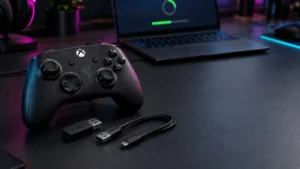
No. This controller uses Razer’s HyperSpeed wireless rather than Bluetooth or Xbox Wireless, so wireless play requires the supplied HyperSpeed dongle occupying one of the console’s USB ports. Your only other option is playing wired over USB-C. A missing dongle is a replacement question, not a pairing question.
Do I need to update both the controller and the dongle?
Yes, check both. Razer’s instructions handle the HyperSpeed Wireless Dongle and the controller as separate update targets. Complete both targets in the Razer Controller Setup for Xbox app or the standalone Windows updater; finishing only one target does not complete the full update process.
Why does wired play work while the dongle keeps dropping?
That split narrows the investigation to the wireless path — pairing, dongle firmware, the console USB port, or wireless-side hardware — without ruling out every controller fault. Update both firmware targets, then re-pair the dongle before considering a warranty claim.
Conclusion
Disconnects on the Wolverine V3 Pro are not one problem with one fix. Establish which connection path drops, work only the branch that matches your result, and use the fault matrix to interpret what you recorded rather than repeating steps that have already failed once on your setup.
The part most guides leave out is the stop condition. If the controller drops on both the cable and the dongle, across more than one console port, with accessories removed and current firmware on both targets, further resets are unlikely to change anything. At that point the useful next action is a documented support case — with your serial number, proof of purchase, and a video of the fault already in hand.