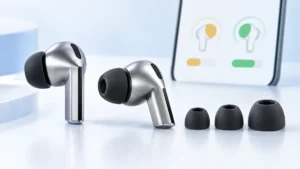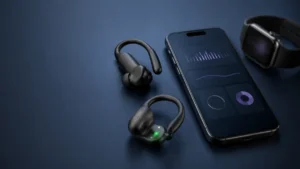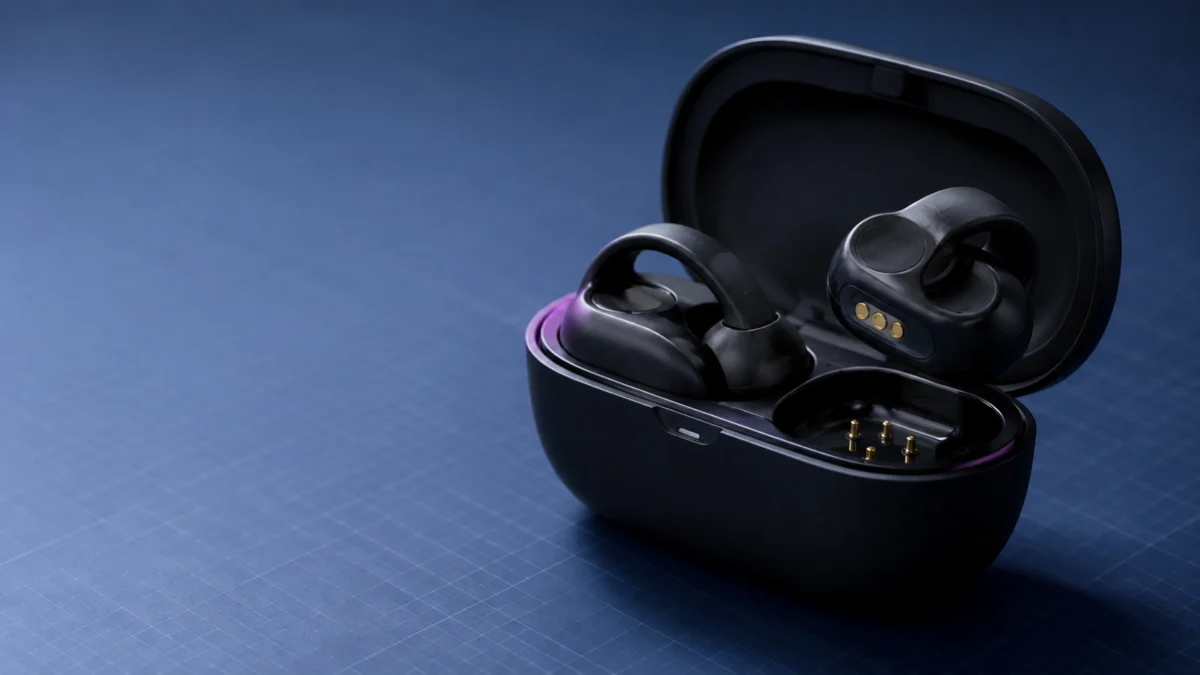
If only one Bose Ultra Open Earbud is not charging, start with the case status light. Place each earbud into the open charging case one at a time and watch the light for that side. Bose states that when an earbud’s status light does not illuminate, the earbud is either out of charge or is not contacting the charging pins in the case. This test narrows the fault to depletion or pin contact before you move to software steps.
Confirm you are troubleshooting the right symptom first. “Not charging,” “not turning on,” and “no audio in one ear” are separate faults with different starting points. Beginning with the wrong symptom can lead to an unnecessary factory reset that cannot correct a physical contact problem.
This guide covers the Bose Ultra Open Earbuds (support product code ULT-HEADPHONEOPN) only. It does not apply to the QuietComfort Ultra Earbuds. If you arrived here for a different brand, our AirPods Pro 2 one-side charging guide covers the Apple-specific checks; do not apply the Bose-specific pin layout or reset steps to AirPods.
Quick Fix Checklist
These six checks cover the physical and power causes documented for the Bose Ultra Open Earbuds. Run them in order before touching any reset. Stopping at the first check that changes the affected side’s status light helps identify which part of the charging path needs attention.
- Place the affected earbud alone in the open case and watch its light.
- Check that its three charging points face downward and that it snaps in magnetically.
- Look for dirt, debris, liquid, or leftover blue protective film in the case.
- Confirm all three charging pins on that side protrude upward and are not recessed.
- Charge the case itself over USB-C using a charger rated 1 A or higher.
- Return the earbuds and case to room temperature if they have been hot or cold.
Confirm It Is Really a Charging Failure
A charging failure means the earbud is not drawing power in the case. That is different from an earbud that will not turn on or one that has a normal battery reading but plays no audio. Identify the observed behavior first, because each symptom leads to a different next check.
| What you observe | What it indicates | What to check next |
|---|---|---|
| Status light never lights when that earbud is placed in the case | The earbud is depleted or is not contacting the pins | Seating, contacts, and case pins |
| Status light responds but the battery reading stays at 0% | Charging has not progressed | Contacts, case power, and charger output |
| Battery reading is normal but there is no welcome tone | Power, standby, or connection state needs checking | Wake and resync before reset |
| Both earbuds report battery but one side is silent | Audio or connection issue, not a confirmed charging failure | Outside the scope of this guide |
Use the working side as your reference. Comparing the two directly is the fastest way to spot a pin that sits lower, a shallower magnetic snap, or a different status-light response without treating any one sign as proof of the final cause.
Why One Bose Ultra Open Earbud Stops Charging
Bose’s battery-charging guidance lists obstruction of the contacts, recessed charging pins, temperature outside the operating range, and insufficient charger output. Incorrect seating can also prevent pin contact. The table maps each documented cause to the comparison you can make against the working side or the case.
| Cause | What to compare | Where to check |
|---|---|---|
| Dirt, debris, or liquid on the contacts or pins | Whether the contact surfaces are clean and dry | Affected earbud and matching case pins |
| Recessed charging pin in the case | Whether one pin sits lower than the matching pin on the working side | Affected side of the case |
| Blue protective film left in the case | Whether film remains between the earbud and pins | Affected case compartment |
| Incorrect seating or orientation | Whether the magnetic snap matches the working side | Affected earbud |
| Temperature outside the operating range | Whether the earbuds and case are within the charging range | Both earbuds and the case |
| Case battery empty or underpowered charger | Case power and the charger’s printed output rating | Case-wide charging path |
Step-by-Step Fix
The fix takes seven steps. Work through them in this order, physical checks first, so that you do not clear your Bluetooth pairings before you have ruled out a contact problem. Stop as soon as the affected side’s status light behaves like the working side.
- Remove both earbuds and inspect the three charging pins on each side of the case. Confirm all six protrude upward.
- Check the earbud contacts and the case for dirt, debris, or liquid. Clear it by wiping gently or applying compressed air.
- Remove the blue plastic protective film if it is still inside the case.
- Align the three charging points on the earbud barrel so they face downward, then seat the earbud in its matching side until it snaps in magnetically.
- Confirm the earbuds and case are at room temperature, between 46°F (8°C) and 102°F (39°C), before charging.
- Connect the USB-C port on the bottom of the case to a wall charger. The case status light blinks amber while charging.
- With both earbuds in the case and the lid closed, wait for the case status light to stop glowing. Then remove the right earbud, put it in your right ear, and wait for the welcome tone. Repeat with the left.
Do not force, pry, or scrape a recessed pin. If a pin does not spring back, stop manipulating it to avoid additional damage and treat it as a service condition.
Bose charging instructions for Ultra Open Earbuds
Case Power, USB Chargers, and Wireless Charging
An earbud cannot charge from a case with no power itself. The Bose Ultra Open Earbuds specifications list USB-C input at 5 VDC and 1.2 A. Bose also warns that a charger with too low an amp rating may charge the product slowly or not at all.
Many computer USB ports supply a maximum of 0.5 A, and Bose notes that some products need at least 1 A. If you have been charging from a laptop, move to a wall charger and check its printed amp rating. Use a safety-agency-approved power supply that meets local regulatory requirements.

Please check the Amazon product page for the latest price and availability.
Wireless charging is not part of the included case. Bose sells a separate Wireless Charging Case Cover that adds it, and states it charges the earbuds in three to four hours from empty. That accessory changes how the case receives power, not how an earbud contacts the pins inside it, so it is not a fix for a one-sided contact failure.
Reset Versus Factory Restore
Bose’s reset instructions distinguish two procedures with different consequences. A reset clears the Bluetooth device list. A factory restore returns the earbuds to their out-of-box state and requires full setup again. Neither should come before the physical and power checks above.
To reset: place both earbuds in the case so they snap into place, keep the lid open, and hold the button on the back of the case for 20 seconds. The status lights blink white twice, slowly blink blue, then turn off. When the reset completes, the lights slowly blink blue in discoverable mode.
To restore factory defaults: remove the earbuds from the paired-device list on every connected device, remove them from your Bose account in the Bose app, then repeat the 20-second hold three times in total. After the third, the lights blink amber for three seconds while factory settings restore.
Verification and Edge Cases
After charging registers, compare progress with Bose’s approximate charge times: about one hour for the earbuds and three hours for the case. Bose lists up to two hours of use from a ten-minute charge, but that figure is not a pass-or-fail threshold for a deeply depleted earbud.
- Standby is not a fault. The earbuds switch to standby 20 minutes after both are removed from your ears. Insert both or use the Bose app to wake them.
- Temperature stalls are silent. Outside the operating range the product may simply not charge, with no error shown.
- A deeply depleted earbud may show nothing at first. The official material we checked does not state how long it takes to register, so do not treat any specific number of minutes as a pass or fail threshold.
When to Stop and Contact Bose for Repair or Replacement
Some conditions point to a hardware problem, and repeating the same troubleshooting will not identify a user-level fix. Move to Bose support when the affected side meets any of the indicators below after you complete the seating, cleaning, case-charging, temperature, and reset checks described earlier.
- The status light for that side never illuminates in a fully charged case.
- One or more charging pins on that side remain recessed and do not spring back.
- The side charges only after repeated reseating, then fails.
- The earbud also fails to power on after a full charge attempt.
Before starting a request, note the product name, serial information, proof of purchase, affected side, and observed case-light behavior. Bose states that its one-year limited warranty is included with Bose products, but eligibility, cost, and service terms can vary by region and purchase channel, so confirm the terms that apply to you.
Use the Bose repair and replacement request page to review the service options currently shown for your product and region.
If the unit is out of warranty and a service quote is not worth it, replacement is the remaining option.

Please check the Amazon product page for the latest price and availability.
How We Researched
This article is based on Bose product-specific support articles for the Ultra Open Earbuds, including the charging, power, reset, and specification pages, plus the official Bose accessory product page for the Wireless Charging Case Cover. We have not conducted hands-on lab testing. All procedures, figures, and temperature ranges here are attributed to those official Bose sources.
We looked for recurring community reports of one-sided charging failure on this model but did not find the same issue confirmed across multiple independent threads, so no user-report section appears above. Statements about what is not documented apply only to the official pages we checked.
FAQ
These are the questions owners ask most often once a single Bose Ultra Open Earbud stops charging. Each answer stays within what Bose documents for this specific model, so none of it should be applied to the QuietComfort Ultra Earbuds or to another manufacturer’s earbuds.
Why does one Bose Ultra Open Earbud stay at 0%?
The documented reasons are obstructed charging contacts, a recessed charging pin in the case, leftover blue protective film, or the earbud not snapping fully into place. A case with no power of its own, or a charger with too low an amp rating, can also prevent charging progress.
Does resetting the earbuds erase Bluetooth pairings?
Yes. Bose states that resetting the earbuds clears the Bluetooth device list, so you will need to reconnect your phone or computer afterwards. That is one reason to run the physical contact and case-power checks first. A factory restore goes further, returning the earbuds to their out-of-box state.
Can a recessed charging pin be fixed at home?
Do not try to repair it at home. Bose’s guidance says the pins should protrude out of the case, and the official material we checked gives no home repair procedure for one that does not. Forcing or prying a pin risks further damage, so treat it as a service condition.
Can the included Bose Ultra Open Earbuds case charge wirelessly?
Not on its own. Wireless charging comes from the separate Bose Ultra Open Earbuds Wireless Charging Case Cover, which Bose describes as an upgrade that charges the earbuds in three to four hours from empty. It changes how the case receives power, not how an earbud contacts the pins.
Conclusion
Work this problem in one direction: physical contact first, then case power and charger output, then reset, and only then a factory restore. The case status light is the decisive test at every stage, and the working side shows you what normal looks like on your own unit.
If the affected side never lights in a charged case, or a pin stays recessed, open a service request rather than repeating the reseating cycle.