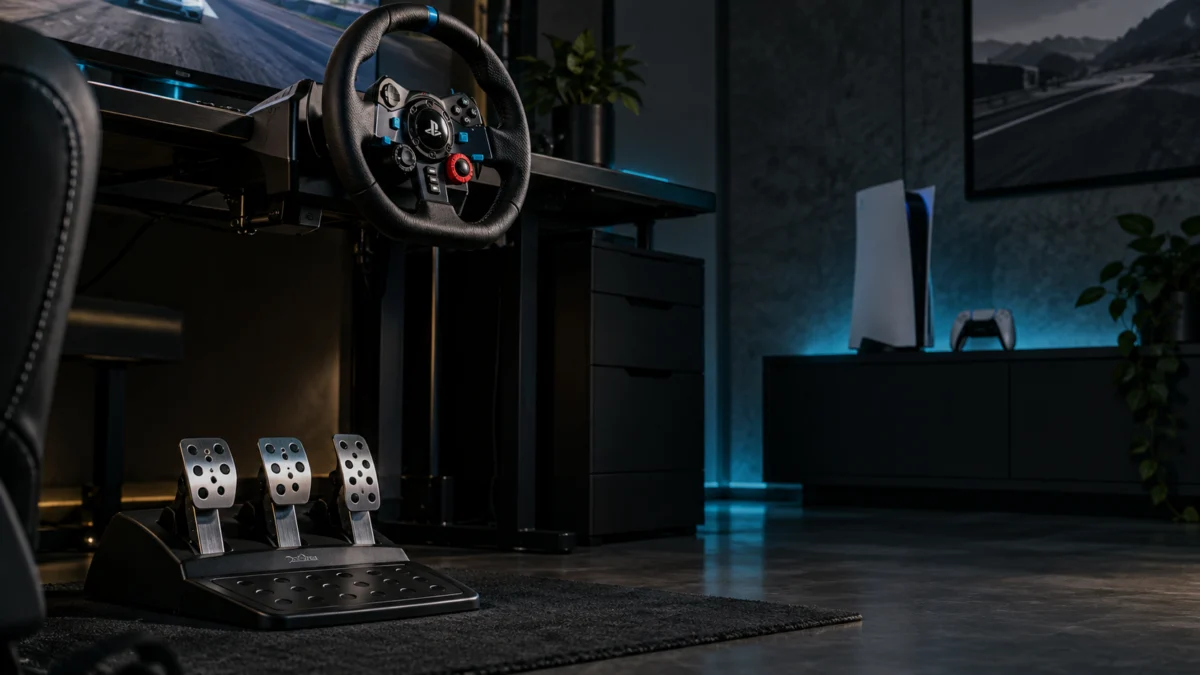
If your G29 pedals are not responding on PS5, start by watching what the wheel does the moment you plug it in. Logitech’s official troubleshooting documentation states that once the wheel is connected to a game console or PC, it rotates fully to each side and then returns to center to calibrate. If that sweep happens but the pedals do not respond, check the pedal cable and in-game assignments next. The sweep alone does not identify the faulty component.
Use that observation together with the pedal symptoms to choose a starting point from the four situations below. Find yours below, then work through the matching section. Treat disassembly or pedal replacement as the last option: a clutch that does nothing may need a game-support check before a repair decision.
| What you are seeing | Check first | Move on when |
|---|---|---|
| No pedal responds, and the wheel does not sweep on connection | Wheel power and the USB connection to the PS5 | The calibration sweep happens on connection |
| No pedal responds, but the wheel sweeps and steers normally | The pedal unit’s cable into the wheel base | The pedal cable is seated in the port on the base |
| One pedal is missing, or pedals act as each other or in reverse | Pedal assignments in the game’s control options | Each pedal registers on the correct axis in-game |
| Throttle and brake work, clutch does nothing | Whether that game supports the G29 clutch | The game documents clutch support for the G29 |
Identify Which G29 Pedals Are Not Responding
Check the pedals in a fixed order: the wheel’s calibration sweep on connection, then each pedal individually inside a game’s control assignment screen, then the clutch last. Testing them one at a time helps you choose which connection or assignment to check next, without assuming the cause from the driving response alone.
After noting whether the sweep occurs, isolate each pedal. In the control assignment screen of a racing game you already own, press the throttle, the brake, and the clutch one at a time and watch whether the game registers movement and on which axis. Which pedals register, and where, is what routes you to the right section above. If the clutch alone fails, do not open the pedal unit — read the clutch section first.
A community thread describes a G29 calibrating on PS5 but not responding to steering or pedal input, with other owners reporting similar behavior. These reports illustrate a symptom; they do not establish a shared cause.
Community reference: G29 calibrating but not working on PS5.
Check the Wheel Power, Pedal Connection, and PS5 USB Connection
Three physical connections have to be right before any in-game setting matters: mains power to the wheel base, the pedal unit’s cable into the base, and the base’s USB cable into the PS5. Logitech’s official troubleshooting sequence checks them in that order, so use those connections as your starting checklist before changing pedal assignments.
Check these 3 physical connections.
- Confirm the wheel base is connected to power. Logitech’s documentation places the power connection port on the underside of the wheel unit. Check this connection before using the calibration behavior to decide what to investigate next.
- Confirm the pedal unit is connected to the wheel base. The pedal connector is a DB-9 female port, also on the underside of the wheel unit. The pedals connect to the base, not to the console, so reseat this cable fully and check it for damage. Check it even when steering appears to work normally.
- Confirm the USB connection to the PS5, and watch the calibration. Once connected, the wheel should rotate fully to each side and then to the center. If it does not, recheck the power and USB connections before proceeding to game settings.
One instruction in the official list does not apply to you. The note about installing Logitech Gaming Software 8.70 or later appears specifically as a condition for connecting the wheel to a PC. Treat it as a PC-side requirement, not a required PS5 step, and start with the PS5 connection checks above.
Source: Logitech pedal troubleshooting.
Check Pedal Assignments and Inverted Inputs in Your Game
If the wheel calibrates and the pedal unit is connected, check the in-game pedal assignments next. Logitech’s official guidance is to confirm the pedals are correctly assigned in the game’s own control options, and it warns that some games invert pedal controls, so an unexpected response is a reason to check settings before replacing hardware.
Check both the assigned function and any inversion setting. Logitech’s guidance calls for correct pedal assignments and separately warns that some games invert pedal controls. Do not assume that every missing or unexpected input has the same cause.
The official instruction is to map pedal functions in the game’s own control options, so work there and check:
- Whether each pedal is assigned to the function you expect, rather than a default controller profile
- Whether the game offers an invert or reverse-axis option for pedals, and how it is currently set
- Whether the game has a separate racing-wheel profile that must be selected before assignments apply
- Whether re-assigning a pedal manually, by pressing it when prompted, changes the result
Then test a second racing title. If the behavior differs between games, compare their support and control settings. If the symptom remains, record both results along with the connection checks for support.
If Only the Clutch Does Not Work, Check Game Support
A clutch that does nothing while the throttle and brake work is not enough on its own to establish a hardware fault. Logitech states that clutch support has to be provided by the game’s developer and that not all games include it, so confirm the game supports the G29 clutch before you consider repair or replacement.
Start from the platform question, which is settled. Logitech’s documentation states that G29 clutch pedal functionality is supported on PlayStation 4, PlayStation 5, and PC, and that it is not supported on PlayStation 3. On PS5 the clutch is within the wheel’s documented capability, so check game support and configuration before drawing a conclusion about the cause.
From there, the official guidance points to three checks:
- Game compatibility. Check the game’s own compatibility information for G29 clutch support. Because that support is implemented by the developer, clutch behavior can depend on the title’s documented support.
- Inverted or incorrect mapping. Some games invert clutch pedal controls or fail to map them correctly. Verify the pedal settings in the game’s control options.
- Everything else. If the game supports the clutch and it still does not work, Logitech routes you back through the general pedal connection checks covered above.
One more official condition needs to be read narrowly. Logitech’s documentation notes that the Driving Force Shifter attachment is required to make proper use of the G29 clutch pedal. That is a statement about the clutch, not about the pedal set as a whole: it does not establish a shifter purchase as a remedy for an unresponsive throttle or brake. Use the connection and assignment checks for those symptoms.
If the game supports the clutch, your assignments are correct, and you are running the pedals without the shifter attachment, checking availability of the official shifter is a reasonable next step. Confirm compatibility with your exact wheel model on the manufacturer’s product page before ordering.
Disclosure: this article contains affiliate links, and Fixory may earn a commission from qualifying purchases at no additional cost to you.

Please check the Amazon product page for the latest price and availability.
Source: Logitech G29 clutch support and troubleshooting.
What to Record Before Contacting Support or Replacing Hardware
Before you open a support case or buy replacement hardware, write down what you have already ruled out. The checks in this article come from Logitech’s own troubleshooting articles, and recording their results gives support a clearer account of the symptom and the checks you have completed.
Record the following:
- The game and version where the problem occurs, and whether you have tested a second title
- Which pedals respond, and which axis each one registers on in the assignment screen
- Whether steering and the wheel’s buttons work normally
- Whether the calibration sweep runs when you connect the wheel
- Which connections you reseated: mains power, the pedal cable into the base, and USB into the console
- For a clutch symptom, whether the game documents G29 clutch support and whether the shifter is attached
A difference between games is useful information for support; it does not by itself settle every hardware question. Check your warranty status and the manufacturer’s official specifications before deciding, and treat this article as a troubleshooting checklist rather than a substitute for Logitech’s own support process.
If the wheel itself needs replacing rather than repairing, platform compatibility is decided at the wheel base, so check that first: see our comparison of replacement racing wheels for PC and PS5.
How We Researched
This article is based on Logitech’s official support documentation for the G29 racing wheel and its pedal unit, together with community reports from PlayStation 5 owners where those reports could be identified. We have not conducted hands-on lab testing. The connection sequence, the calibration behavior, the inverted-pedal note, and every statement about clutch platform support and shifter requirements are attributed to Logitech’s official support articles. Community reports appear only as examples of symptoms owners have described, not as evidence of a shared cause.
Frequently Asked Questions
Is a G29 clutch that does not work on PS5 a hardware fault?
Not necessarily. Logitech’s documentation states that clutch support is implemented by the game’s developer and that not all games include it, so the first check is whether your game supports the G29 clutch at all. The clutch is officially supported on PlayStation 5, but game-level support still needs to be checked. Confirm game support and your assignments before considering repair.
Do I need to install Logitech software for the G29 to work on PS5?
In the official troubleshooting steps we checked, the software requirement is written as a condition for connecting the wheel to a PC, not to a console. The console path there is a USB connection followed by automatic calibration, with pedal functions assigned in each game’s control options. On PS5, work through the physical connections and in-game assignments first.
Why do my G29 pedals act as each other in some games?
Check which function each pedal is assigned to in the game’s control options. Logitech also warns that some games invert pedal controls; check that separately from a pedal being assigned to the wrong function. Map the pedals manually in that game’s control options and check for an invert or reverse-axis setting.
Conclusion
Use the four situations above to choose your first check: power and USB when there is no calibration sweep, the pedal connection when steering works but the pedals do not, assignments for missing or unexpected inputs, and game support for a clutch-only symptom. These are checks to work through, not a diagnosis from the symptom alone.
Work through those checks in that order and record the results as you go. By the end you will either have fixed the problem or have a specific case to take to Logitech support, which is a better position than guessing at a replacement.