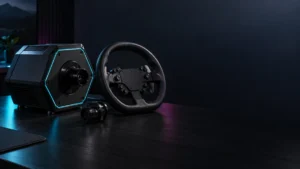
The best sim racing wheel is not a single product — it is the wheel that matches your platform first. Before comparing torque or force feedback, decide whether you are racing on PC, PlayStation 5, or Xbox, because compatibility is decided at the hardware level and cannot be fixed later with settings. On PC you have the widest choice. On PS5, the console security chip must sit inside the wheel base, so popular PC-only direct drive kits like the MOZA R5 will never work natively on a PlayStation. On Xbox, the security chip sits in the wheel rim instead. As quick starting points: the Logitech G923 is the safe first wheel, the MOZA R5 is the strongest PC-only direct drive value, the Thrustmaster T598 is the standout budget direct drive option for PS5, and the Fanatec Gran Turismo DD Pro is the established official choice for Gran Turismo 7.
This guide is built around buying decisions, not a generic “best overall” ranking. We walk through choosing by platform, the seven checks that actually matter, and the right pick for your specific use case and desk setup.
Already bought a wheel and it won’t show up on your PC? See our checklist for when a racing wheel is not detected on PC.
Start with your platform: PC, PS5, or Xbox
Your platform decides which wheels are even possible, so check it first. PC offers the widest selection because Windows accepts almost any USB base. PlayStation 5 requires a security chip built into the wheel base itself, so a PC-only base cannot work natively. Xbox places that chip in the rim, so a PC base can gain Xbox support through a licensed rim.
The single most expensive mistake buyers make is assuming “PC compatible” also means “PS5 compatible.” It does not. According to manufacturer documentation and Fanatec’s official compatibility material, the PlayStation handshake happens in the base, so attaching a different rim to a PC-only base will not unlock PS5 support. Xbox works the opposite way: because the chip lives in the rim, a PC base such as the Fanatec ClubSport DD or a Logitech PC base can reach Xbox Series X|S compatibility by fitting an Xbox-licensed hub or rim.
There is one more platform trap worth knowing before you buy. On PS5 and Xbox, external USB pedals, shifters, and handbrakes are not recognized by the console. They must plug directly into the proprietary ports on the back of the wheel base, which effectively locks console players into a single brand’s ecosystem. PC players are not restricted this way and can mix brands freely.
| Platform | Where the security chip lives | What this means for buyers |
|---|---|---|
| PC | Not required (universal USB) | Widest choice; mix bases, pedals, and accessories across brands |
| PS5 / PS4 | In the wheel base | Base must be officially PlayStation compatible; rim swaps cannot add support |
| Xbox Series X|S | In the wheel rim | A PC base can gain Xbox support via an Xbox-licensed rim/hub |
The seven checks that matter before buying a racing wheel
Seven factors decide whether a wheel fits your setup: platform compatibility, force feedback type, torque, pedals, mounting method, official software, and upgrade ecosystem. Skipping any one of them is how buyers end up with a wheel that technically works but disappoints, slides off the desk, or cannot be expanded later. Work through all seven before you commit.
- Platform compatibility. Confirm PC, PS5, or Xbox support by the exact model and variant, not just the product family. Many wheels ship in separate PlayStation/PC and Xbox/PC versions.
- Force feedback type. Gear-driven (cheapest, noisier, “notchy”), belt-driven (smoother), and direct drive (motor connected straight to the shaft, the cleanest and strongest feedback) feel very different. Direct drive is not automatically the right choice for every desk.
- Torque. Higher is not always better. Strong torque needs a rigid mount or it simply shakes your desk and monitor.
- Pedals and load-cell brakes. Check whether pedals are included and whether a load-cell brake (which measures pressure rather than travel) is available. Load-cell pedals build better braking muscle memory but need a stable base.
- Mounting method. Desk clamp, wheel stand, or full cockpit. This is tied directly to torque, as covered below.
- Software and firmware tools. Logitech G HUB, My Thrustmaster Panel, Fanatec’s FanaLab, and MOZA Pit House differ in polish and tuning depth.
- Upgrade ecosystem. Quick-release rims, additional pedals, shifters, and handbrakes vary widely by brand. Buying into a deeper ecosystem protects your investment.
Jump to a section:
- Entry-level wheels (G923, G29, G920, T128, T248)
- Direct drive entry kits (MOZA R5, RS50, T598, Fanatec)
- Best choices by use case
- PS5 and GT7 buyers: check the base first
- Full comparison table
Entry-level wheels: when Logitech G923/G29/G920 or Thrustmaster T128/T248 still make sense
Entry-level wheels still make sense for first-time buyers, desk-only setups, and anyone who wants reliable plug-and-play feedback without buying a rigid cockpit. They use gear or belt drive rather than direct drive, which means lighter, simpler mounting and lower demands on stability. The trade-off is weaker, less detailed force feedback than a direct drive base.
Logitech G923 — the safe baseline
The Logitech G923 is the standard recommendation for a first wheel. It is gear-driven at 2.3Nm, which makes the feedback reliable but somewhat noisy and “notchy.” Its standout feature is TRUEFORCE, a protocol that uses the game’s own audio and physics to send high-frequency detail through the wheel, simulating engine RPM and road texture. It comes in separate PlayStation/PC and Xbox/PC variants, so confirm you are buying the version that matches your console.

Please check the Amazon product page for the latest price and availability.
G923 detected but the wheel goes limp with no resistance? See our fix for when Logitech G923 force feedback is not working.
Thrustmaster T300RS GT Edition — the smoothest non-direct-drive entry
If you can stretch the budget slightly, the Thrustmaster T300RS GT Edition offers a noticeably smoother feel than any gear-driven wheel. Its dual-belt system removes the ratcheting sensation of gears and delivers 3.9Nm of belt-driven force, and it bundles the serviceable T3PA-GT three-pedal set. It supports PS5, PS4, and PC. One caution from community reports: belt drive can suffer thermal fade during long endurance races.
Check on Amazon
/
Official site
✅ Buy entry-level if
- This is your first wheel and you want plug-and-play reliability
- You are mounting to a desk and want easy, light setup
- You want bundled pedals without extra purchases
⚠️ Don’t buy entry-level if
- You want the cleanest, most detailed direct drive feedback
- You already own a G29/G923 and want a real upgrade in feel
Direct drive entry kits: what to check before buying MOZA R5, Logitech RS50, Thrustmaster T598, or Fanatec bundles
Direct drive entry kits deliver cleaner, stronger feedback than gear or belt wheels, but they are not automatically right for every desk. Before buying, compare four things: torque versus your mounting, whether usable pedals are included, the official software, and — most importantly — platform compatibility by exact SKU. A powerful base on a flimsy desk feels worse than a belt wheel on a solid mount.
MOZA R5 Racing Bundle — best PC-only direct drive value
The MOZA R5 bundle is the strongest entry into direct drive for PC-exclusive racers. It pairs a 5.5Nm direct drive base with an aluminum ES steering wheel, SR-P Lite pedals, and a desk clamp, all tuned through the well-regarded MOZA Pit House software. The critical caveat: it has no native PS5 support. According to community reports, the included SR-P Lite pedals have light springs and weak brake resistance, so many users add MOZA’s optional Brake Performance Kit to stiffen the brake feel.
Check on Amazon
/
Official site
Logitech RS50 System — the friction-free G923 upgrade
The Logitech RS50 System is the natural step up for existing Logitech owners, delivering 8Nm of direct drive with TRUEFORCE in a balanced “sweet spot” of power. The full System bundle includes the base, an RS Wheel Hub, and an RS Round Wheel, and it comes in separate PlayStation/PC and Xbox/PC variants. Its key advantage: with the Logitech G Racing Adapter, you can reuse your old G923 pedals and shifter, spreading out the cost of upgrading.
According to multiple community reports, some RS50 users experience violent steering oscillation (rapid left-right shaking on straights) in certain titles such as Le Mans Ultimate. Users report that lowering the Min Force setting to 0% and increasing the Dampener setting in G HUB mitigates this. A smaller number of PS5 users have reported occasional USB disconnections that are resolved by a power cycle or swapping the USB-C cable. These do not appear to affect every setup, so check whether your configuration matches before buying.
Official site
/
Official specs
Thrustmaster T598 — disruptive budget direct drive for PS5
The Thrustmaster T598 (the T598P PlayStation variant) is one of the most important mid-range releases for PS5. It uses a Direct Axial Drive (axial flux) motor that eliminates the cogging found in traditional radial direct drive motors, delivering 5Nm of constant torque with up to 10Nm overshoot peaks for sudden curb strikes. It includes a built-in Race Dash telemetry screen and Raceline LTE pedals, and supports PS5, PS4, and PC.
One specific, manufacturer-acknowledged issue affects early manufacturing batches: units with serial numbers below 2513 have a weaker power-supply connector that can loosen under heavy force feedback and cause the base to shut off. Thrustmaster acknowledges this and supplies a replacement power supply through RMA. This is a specific batch issue, not a universal design flaw. On PS5, set the base to “Red Mode” for proper native telemetry; some older backward-compatible titles require “Blue Mode.”
Check on Amazon
/
Official site
/
Official support
If your T598 does not appear in My Thrustmaster Panel or your console, follow our checklist for when the Thrustmaster T598 is not detected.
Fanatec Gran Turismo DD Pro and ClubSport DD+ — the GT7 benchmarks
Fanatec remains the official benchmark for Gran Turismo 7. The Gran Turismo DD Pro, designed in collaboration with Polyphony Digital, delivers 5Nm (or 8Nm with the Boost Kit) and bundles CSL pedals; the guide-level advice is to opt for the 8Nm Boost Kit version, because the baseline power supply can lead to force feedback clipping mid-corner. The ClubSport DD+ steps up to 18Nm of continuous torque (raised from 15Nm via a May 2026 firmware update) for premium cockpit users. Pedals and rim are sold separately.
Do not confuse the two ClubSport models. The ClubSport DD+ (blue accents) is PlayStation compatible. The standard ClubSport DD (yellow accents) is PC/Xbox only and will not work on PS5. This naming overlap is one of the most common purchasing errors in this category.
Official GT DD Pro 8Nm bundle
/
Official ClubSport DD+
/
Fanatec PS compatibility
Best choices by use case
The right wheel depends on your platform, budget, and physical space more than on any single ranking. Below are the strongest matches for the most common buyer situations, drawn from official specifications and recurring community feedback. Match your own constraints to the closest case rather than chasing the highest torque number.
Your first racing wheel
Buy if: you want plug-and-play reliability and bundled pedals. The Logitech G923 is the safe baseline; the Thrustmaster T300RS GT Edition is the smoother step up. Don’t buy if: you already want true direct drive detail.
PC direct drive entry
Buy if: you race only on PC and want maximum value. The MOZA R5 Racing Bundle offers 5.5Nm of direct drive with excellent software. Don’t buy if: you might play on PS5 — it has no native PlayStation support.
PS5 / Gran Turismo 7
Buy if: you want strong PS5 direct drive on a budget — the Thrustmaster T598 is the value standout. For the official GT7 ecosystem, the Fanatec Gran Turismo DD Pro (8Nm) is the established choice. Don’t buy if: you are tempted by a PC-only base for PS5 use — it will not work.
Upgrading from a Logitech G923
Buy if: you want direct drive without abandoning your gear. The Logitech RS50 System (8Nm) lets you reuse G923 pedals and shifter via the G Racing Adapter. Don’t buy if: you want the absolute highest torque regardless of cost.
Desk setup
Buy if: you are clamping to a standard desk — stay at or under 6Nm. The Thrustmaster T598, MOZA R5, and Logitech G923 are desk-friendly. Don’t buy if: you are eyeing an 11Nm or 18Nm base — it will shake the desk and monitor.
Wheel stand or cockpit setup
Buy if: you have a rigid aluminum-profile rig. The Logitech PRO Racing Wheel (11Nm) and Fanatec ClubSport DD+ (18Nm) reward structural rigidity with their full force feedback fidelity. Note that the PRO Racing Wheel does not include pedals. Don’t buy if: you only have a wooden desk.
Check on Amazon
/
Official site
Budget-conscious buyer
Buy if: you need the lowest viable entry into real force feedback — an older gear or belt unit like the G923 is the honest choice. Don’t buy if: you are considering the HORI Racing Wheel Apex for serious simulation; it has no force feedback motor (a bungee-cord centering system) and limited rotation, making it unsuitable for sim racing despite its low price.
PS5 and GT7 buyers: check the wheel base before anything else
For PS5 and Gran Turismo 7, the wheel base — not the rim, pedals, or price — decides whether a wheel works at all. Sony requires a security chip integrated into the base, so PlayStation compatibility must be confirmed at the base level from official sources before you buy anything else. This is where buyers waste the most money on incompatible hardware.
Three brand-specific rules matter here. For Fanatec, compatibility is decided by the base: the Gran Turismo DD Pro and ClubSport DD+ are PlayStation compatible, while the standard ClubSport DD is not. For Logitech and Thrustmaster, you must check the exact model variant, because both sell separate PlayStation/PC and Xbox/PC versions of otherwise similar-looking wheels. And for any PC-only base, no rim swap or third-party trick reliably restores full native PS5 function.
Gran Turismo 7 specifically rewards bases that support high-frequency audio telemetry — Logitech’s TRUEFORCE, Fanatec’s FullForce, and Thrustmaster’s T-DFB (on the T-GT II) — which add a deeper layer of road-surface and suspension detail than standard force feedback. As for non-official adapters such as the Brook Ras1ution 2: they can trick a PS5 into recognizing a PC-only base, but they degrade direct drive feedback into heavy, diluted, low-resolution input, so they are not a recommended route for a primary setup.
For a deeper dive into which direct drive bases are PS5 compatible, see our dedicated PS5 direct drive racing wheel guide.
Full comparison table
This table summarizes the main candidates across platform, force feedback type, torque, pedals, mounting, and software so you can match a wheel to your setup at a glance. Use it alongside the use-case picks above; the lowest-torque, desk-friendly options sit at the top of most buyers’ lists, while high-torque bases assume a rigid rig.
| Product | Best for | Platform | FFB type | Torque | Pedals included | Load-cell option | Mounting | Software | Main caution |
|---|---|---|---|---|---|---|---|---|---|
| Logitech G923 | Safe first wheel | PS5/PC or Xbox/PC (by variant) | Gear-driven | 2.3Nm | Yes (potentiometer) | No | Desk clamp OK | G HUB | Noisy, “notchy” feel |
| Thrustmaster T300RS GT | Smooth entry | PS5/PS4/PC | Belt-driven | 3.9Nm | Yes (T3PA-GT) | Upgrade (T-LCM) | Desk clamp OK | TM Control Panel | Thermal fade in long races |
| MOZA R5 Bundle | PC direct drive value | PC only | Direct drive | 5.5Nm | Yes (SR-P Lite) | Upgrade kit | Desk clamp OK | MOZA Pit House | No native PS5; weak stock brake |
| Thrustmaster T598 | Budget PS5 direct drive | PS5/PS4/PC | Direct axial drive | 5Nm (10Nm peak) | Yes (Raceline LTE) | Upgrade kit | Desk clamp OK | My Thrustmaster Panel | Early batch (serial <2513) power connector |
| Logitech RS50 System | G923 upgrade | PS5/PC or Xbox/PC (by variant) | Direct drive | 8Nm | Yes (in System bundle) | Yes (RS Pedals) | Stand recommended | G HUB | Oscillation in some titles; tune in G HUB |
| Fanatec GT DD Pro | Official GT7 | PS5/PS4/PC | Direct drive | 5Nm (8Nm Boost) | Yes (CSL Pedals) | Load Cell Kit | Stand recommended | FanaLab | Boost Kit needed for full 8Nm |
| Logitech PRO Racing Wheel | High-end PC/console | PS5/PC or Xbox/PC (by variant) | Direct drive | 11Nm | No (sold separately) | Yes (PRO Pedals) | Cockpit required | G HUB | High cost; needs rigid rig |
| Fanatec ClubSport DD+ | Premium PS5 direct drive | PS5/PS4/PC (Xbox via rim) | Direct drive | 18Nm | No (sold separately) | Yes (multiple) | Cockpit required | FanaLab | Too strong for desks; don’t confuse with ClubSport DD |
A note on mounting that the table cannot fully capture: bases under 6Nm are the practical limit for desk clamps, while 11Nm and 18Nm bases assume a rigid aluminum-profile rig. Load-cell brake pedals, which can require pressing with significant force, also need a stable mount — pressing a heavy load cell on a carpeted floor without bracing is effectively impossible. If you race on carpet, community reports recommend rug-grip strips, locking chair casters, or bracing the pedal tray against a wall to stop it sliding during hard braking.
What to do if your wheel is not detected after buying
If your new wheel does not show up on PC or console, the cause is usually a USB, driver, or firmware step rather than a faulty unit. Direct drive bases in particular draw significant data bandwidth and can struggle through generic USB hubs, so connecting directly to a motherboard port is a common first fix. The detailed checklists live in our dedicated troubleshooting guides below.
- If your wheel is not recognized on a Windows PC: see our guide on when a racing wheel is not detected on PC.
- If a Logitech G923 is detected but has no force feedback: see Logitech G923 force feedback not working.
- If a Thrustmaster T598 will not appear in software or your console: see Thrustmaster T598 not detected.
How We Researched
This article is based on manufacturer documentation, official support materials, and community reports where available. We have not conducted hands-on lab testing. Specifications such as torque figures, force feedback types, and platform compatibility are drawn from manufacturer product and support pages. Recurring usability patterns — such as RS50 oscillation in certain titles, the T598 early-batch power connector issue, and pedal sliding on carpet — are attributed to multiple independent community reports and, where applicable, manufacturer acknowledgments, rather than presented as universal verdicts. All product links and exact model availability are verified separately before publication.
Frequently Asked Questions
Is direct drive worth it for a beginner?
It can be, but it is not automatic. Direct drive gives cleaner, more detailed feedback, yet it demands more from your mounting and budget. A beginner on a wooden desk is often better served by a desk-friendly 5–5.5Nm base or even a quality belt wheel than by a high-torque base that shakes the desk. “Beginner-friendly” and “cheap” are not the same thing.
Do I need a wheel stand or cockpit?
Not always. Bases at or under 6Nm — such as the G923, MOZA R5, and Thrustmaster T598 — work on a desk clamp. Stronger bases like the 11Nm Logitech PRO or 18Nm Fanatec ClubSport DD+ need a rigid wheel stand or cockpit, because a flexing desk wastes the force feedback you paid for and can shake your monitor.
Can I use a PC racing wheel on a PS5?
Only if the wheel base itself is officially PlayStation compatible. PS5 requires a security chip inside the base, so a PC-only base like the MOZA R5 cannot be made to work natively, regardless of which rim you attach. Non-official adapters exist but degrade the feedback quality and are not recommended for a primary setup.
Can I mix pedals and wheels from different brands?
On PC, yes — Windows treats each as a separate USB device. On PS5 and Xbox, no. Pedals, shifters, and handbrakes must plug into the proprietary ports on the back of the wheel base, which locks console players into a single brand’s ecosystem. Plan your accessories around one brand if you are on console.
Final recommendation
Start with your platform, then match the wheel to your space and budget rather than chasing the biggest torque number. For most first-time buyers, the Logitech G923 remains the safe, reliable baseline, with the Thrustmaster T300RS GT Edition as the smoother step up. PC-only racers get the best value from the MOZA R5. On PS5, the Thrustmaster T598 is the budget direct drive standout, while the Fanatec Gran Turismo DD Pro is the established GT7 choice and the ClubSport DD+ the premium cockpit option. Whatever you choose, confirm platform compatibility by exact model from official sources, check that your mounting matches the torque, and remember that Fixory content is a buying guide, not a substitute for the manufacturer’s official specifications — always verify compatibility, bundle contents, and installation requirements before you purchase.