
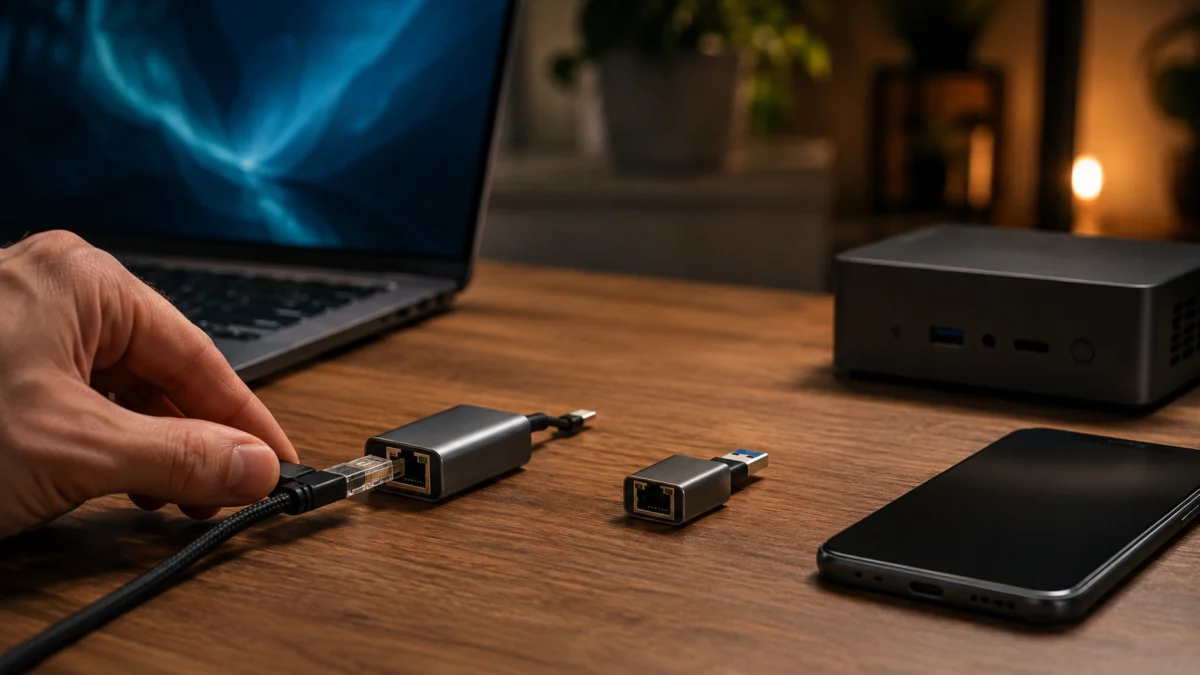
The best USB-C 2.5Gb Ethernet adapter for most people depends on three factors: your device’s USB-C standard, whether your switch or router supports 2.5GbE, and how much connection flexibility you need. If you want one adapter that covers MacBook, Windows laptop, and iPhone 15 Pro or later, the Plugable USBC-E2500 is the most versatile choice — it ships with a 2-in-1 USB-C/USB-A cable and officially supports the broadest range of operating systems. If you already own a 2.5GbE switch and just need a compact single-connector plug for a MacBook, a USB-C-only model like the UGREEN RTL8156BG runs cooler and takes up less space. Before buying, confirm your USB port is USB 3.0 (5Gbps) or faster, your network equipment supports 2.5GbE, and your cable is Cat5e or better. All three must be in place to reach 2.5Gbps — an adapter alone is not enough.
Quick Picks: Best USB-C 2.5Gb Ethernet Adapters at a Glance
This article contains affiliate links. We may earn a commission on qualifying purchases at no additional cost to you.
- Best Overall / Best USB-C + USB-A Hybrid: Plugable USBC-E2500
- Best Compact USB-C Adapter: UGREEN USB-C 2.5GbE (RTL8156BG)
- Best with PD Charging: Plugable USBC-E2500PD
- Best for MacBook (Thunderbolt): Cable Matters USB-C to 2.5GbE
- Best for iPhone USB-C: What to Know Before You Buy
- Best for Mini PC and NAS: UGREEN USB-A 2.5GbE
- Best Budget Pick: Sodola USB-A 2.5GbE
| Product | Connector | Chipset | iPhone Support | Standout Feature | Best For |
|---|---|---|---|---|---|
| Plugable USBC-E2500 | USB-C + USB-A hybrid | Realtek RTL8156B | iPhone 15/16 (iOS 17+) | 2-in-1 connector; broadest confirmed OS list | Overall flexibility |
| UGREEN USB-C 2.5GbE | USB-C only | Realtek RTL8156BG | iPhone 15/16/17 (iOS 17+) | Compact aluminum; updated low-heat chip | Slim / travel / MacBook |
| Plugable USBC-E2500PD | USB-C only | Realtek RTL8156B | iPhone 15/Pro/Pro Max | 100W PD charging passthrough | Laptop charging while connected |
| Cable Matters USB-C 2.5GbE | USB-C only | Realtek-based | Not listed in official specs | Thunderbolt 5/4; Wake-on-LAN | MacBook with Thunderbolt port |
| UGREEN USB-A 2.5GbE | USB-A | Realtek RTL8156BG | No | Aluminum body; NAS-focused design | Mini PC / NAS / desktop |
| Sodola USB-A 2.5GbE | USB-A | Realtek RTL8156B | No | Budget-friendly; Wake-on-LAN included | Budget / desktop / NAS |
Why Choose a 2.5Gb Ethernet Adapter Instead of Gigabit?
A 2.5GbE adapter more than doubles local network throughput over standard Gigabit Ethernet, works over existing Cat5e cabling without rewiring, and costs far less than a 10GbE upgrade. It is the most cost-efficient way to accelerate LAN transfers — to a NAS, desktop, or local server — when your switch already supports 2.5GbE. It does not speed up your internet connection from your ISP.
A 2.5GbE adapter delivers up to 2,500 Mbps on your local network — 2.5 times the throughput of standard Gigabit Ethernet — while working over the same Cat5e cabling already in most homes and offices. No rewiring is needed. That gap becomes meaningful when you are transferring large files to a NAS, streaming high-bitrate video from a local server, or running a remote session while another device runs a simultaneous backup.
The important caveat is that 2.5GbE only improves speeds between devices on the same local network, not your internet connection from your ISP. If your broadband plan delivers under 1Gbps, a 2.5GbE adapter will not change how fast pages load or downloads complete from the internet. Where it makes a measurable difference is LAN-to-LAN: laptop to NAS, laptop to desktop, or desktop to a 2.5GbE switch. If those are the transfers that matter to you and you already own a 2.5GbE-capable switch or router, a USB-C 2.5GbE adapter is the most cost-effective way to access those speeds from a laptop without a built-in port.
User Complaints to Check Before Buying
Several patterns appear consistently across forum discussions about USB-C 2.5GbE adapters. These do not affect every user or configuration, but knowing them before purchase can prevent surprises after the box arrives.
NAS link speed vs. actual transfer speed. A confirmed 2.5Gbps link on the OS does not guarantee 2.5Gbps file transfer throughput. A thread on SynoForum documented a UGREEN USB-to-2.5GbE adapter connected to a Synology NAS (DSM 7.1) that established a 2.5G link but delivered only around 70–80 MB/s on real-world file transfers — roughly equivalent to Gigabit speeds. Community participants attributed the gap to SMB protocol settings, NAS-side driver configuration, and switch-level tuning rather than a hardware defect in the adapter (SynoForum, 2024–2025). If maximizing NAS throughput is the goal, budget time for software-side tuning in addition to the adapter itself.
Heat from USB-C hubs that include Ethernet. Ethernet chipsets require 3.3V to operate, while USB delivers 5V. The voltage step-down generates heat, particularly under sustained load. Multiple users on MacRumors flagged excessive warmth from USB-C hubs that combined Ethernet with other ports, especially when the computer entered sleep mode (MacRumors Forums). A standalone Ethernet-only adapter with an aluminum housing dissipates heat more effectively than a plastic multi-port hub.
USB hub instability. Connecting an Ethernet adapter through a USB hub — rather than directly into a laptop port — is a reported cause of connection drops and sleep-wake reconnection failures. Manufacturer documentation across most brands recommends direct port connection for stable operation.
Driver requirements on older operating systems. Windows 10 and 11 and recent macOS versions include built-in Realtek RTL8156 driver support. Older Windows, macOS versions before Big Sur, and Linux kernels before 5.x typically require a manual Realtek driver download for full 2.5Gbps operation. This does not affect most current-generation setups, but it is worth confirming if you are running an older OS.
Best Overall USB-C 2.5Gb Ethernet Adapter: Plugable USBC-E2500
The Plugable USBC-E2500 covers more devices and operating systems than any other adapter in this roundup, and its 2-in-1 cable design removes the need to decide between USB-C and USB-A at the time of purchase. It is the most straightforward pick for users who share an adapter across multiple device types.
The USBC-E2500 uses the Realtek RTL8156B chipset and ships with a cable that includes both a USB-C and a USB-A connector, so it connects to any laptop or desktop with either port type without an additional adapter. Plugable’s officially confirmed OS support list includes Windows 7 through 11, macOS 10.7 and later, Linux Kernel 3.2 and later, iPhone 15 and 16 including Pro and Pro Max models on iOS 17+, and ChromeOS. According to Plugable’s own iPerf testing on a local server, the adapter reached speeds up to 2.37 Gbps under lab conditions — confirming that real-world 2.5Gbps throughput is achievable when all three network conditions are met.
USB 3.0 (5Gbps) is required at the host port for full-speed operation. Connecting to a USB 2.0 port limits throughput to 100 Mbps. On macOS versions older than Big Sur, some features including jumbo frame support are restricted until the updated Realtek driver is installed. The adapter comes with a 2-year warranty and lifetime technical support from Plugable’s North American team.
✅ Buy if…
- You want one adapter that works across USB-C and USB-A devices without a separate converter
- You need confirmed iPhone 15 or 16 compatibility on iOS 17+
- You use Windows, macOS, Linux, or ChromeOS and want a well-documented driver path
- Post-purchase support from a US-based team matters to your workflow
❌ Don’t buy if…
- You need 100W PD charging through the same port while staying connected — see the USBC-E2500PD
- You want the smallest possible form factor for a laptop bag
- Your device has USB 2.0 ports only — this adapter will not provide 2.5Gbps on those ports
Check on Amazon
/
Official site
Best Compact USB-C 2.5GbE Adapter: UGREEN (RTL8156BG)
If you want a smaller footprint than the Plugable hybrid and do not need a USB-A fallback, the UGREEN USB-C 2.5GbE adapter with the RTL8156BG chipset is a well-built alternative. Its aluminum housing and updated low-power chipset make it one of the cooler-running options at full 2.5Gbps load.
The RTL8156BG is an updated version of the RTL8156B, designed specifically for lower power consumption and reduced heat output during sustained high-speed transfers. UGREEN’s compatibility list covers MacBook Air and Pro across multiple recent generations, Dell XPS, iPhone 15, 16, and 17 Pro/Max series on iOS 17+, and standard Windows and macOS versions. The adapter auto-negotiates between 2.5Gbps, 1Gbps, and 100Mbps based on what the connected switch or router supports. On Windows 11 and recent macOS, it operates as plug-and-play. Older OS versions may require a Realtek driver download for full 2.5Gbps.
One compatibility limitation to verify before purchasing: UGREEN’s product page notes that this adapter is not compatible with all Synology NAS models, Nintendo Switch, or certain TV configurations. If you are connecting to a Synology NAS, cross-reference your NAS model against Synology’s Hardware Compatibility List or UGREEN’s confirmed compatibility table before buying.
✅ Buy if…
- You want a compact, travel-friendly aluminum adapter for a MacBook or slim Windows laptop
- Reducing heat at the desk matters — the RTL8156BG runs cooler than older RTL8156 variants
- You need confirmed iPhone 15, 16, or 17 Pro series compatibility via iOS 17+
- You run modern macOS or Windows 11 and prefer zero-driver-install setup
❌ Don’t buy if…
- Your device only has USB-A ports — a USB-A to USB-C adapter adds a connection point and potential instability
- You need a USB-A connector in the box without a separate adapter
- You are connecting to a specific Synology NAS model without first checking UGREEN’s or Synology’s compatibility list

Please check the Amazon product page for the latest price and availability.
Best USB-C 2.5GbE Adapter with PD Charging: Plugable USBC-E2500PD
The Plugable USBC-E2500PD delivers 2.5GbE connectivity and 100W USB-C Power Delivery passthrough through a single port — useful for setups where port availability is limited and you would otherwise choose between staying connected and staying charged.
Plugable’s confirmed compatibility for the USBC-E2500PD includes Windows 10 and 11, macOS 11 (Big Sur) and later, ChromeOS, and iPhone 15 / Pro / Pro Max. The Ethernet chipset and 2.5Gbps performance are identical to the standard USBC-E2500. The 100W PD port on the side accepts your existing USB-C charging cable and power adapter — no charger is included with the adapter itself. This means your MacBook Pro 16″ or other high-wattage laptop can maintain a full-speed charge while the Ethernet connection stays active, all through one Thunderbolt or USB-C port on your computer.
If charging passthrough is not a requirement for your setup — for example, on a desktop or a device where you charge via a separate port — the standard USBC-E2500 provides the same Ethernet performance at a lower cost.
✅ Buy if…
- You want to charge your MacBook or laptop and maintain a 2.5GbE wired connection through the same USB-C port simultaneously
- Your laptop has limited ports and port conservation is a daily concern
- You run Windows 10/11 or macOS 11+ — both are confirmed compatible
❌ Don’t buy if…
- You do not need charging passthrough — the standard USBC-E2500 delivers the same Ethernet performance for less
- You need a USB-A fallback connector — the USBC-E2500PD is USB-C only
- You are on older macOS (pre-Big Sur) — confirmed compatibility starts at macOS 11
Check on Amazon
/
Official site
Best 2.5GbE Adapter for MacBook (Thunderbolt Port): Cable Matters USB-C to 2.5GbE
Cable Matters offers a USB-C to 2.5GbE adapter with explicit Thunderbolt 5 and Thunderbolt 4 compatibility, native driver-free setup on macOS and Windows, and Wake-on-LAN (WoL) support — a useful combination for MacBook Pro users who want to remotely wake a connected NAS or desktop.
On current macOS, Windows, and ChromeOS, the adapter installs without a manual driver download. Wake-on-LAN is supported, which adds value if your workflow involves remotely waking a connected device from sleep. The adapter is also backward-compatible with 1Gbps and 100Mbps networks, so it will work on existing infrastructure even if you upgrade your switch later.
Two caveats apply. First, multiple Cable Matters 2.5GbE product listings include an explicit note that the adapter is not compatible with Mac mini — if your device is a Mac mini rather than a MacBook, verify compatibility with your specific Mac mini model before purchasing. Second, iPhone support is not listed in the confirmed specifications for the USB-C 2.5GbE models available in this category. If iPhone compatibility is required alongside MacBook use, the Plugable USBC-E2500 or UGREEN USB-C model are better-documented choices for that combined use case.
✅ Buy if…
- You use a MacBook Pro with Thunderbolt 4 or 5 and want a 2.5GbE adapter explicitly designed for those ports
- Wake-on-LAN is part of your workflow for remotely waking a connected NAS or desktop
- You prefer plug-and-play setup on current macOS and Windows without driver downloads
❌ Don’t buy if…
- Your device is a Mac mini — some models in this line explicitly note Mac mini incompatibility; verify before buying
- You need confirmed iPhone USB-C support — this is not listed in the available specifications
- You need a USB-A connector option — this adapter is USB-C only

Please check the Amazon product page for the latest price and availability.
Best USB-C 2.5GbE Adapter for iPhone: What to Know Before You Buy
Not all USB-C iPhones benefit equally from a 2.5GbE adapter. The right choice depends on which iPhone model you own, since the USB-C standard varies significantly across the iPhone 15 lineup.
The iPhone 15 Pro and Pro Max use USB 3.2 Gen 2 (10Gbps interface bandwidth), which gives a 2.5GbE adapter enough headroom to operate at its full rated speed. Community reports on MacRumors confirmed download speeds exceeding 900 Mbps on an iPhone 15 Pro connected via a 2.5GbE adapter on a 2,000 Mbps ISP plan (MacRumors Forums). The iPhone 16 series (all USB-C models) is confirmed supported by Plugable and UGREEN in their official product specifications.
The iPhone 15 standard and iPhone 15 Plus use a USB 2.0 interface (480 Mbps bandwidth ceiling). A 2.5GbE adapter will connect on these models, but the USB 2.0 limitation means actual throughput will be well below 1Gbps. A standard Gigabit Ethernet adapter is the more cost-effective choice for those models.
iOS assigns Ethernet IP addresses via DHCP automatically — no static IP configuration is available through the iOS Ethernet settings. For most home and office use cases including NAS access, local video streaming, and video calls on a stable wired connection, DHCP assignment is sufficient. An Ethernet menu appears in the iOS Settings app when an adapter is connected, showing IP information and basic configuration options.
For iPhone-specific use, the Plugable USBC-E2500 has the most thoroughly documented iOS 17+ support list across official product specifications and third-party retailer listings.
✅ Buy if…
- You own an iPhone 15 Pro, 15 Pro Max, or any iPhone 16 USB-C model and want a stable wired connection for NAS access, local streaming, or video calls
- You are comfortable with DHCP-only IP assignment on iOS
- You want an adapter that also works on your MacBook or Windows laptop without a second device
❌ Don’t buy if…
- You own an iPhone 15 or 15 Plus — the USB 2.0 limitation means a 2.5GbE adapter offers no meaningful advantage over a standard Gigabit adapter on those models
- You need static IP configuration for Ethernet on iOS — this is not available in the current iOS settings interface
Best USB-C 2.5GbE Adapter for Mini PCs and NAS Setups: UGREEN USB-A 2.5GbE
For mini PCs, desktop builds, and NAS appliances that have USB-A 3.0 ports but lack a built-in 2.5GbE port, a USB-A adapter is the most direct solution. The UGREEN USB-A 2.5GbE uses the same RTL8156BG chipset as the USB-C model, with an aluminum housing for heat management and automatic fallback to 1Gbps and 100Mbps on older network hardware.
Before purchasing for a NAS, verify compatibility with your specific NAS model. UGREEN’s product page notes the adapter is not compatible with all Synology NAS models, Nintendo Switch, certain TV models, or Wii. Even when a 2.5Gbps link is established, actual file transfer speeds on a NAS may be limited by SMB protocol settings or NAS-side driver configuration rather than the adapter hardware — as documented in community reports on SynoForum. If you are planning a NAS-connected setup, factor in time for software-side tuning to fully realize 2.5Gbps transfer performance.
On Windows 11 and recent macOS, the RTL8156BG is supported with plug-and-play or a straightforward Realtek driver installation. USB 3.0 (5Gbps) at the host port is required for full 2.5Gbps performance, same as the USB-C counterpart.
✅ Buy if…
- Your mini PC or desktop has USB-A 3.0 ports and lacks a built-in 2.5GbE port
- You are upgrading a home server or workstation connected to a 2.5GbE switch
- You want aluminum build quality and a low-heat chipset at a moderate price
❌ Don’t buy if…
- Your USB port is USB 2.0 — the adapter will cap at 100 Mbps
- You are connecting to a Synology NAS without first verifying model compatibility on Synology’s HCL or UGREEN’s documentation
- You need iPhone or iOS compatibility — this USB-A adapter does not support iOS devices

Please check the Amazon product page for the latest price and availability.
Best Budget Pick: Sodola USB-A 2.5GbE Adapter
For users who need USB-A 2.5GbE connectivity and want to minimize cost, the Sodola USB-A 2.5GbE adapter offers the core functionality — Realtek RTL8156B chipset, aluminum housing, Wake-on-LAN support, and status indicator LEDs — at a lower price than the UGREEN USB-A model.
As with all adapters in this category, USB 3.0 (5Gbps) or faster is required at the host port for 2.5Gbps performance, and the connected switch or router must also support 2.5GbE. Compatibility with Windows 11/10/8 and macOS is listed in the product specifications. NAS compatibility is not universally confirmed across all brands — if your primary use case is a specific NAS model, check that manufacturer’s compatibility documentation before purchasing. For PC and Mac desktop setups where NAS compatibility is less of a concern, the Sodola provides a cost-efficient path to 2.5GbE without a PCIe card.
✅ Buy if…
- You want the most affordable path to USB-A 2.5GbE on a PC or Mac desktop with a USB 3.0 port
- Wake-on-LAN is part of your workflow and you do not need iOS or iPhone support
- You are upgrading a desktop or home server on a tight budget
❌ Don’t buy if…
- You need iPhone or iOS compatibility — this adapter does not support iOS devices
- You need a USB-C connector — this is USB-A only
- You are connecting to a NAS without first verifying compatibility with your specific NAS model

Please check the Amazon product page for the latest price and availability.
What You Need to Actually Get 2.5Gbps Speeds
Three conditions must be true simultaneously to reach 2.5Gbps from a USB-C Ethernet adapter. Meeting two out of three will not work.
Condition 1: A USB 3.0 (5Gbps) or faster port on your device. USB 3.0 provides 5Gbps of raw bandwidth — enough headroom for a 2.5Gbps Ethernet connection. USB 2.0, which has a 480 Mbps ceiling, limits the adapter to 100 Mbps. This is documented across multiple manufacturer specifications and technical datasheets. Most USB-C ports on laptops released from 2018 onward are USB 3.1 or higher, but confirm your device’s USB specification if you are connecting to a USB-A port on an older machine — USB-A ports on older desktops and laptops frequently include both USB 2.0 and USB 3.0 ports that look identical from the outside.
Condition 2: A 2.5GbE-capable switch or router on the network. A standard Gigabit switch auto-negotiates any 2.5GbE device down to 1Gbps. The adapter itself does not determine the link speed — the lowest-capable device in the chain does. 2.5GbE switches are now available at accessible price points and work with standard Gigabit devices on the remaining ports without any configuration change.
Condition 3: Cat5e or better Ethernet cable. The 2.5GBASE-T standard is designed to operate over Cat5e cabling up to 100 meters, per the IEEE 802.3bz specification. Cat6 and Cat6a are also compatible. Cat5 (non-e) is not rated for 2.5Gbps and may cause errors or performance degradation at sustained high speeds. If your installed cables are more than 15 years old, they may be Cat5 rather than Cat5e — replacing them is an inexpensive fix if speeds are consistently lower than expected.
Common Buying Mistakes: Cables, Switches, USB Ports, and Heat
Most speed disappointments with USB-C 2.5GbE adapters trace back to one of the following setup errors rather than a defective product.
Connecting to a USB 2.0 port. USB-A ports on older laptops and desktops often include both USB 2.0 and USB 3.0 ports in the same chassis — visually identical without checking the spec sheet. A 2.5GbE adapter in a USB 2.0 port operates at 100 Mbps. Check your device manual or the manufacturer’s USB port specification to confirm which ports are USB 3.0.
Using a Gigabit-only switch or router. The adapter auto-negotiates down to 1Gbps when connected to a 1GbE network. This is not a defect — it is standard Ethernet behavior — but it means the 2.5GbE adapter provides no speed advantage over a standard Gigabit adapter in that configuration.
Running the adapter through a USB hub. USB hubs share bandwidth across all connected ports and introduce additional signal overhead. Multiple community reports link connection drops and sleep-wake reconnection failures to adapters connected through a hub rather than directly into the host port. Plug the adapter directly into the laptop or desktop for the most stable connection.
Expecting an internet speed boost. A 2.5GbE adapter improves speeds between devices on the same local network, not between your home and the internet. If your ISP plan provides under 1Gbps, a 2.5GbE adapter will not change how fast content loads from external servers. The primary use case is LAN-to-LAN: file transfers to a NAS or desktop, local video streaming, or low-latency gaming on a local server.
Using an undated Cat5 cable. Cat5 (non-e) is not rated for 2.5Gbps operation. If your Ethernet cable was installed before 2001 or came from an unmarked spool, verify the category rating before assuming the adapter is the limiting factor. Replacing a short cable run is an inexpensive first troubleshooting step.
How We Researched
This article is based on official product specifications from Plugable, UGREEN, Cable Matters, and Sodola product pages and official support documentation; Realtek and StarTech technical datasheets covering the RTL8156 chipset family and the 2.5GBASE-T standard; and community reports from MacRumors Forums, Apple Community, and SynoForum covering real-world compatibility and performance patterns confirmed across multiple posts and threads. We have not conducted hands-on lab testing. All performance figures reflect manufacturer documentation or community-reported results under specific conditions that may not apply to every setup.
Final Recommendation: Which USB-C 2.5GbE Adapter Should You Buy?
For most laptop users — MacBook, Windows ultrabook, or any USB-C device that also includes an iPhone — the Plugable USBC-E2500 is the default recommendation. Its 2-in-1 USB-C/USB-A cable solves the connector flexibility problem without a separate adapter, and its confirmed OS compatibility list — including iPhone 15 and 16 on iOS 17+ — is the most comprehensive in this category. If you need to charge your laptop through the same port while staying connected, add the USBC-E2500PD for 100W PD passthrough at the cost of the USB-A fallback connector.
For users who prioritize a smaller form factor and run a modern MacBook or thin-and-light Windows laptop with a USB-C 3.0 port, the UGREEN USB-C 2.5GbE with the RTL8156BG chip is a well-built compact alternative. MacBook Pro users with Thunderbolt 4 or 5 should also evaluate the Cable Matters USB-C 2.5GbE for its Thunderbolt-optimized design and Wake-on-LAN support — but verify compatibility with your specific Mac model before purchasing, particularly if you use a Mac mini.
For mini PCs and desktops with USB-A 3.0 ports, the UGREEN USB-A 2.5GbE is the more refined pick; the Sodola USB-A 2.5GbE is a budget alternative if cost is the primary constraint. Whichever adapter you choose, confirm your switch supports 2.5GbE and your cable is Cat5e or better before diagnosing the adapter as the limiting factor — those two conditions account for most real-world speed shortfalls in this category.



Comments