
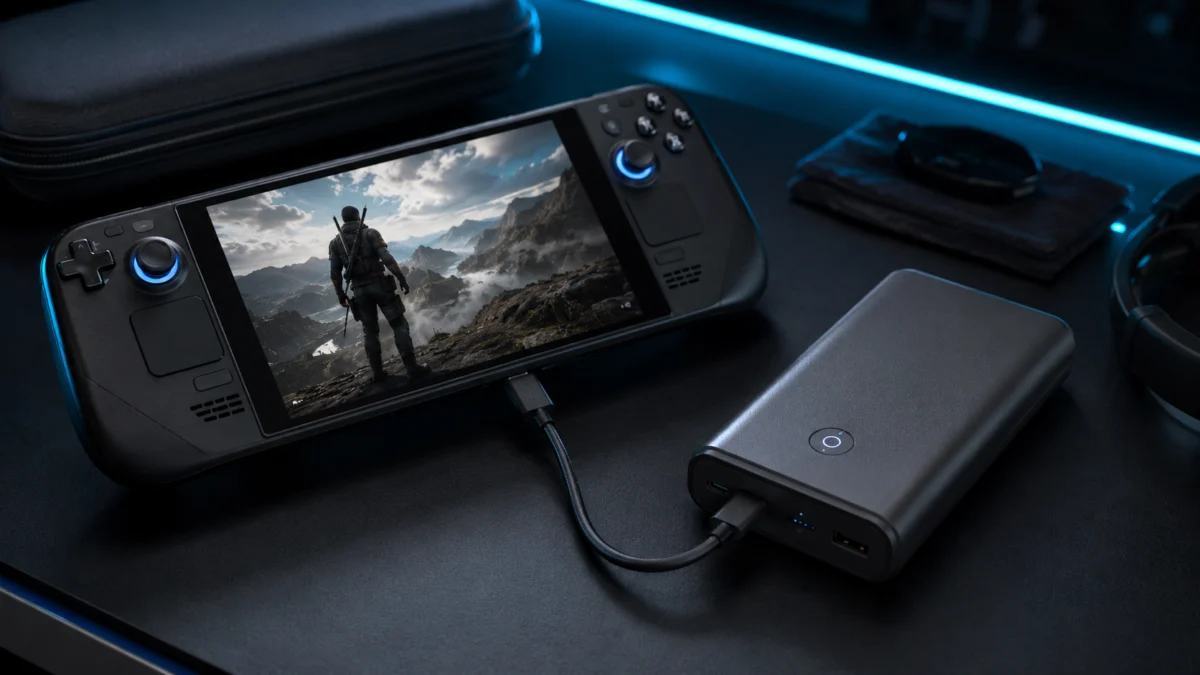
Best Power Banks for Steam Deck, ROG Ally, and Handheld Gaming PCs in 2026
Most power bank guides are still written around the original Steam Deck and its 40Wh battery. That guidance is now outdated. The ROG Ally X, ROG Xbox Ally X, and MSI Claw 8 AI+ have all moved to 80Wh internal batteries — double the first-generation baseline — and they need a fundamentally different mobile power source to keep up while you play. A 10,000mAh bank won’t get these devices halfway to a full charge. A 65W output often can’t keep pace with ROG Ally’s Turbo Mode under full game load. And shopping by mAh alone tells you almost nothing about real-world usable capacity once USB-PD voltage conversion losses are accounted for.
The two numbers that actually matter are Wh (watt-hours) for usable capacity and W (watts) for output. For most handheld gaming PCs in 2026, the practical baseline is at least 20,000mAh (around 74Wh effective after losses) and 100W minimum output — paired with an E-Marker cable rated for 5A that can actually sustain it. This guide breaks down which power banks work for which devices, what the 99Wh airline carry-on limit means in practice, and the cable trap that silently halves your charging speed without any warning.
Jump to a section:
What Makes a Good Power Bank for Handhelds? |
45W vs 65W vs 100W vs 140W |
The Cable Problem |
User Complaints to Check Before Buying |
Best Power Banks in 2026 |
Travel Limits (99Wh) |
Common Buying Mistakes |
Final Recommendation
Quick Comparison: Best Power Banks for Handheld Gaming PCs in 2026
| Product | Rated Capacity | Max Single-Port Output | Built-In Cable | Weight | Best For |
|---|---|---|---|---|---|
| Anker 25K 165W (A1695) | 25,000mAh / 90Wh | 100W | ✅ Retractable + strap | 595g | Best overall |
| Anker 737 (A1289) | 24,000mAh / 86.4Wh | 140W | ❌ No | 630g | Power users / laptop + handheld |
| EcoFlow Rapid Pro X | 27,650mAh / 99.5Wh | 140W | ✅ Magnetic module | 700g | Maximum capacity / long-haul travel |
| UGREEN Nexode PB726 | 20,000mAh / 74Wh | 100W | ✅ 65cm retractable | 535g | Best built-in cable longevity |
| INIU B63 100W | 25,000mAh / 90Wh | 100W | ❌ No | 473g | Best value / budget pick |
| Baseus Blade 2 140W | 24,000mAh / 86.4Wh | 140W | ❌ No | ~480g | Lightest / slim form factor |
| Shargeek 300 | 24,000mAh / 86.4Wh | 140W + DC | ❌ No | ~700g | Docked multi-device setup |
What Makes a Power Bank Good for Steam Deck, ROG Ally, and Handheld Gaming PCs?
A power bank suited to handheld gaming PCs needs two things: enough Wh capacity to actually charge the device’s large internal battery, and enough output wattage to charge during active gameplay — not just when the screen is off. Wh and W are the relevant metrics. mAh is not.
Here is why mAh misleads for this category. Power bank capacity is rated at internal cell voltage — approximately 3.6–3.7V. When your handheld gaming PC charges via USB Power Delivery at 20V, the power bank’s boost circuitry steps up the voltage — and loses roughly 15–25% of total energy as heat in that conversion process. A 25,000mAh bank rated at 90Wh delivers approximately 68–75Wh of usable energy to your device, not 90Wh. That effective capacity is often not enough to fully charge an 80Wh ROG Ally X from zero in a single pass — a fact that comes as a surprise to buyers who compared mAh numbers at the point of purchase.
Internal Battery Capacities by Device
| Device | Internal Battery | Max Charge Input | Minimum Recommended Power Bank Output |
|---|---|---|---|
| Steam Deck (original) | 40Wh | 45W | 45W+ (PD 3.0) |
| Steam Deck OLED | 50Wh | 45W | 45W+ (PD 3.0) |
| ROG Ally (original) | 40Wh | 65W (included charger) | 100W for Turbo Mode stability |
| ROG Ally X / ROG Xbox Ally X | 80Wh | 100W | 100W minimum |
| Lenovo Legion Go | ~49Wh | 65W (20V/3.25A required) | 65W minimum — below 45W causes connection loop |
| MSI Claw / Claw 8 AI+ | ~53Wh | 65W official; 100W accepted | 65W minimum — below 40W is rejected entirely |
45W vs 65W vs 100W vs 140W: How Much Output Do You Actually Need?
For Steam Deck and Steam Deck OLED, 45W to 65W is enough to charge during most gameplay. For ROG Ally in Turbo Mode, 100W is the practical minimum — 65W output frequently falls short under full game load. 140W makes sense when you also carry a high-performance laptop, or when you need the power bank itself to recharge quickly between sessions.
Steam Deck and Steam Deck OLED
According to Valve’s official specifications, Steam Deck OLED accepts a maximum of 45W input via USB-C PD. A PD 3.0-compatible 45W to 65W power bank from a reputable brand handles simultaneous play and charge on Steam Deck reliably. These devices are the most power-source-tolerant in the current handheld lineup. Community discussion on r/SteamDeck
(related discussion)
reflects that Steam Deck users prioritize capacity (Wh) and weight over raw wattage, since 45W is already sufficient for steady-state gaming.
ROG Ally, ROG Ally X, and ROG Xbox Ally X
This is where the wattage question becomes critical. The original ROG Ally ships with a 65W charger, but multiple threads on r/ROGAlly report that 65W output from a power bank is not enough to sustain 30W Turbo Mode under heavy game loads.
(related discussion)
(related discussion)
At 65W input, the device consumes close to that amount for GPU/CPU processing and display, leaving insufficient headroom to push charge into the battery. The result: battery level drops slowly even with a charger attached.
The consensus across r/ROGAlly is consistent: 100W output is the practical minimum for Turbo Mode stability. The Ally X and ROG Xbox Ally X accept up to 100W input according to ASUS official specifications, and multiple community reports confirm a meaningful improvement in charge speed when a 100W source is used over a 65W one.
(related discussion)
Lenovo Legion Go
Legion Go has strict power negotiation behavior. Based on multiple reports on r/LegionGo, connecting a power bank below 45W can trigger a continuous connect-disconnect loop that stresses the power bank’s controller over time.
(related discussion)
The minimum practical requirement is 65W (20V/3.25A PD). The device’s upper USB-C port also runs noticeably hot during extended gaming sessions, and thermal throttling from port heat can interrupt charging. The lower port is generally preferred for charging under load, based on community guidance.
MSI Claw and Claw 8 AI+
MSI Claw rejects power sources below 40W output entirely — even if voltage is present, insufficient current causes the device to refuse charging. According to ChargerLab’s published compatibility testing and community reports on r/MSIClaw,
(related discussion)
the official charge ceiling is 65W, but connecting a 100W source is fully safe — the device automatically negotiates the appropriate power level.
When 140W Makes Sense
140W output (PD 3.1) is worth the premium in two scenarios: you also carry a high-performance laptop that benefits from 140W charging, or you need the power bank itself to recharge from empty in under an hour at a hotel or airport. For a gaming handheld alone, 140W is comfortable headroom rather than necessity — as long as the power bank can sustain that output without thermal throttling, which not all compact 140W models can.
The Cable Problem Nobody Talks About
Your power bank’s output rating is meaningless if the cable between it and your device cannot carry the current. Most USB-C cables bundled with smartphones and budget accessories are rated for 3A — a maximum of 60W under standard USB-PD negotiation. If you use one of these cables with a 100W or 140W power bank, the negotiation caps at 60W regardless of what the power bank is capable of delivering.
Charging at 100W or above requires a cable with an E-Marker chip (also called E-Mark) rated for 5A. Without it, the power delivery system detects a 3A cable and limits current accordingly. This is the single most common reason users report that their “100W power bank” doesn’t seem to charge their ROG Ally noticeably faster than their old 65W charger did.
This is precisely why built-in retractable cable models — including the Anker 25K 165W (A1695) and the UGREEN Nexode PB726 — reduce friction for gaming use: the cables are pre-validated by the manufacturer to support full output and eliminate the external cable variable entirely. If you prefer a standard model without built-in cables, verify that any USB-C cable you purchase is explicitly rated for 100W (5A / E-Marker) before assuming you are receiving full charging speed.
User Complaints to Check Before Buying
These are the most frequently reported pain points across r/ROGAlly, r/SteamDeck, r/LegionGo, r/MSIClaw, and r/XboxAlly for this product category. None appear prominently in manufacturer marketing materials.
-
Thermal throttling under sustained high-output discharge.
Some compact 140W models cannot sustain their maximum output continuously. According to independent hardware analysis referenced in our research, certain models with NTC thermistor safety circuits will throttle from 140W down to approximately 60W when internal temperatures exceed safety thresholds — typically after 15 to 30 minutes of sustained high-output discharge. Power banks with larger physical enclosures handle this better due to greater surface area for passive heat dissipation. This is a documented trade-off of compact, lightweight designs at the 140W tier. -
Multi-device reconnect resets gaming handheld charging profiles.
Connecting a second device to a power bank already running at 100W output to a gaming PC can trigger a brief output interruption as the bank recalculates power distribution. According to the DR report, this redistribution can temporarily drop the gaming PC’s power input from 100W to as low as 65W. For ROG Ally users where Turbo Mode stability matters, single-device use is preferable. -
Self-discharge from background smart features.
Power banks with active Wi-Fi and Bluetooth connectivity — the EcoFlow Rapid Pro X being the most prominent example — maintain background network activity even when not actively charging a device. Community reports describe significant battery drain after leaving these units in a bag for several days. A full menu shutdown (not just pressing the power button) is required to prevent this. -
Airport security scrutiny on large-capacity units.
Multiple Reddit travel reports describe 86Wh–99.5Wh power banks receiving extended security inspection due to their physical size and weight — even when the Wh rating is clearly within the standard FAA/ICAO 100Wh carry-on limit. Having the Wh specification prominently labeled on the unit (or carrying the product documentation) reduces friction at security checkpoints. -
Lenovo Legion Go connection loop below minimum wattage.
As described in the wattage section above, Legion Go enters a connect-disconnect cycle with power sources below 45W. If you own a Legion Go, do not expect any charging to occur from a power bank rated below 65W output.
Best Power Banks for Handheld Gaming PCs in 2026
Best Overall: Anker Laptop Power Bank 25K 165W (A1695)
The Anker 25K 165W (A1695) strikes the most practical balance of capacity, output, and convenience for daily handheld gaming use. Its 25,000mAh (90Wh rated) capacity covers approximately 1.4–1.5 effective charges of the Steam Deck OLED (50Wh) and approaches — but does not guarantee — one full charge of the ROG Ally X (80Wh) after accounting for 15–20% conversion losses.
Its most practical differentiator is the dual built-in cable system. One is a retractable 2.3-foot (approximately 70cm) USB-C cable that Anker states has passed 20,000 insertion-cycle testing. The second doubles as a carry strap. Both support the full 100W single-port output, removing the E-Marker cable problem from the equation entirely. According to Anker’s official product page, the A1695 supports USB PD 3.0, PPS, and provides up to 165W combined across all three ports.
Check on Amazon
/
Official site
The main trade-off is size and weight: at 595g, it is among the heavier options in this roundup. Charging three or four devices simultaneously distributes wattage across ports and reduces what reaches the gaming handheld — for ROG Ally Turbo Mode stability, single-device use is preferred.
✅ Buy if…
- You want 100W output without worrying about external cable compatibility
- You carry a Steam Deck OLED, ROG Ally, or ROG Ally X and want a single pack-and-go solution
- You charge one device at a time and want maximum out-of-box simplicity
❌ Don’t buy if…
- You regularly charge 3–4 devices simultaneously and need each to receive full wattage
- Weight is a primary concern — 595g is noticeable in a shoulder bag over a long day
- You need 140W output for a high-performance laptop (this model tops out at 100W single-port)
Best 140W Option: Anker 737 Power Bank (A1289)
The Anker 737 is the benchmark for users who need sustained 140W output from a well-documented, widely reviewed source. Its PD 3.1 certification enables 140W bidirectional input and output — which means the power bank itself can recharge from empty to full in under one hour using a compatible 140W wall adapter. For travelers with limited time between sessions at a hotel or airport lounge, this fast self-recharge is functionally significant.
The built-in smart display provides real-time voltage, current, wattage, and internal temperature data. For users who want to confirm that their ROG Ally X or MSI Claw is actually receiving full-speed power — rather than estimating from charge percentage — this transparency is practically useful, not just a spec-sheet differentiator. According to a TechRadar review of the Anker 737, its thermal performance under sustained load outperforms most compact 140W alternatives, attributed to the larger physical enclosure acting as a passive heatsink.
Check on Amazon
/
Official site
At 630g it is the heaviest non-EcoFlow option in this guide, and it does not include a built-in cable — a separately purchased 140W E-Marker cable is required.
✅ Buy if…
- You carry both a handheld gaming PC and a high-performance laptop and want one power bank to handle both at full speed
- You want real-time wattage and temperature confirmation via the built-in display
- You need the power bank itself to fully recharge in under one hour using a 140W adapter
❌ Don’t buy if…
- You only use a Steam Deck or another 45W device — 140W is overkill for this use case
- You do not already own a quality 140W E-Marker cable
- Weight is a concern — at 630g it is among the heaviest options in this guide
Best Travel Option — Maximum Capacity: EcoFlow Rapid Pro X
With 27,650mAh and a rated capacity of 99.54Wh, the EcoFlow Rapid Pro X sits as close to the 100Wh airline carry-on limit as a consumer power bank currently can while remaining within standard FAA and ICAO guidelines. For long-haul flights where power access is unavailable for extended periods, this maximum usable capacity is its primary justification.
The magnetic detachable cable module is a genuinely practical design decision: the cable stores flush with the body and attaches via magnet for use, which is more durable than repeatedly forcing a bulky plug into a tight port under travel conditions. Combined with 140W single-port output (PD 3.1) and up to 300W combined across all ports, it can simultaneously power a handheld gaming PC and a high-performance laptop at full speed. EcoFlow’s official product page states that the included fast-charge dock can bring the Rapid Pro X from zero to 80% in approximately 20 minutes.
Check on Amazon
/
Official site
Two documented weaknesses require honest consideration before buying. First, EcoFlow officially states on the product page that the Rapid Pro X’s lithium polymer cells degrade to approximately 80% original capacity after 300 charge cycles — significantly fewer than the 500–1,000 cycles standard for most lithium-ion competitors at similar price points. Second, the Wi-Fi and Bluetooth connectivity required for the companion app maintains background activity even when the unit appears powered down, causing notable self-discharge over several days of storage. Disabling connectivity via the app settings or performing a full menu shutdown mitigates but does not eliminate this effect.
✅ Buy if…
- You take frequent long-haul flights and want the maximum legally allowed carry-on capacity
- You already use the EcoFlow ecosystem and will take advantage of the compatible fast-charge dock
- You need 99Wh+ capacity and 140W output simultaneously from a single unit
❌ Don’t buy if…
- You plan to use it heavily for 3+ years — the 300-cycle degradation ceiling is a real long-term cost concern at its premium price
- You leave gear in a bag for days at a time without actively managing the shutdown settings
- Budget is a constraint — this is the most expensive option in this guide
Best Built-In Cable for Long-Term Use: UGREEN Nexode Power Bank 20000mAh 165W (PB726)
The UGREEN Nexode PB726 makes a specific argument for itself: it is built to last meaningfully longer than most power banks at this output level. UGREEN states that the PB726 uses EV-grade NMC (nickel manganese cobalt) lithium-ion cells — the same battery chemistry used in electric vehicles — and that the unit retains over 70% of original capacity after 1,000 full charge cycles. That is roughly three times the documented cycle durability of the EcoFlow Rapid Pro X and better than the standard 500-cycle lifetime of most lithium-ion power banks in this category.
Its 65cm retractable USB-C cable supports 100W bidirectional charging — both input to recharge the power bank and output to charge your device — and is compatible with PD 3.0, PPS, QC 4.0, and UFCS, reducing the likelihood of compatibility issues with current and near-future handheld gaming PCs. A ChargerLab teardown of the PB726 documented internal construction quality that exceeds what its mid-range price would typically suggest.
(ChargerLab teardown)
Check on Amazon
/
Official site
The key limitation is effective capacity. After the 15–20% voltage conversion losses, a 74Wh-rated unit delivers approximately 58–62Wh to the device. That comfortably covers the Steam Deck OLED (50Wh) with room to spare, but falls short of a full charge for the ROG Ally X (80Wh) from zero.
✅ Buy if…
- You prioritize long-term durability and plan to keep the power bank for 3 or more years of regular use
- You primarily use a Steam Deck OLED or a device with an internal battery below 55Wh
- You want a built-in cable without the self-discharge risks of smart-connected models
❌ Don’t buy if…
- You have an ROG Ally X or another 80Wh device and want a single power bank to guarantee one full charge from zero
- You need 140W output for laptop charging — this model tops out at 100W
Best Value: INIU B63 100W 25000mAh
The INIU B63 is the most frequently recommended budget option in r/ROGAlly community discussions for users who need reliable 100W output without the premium pricing of Anker or UGREEN. At 25,000mAh (90Wh rated) with a 100W single-port maximum, it matches the Anker A1695’s output and rated capacity at a budget-friendly price, without the built-in cables.
Multiple threads on r/ROGAlly
(related discussion)
specifically identify the B63 as a reliable option for sustaining ROG Ally Turbo Mode, provided a proper 5A E-Marker cable is used. At 473g, it is also the lightest 90Wh / 100W option in this roundup. The trade-offs are the absence of a smart display, app connectivity, or built-in cable — it is a straightforward, no-frills 100W bank aimed at the value-conscious buyer.
Check on Amazon
/
Official site
✅ Buy if…
- Budget is your primary constraint and you want reliable 100W output for ROG Ally or similar devices
- You already own a good 100W E-Marker cable
- You want the lightest possible 90Wh option at this output level — 473g is the lowest in this guide for 100W+
❌ Don’t buy if…
- You want a built-in cable to eliminate cable compatibility concerns
- You need 140W for laptop charging
- You prefer established brand warranty support from Anker, UGREEN, or similar
Best Lightweight Slim Option: Baseus Blade 2 140W Smart Power Bank
The Baseus Blade 2 solves a specific packing problem: most high-output power banks are thick, rounded, and difficult to lay flat alongside a gaming handheld in a tight carry case. The Blade 2 uses a silicon-carbon anode battery that achieves higher energy density at reduced thickness — according to Baseus official specifications and coverage from NotebookCheck, the result is a 140W power bank with a minimum thickness of approximately 7.3mm, closer in profile to a hardcover book than a traditional cylindrical power bank.
At approximately 480g it is the lightest 140W option in this guide. For users with a Lenovo Legion Go or similar large-format handheld in a form-fitting carrying case, the flat profile allows the power bank to slide into gaps that a conventional cylindrical unit would not fit. The Blade 2 also supports PD 3.1, PPS, and app-controlled charging timers for battery preservation.
Two documented caveats from the DR report: the previous Blade 100W model showed a tendency for brief power interruptions during multi-port power redistribution events, which could reset charging profiles on connected gaming PCs. The Blade 2 improves on this, but users who need simultaneous multi-device charging should test behavior carefully. Additionally, the slim form concentrates heat in a smaller area than thicker models, increasing the risk of thermal throttling during sustained high-output discharge in warm ambient conditions.
✅ Buy if…
- Form factor is your top priority and you need a slim power bank that fits flat alongside a Legion Go or similar in a tight carry case
- You want 140W output at the lowest weight available (~480g)
- You typically charge one device at a time
❌ Don’t buy if…
- You plan to push 140W continuously for extended periods — thermal throttling is a structural risk of the thin design in warm conditions
- You frequently connect multiple devices simultaneously and need stable power redistribution
Best for Docked Multi-Device Setups: Shargeek 300
The Shargeek 300 addresses a specific and underserved scenario: running a handheld gaming PC through a USB-C dock alongside a portable monitor, external SSD, keyboard, and mouse. In that configuration, total system power draw increases dramatically, and most standard power banks begin to fall short.
According to ChargerLab’s coverage of the Shargeek 300, it uses full-tab high-rate battery cells that reduce internal resistance and limit heat generation under sustained high combined loads — a material design choice that distinguishes it from power banks that simply advertise high combined wattage without the cell architecture to sustain it. Its DC port, adjustable from 5V to 28V, can power peripherals that lack USB-C charging support, a capability not available in any other product in this guide. Combined output reaches 300W across all ports.
Official site
The practical limitations are weight (approximately 700g) and price. At this weight, the Shargeek 300 is a station power bank — appropriate on a desk or hotel table — not something to carry alongside a handheld in hand. Its unconventional transparent chassis design also makes it a niche choice for buyers who prioritize visual novelty alongside function.
✅ Buy if…
- You run your handheld through a full dock with monitor, SSD, and peripherals and need sustained combined high output
- You have non-USB-C peripherals that require the 5V–28V adjustable DC port
- Total system wattage for your docked setup exceeds what a standard 165W combined-output bank can handle
❌ Don’t buy if…
- You primarily game handheld and away from a desk — ~700g is not practical for carry-and-play use
- Budget is a significant concern — this is among the most expensive options in the guide
- You need confirmed Amazon.com availability — verify stock status before purchasing
Also Worth Considering
- Baseus EnerGeek GR11 145W — At 449g with a built-in retractable cable, this is the lightest cable-included option in this category. Its 74Wh rated capacity (20,000mAh) suits Steam Deck OLED and Legion Go users well; ROG Ally X users at 80Wh will find it tight for a full charge.
- INIU Cougar P64 / B64 140W — Delivers 140W output with a 240W-rated cable included in the box. The documented caveat: independent hardware analysis indicates thermal throttling to approximately 60W under sustained 140W discharge. Treat the 140W rating as a peak figure rather than a sustained output guarantee.
- Zendure SuperTank Pro — Four USB-C ports (all supporting up to 100W), a durable aluminum chassis, OLED display, 99.1Wh capacity, and firmware-updatable via PC. Notable drawbacks: PD 3.1 is not supported, and a reported negotiation bug forces 100W ports down to 30W output when a legacy device is simultaneously connected on another port — verify firmware update status before purchase.
Travel Limits: Why 99Wh Matters for Flights
The FAA and ICAO both set 100Wh as the standard threshold for carry-on lithium batteries without requiring individual airline pre-approval. Power banks rated below 100Wh can be carried in cabin baggage as standard items on most commercial flights. Units between 100Wh and 160Wh typically require airline approval and are generally limited to two per passenger. Above 160Wh, carry-on is usually prohibited.
Important caveat: The final decision on carry-on permission rests with the individual airline and the security personnel at the departure airport. A power bank rated at 99.5Wh is technically within the standard limit, but its physical size and weight may attract additional scrutiny. Multiple community reports on Reddit describe large-capacity power banks being questioned or held for extended inspection at security checkpoints — even when the Wh rating is clearly within legal limits. Carrying documentation that shows the Wh rating, or choosing a unit that clearly labels Wh on the enclosure, typically reduces friction at security.
Among the products in this guide, the EcoFlow Rapid Pro X (99.54Wh) and Zendure SuperTank Pro (99.1Wh) are the highest-capacity options that remain within the standard 100Wh threshold. The Anker A1695 (90Wh), Anker 737 (86.4Wh), INIU B63 (90Wh), Baseus Blade 2 (86.4Wh), and Shargeek 300 (86.4Wh) all sit comfortably below the limit with more clearance, and are less likely to attract prolonged inspection due to the physical Wh number being further from the threshold.
Common Buying Mistakes to Avoid
-
Buying by mAh instead of Wh.
A 25,000mAh bank does not deliver 25,000mAh of energy to your handheld gaming PC. After the voltage step-up from ~3.7V to 20V (USB-PD) and resulting conversion losses of 15–25%, the effective output to your device is roughly 68–75Wh from a 90Wh-rated unit. Compare products using their Wh rating, not their mAh figure. -
Using a 3A cable with a 100W+ power bank.
Without an E-Marker chip, USB-PD negotiation caps output at 60W — regardless of what the power bank is rated to deliver. Verify cable specifications before assuming you are charging at full speed. -
Expecting Turbo Mode to be stable on 65W.
For ROG Ally, ROG Ally X, and Xbox Ally users: 65W is generally not sufficient to sustain 30W Turbo Mode under full game load. Community consensus on r/ROGAlly is consistent — 100W minimum is the practical requirement for stable Turbo Mode charging. -
Assuming “165W combined” means 165W to one device.
Combined output ratings represent the total across all simultaneously active ports. Connecting additional devices to secondary ports reduces the power available to your gaming handheld. Always check the single-port maximum, not the combined total. -
Ignoring cycle life on premium-priced models.
A high price does not guarantee a long-lasting battery. The EcoFlow Rapid Pro X’s 300-cycle degradation limit is explicitly documented by EcoFlow itself and is significantly lower than competitors in its price range. For daily users, a unit rated for 500–1,000 cycles will deliver better long-term value per dollar.
How We Researched
This guide is based on official manufacturer specifications from Anker, EcoFlow, UGREEN, Baseus, INIU, Sharge, and Zendure; hardware analysis and teardown documentation published by ChargerLab (including a full teardown of the UGREEN PB726, compatibility testing of the MSI Claw, and coverage of the Shargeek 300 Kickstarter launch); a TechRadar review of the Anker 737 Power Bank; and community reports confirmed across multiple threads on r/ROGAlly, r/SteamDeck, r/LegionGo, r/MSIClaw, and r/XboxAlly. We have not conducted hands-on lab testing. All performance figures reflect manufacturer specifications or community-reported results from identified sources. Conversion loss estimates of 15–25% reflect standard USB-PD efficiency figures documented in technical literature for boost-converter-based power delivery.
Final Recommendation: Which Power Bank Should You Buy?
For most Steam Deck, ROG Ally, and handheld gaming PC users, the Anker 25K 165W (A1695) is the safest all-around choice. Its 100W output covers the ROG Ally Turbo Mode requirement, its 90Wh rated capacity handles most devices through a full gaming session, and the built-in retractable cables eliminate the E-Marker cable problem before it starts. It is not the lightest option, but it is the one that requires the least configuration to work correctly out of the box — which matters when you are packing quickly before a trip.
If you also carry a high-performance laptop, the Anker 737 (A1289) is worth the premium for 140W output and fast self-recharge time. If thin form factor is non-negotiable for packing a Legion Go or similar in a fitted case, the Baseus Blade 2 140W fits where other power banks do not. If budget is the primary constraint and you already own a good cable, the INIU B63 100W delivers reliable 100W performance that the r/ROGAlly community consistently endorses.
For travel where maximum carry-on capacity matters, the EcoFlow Rapid Pro X offers the most usable energy per carry-on slot — but factor in its shorter cycle life and self-discharge behavior before committing at its price tier. For Steam Deck OLED users who want a power bank built to last, the UGREEN Nexode PB726 with its 1,000-cycle EV-grade cells is a long-term investment that most 50Wh users will not outgrow in capacity.
Whatever you choose: confirm your cable supports 5A (100W) with an E-Marker chip if you need full output speed. The power bank is only as fast as the cable between it and your device.




Comments