
Jump to:
What Is a Wi-Fi 7 Travel Router? |
Buying Checklist |
Best Picks in 2026 |
Slate 7 vs BE3600 |
Do You Need 6 GHz? |
Hotel Wi-Fi Problems |
Final Recommendation
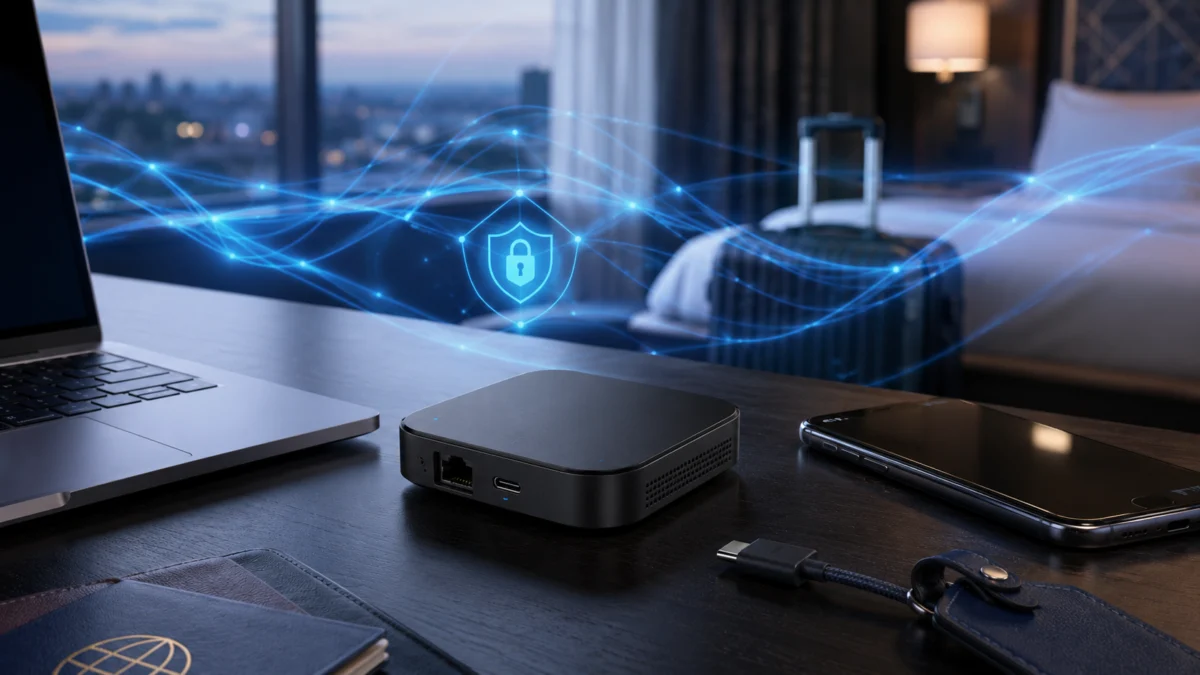
Wi-Fi 7 travel routers are now real products you can buy, but for most hotel and airport use cases, the Wi-Fi standard itself matters less than you might expect. Whether you are connecting through a hotel Ethernet port, repeating a captive portal network, or running WireGuard back to a home VPN server, what determines day-to-day usefulness is VPN throughput, captive portal handling, USB-C power compatibility, and port configuration — not peak wireless speed. The two main Wi-Fi 7 options available in 2026, the GL.iNet Slate 7 (GL-BE3600) and the TP-Link TL-WR3602BE, share the same dual-band Wi-Fi 7 chipset and neither supports the 6 GHz band. This guide separates the marketing from the practical checklist and explains which router fits which traveler.
Quick Comparison: Best Wi-Fi 7 Travel Routers in 2026
Before diving into individual reviews, here is how the main options compare across the criteria that matter most for travel use.
| Router | Wi-Fi | 6 GHz | Ethernet Ports | VPN (WireGuard) | USB-C Power | Weight | Best For |
|---|---|---|---|---|---|---|---|
| GL.iNet Slate 7 (GL-BE3600) | Wi-Fi 7 | No | 2× 2.5 GbE | Up to 490 Mbps (official) | Yes (PD) | ~295 g | Power users, dual 2.5G wired, advanced VPN |
| TP-Link TL-WR3602BE | Wi-Fi 7 | No | 1× 2.5 GbE WAN + 1× 1 GbE LAN | Supported (speed not officially specified) | Yes (5V/3A) | ~135 g | Lighter pack, simpler setup, budget-friendly Wi-Fi 7 |
| GL.iNet Beryl AX (GL-MT3000) | Wi-Fi 6 | No | 1× 2.5 GbE WAN + 1× GbE LAN | Supported | Yes | Lighter than Slate 7 | Proven hotel router, lower cost, lower power draw |
User Complaints to Check Before Buying
Several issues appear consistently across GL.iNet community forums and independent reviews that are worth knowing before purchasing any Wi-Fi 7 travel router.
Captive portal failures on GL.iNet routers. Multiple threads in the GL.iNet official forum document cases where GL-BE3600 (Slate 7) units failed to load hotel captive portals, returning a DNS_PROBE_FINISHED_NO_INTERNET error or looping indefinitely on connection. Users report that firmware versions 4.7.1 and 4.7.3 were affected in at least one documented hotel case. GL.iNet’s official documentation provides a workaround procedure — disabling DNS Rebinding Attack Protection and using MAC address cloning from a device already authenticated on the hotel network — but this adds setup steps that most travelers would prefer to avoid (GL.iNet forum thread).
TP-Link data-sharing prompts. According to testing notes from ServeTheHome (2025), the TP-Link TL-WR3602BE generates a notable number of opt-in data-sharing requests during setup. For travelers with privacy concerns, this is worth factoring in alongside the broader regulatory context. The proposed federal ban on TP-Link products was shelved at the federal level as of early 2026, but state-level legal action continues in Texas. The product remains available for purchase.
Slate 7 touchscreen and SSID visibility. A TechRadar reviewer flagged that the Slate 7’s front-facing touchscreen displays the router’s SSID and network status by default, which could expose your network name to anyone nearby in a hotel lobby or café.
Neither router has a built-in battery. Both the Slate 7 and TL-WR3602BE require external power at all times — either from a wall adapter or a USB power bank. The Slate 7 draws approximately 6–8 W under load, which is compatible with most power banks but means placement near a power source is required.
What Is a Wi-Fi 7 Travel Router, and Who Actually Needs One?
A Wi-Fi 7 travel router is a compact, portable device that connects to a hotel Ethernet port, public Wi-Fi hotspot, or cellular tether and rebroadcasts a private, secure Wi-Fi network for your own devices. The Wi-Fi 7 designation means it supports the 802.11be wireless standard, which adds technologies like Multi-Link Operation (MLO), 4K-QAM, and higher OFDMA efficiency compared to Wi-Fi 6. In practice, however, both Wi-Fi 7 travel routers currently available — the GL.iNet Slate 7 and TP-Link TL-WR3602BE — operate only on the 2.4 GHz and 5 GHz bands. Neither supports the 6 GHz band that delivers Wi-Fi 7’s most significant real-world improvements.
The travelers who benefit most from a Wi-Fi 7 travel router in 2026 are those who need the 2.5 GbE wired port for fast laptop docking at a hotel with Ethernet, plan to run WireGuard or OpenVPN through the router for all devices, or regularly move between multiple hotels and want one consistent private Wi-Fi name across all their devices. Travelers who mainly use a single device on hotel Wi-Fi and do not need a VPN at the router level will see fewer benefits over a Wi-Fi 6 travel router at a lower price.
Travel Router Buying Checklist: VPN, Captive Portal, USB-C Power, 2.5 GbE, and Device Limits
For hotel and travel use, these are the factors that determine whether a router is worth buying, in order of practical importance.
- Captive portal handling. Hotel Wi-Fi networks often require you to authenticate through a browser page before internet access is granted. A travel router must be able to pass that authentication either by showing you the portal page directly or via MAC address cloning from an already-authenticated device. This is not guaranteed to work smoothly on every router with every hotel network.
- VPN support and throughput. If you run a VPN at the router level, every connected device goes through the encrypted tunnel automatically. WireGuard provides significantly faster throughput than OpenVPN on the same hardware. Check whether the router lists official VPN speed figures and understand these are measured on a local network under controlled conditions — real-world speeds will vary.
- USB-C power compatibility. USB-C charging means you can run the router from a laptop charger, USB wall adapter, or power bank — eliminating a dedicated wall plug from your bag. Confirm the power requirement: the Slate 7 accepts PD input from 5 V/3 A up to 12 V/2.5 A, while the TL-WR3602BE requires 5 V/3 A.
- Ethernet port configuration. If you need to connect a laptop directly via cable, verify that you have at least one LAN port in addition to the WAN port. The Slate 7 provides two 2.5 GbE ports configurable as WAN or LAN. The TL-WR3602BE has one 2.5 Gbps WAN and one 1 Gbps LAN, which covers most scenarios but limits multi-gigabit wired output.
- Operating modes. Look for support for Hotspot (WISP) mode — connecting to an existing Wi-Fi and rebroadcasting it — alongside standard wired WAN and USB tethering. The TP-Link TL-WR3602BE supports seven operating modes including USB modem compatibility for 3G/4G/5G dongles, which is useful if you travel with a cellular backup.
- Device limits. The GL.iNet Slate 7 lists support for up to 120 simultaneous device connections (per GL.iNet). The TL-WR3602BE lists up to 90 devices (per TP-Link). Both exceed what most travelers need, but team deployments or conference room setups may find the Slate 7’s higher ceiling relevant.
Best Wi-Fi 7 Travel Routers: Detailed Picks
GL.iNet Slate 7 (GL-BE3600) — Best for Power Users and Dual 2.5 GbE
The GL.iNet Slate 7 is the most fully featured Wi-Fi 7 travel router currently available. Its most distinctive hardware advantage is dual 2.5 GbE ports — both the WAN and LAN sides operate at 2.5 Gbps, making it the only travel router in this category to offer multi-gigabit connectivity on both ends. For business travelers connecting to hotel Ethernet and routing to a 2.5 GbE-capable laptop, this configuration eliminates any wired bottleneck below 2.5 Gbps.
According to GL.iNet’s official specifications, the Slate 7 delivers WireGuard throughput of up to 490 Mbps and OpenVPN-DCO throughput of up to 385 Mbps, measured on a local network. TechRadar’s review (August 2025) reported approximately 540 Mbps WireGuard and approximately 100 Mbps OpenVPN in their testing environment. The gap between WireGuard and OpenVPN on this hardware is significant — if VPN speed matters, WireGuard is the right choice on the Slate 7.
The Slate 7 runs a customized build of OpenWrt 23.05, with access to a wide range of plugins including AdGuard Home (pre-installed), traffic monitoring tools, and advanced routing configurations. GL.iNet confirmed in December 2025 that while many of its routers can run vanilla OpenWrt firmware, the Slate 7 requires the customized version due to chipset restrictions (Dong Knows Tech, March 2026).
The touchscreen interface is a genuine differentiator: it displays real-time network status, allows VPN toggling without opening a browser or app, and lets you scan or display a QR code for quick guest connections. A privacy consideration flagged by TechRadar (August 2025): the screen’s front-facing display makes your SSID visible to nearby observers by default, which is worth configuring before use in public spaces.
The Slate 7’s main trade-offs are weight and price. At approximately 295 g (10.4 oz), it is noticeably heavier than competing travel routers. For comparison, the TL-WR3602BE weighs approximately 135 g. The Slate 7 is priced in the upper range of travel routers, and the captive portal issues documented in GL.iNet’s own community forum mean this router is best suited for travelers who are comfortable with a brief troubleshooting process when a hotel captive portal does not load automatically.
Key Specs (GL.iNet Slate 7 / GL-BE3600)
| Wi-Fi | Wi-Fi 7 (802.11be), dual-band 2.4 GHz + 5 GHz (no 6 GHz) |
| Max theoretical speed | 688 Mbps (2.4 GHz) + 2,882 Mbps (5 GHz) |
| WireGuard (official) | Up to 490 Mbps |
| OpenVPN-DCO (official) | Up to 385 Mbps |
| Ethernet | 2× 2.5 GbE (WAN + LAN, configurable) |
| USB | USB-A 3.0 × 1, USB-C PD power (5V/3A – 12V/2.5A) |
| CPU / RAM | Qualcomm IPQ5018 quad-core 1.1 GHz / 1 GB DDR4 |
| Storage | 512 MB NAND Flash |
| OS | OpenWrt 23.05 (customized) |
| VPN services | 30+ built-in providers |
| Power draw | ~6–8 W under load |
| Dimensions | 130 × 91 × 34 mm |
| Weight | ~295 g (10.4 oz) |
| Price range | In the $140–$160 range |
Source: GL.iNet official specifications (store-us.gl-inet.com / gl-inet.com / docs.gl-inet.com), TechRadar (August 2025, February 2026), Dong Knows Tech (March 2026), Medium (May 2025)
✅ Buy if…
- You need dual 2.5 GbE ports for wired multi-gigabit performance at both ends
- You want advanced WireGuard VPN at the router level with the highest available throughput in this category
- You are comfortable with OpenWrt and troubleshooting captive portal edge cases
- You want deep customization through plugins (AdGuard Home, traffic monitoring, custom routing)
- You connect 10 or more devices through one router and need maximum device capacity
❌ Don’t buy if…
- You want plug-and-play hotel setup with zero troubleshooting — captive portal behavior is inconsistent across hotel networks
- Weight is a priority — at ~295 g, it is the heaviest option in this comparison
- You need 6 GHz support for full Wi-Fi 7 performance
- You are on a tight budget — it sits in the upper price range of travel routers
Check on Amazon
/
Official site
TP-Link TL-WR3602BE (Roam 7) — Best Lightweight Wi-Fi 7 Option
The TP-Link TL-WR3602BE offers dual-band Wi-Fi 7 in a notably smaller and lighter package than the GL.iNet Slate 7. At approximately 135 g and 101 × 67 × 25 mm, it is roughly half the weight of the Slate 7 and fits easily in the small compartment of a laptop bag. For travelers who prioritize pack weight and simplicity over advanced configuration, it is the more practical choice among current Wi-Fi 7 travel routers.
The Ethernet port setup differs from the Slate 7 in one important way: the WAN port is 2.5 Gbps, but the LAN port is 1 Gbps. For the majority of travel use cases — where the hotel’s Ethernet connection is the bottleneck, not the router’s LAN side — this is not a meaningful limitation. However, if you need multi-gigabit throughput on both the WAN and LAN sides simultaneously, the Slate 7 is the correct choice.
The TL-WR3602BE supports seven operating modes including Router, Hotspot (WISP), USB Tethering, 3G/4G/5G USB Modem, Access Point, Range Extender, and Client. The Hotspot mode is designed specifically for hotel use: you connect the router to the hotel Wi-Fi once, authenticate through the captive portal via TP-Link’s Tether app, and from that point all of your connected devices share the authenticated connection without individual login. According to TP-Link’s official product page, “only the router connects directly to public networks — your devices remain protected on the private network.”
Setup is handled through TP-Link’s Tether app, which is considerably simpler than GL.iNet’s web admin interface. The trade-off is configurability: advanced features like custom DNS, plugin installation, or deep traffic routing require comfort with TP-Link’s more consumer-oriented interface.
The TL-WR3602BE has been flagged in the context of broader regulatory scrutiny of TP-Link products in the United States. A proposed federal ban was under review by multiple agencies throughout 2025 and was shelved at the federal level as of early 2026, according to 9to5Mac (February 2026). Legal proceedings at the state level continue in Texas. The product remains available for purchase on Amazon.com at this time. Travelers working in sensitive government or enterprise environments should verify their organization’s policies before purchasing TP-Link networking equipment.
Key Specs (TP-Link TL-WR3602BE)
| Wi-Fi | Wi-Fi 7 (802.11be), dual-band 2.4 GHz + 5 GHz (no 6 GHz) |
| Max theoretical speed | 688 Mbps (2.4 GHz) + 2,882 Mbps (5 GHz) |
| VPN | OpenVPN, WireGuard, PPTP, L2TP |
| Ethernet | 1× 2.5 Gbps WAN + 1× 1 Gbps LAN |
| USB | USB 3.0 × 1, USB-C power (5V/3A) |
| Operating modes | 7 (Router, Hotspot, USB Tethering, 3G/4G/5G Modem, AP, Range Extender, Client) |
| CPU / RAM | MediaTek MT7981B dual-core 1.3 GHz / 512 MB RAM |
| Max device connections | 90 (per TP-Link) |
| Dimensions | 101 × 67 × 25 mm |
| Weight | ~135 g |
| Price range | Under $120 |
Source: TP-Link official specifications (tp-link.com), Tom’s Hardware (November 2025), NAS Compares (April 2026), ServeTheHome (November 2025), 9to5Mac (February 2026)
✅ Buy if…
- You want the lightest Wi-Fi 7 travel router available — at ~135 g it is easy to forget you packed it
- Simple app-based setup (TP-Link Tether) is more important than advanced configuration
- You need USB modem support for 3G/4G/5G cellular backup connectivity
- Budget is a priority — it costs meaningfully less than the Slate 7
- You are connecting to hotel Wi-Fi and want straightforward captive portal handling through Hotspot mode
❌ Don’t buy if…
- You need dual 2.5 GbE ports on both WAN and LAN sides simultaneously
- Advanced OpenWrt customization, plugin support, or custom DNS at the router level is required
- Your organization has policies against TP-Link products due to ongoing regulatory proceedings
- You need 6 GHz support for full Wi-Fi 7 performance
Check on Amazon
/
Official site
GL.iNet Beryl AX (GL-MT3000) — Best Budget and Proven Hotel Choice (Wi-Fi 6)
The Beryl AX is GL.iNet’s flagship Wi-Fi 6 travel router and the direct predecessor to the Slate 7. For travelers who do not need Wi-Fi 7 and want to save money, it remains a strong choice. It runs OpenWrt firmware with the same web admin interface and VPN support as the Slate 7, supports WireGuard and OpenVPN, and draws under 8 W — making it more power-bank-friendly than the Slate 7’s up to 18 W maximum draw (per Medium, May 2025).
The Beryl AX uses a MediaTek MT7981B dual-core 1.3 GHz processor (the same base chip as the TL-WR3602BE) and delivers theoretical dual-band speeds of up to 3,000 Mbps across 2.4 GHz and 5 GHz. For repeating a typical hotel Wi-Fi connection — which rarely exceeds 100–300 Mbps regardless of the router’s capabilities — the Beryl AX’s Wi-Fi 6 performance is more than sufficient. The main reasons to choose the Slate 7 over the Beryl AX are the dual 2.5 GbE ports and the higher VPN throughput ceiling.
✅ Buy if…
- Wi-Fi 7 is not a requirement and you want a proven GL.iNet experience at a lower price
- Lower power draw is a priority for extended power bank operation
- You are already familiar with GL.iNet’s OpenWrt interface and VPN setup process
❌ Don’t buy if…
- You need the dual 2.5 GbE port configuration of the Slate 7
- You want the highest available WireGuard throughput on a travel router
- You want Wi-Fi 7 forward compatibility for clients you plan to use over the next several years

Please check the Amazon product page for the latest price and availability.
GL.iNet Slate 7 vs TP-Link BE3600: Which One Makes More Sense for Travel?
Both routers use a BE3600 dual-band Wi-Fi 7 configuration with no 6 GHz support, so the wireless performance ceiling is identical on paper. The practical differences come down to four areas: wired port configuration, weight, software ecosystem, and purchase risk.
The Slate 7 wins on wired port configuration — its dual 2.5 GbE setup is unique in this category. The TL-WR3602BE wins on weight and size: at approximately 135 g versus 295 g, it is less than half the Slate 7’s mass. For anyone counting grams in a carry-on, that difference is meaningful across a full trip.
On software, the two routers reflect fundamentally different design philosophies. The Slate 7’s OpenWrt foundation allows plugin installation, custom scripting, advanced DNS control, and detailed traffic monitoring — but it assumes the user is comfortable spending time in a web admin interface. The TL-WR3602BE’s Tether app is designed for users who want to select a mode, authenticate once, and move on.
On purchase risk: GL.iNet is a Hong Kong-based company that is not currently subject to any US government ban or proposed ban. TP-Link’s regulatory situation in the United States is more complex — a proposed federal ban was shelved in early 2026, but legal proceedings continue at the state level, and US government and enterprise policies on TP-Link products vary. For personal use, the current situation does not prevent purchase. For enterprise or government-adjacent use, check your organization’s policies.
For most travelers who do not need dual 2.5 GbE and are comfortable with basic app-based setup, the TL-WR3602BE is the easier and lighter choice. For travelers who want maximum VPN throughput, OpenWrt flexibility, and a router that doubles as a capable wired hub, the Slate 7 is the right tool.
Do You Need 6 GHz on a Travel Router?
For hotel and airport use in 2026, 6 GHz support on a travel router is not necessary for most travelers. Neither the GL.iNet Slate 7 nor the TP-Link TL-WR3602BE includes a 6 GHz radio, and both are marketed as Wi-Fi 7 devices.
6 GHz is the band that delivers Wi-Fi 7’s most significant real-world improvements: wider 320 MHz channels, cleaner spectrum with less interference, and full Multi-Link Operation (MLO) across three bands simultaneously. None of these advantages are accessible without 6 GHz hardware. A dual-band Wi-Fi 7 router operating on 2.4 GHz and 5 GHz gains access to Wi-Fi 7 improvements like higher 4K-QAM modulation and enhanced OFDMA, but the practical speed difference over a high-end Wi-Fi 6 router is modest in real-world travel conditions.
The bigger factor is that hotel Wi-Fi networks — which a travel router repeats — are not delivering speeds that require Wi-Fi 7 to handle. Even in 2026, most hotel and airport networks operate well below the ceiling that Wi-Fi 6 travel routers can forward. The value of a Wi-Fi 7 travel router lies in future-proofing your local network (for Wi-Fi 7 clients connecting to your router’s hotspot) and the 2.5 GbE wired port, not in Wi-Fi 7 wireless speed over a typical hotel connection.
If 6 GHz is a priority, the GL.iNet Slate 7 Pro (GL-BE10000) is a tri-band Wi-Fi 7 travel router that includes 6 GHz and reaches up to 1,100 Mbps via WireGuard according to GL.iNet’s official specifications — but it is a larger, more expensive device designed for a different use case than lightweight daily travel.
Common Hotel Wi-Fi Problems: Captive Portals, VPN Blocks, Double NAT, and Slow Speeds
Using a travel router at a hotel introduces a set of specific technical challenges that are worth understanding before you rely on one for a work trip.
Captive portals. Hotel networks frequently use a captive portal — a browser-based authentication page — before allowing internet access. A travel router in repeater (Hotspot) mode must be able to load and pass this portal. The standard workaround when a portal does not load is to first authenticate a smartphone directly on the hotel Wi-Fi, then clone that device’s MAC address to the router so the hotel’s system recognizes it as already authenticated. GL.iNet’s official documentation covers this process step by step. The TP-Link TL-WR3602BE’s Hotspot mode is designed to handle captive portal authentication through the Tether app directly, which simplifies this step in supported configurations.
VPN blocks. Some hotel networks and country-level internet policies block VPN protocols at the firewall level. WireGuard traffic on its default UDP port 51820 can be blocked. If your VPN provider supports obfuscation or a TCP-based fallback, configure that before traveling. If you are using GL.iNet’s router-level VPN with a third-party provider, check whether that provider’s configuration files support alternative ports or obfuscation modes.
Double NAT. When your travel router connects to a hotel’s router or gateway, your devices sit behind two layers of NAT (Network Address Translation) — one from the hotel’s network, one from your travel router. This can interfere with certain applications that require direct device addressing, such as peer-to-peer connections, some gaming services, or specific VPN configurations. For most browsing, streaming, video calls, and VPN-based remote work, double NAT does not cause problems.
Speed is limited by the hotel connection, not the router. A Wi-Fi 7 travel router cannot make a 50 Mbps hotel internet connection faster. The router’s wireless speed specifications reflect its internal network performance — between your devices and the router itself — not the speed of the hotel’s uplink. Setting realistic expectations about this prevents disappointment when hotel speeds are slow regardless of which router you carry.
Wi-Fi 7 Travel Router FAQ
Is a Wi-Fi 7 travel router worth it in 2026?
For most travelers, the Wi-Fi 7 label is not the deciding factor. The two current dual-band options — the GL.iNet Slate 7 (GL-BE3600) and the TP-Link TL-WR3602BE — run only on 2.4 GHz and 5 GHz with no 6 GHz radio, so their practical value comes from the 2.5 GbE wired port and router-level VPN, not from faster wireless over a hotel connection. If you don’t need either, a Wi-Fi 6 travel router covers the same use cases for less.
Do hotels support Wi-Fi 7 speeds?
Generally no. Most hotel and airport networks operate well below what even a Wi-Fi 6 travel router can forward, and a travel router cannot make a slow hotel uplink any faster. The wireless speed figures on the box describe the link between your own devices and the router — not the speed of the hotel’s internet connection.
Should I buy Wi-Fi 6 or Wi-Fi 7 for travel?
If you don’t need dual 2.5 GbE ports or the highest available WireGuard throughput, a proven Wi-Fi 6 router such as the GL.iNet Beryl AX (GL-MT3000) handles typical hotel and VPN use at a lower price and lower power draw. Choose Wi-Fi 7 mainly for the 2.5 GbE wired ports and forward compatibility with Wi-Fi 7 client devices.
Can a travel router improve hotel Wi-Fi stability?
A travel router gives you one consistent private network across all your devices and lets you route them through a single VPN, but it cannot improve the hotel’s own uplink. Two things to expect: double NAT (your devices sit behind both the hotel’s router and yours), and captive-portal handling that varies by hotel network and by router.
How We Researched
This article is based on official product specifications from GL.iNet (store-us.gl-inet.com, gl-inet.com, docs.gl-inet.com) and TP-Link (tp-link.com). Independent review data was sourced from TechRadar (August 2025 and February 2026), Dong Knows Tech (February 2026 best travel routers list; March 2026 GL-BE3600 and TL-WR3602BE reviews), NAS Compares (April 2026), ServeTheHome (October and November 2025), and Tom’s Hardware (November 2025). Regulatory background on TP-Link was sourced from 9to5Mac (February 2026), Tom’s Guide (October 2025), and Krebs on Security (November 2025). Community reports on captive portal behavior were drawn from multiple threads in the GL.iNet official forum (forum.gl-inet.com), with the Slate 7-specific threads confirmed as of June 2025. We have not conducted hands-on lab testing. All VPN throughput figures reflect manufacturer claims or independently reported results from named publications and are not Fixory measurements.
Final Recommendation: Which Wi-Fi 7 Travel Router Should You Buy?
For most travelers choosing between the two Wi-Fi 7 options available in 2026, the decision comes down to one question: do you need dual 2.5 GbE ports and advanced OpenWrt configuration, or do you need the lightest possible router with simple app-based setup?
If you run a WireGuard server at home and want every hotel device tunneled through it automatically, need to connect a laptop via wired Ethernet at 2.5 Gbps, or want a router you can customize deeply through OpenWrt, the GL.iNet Slate 7 is the right choice. Its dual 2.5 GbE ports are genuinely unique in this category, and its WireGuard throughput ceiling is the highest available in a travel router. Prepare for a learning curve on captive portal setups at certain hotels.
If you want to throw a router in your bag, open an app, tap through three screens, and have hotel Wi-Fi shared securely across all your devices, the TP-Link TL-WR3602BE is easier to live with. It weighs half as much as the Slate 7, costs less, and TP-Link’s Hotspot mode is specifically designed for hotel captive portal handling. Check your organization’s policy on TP-Link hardware before purchase if you work in a regulated environment.
If you do not specifically need Wi-Fi 7 and want to save money while getting the same GL.iNet software experience, the GL.iNet Beryl AX remains a proven choice for hotel and VPN use at a lower price and power draw.
For travelers who need 6 GHz, true tri-band Wi-Fi 7, and the highest available VPN throughput in a travel form factor, the GL.iNet Slate 7 Pro (GL-BE10000) exists but is a larger, more expensive device outside the scope of this comparison.



Comments