If you are planning to buy a physical Nintendo Switch 2 game, this is the most important thing to check before you pay: not every physical cartridge contains the full game. Nintendo Switch 2 has two separate physical formats — the regular game card and the game-key card — and they work very differently. A game-key card requires an internet connection and available storage to download the game before you can play. Once downloaded, you can play offline, but the card must stay in the slot at all times. This guide explains both formats, what to check on the packaging, who should avoid game-key cards, and what your alternatives are.
- The Bottom Line
- Game-Key Card vs Regular Game Card
- Internet, Nintendo Account, and Storage
- Offline Play After Downloading
- How to Spot a Game-Key Card Before Buying
- Who Should Avoid Game-Key Cards
- Digital Alternatives: Virtual Game Card
- How We Researched
The Bottom Line: A Game-Key Card Is Physical, But Does Not Contain the Full Game
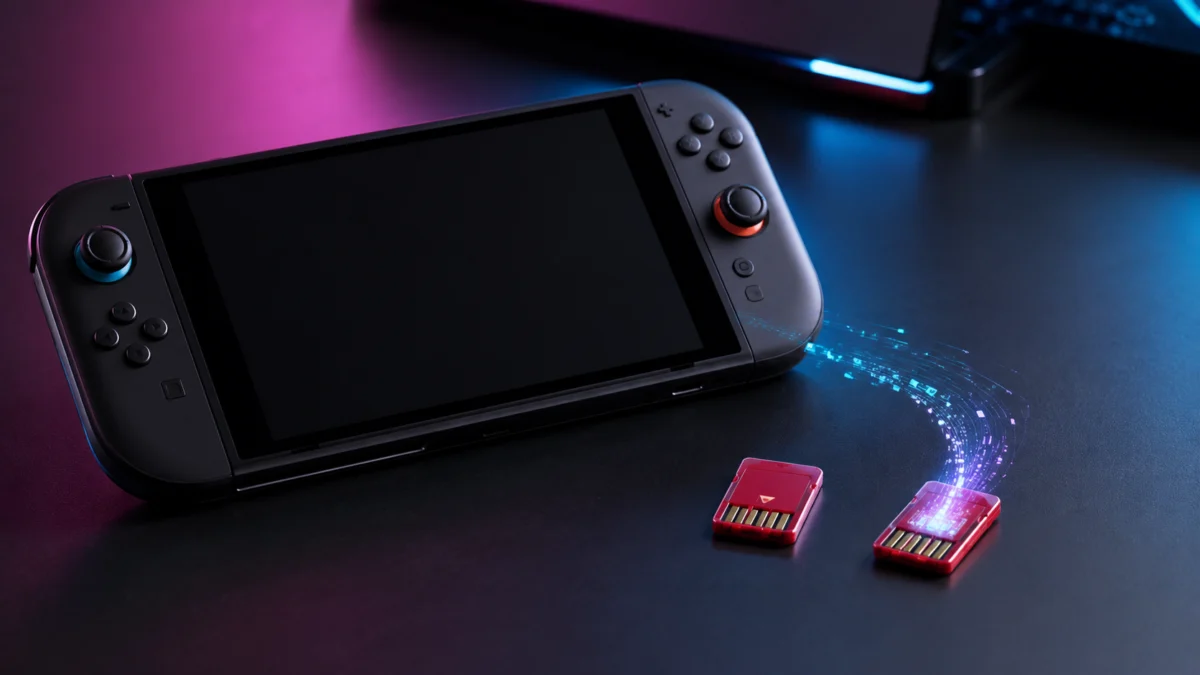
A game-key card is a physical Nintendo Switch 2 cartridge that contains only an encrypted license key, not the game data itself. When you insert it for the first time, the console connects to Nintendo’s servers and downloads the full game to internal storage or a microSD Express card. After the download is complete, you can play offline — but the game-key card must remain in the cartridge slot during play. Remove it, and the game stops immediately.
Regular game cards work the way physical games always have: the full game is stored on the cartridge, and you can play without downloading anything or using storage space beyond save data.
The table below shows the core differences at a glance.
| Feature | Regular Game Card | Game-Key Card |
|---|---|---|
| Full game on cartridge | ✅ Yes | ❌ No — download required |
| Internet required (initial) | Not required | ✅ Required for first-time download |
| Nintendo Account required | Not required | ❌ Not required |
| Offline play (after setup) | ✅ Yes | ✅ Yes — card must stay inserted |
| Card must stay inserted during play | ✅ Yes | ✅ Yes |
| Internal storage consumed | Minimal (save data only) | Full game size (often 20 GB+) |
| microSD Express may be needed | Unlikely | ✅ Likely for multiple titles |
| Resale / lending possible | ✅ Yes | ✅ Yes — not account-locked |
| Typical publishers | Nintendo first-party | Ubisoft, Square Enix, Bandai Namco, SEGA, and others |
| Long-term playability concern | Low (data is on the card) | Depends on Nintendo’s servers remaining active |
Game-Key Card vs Regular Game Card: The Real Difference
A regular game card stores a complete version 1.0 of the game in its flash memory. Insert it into the slot and the game launches directly from the cartridge — no download, no storage needed beyond save files. Nintendo’s own first-party titles, such as those released under the Pokémon series, tend to use this format because Nintendo optimizes data size during development.
A game-key card looks identical on the outside — same physical form factor, same red cartridge color used for Switch 2 — but the internal flash memory holds only an encrypted license key. That key tells Nintendo’s distribution servers which game you are entitled to download. The game data itself lives on your console or your microSD Express card after the initial download, not on the cartridge.
Why do third-party publishers use game-key cards rather than putting the full game on the cartridge? Two reasons: manufacturing cost and streaming speed.
High-capacity game cartridges — up to 64 GB — cost significantly more to produce than low-capacity key-only cards. For publishers trying to keep retail prices in a range buyers expect, that cost difference matters. At the same time, some modern game engines require the kind of high-speed data streaming that only SSD-class storage can deliver. According to reporting on Ubisoft’s Snowdrop engine used in Star Wars Outlaws, the engine’s asset-streaming requirements could not be met by physical cartridge read speeds. Storing the game on the Switch 2’s internal UFS storage or a PCIe-based microSD Express card resolves that bottleneck.
Nintendo Support: Game-Key Card Overview
Do You Need Internet, a Nintendo Account, or a microSD Express Card?
Three things trip buyers up most often. Here are direct answers to each.
Internet connection
You need a broadband internet connection the first time you insert a game-key card. The card itself cannot launch a game — it only requests the download from Nintendo’s servers. Your Switch 2 system also needs to be running system version 20.1.1 or later for the game-key card to be recognized. After the download completes, you do not need an internet connection to play the game in offline mode, as long as the card stays in the slot.
Nintendo Account
No Nintendo Account is required to download or play a game-key card title. This is a key distinction from download codes and eShop purchases, which tie the content to an account. Because the license lives on the physical card rather than an account, game-key cards can be resold and transferred to a new owner the same way a regular game card can. The new owner inserts the card and downloads the game fresh.
microSD Express card
You may need one. The Switch 2 includes 256 GB of internal storage, but large AAA game-key card titles can consume 25 GB or more per title based on available reporting. A few titles installed simultaneously can leave limited room for additional games. If you plan to own multiple game-key card titles at the same time, a microSD Express card is a practical necessity rather than an optional upgrade.
One important note: standard microSD cards from the original Switch generation cannot be used to install Switch 2 game data. The console’s operating system requires the PCIe-based speed of microSD Express (look for the “EX” logo on the card). Older UHS-I microSD cards can still store screenshots and save data backups, but they cannot serve as a game installation destination.
Nintendo Support: Game-Key Card Overview
/
Fixory microSD Express guide
Can You Play Offline After Downloading the Game?
Yes. Once the game data is fully downloaded to internal storage or your microSD Express card, you can put the Switch 2 in airplane mode and play without any internet connection. The card itself does not call home each time you launch. However, the game-key card must remain physically inserted in the cartridge slot throughout every session. The cartridge functions as a DRM key: if you eject the card while the game is running, the software stops immediately.
This also means you cannot lend the game-key card to someone else and play your downloaded copy simultaneously. Only one person can play per card at any given time, because the card must be present.
A note on some third-party titles: a small number of games from publishers such as Ubisoft require a one-time online login through the publisher’s own account system when first launched. This is separate from the game-key card download requirement and is imposed by the publisher, not Nintendo. Check the specific title’s requirements before assuming all game-key card games have identical online demands.
How to Spot a Game-Key Card Before Buying (Amazon, Target, GameStop)
Packaging exists to tell you which format you are buying — but the warnings are small, easy to miss, and not always reproduced in online store listings. Here is where to look.
On physical packaging in-store
Check the front of the box, lower left corner, near the ESRB rating. A game-key card will display a small key icon and the text GAME-KEY CARD. Below it, in very small print, the required storage capacity in gigabytes is listed. If you see a key icon, you are looking at a game that requires a download before it can be played.
On Amazon, Walmart, and other online retailers
Online product listings do not reliably reproduce the game-key card warning in their text descriptions. The product description field is often auto-generated from the barcode and does not distinguish between the two formats. Before purchasing online, zoom in on the product images to find the packaging front. Look for the key icon in the lower left. If the listing shows only a render image or no close-up of the front cover, search the title on the Nintendo eShop or My Nintendo Store to confirm the format and the required storage capacity.
Nintendo Support: Game-Key Card Overview
On used cartridges without packaging
When buying a loose cartridge without its box — at GameStop, on eBay, or through local resale — there is no front cover to check. Look at the sticker on the cartridge itself for a small key icon. Without the box, it is easy to mistake a game-key card for a regular game card.
Also be aware that physical damage to the cartridge connector affects how the license key is read. A used game-key card with corroded or damaged contacts may fail to authenticate, even if the game data already exists on a previous owner’s console. The same risk applies to regular game cards, but the consequence is especially relevant here because the card cannot be bypassed once the download has happened.
Who Should Avoid Game-Key Cards
Game-key cards are a workable format for many Switch 2 owners — but for certain situations, the trade-offs are significant enough to change the buying decision. Below is a breakdown by use case.
Collectors and game preservation buyers
✅ Buy if
- You want to own a physical copy for resale or lending purposes
- You are comfortable with cloud-dependent DRM similar to other modern platforms
- Long-term server availability is not a concern for you
⚠️ Don’t buy if
- You collect physical games as playable artifacts independent of online infrastructure
- You want to be able to play the title decades from now regardless of server availability
- You are building a preservation-oriented library where server continuity is a real concern
For collectors who prioritize long-term independence from online infrastructure, the concern is real. A regular game card contains everything needed to launch the title. A game-key card depends on Nintendo’s content delivery network being operational for the initial download. Community discussions across multiple forums cite Nintendo’s history of closing the Wii Shopping Channel, Wii U eShop, and 3DS eShop as context for why this concern exists. There is no public timeline for Switch 2 infrastructure changes, but the dependency is a structural one that buyers should factor into their decision.
Parents buying for children and travel use
✅ Buy if
- You have reliable home Wi-Fi and can download before leaving
- The child’s Switch 2 has enough internal storage or a microSD Express card installed
- You plan to set up the game at home before any travel
⚠️ Don’t buy if
- You are buying the game as a gift to be opened and played immediately away from home
- The primary use case is in-car entertainment, on planes, or in locations without Wi-Fi access
- The child’s console does not have enough free storage to accommodate the download
Multiple community reports describe the same situation: a parent purchases what looks like a physical game, the child opens it in the car or on a flight, and the game cannot launch because there is no internet connection. The download step cannot be skipped. If you are purchasing a Switch 2 game as a gift intended for immediate play in a travel environment, confirm the format before buying.
Low-storage users
✅ Buy if
- You have a microSD Express card installed with adequate free space
- You typically own only a few games at a time and manage storage actively
⚠️ Don’t buy if
- Your Switch 2’s internal storage is nearly full and you do not have a microSD Express card
- You are not willing to invest in additional storage hardware to accommodate large downloads
- You expected physical game cards to leave your internal storage untouched
The Switch 2’s 256 GB of internal storage fills faster than it may appear once several game-key card titles are installed alongside system data. Each title consumes storage comparable to a full eShop download — because that is effectively what it is. Users managing multiple titles across several microSD Express cards have reported needing to track which data is on which card to avoid running out of space at inconvenient moments. If additional storage hardware is not in your budget, owning multiple game-key card titles simultaneously becomes difficult to manage.
Digital Alternatives: Virtual Game Card and What It Offers
If the game-key card format does not suit your situation, you have two practical alternatives: a full digital purchase from the Nintendo eShop, or a Switch 1 physical cartridge used with Switch 2’s backward compatibility.
Virtual Game Card
Nintendo introduced a feature called Virtual Game Card for digitally purchased Switch 2 titles. It allows you to move a digital game between up to two linked consoles as if it were a physical card. You can also lend a digital game to a member of your family group for up to 14 days. During the lending period, the original owner cannot access the title. After the period ends, the game returns automatically and the borrower’s save data remains on their system.
This does not eliminate the storage question — a digital purchase also consumes full internal or microSD Express storage — but it removes the need to physically transfer a cartridge.
Switch 1 cartridges on Switch 2
Switch 2 is backward compatible with all original Switch physical cartridges. If a title you want is available as a full-data Switch 1 cartridge, you can use it on Switch 2 without any game-key card restrictions. The game loads from the cartridge itself, with no download required.
Some publishers offer upgrade packs for Switch 1 titles played on Switch 2. These upgrades add improved graphics and performance and are available as either free downloads or paid additions depending on the publisher and title. The upgrade data downloads to internal storage, but the core game continues to run from the Switch 1 cartridge — a hybrid approach that reduces storage pressure while enabling higher-quality output on the newer hardware.
How We Researched
This article is based on Nintendo’s official Switch 2 support documentation, manufacturer documentation from hardware partners, coverage from established tech publications including PCMag, and real-user reports drawn from multiple threads across r/NintendoSwitch2, r/nintendo, r/NintendoSwitchHelp, and r/gamecollecting. We have not conducted hands-on lab testing. Specific claims about download sizes, system version requirements, and game-key card behavior are attributed to official sources or identified community reports where the same pattern was confirmed across multiple posts. Information about specific game titles and publisher behavior reflects available reporting at the time of writing and may change based on publisher decisions or system updates.
Final Recommendation
Game-key cards are not a scam, and they are not identical to digital purchases — the license is tied to a physical card rather than an account, which means resale, lending, and gifting all work. But they are also not the same as traditional physical games that store everything on the cartridge.
Before buying any Switch 2 physical game, check the lower left corner of the front packaging for the key icon and the required storage figure. If you are shopping online, zoom in on product images or cross-reference the title on the Nintendo eShop or My Nintendo Store before completing the purchase.
If you are a collector, a frequent traveler who games offline, or a buyer with limited internal storage and no plans to purchase a microSD Express card, a game-key card version may not be the right choice for your situation. In those cases, check whether a regular game card version of the title exists, or consider whether a digital purchase with Virtual Game Card access fits your needs better.