
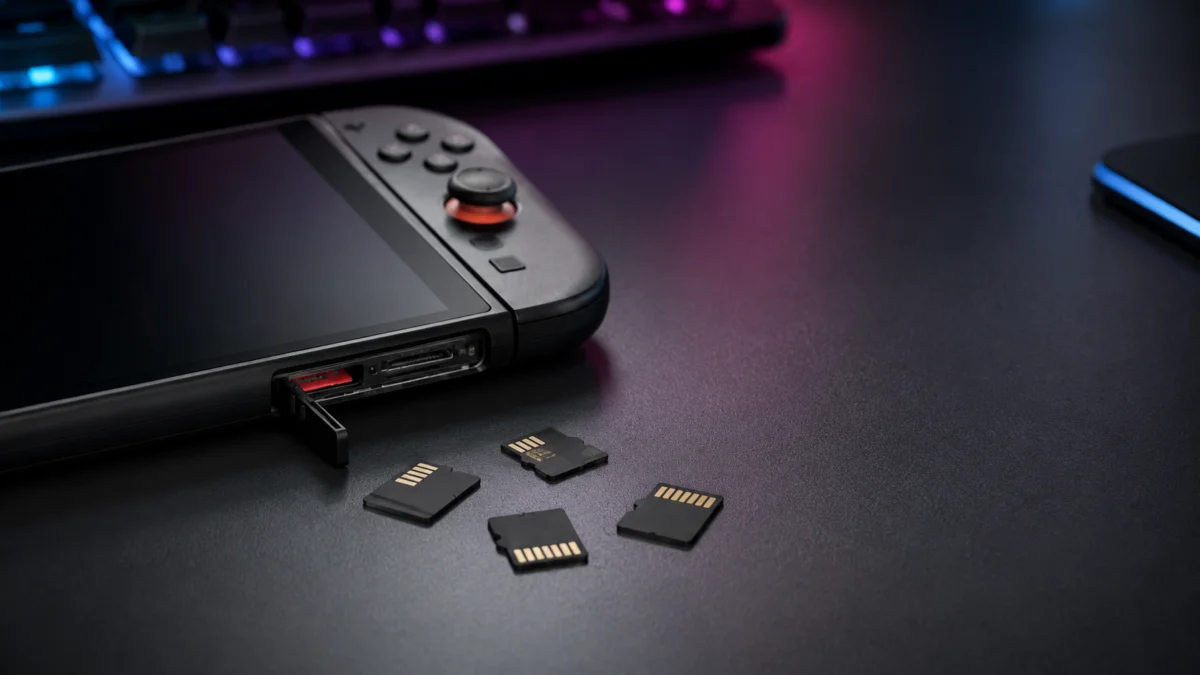
Best microSD Express Cards for Nintendo Switch 2: Who Should Buy 256GB, 512GB, and 1TB
The Nintendo Switch 2 requires microSD Express cards — not the standard microSD cards from the original Switch. Any card without the “EX” logo printed on its face will not store or run Switch 2 games, regardless of brand or speed class. For most players, the SanDisk microSD Express (512GB) or Samsung P9 (256GB) are the safest starting points: both come from established brands, carry strong warranty coverage, and deliver load times close to the Switch 2’s built-in UFS 3.1 storage. For a complete digital library, the Lexar Play Pro 1TB is the most consistently available large-capacity option. Before purchasing anything, locate the “EX” mark on the card’s front face — without it, you have the wrong product entirely.
Disclosure: This article contains affiliate links. If you purchase through these links, Fixory may earn a commission at no additional cost to you. Product selection is based solely on research and community feedback.
- Quick Answer and Comparison Table
- Why Regular microSD Cards Won’t Work for Switch 2
- 256GB vs 512GB vs 1TB: Which Size Do You Actually Need?
- What to Look for Before Buying
- What Buyers Are Reporting
- Best microSD Express Cards for Switch 2
- Can You Reuse Your Old Switch microSD Card?
- Common Buying Mistakes to Avoid
- Final Recommendation by Playstyle
Quick Answer: The Best microSD Express Card for Nintendo Switch 2
For most Switch 2 owners, the SanDisk 512GB microSD Express is the most defensible choice — it combines a publicly guaranteed minimum sustained write speed of 220 MB/s with a lifetime limited warranty, two assurances most competing cards do not formally offer. If price is the primary concern, the Samsung P9 256GB delivers reliable thermal management at a lower entry point. For an unrestricted digital library with no routine storage management, the Lexar Play Pro 1TB is the most reliably stocked large-capacity option. Private-label cards (ONN, Atrix) should be avoided entirely — multiple community reports document catastrophic data failures within hours of first use.
| Card | Best For | Capacities | Max Read Speed | Warranty | Buy |
|---|---|---|---|---|---|
| SanDisk microSD Express | Best for most users | 128GB / 256GB / 512GB | Up to 880 MB/s | Lifetime Limited | Check on Amazon |
| Lexar Play Pro | Best overall / Best 1TB | 256GB / 512GB / 1TB | Up to 900 MB/s | Confirm at purchase | Check on Amazon |
| Samsung P9 | Best budget | 256GB / 512GB | Up to 800 MB/s | 3-year | Check on Amazon |
| Samsung Nintendo-Licensed | Best official pick | 256GB only | Up to 800 MB/s | Confirm at purchase | Check on Amazon |
| Silicon Power Hypera | Alternative 1TB option | 256GB / 512GB / 1TB | Up to 880 MB/s | Confirm at purchase | Check on Amazon |
Stop — Regular microSD Cards Won’t Work for Switch 2 Games
Standard microSD, microSDHC, and microSDXC cards — including high-speed UHS-I and UHS-II products such as the SanDisk Ultra and SanDisk Extreme — cannot store or run Nintendo Switch 2 games. This is not a software limitation that a firmware update can resolve; it is a hardware-level interface requirement.
The Switch 2 uses the SD 7.1 standard, which routes storage traffic through a PCIe Gen3 x1 interface with NVMe 1.3 protocol — the same technology used inside laptop SSDs, compressed into a microSD form factor. Standard microSD cards use a legacy SD bus interface that tops out at roughly 100 MB/s under UHS-I. The Switch 2’s AAA game titles demand substantially higher sustained read bandwidth to stream textures and assets in real time, particularly as large releases can exceed 90 GB in total file size.
How to identify a genuine microSD Express card: The only reliable visual marker is the “EX” logo printed on the card’s front face. This is the official SD Association designation for the Express standard. The word “Extreme” — as used in SanDisk’s standard lineup — is similar in appearance but refers to a completely different, incompatible product line. If the card does not clearly show “EX” on its surface, it is not a microSD Express card.
Physically, microSD Express cards are identical in size to standard microSD cards. The difference lies on the back contact surface, where an additional row of pins enables the PCIe connection. You cannot identify a microSD Express card by size or shape alone.
What Old microSD Cards Can Still Do on Switch 2
There is exactly one supported use for an original Switch microSD card on the Switch 2: importing screenshots and gameplay videos into the new console’s internal storage. According to Nintendo’s official support documentation (see official support), this is performed via Settings → Data Management → Import from Nintendo Switch microSD Card. Game software itself cannot be transferred through this method. Once media import is complete, the old card serves no further function within the Switch 2 system.
256GB vs 512GB vs 1TB — Which Capacity Do You Actually Need?
The right capacity depends entirely on how you buy and play games. To put the math in context: The Witcher 3: Wild Hunt Complete Edition requires approximately 26.8 GB, while a AAA title of comparable scale to Final Fantasy VII Rebirth can exceed 90 GB. Five large-scale open-world games can consume more than 200 GB on their own, before patches or downloadable content.
One important system constraint worth knowing before you buy: Nintendo does not allow you to merge game data from multiple microSD Express cards through the Switch 2 console itself. Moving to a larger card later requires a PC and a card reader. For this reason, buying one capacity tier larger than you think you need is generally preferable to planning an upgrade.
| Playstyle | Recommended Capacity | Reasoning |
|---|---|---|
| Primarily physical game cards; rarely downloads | No card needed yet | Physical game cards manage their own storage. Internal 256 GB covers saves, patches, and occasional downloads without a card. |
| Mix of physical and digital; comfortable managing storage | 256GB | Doubles total capacity to roughly 512 GB. Sufficient for a rotating library of 10–15 titles when combined with internal storage. |
| Primarily digital; wants minimal storage management | 512GB | Most widely recommended tier by major gaming media. Covers a large active library including several simultaneous AAA titles. |
| Complete digital library; family-shared console; enthusiast | 1TB | Total combined capacity of roughly 1.25 TB. Eliminates nearly all storage management decisions. Carries a significant price premium compared to 512GB. |
What to Look for Before Buying (and What to Ignore)
Three factors genuinely matter when choosing a microSD Express card for Switch 2: brand reliability, sustained write speed, and warranty coverage. The number printed largest on most packaging — sequential read speed — matters less in daily use than the marketing suggests.
Sequential Read Speed: Useful Context, Not the Deciding Factor
All reputable microSD Express cards designed for Switch 2 deliver sequential read speeds between 800 MB/s and 900 MB/s under ideal conditions. In practical gameplay terms, the difference between an 800 MB/s card and a 900 MB/s card translates to a second or two of load time at most. Any card from a major brand within this speed range will perform comparably for everyday Switch 2 use.
Sustained Write Speed: The Number That Matters for Downloads
When downloading large games from the Nintendo eShop — which involves sustained writes of 20 GB to 90 GB or more without interruption — most cards slow down as they heat up, a process called thermal throttling. SanDisk is notable for publicly guaranteeing a minimum sustained write speed of 220 MB/s, a floor that most competing cards do not formally state. Samsung addresses the same issue through its Dynamic Thermal Guard technology, which actively manages heat accumulation during extended write operations. Both approaches meaningfully reduce the risk of stalled or extremely slow downloads.
Thermal Throttling: What to Expect During PC Transfers
microSD Express cards use PCIe NVMe technology and generate meaningfully more heat than standard microSD cards during sustained use. Speed reduction under heat is normal flash storage behavior, not a defect. However, when transferring large game libraries from a PC to a new card, a standard USB card reader can cause the card to overheat and throttle severely during the transfer. Lexar and Biwin both produce active-cooling card readers with integrated fans designed specifically for microSD Express transfers. If you plan to migrate an existing library exceeding 100 GB to a new card via PC, these readers are worth considering.
Brand and Warranty
Multiple community reports document private-label microSD Express cards failing within hours of first use. SanDisk’s lifetime limited warranty and TeamGroup’s lifetime warranty represent the strongest long-term coverage available in this product category. Samsung provides a 3-year warranty. For a device that stores your entire game library, warranty terms carry more weight than with most peripherals.
What Buyers Are Reporting
Community feedback across r/Switch2 and r/NintendoSwitch reveals a consistent pattern: the most common problems are not with microSD Express cards themselves, but with buying incompatible cards entirely.
Multiple threads on r/Switch2 document users who purchased standard UHS-I microSD cards — including established products like the SanDisk Extreme — and found that Switch 2 would not accept them for game storage (see community thread). In nearly every case, the purchased card lacked the “EX” logo, identifying it as a standard microSDXC rather than a microSD Express card. The visual and naming similarity between “Extreme” and “Express” appears to be a significant driver of these errors.
The second most-reported issue involves private-label cards from retailer brands. Reports on r/EBGAMES describe Atrix-branded 512 GB microSD Express cards failing within 12 hours of first insertion into a Switch 2 — with a Mac diagnostic showing only 9 GB of the rated 512 GB capacity recognized after the failure (see community thread). Similar concerns have been raised about Walmart’s ONN-branded cards. These outcomes are consistent with the use of low-grade NAND flash and controller components that cannot reliably sustain PCIe NVMe-level heat generation at consumer price points.
On the positive side, owners of SanDisk and Samsung cards report consistently strong results, with multiple users specifically noting that load times felt nearly identical to the Switch 2’s internal storage. Community consensus across both subreddits has solidified around a straightforward recommendation: buy from SanDisk or Samsung and pay the premium, or risk losing your library.
The Best microSD Express Cards for Nintendo Switch 2
Best Overall — Lexar Play Pro microSDXC Express
The Lexar Play Pro leads the market on sequential read speed — up to 900 MB/s per Lexar’s official specifications () — and is currently the most consistently available brand for 1TB microSD Express cards in the US market. For players who want maximum performance and the largest available single-card storage, the Play Pro is the primary option to evaluate.
The trade-off is price: Lexar Play Pro cards carry a premium compared to Samsung equivalents at the same capacity. Warranty terms should be confirmed at the point of purchase, as coverage can vary by region and product generation. The Play Pro does not publicly state a minimum sustained write speed floor in the same way SanDisk does.
Check on Amazon
/
Official site
✅ Buy if…
- You want the fastest available sequential read speed (up to 900 MB/s, per Lexar’s official specs)
- You need a 1TB card and want the most reliably stocked option in the US market
- You are building the largest possible digital library on a single card and price is secondary
❌ Don’t buy if…
- You want a formally guaranteed minimum sustained write speed — SanDisk provides this, Lexar does not as of this writing
- Price is a primary consideration — comparable real-world performance is available for less from Samsung
- 256GB or 512GB meets your needs — the price premium is harder to justify at lower capacities where Samsung and SanDisk are equally strong
Best for Most Users — SanDisk microSD Express Card for Nintendo Switch 2
SanDisk’s microSD Express card delivers up to 880 MB/s sequential read and up to 650 MB/s sequential write per SanDisk’s official specifications (). What separates it from the competition is a publicly guaranteed minimum sustained write speed of 220 MB/s — a floor few competing products formally commit to. This matters most during extended eShop downloads, where cards without a stated minimum can throttle unpredictably, turning a 90 GB installation into a multi-hour process.
The lifetime limited warranty provides the strongest long-term coverage available in this category. SanDisk’s parent company is Western Digital, one of the most established names in consumer flash storage. The card is available in 128 GB, 256 GB, and 512 GB; the 512 GB model is the most commonly recommended size for digital-first Switch 2 players.
Check on Amazon
/
Official site
✅ Buy if…
- You want the strongest combination of reliability, guaranteed sustained performance, and warranty coverage in this product category
- You download large games regularly and want predictable write speeds throughout long installations
- The 512GB capacity matches your library needs — this is SanDisk’s most balanced option for Switch 2
❌ Don’t buy if…
- You need 1TB — SanDisk’s current lineup tops out at 512GB for this card
- Budget is the overriding constraint — Samsung P9 offers competitive performance at a lower entry price
Best Budget Pick — Samsung P9 microSD Express Card
The Samsung P9 reaches up to 800 MB/s sequential read per Samsung’s official specifications () and is available in 256 GB and 512 GB. Its key differentiator at this price tier is Dynamic Thermal Guard, Samsung’s active heat management system designed to reduce performance degradation during sustained write operations — a meaningful advantage for a device used in a compact, low-airflow form factor like a handheld console.
Samsung backs the P9 with a 3-year warranty, shorter than SanDisk’s lifetime coverage but substantially better than the ambiguous or no-warranty terms common at lower price points. Samsung is one of the world’s largest NAND flash manufacturers, which provides inherent confidence in component quality at scale.
Check on Amazon
/
Official site
✅ Buy if…
- You want a trusted large-brand card with active thermal management at a lower price than SanDisk
- 256GB is the right capacity for your needs — the P9 256GB is one of the most cost-effective entry points from a major manufacturer
- You are buying a second card for a family member and want reliable performance without paying for the premium tier
❌ Don’t buy if…
- You need 1TB — Samsung P9 currently tops out at 512GB
- You want lifetime warranty coverage — the 3-year term is strong but shorter than SanDisk’s offering
Best Official Pick — Samsung Nintendo-Licensed microSD Express Card
Nintendo has granted its official license to a single microSD Express card: a Samsung-manufactured 256 GB card with Mario-themed packaging. Per Samsung’s data sheet (), it delivers the same 800 MB/s sequential read speed as the standard P9 and is produced by the same manufacturer.
The primary reason to choose this card over the standard P9 is certainty. The Nintendo license confirms unambiguously that the card meets Switch 2’s storage requirements. For shoppers who are less confident reading spec sheets or identifying the “EX” logo in standard retail packaging — including parents buying on behalf of younger players — the official Nintendo branding removes all guesswork from the purchasing decision. It is currently the only Nintendo-licensed microSD Express card and is only available in the 256 GB capacity.
✅ Buy if…
- You want zero ambiguity — the Nintendo license guarantees Switch 2 compatibility without reading spec sheets
- You are buying as a gift and want packaging that immediately signals the correct product
- 256GB is the right capacity for the recipient’s playstyle
❌ Don’t buy if…
- You need more than 256GB — this card is not available in larger capacities
- The price premium over the standard Samsung P9 (same manufacturer, same performance tier) is not justified for your use case
Best 1TB Option — Lexar Play Pro 1TB or Silicon Power Hypera 1TB
If 1TB is your target capacity, two brands currently offer consistent availability at that size in the US market: Lexar Play Pro 1TB (up to 900 MB/s read / 600 MB/s write, per Lexar’s official specifications) and Silicon Power Hypera 1TB (up to 880 MB/s read / 700 MB/s write, per Silicon Power’s official specifications). Both carry the microSD Express “EX” designation and both are V30 and A1 rated for broad compatibility.
The 1TB tier carries a significant cost premium compared to 512 GB options. Supply consistency can vary; if one brand is out of stock, the other functions as a direct alternative. Silicon Power Hypera’s higher stated write speed is worth noting if you plan frequent large file transfers, though independent verification of sustained (as opposed to sequential peak) performance should be sought before making a final decision at this price level.
Lexar Play Pro 1TB on Amazon
/
Silicon Power Hypera 1TB on Amazon
✅ Buy if…
- You want a complete digital library with virtually no routine storage management
- Multiple family members share the console and maintain separate large game libraries simultaneously
- You prefer buying the largest available capacity now rather than migrating to a larger card later
❌ Don’t buy if…
- 512GB meets your needs — the price difference between 512GB and 1TB is substantial and the value gap is wide
- Budget is a meaningful constraint — the 512GB tier from SanDisk or Samsung delivers better value per gigabyte and comes from brands with more clearly documented warranty and performance guarantees
Can You Use Your Old Switch microSD Card on Switch 2?
No — your previous Switch microSD card cannot store or run Nintendo Switch 2 games. This applies to all standard microSD, microSDHC, and microSDXC cards, regardless of brand, speed class, or capacity.
The only supported use for an old Switch microSD card on the Switch 2 is importing screenshots and gameplay videos into the new console’s internal storage. According to Nintendo’s official support documentation (see official support page), this is performed under Settings → Data Management → Import from Nintendo Switch microSD Card. Game software itself cannot be transferred through this method. Once media files have been imported, the old card serves no further function within the Switch 2 ecosystem.
A note on misleading content: Some online videos claim that old microSD cards “work” on Switch 2, typically because the creator successfully saved a screenshot to the inserted card. Writing media files to a card is not the same as game compatibility. The Switch 2 may accept an inserted standard microSD card for media output, but it will not install or execute game software from that card under any circumstances.
Common Buying Mistakes When Shopping for Switch 2 Storage
- Buying a card without the “EX” logo. The most frequently documented mistake in Switch 2 communities. The SanDisk Extreme, Samsung Pro Endurance, and similar high-speed UHS-I cards will not function for game storage on Switch 2. The naming similarity between “Extreme” and “Express” drives a significant share of these purchasing errors.
- Choosing a private-label or retailer-brand card to save money. Community reports on r/EBGAMES document Atrix-branded 512 GB microSD Express cards () failing within hours of first use, with Mac diagnostics showing only 9 GB of capacity recognized. ONN-branded cards carry similar concerns. The price differential is not worth the risk of losing your entire game library.
- Planning to upgrade storage through the Switch 2 console. Nintendo’s system does not support merging game data from multiple microSD Express cards directly on the console. Moving to a larger card requires a PC and a compatible card reader. Buying one tier larger upfront avoids this process entirely.
- Using a standard USB card reader for large PC transfers. A standard card reader can cause a microSD Express card to overheat during extended large file transfers, triggering severe throttling or temporary shutdown. Active-cooling card readers designed for microSD Express are recommended when migrating libraries exceeding 100 GB.
- Purchasing the cheapest “microSD Express” listing on Amazon without verifying the seller. Third-party marketplace listings occasionally use “microSD Express” in product titles while shipping standard microSD cards or counterfeit products. Purchasing from the brand directly, or from Amazon as the fulfilled seller, significantly reduces this risk.
Final Recommendation — Who Should Buy Which Size
| Player Type | Recommended Card | Capacity |
|---|---|---|
| Primarily physical game cards; few digital purchases | No card needed immediately | Internal 256GB only |
| Mix of physical and digital; comfortable managing storage | Samsung P9 or Samsung Nintendo-Licensed | 256GB |
| Primarily digital; wants minimal storage decisions | SanDisk microSD Express | 512GB |
| Full digital library; family-shared console; enthusiast | Lexar Play Pro or Silicon Power Hypera | 1TB |
| Buying as a gift; wants guaranteed compatibility | Samsung Nintendo-Licensed Card | 256GB |
If one recommendation without conditions is what you need: the SanDisk 512GB microSD Express is the most defensible single choice for a wide range of Switch 2 owners. It comes from the most trusted consumer flash storage brand, guarantees a minimum sustained write speed that most competitors do not publish, and provides lifetime warranty coverage in the capacity tier that major gaming outlets consistently identify as the practical sweet spot for digital-first Switch 2 players.
How We Researched
This guide is based on Nintendo’s official Switch 2 hardware specifications and support documentation, manufacturer product specification pages for Lexar, SanDisk, Samsung, and Silicon Power, and community-reported findings from r/Switch2, r/NintendoSwitch, and r/EBGAMES. We have not conducted hands-on lab testing or independently measured card speeds. All performance figures cited in this article reflect manufacturer specifications. Reddit community threads referenced for real-user experience are routed through URL verification before publication links are confirmed.


Comments