
This article contains affiliate links. If you purchase through our links, Fixory may earn a small commission at no extra cost to you.
Jump to:
- What to Check Before Buying Accessories
- Community Complaints to Know First
- Phone Clips (Mandatory)
- Charging Setup
- Cooling Accessories
- Audio Gear
- Cases and Carrying Gear
- vs. Backbone, Razer, and GameSir: Accessory Compatibility
- Final Buyer Checklist
| Accessory Category | Required? | Why It Matters for the Xeno Plus | Top Pick |
|---|---|---|---|
| Phone Clip | Mandatory | Not included in the box. Cannot hold a phone for handheld play without one. | OtterBox Mobile Gaming Clip |
| Charging | Recommended | USB-C port stays completely free — enables true high-wattage fast charging, unlike telescopic controllers. | Anker 25,000mAh 100W Power Bank / Anker Nano 45W |
| Phone Cooler | For heavy gaming | Phone rear is fully exposed — Peltier coolers attach directly over the SoC with no obstruction. | Flydigi B6X Magnetic Cooler |
| Audio | Recommended | Running Bluetooth controller and Bluetooth earbuds simultaneously can cause audio desync. | SteelSeries Arctis GameBuds (2.4GHz) |
| Phone Case | Recommended | Clip compatibility depends on case thickness. Ultra-rugged cases may not fit all clips. | Spigen Thin Fit / Ultra Hybrid |
| Controller Carry Case | For travel | TMR joystick modules need crush protection in transit. The Xeno Plus fits Xbox controller-sized cases. | Tomtoc ArmorCase (Xbox variant) |
What to Check Before Buying Accessories for the Leadjoy Xeno Plus
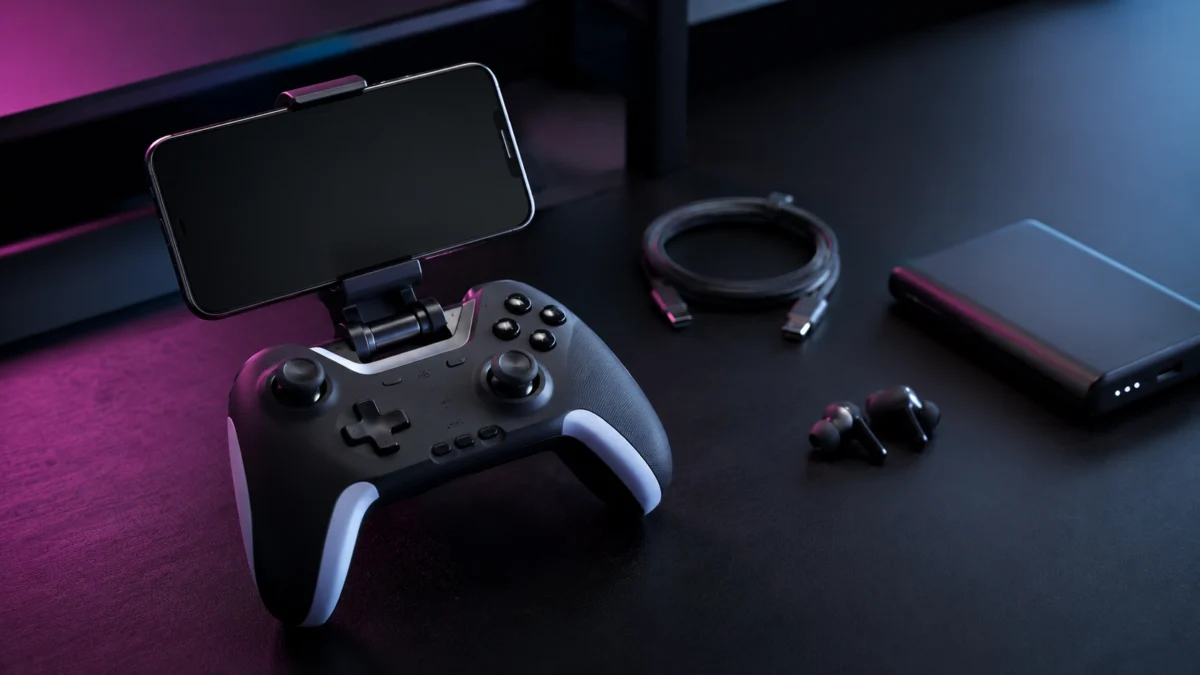
The Leadjoy Xeno Plus is a standard full-body wireless gamepad — it is not a telescopic controller like the Backbone One or Razer Kishi Ultra. It does not physically clamp onto your phone. To use it handheld, you need an aftermarket phone clip attached to the controller chassis, and that clip is not included in the box. This single structural fact reshapes every other accessory decision you need to make.
Because the controller is standalone and wireless, your phone’s USB-C port stays completely unobstructed. Telescopic controllers must occupy that port and typically limit pass-through charging to low wattages. The Xeno Plus lets you plug directly into any high-wattage charger or power bank while gaming with no controller-imposed ceiling. At the same time, because your phone sits in a clip above the controller rather than sliding into a telescopic frame, the weight distribution creates rotational wrist torque on extended handheld sessions — a trade-off that shapes which phone clip you should prioritize.
The five accessory categories that matter for a Xeno Plus setup are phone clip, charging, cooling, audio, and protection. Each is covered below with confirmed picks and specific items to verify before ordering.
What Buyers Are Saying: Controller Complaints to Know Before You Accessorize
Accessories cannot fix hardware limitations, so it helps to know where the Xeno Plus community has flagged consistent concerns. Based on multiple reports confirmed across r/Controller threads, the following picture emerges.
Consistently praised across multiple posts:
- TMR joysticks: Multiple reviewers report virtually zero inner dead zone, with aiming micro-control described as rivaling controllers at more than double the price. (r/Controller review thread, long-term use thread)
- Trigger locks: The micro-switch hair-trigger mode receives consistent praise in the FPS community for instantaneous actuation with zero analog travel.
- Weight (233g): Lighter than most first-party alternatives, which reduces hand and wrist fatigue from the controller itself — though a top-heavy phone clip can offset this advantage.
- Charging dock included: Multiple posts call out the included smart charging dock as a market-defining value inclusion at this price point.
Consistently flagged limitations:
- Bumpers (L1/R1): The shoulder bumpers are the most widely criticized hardware element. Reviewers across multiple threads report disproportionately high actuation force, a steep angular design that makes reliable engagement awkward under competitive pressure, and a muted tactile feel compared to the ABXY cluster.
- Grip depth and rear button placement: Users with larger hands or those who use a claw grip report discomfort on extended sessions. The four rear buttons run horizontally across the lower center of the chassis rather than down the grips, compounding ergonomic strain for large-handed users attempting to actuate them.
- Grip texture: The laser-etched rear texture is described across multiple posts as subtle enough to become slippery for users with sweaty hands — relevant if you game without a palm rest or grip enhancement.
- Bluetooth polling rate: When connecting to mobile via Bluetooth, the Xeno Plus operates at 125Hz — not the 1000Hz figure that applies only to wired USB-C and 2.4GHz connections. Community posts flag this as a meaningful limitation for competitive mobile gaming, with Android’s Bluetooth stack adding further variable delay on top of the base rate.
- Gyroscope effective polling: Independent telemetry analysis at Gamepadla confirmed that while the controller sends 1,000 gyroscope values per second, approximately 75% are duplicate readings — yielding a real-world effective gyro rate of around 250Hz. This affects high-level motion-aiming users.
- LEADJOY app localization: The companion app is praised for customization depth but consistently noted for persistent English translation errors across the UI.
None of these limitations are addressed by accessories. They are relevant context for matching this controller to the right use case before you build a full accessory kit around it.
Phone Clips: The One Purchase You Cannot Skip
A universal controller mounting clip is mandatory — the Leadjoy Xeno Plus ships with no clip included. The controller cannot hold a phone for handheld play without one. When evaluating clips for this controller specifically, the most important variable is how effectively the clip shifts your phone’s weight rearward over the controller’s palm area. Because the phone sits above the controller rather than within a telescopic frame, its weight creates downward rotational torque on your wrists. A clip that counters this by moving the phone’s center of mass backward substantially reduces fatigue on sessions longer than 30–45 minutes.
Before ordering: confirm that your chosen clip’s jaw design does not block the Xeno Plus’s USB-C charging port or center navigation buttons when clamped. The Xeno Plus has a slightly slimmer chassis profile than a standard Xbox controller, and minor fit variations exist across clip models.
Check on Amazon
/
Official site
Recommendations in this section contain affiliate links.
OtterBox Mobile Gaming Clip
Originally engineered for Xbox-style controllers, the OtterBox Mobile Gaming Clip features a dual-articulation hinge system. This design allows the phone to be tilted while simultaneously shifting its weight rearward, directly over the center of the controller’s palm area. According to the DR analysis sourced from community use reports, this rearward weight repositioning substantially reduces the rotational wrist torque that top-heavy clip setups produce. It is the strongest confirmed match for the Xeno Plus among available options for users who game handheld for extended sessions.

Please check the Amazon product page for the latest price and availability.
✅ Buy if…
- You game handheld for sessions longer than 30–45 minutes
- You use a large flagship phone (iPhone 15/16 Pro Max, Galaxy S24 Ultra) in a standard protective case
- Wrist fatigue from top-heavy clip setups has been an issue for you before
❌ Don’t buy if…
- You primarily game on a tabletop stand and do not need handheld mounting
- Your sessions are short and a budget clip is sufficient
8BitDo Mobile Gaming Clip
A minimalist, single-hinge clip with a durable build. It holds standard-sized phones securely and works cleanly for shorter sessions. However, multiple community reports note that with heavier flagship phones — particularly those over 220g combined with a protective case (modern large-format flagships such as the iPhone 16 Pro Max exceed this threshold) — the rigid single-hinge design does not shift the center of gravity sufficiently, resulting in faster-onset wrist fatigue compared to the OtterBox design. Best suited for users with lighter base-model or mid-size phones.

Please check the Amazon product page for the latest price and availability.
✅ Buy if…
- You use a base-model or mid-size phone (under approximately 200g with case)
- Sessions are typically under 30 minutes
- You prefer a minimal form factor and the OtterBox is unavailable
❌ Don’t buy if…
- You use a large flagship phone in a thick protective case
- Extended handheld sessions are typical for your gaming style
Charging Setup: What a Free USB-C Port Actually Unlocks
The Leadjoy Xeno Plus leaves your phone’s USB-C port completely free — a structural advantage that telescopic controllers cannot match, since they must occupy the port for data. This means you can connect directly to any high-wattage charger or power bank while gaming, with no controller-imposed wattage ceiling. For mobile gaming that runs demanding titles, this is a meaningful practical difference.
Recommendations in this section contain affiliate links.
Power Banks for Travel
The Anker 25,000mAh 100W Power Bank is TSA-approved for carry-on luggage and features two built-in retractable USB-C cables, eliminating the need to carry separate charging cables in a travel kit. According to deal coverage confirmed in Kotaku’s reporting, its 100W output delivers enough power that the phone charges faster than the SoC can deplete the battery under sustained maximum graphical load.

Please check the Amazon product page for the latest price and availability.
✅ Buy if…
- You game on flights, commutes, or multi-hour travel sessions
- You want built-in retractable cables and a single-bag kit
- You run AAA mobile titles or cloud gaming that depletes battery quickly under load
❌ Don’t buy if…
- You game exclusively at home near a wall outlet
- You want a compact pocket-sized power source rather than high-capacity travel gear
Wall Chargers for Home and Desk Setup
The Anker Nano 45W GaN charger is compact enough to pocket but delivers enough output to utilize bypass charging on supported Android gaming phones — a mode where power routes directly to the motherboard rather than cycling through the battery, reducing heat generated at the cell during sustained gaming loads.

Please check the Amazon product page for the latest price and availability.
✅ Buy if…
- You game primarily at a desk or couch near an outlet
- You use a supported Android gaming phone and want to reduce charging heat during sustained play
- You want a compact charger that doubles as a travel adapter
❌ Don’t buy if…
- Your phone’s maximum accepted charge rate is well below 45W
- You already own a 45W or higher GaN wall charger
Cooling Accessories: Do You Actually Need One?
You only need a phone cooler if you regularly run demanding AAA titles — games like Genshin Impact, hardware-accelerated native ports, or high-frame-rate cloud gaming — for sessions longer than roughly 20–30 minutes. For casual or cloud gaming at lower graphical settings, phone cooling is optional. For the Xeno Plus setup specifically, there is a clear hardware advantage: because the controller does not cover your phone’s rear glass, the back panel is fully exposed. A Peltier cooler can snap or clamp directly over the SoC area without any workaround. Telescopic controllers physically cover most of the rear panel, preventing cooler attachment entirely.
Recommendations in this section contain affiliate links.
Flydigi B6X Magnetic Cooler
The Flydigi B6X is MagSafe-compatible, snapping directly onto the back of iPhone 12–16 series devices. For Android devices without native MagSafe support, an included adhesive magnetic ring enables the same snap-on attachment. According to the DR analysis, the B6X operates at up to 20W of active thermoelectric cooling, pulling heat away from the SoC and functionally eliminating thermal throttling — the point at which the phone automatically reduces processor speed, causing frame rate drops and display dimming — during prolonged intensive sessions. A higher-output variant, the Flydigi B8X, is also available for users who need greater cooling capacity.

Please check the Amazon product page for the latest price and availability.
✅ Buy if…
- You run Genshin Impact, emulation, or hardware-accelerated AAA ports for 30-plus minute sessions
- You use an iPhone 12–16 or an Android device with MagSafe or adhesive magnetic ring support
- Your phone visibly throttles during heavy gaming — screen dims, frame rate drops
❌ Don’t buy if…
- You primarily use the Xeno Plus for cloud gaming at lower graphical demands
- Your sessions are typically under 20 minutes
- Your phone runs cool in your current setup without active cooling
Audio Gear: Solving Bluetooth Desync on Mobile
Running a Bluetooth controller and Bluetooth earbuds simultaneously on the same mobile device can cause audio desynchronization — a delay between visual and audio events, such as hearing a gunshot half a second after seeing the muzzle flash. This occurs because Android and iOS manage Bluetooth bandwidth across both audio and input streams, and the combined load introduces variable lag. This is a confirmed real-world limitation of Bluetooth gaming setups, not specific to the Xeno Plus. There are three reliable solutions at different price and convenience points.
Recommendations in this section contain affiliate links.
2.4GHz USB-C Dongle — Zero Latency
The SteelSeries Arctis GameBuds ship with a dedicated USB-C dongle that plugs into the phone’s port and bypasses the Bluetooth stack entirely. A YouTube review confirmed for this article demonstrates the 2.4GHz connection delivering genuine zero-latency audio with active noise cancellation. Because the Xeno Plus leaves the USB-C port free, the dongle plugs in without any conflict.
✅ Buy if…
- You play competitive titles where audio sync is critical — shooters, battle royale, rhythm games
- You want ANC alongside zero-latency gaming audio
- Budget allows for a mid-to-upper-range earbud investment
❌ Don’t buy if…
- You primarily use earbuds for music and commuting and want standard wireless Bluetooth
- Budget is tight and audio precision is not a primary concern
Wired USB-C Audio — Under $20, Zero Latency
Because the Xeno Plus leaves the phone’s USB-C port free, wired earbuds are a direct, zero-latency solution that many mobile gamers overlook. The Skullcandy Jib USB-C and Apple USB-C EarPods both deliver reliable wired audio with no pairing overhead and no latency introduced by wireless protocols. For a premium option, the AKG N9 headphones include a low-latency USB-C dongle stored inside one earcup, providing an audiophile-grade wired connection in a cleaner package.
Skullcandy Jib USB-C on Amazon
/
Apple USB-C EarPods on Amazon
/
AKG N9 on Amazon
✅ Buy if…
- You want the most cost-effective zero-latency audio solution available
- You game at a desk or fixed location where a cable is not inconvenient
- You already own USB-C wired earbuds and want to verify this setup works
❌ Don’t buy if…
- You game while mobile or in situations where a cable creates physical friction
- You need ANC for noisy environments
Budget Bluetooth with Low-Latency Gaming Mode
The EarFun Air Pro 4 and CMF Buds Pro 2 both include software-driven low-latency gaming modes that reduce perceptible audio delay for most casual gaming scenarios. These are not equivalent to a 2.4GHz dongle solution — they operate over Bluetooth and cannot achieve true zero latency — but they represent a practical budget-friendly option for games where frame-accurate audio synchronization is not critical.
EarFun Air Pro 4 on Amazon
/
CMF Buds Pro 2 on Amazon
✅ Buy if…
- Budget is a primary concern and you play casual RPGs, story titles, or turn-based games
- You already own earbuds with a dedicated gaming mode and want to test before upgrading
❌ Don’t buy if…
- You play competitive shooters or any title where audio sync directly affects performance
- You have already noticed Bluetooth audio delay and found it disruptive
Phone Cases and Carrying Gear
Recommendations in this section contain affiliate links.
Phone Cases: Balancing Protection and Clip Compatibility
The phone clip you choose determines what case thickness is practical. Most universal controller clips accommodate standard protective cases without difficulty. However, ultra-rugged cases with large raised side rails — such as OtterBox Defenders — may strain clip springs or prevent a stable fit on some clips. Confirm your specific clip’s maximum expansion range before committing to an extremely thick case.
The Spigen Thin Fit and Ultra Hybrid lines provide military-grade impact protection via internal foam while staying slim enough to seat cleanly inside OtterBox or 8BitDo controller clips without fighting the spring tension. These are the confirmed cases referenced in the DR analysis for this use case.
✅ Buy if…
- You want confirmed clip compatibility alongside reliable drop protection
- You use a large flagship phone and need a slim-but-protected option
❌ Don’t buy if…
- You already own a slim case and have verified clip compatibility
- You use the Xeno Plus on a tabletop stand only and do not need a clip setup
Controller Carry Case: Protecting the TMR Sticks in Transit
The K-Silver JS13 Pro+ TMR joystick modules are the most technically valuable component in the Xeno Plus. Transporting the controller loose in a bag exposes these modules to lateral compression from surrounding objects, which can physically stress stick mechanism alignment over time. A molded carry case that protects the thumbsticks, bumpers, and triggers from impact is the correct protection strategy for any controller you carry regularly.
According to the DR analysis, the Xeno Plus closely mirrors the physical footprint of a standard Xbox controller. The Tomtoc ArmorCase in its Xbox controller variant is a confirmed dimensional fit. The case is constructed from German Bayer polycarbonate with a molded interior designed to prevent lateral pressure on stick and trigger mechanisms.

Please check the Amazon product page for the latest price and availability.
✅ Buy if…
- You carry the Xeno Plus in a bag, backpack, or travel kit on a regular basis
- You want the TMR joystick modules protected from crush damage in transit
❌ Don’t buy if…
- The controller stays on a desk or charging dock and never leaves your home setup
vs. Backbone, Razer, and GameSir: How Accessory Needs Differ
The Leadjoy Xeno Plus’s standard gamepad form factor creates a fundamentally different accessory profile compared to telescopic controllers. Understanding these differences helps clarify whether the Xeno Plus ecosystem suits your setup — or whether a telescopic alternative removes certain friction points that matter to you.
| Concern | Leadjoy Xeno Plus | Backbone One (Gen 2) | Razer Kishi Ultra | GameSir G8+ |
|---|---|---|---|---|
| Phone clip required? | Yes — must purchase separately | No — phone slides directly in | No — phone slides directly in | No — Bluetooth stretch frame |
| Case compatibility | Any case, limited only by clip jaw size | Thin cases only; many require case removal | Most thick cases via USB-C island design | Most thick cases |
| USB-C port available for charging? | Yes — fully unobstructed | Low-wattage pass-through only | Low-wattage pass-through only | No port access (Bluetooth only) |
| Phone cooler compatible? | Yes — rear fully exposed | No — rear covered by frame | No — rear covered by frame | No — rear covered by frame |
| Wired USB-C audio viable? | Yes — port free at all times | Not during play (port occupied) | Not during play (port occupied) | Yes — port free (Bluetooth controller) |
| Wrist fatigue risk (handheld)? | Higher — top-heavy clip torque | Lower — balanced telescopic weight | Lower — balanced telescopic weight | Lower — balanced stretch frame |
The practical summary: if eliminating the phone clip requirement and avoiding top-heavy wrist torque are priorities, telescopic controllers like the Backbone One address those concerns at the cost of case flexibility, charging freedom, and cooler compatibility. If you run thermally demanding AAA titles for extended sessions, want unrestricted fast charging, or need to use a thick case without workarounds, the Xeno Plus accessory ecosystem is the more capable platform — provided you address the clip and audio setup upfront.
How We Researched
This article is based on official Leadjoy Xeno Plus product specifications published by GadgetHyper (official product page), independent telemetry analysis from Gamepadla (polling and gyroscope analysis), and real user reports confirmed across multiple threads on r/Controller (review thread 1, review thread 2). Accessory analysis is drawn from the same sources alongside manufacturer documentation for each accessory category. YouTube reviews used for corroboration: stick and latency testing, gyroscope polling analysis, and SteelSeries Arctis GameBuds review. We have not conducted hands-on lab testing. All performance figures reflect manufacturer claims, confirmed independent testing, or community-reported results confirmed across multiple sources.
Buyer Checklist: What to Confirm Before You Add Accessories to Cart
Use this checklist before completing any Xeno Plus accessory purchase.
| Item | What to Confirm Before Buying |
|---|---|
| Phone clip | Confirm the clip’s jaw does not block the Xeno Plus’s USB-C charging port or center buttons. Confirm maximum phone width and thickness accommodate your phone with its case attached. |
| Charging | Confirm your phone supports the wattage of the charger or power bank you are considering. Bypass charging only works on specific supported Android gaming phones. |
| Phone cooler | Confirm MagSafe compatibility for snap-on coolers (iPhone 12 and later). For Android, confirm the adhesive magnetic ring method is compatible with your device’s rear glass or case. |
| 2.4GHz audio dongle | Confirm USB-C dongle compatibility with your phone’s iOS or Android version before purchasing. |
| Phone case | Confirm your chosen clip’s maximum expansion range accommodates your case’s side rail thickness. |
| Bluetooth latency | If competitive play matters to you, plan for wired USB-C or 2.4GHz audio from the start. The Xeno Plus operates at 125Hz over Bluetooth — not 1000Hz. Android Bluetooth stack variability adds further delay on top of this. |
| Hand size and grip | If you have large hands or use a claw grip, read community reports on Xeno Plus grip depth before committing to the controller. No accessory addresses chassis ergonomic fit. |
| Bumper usage | If L1/R1 inputs are frequent and critical in your primary games, review the community consensus on Xeno Plus bumper actuation force before purchase. This is a hardware characteristic that accessories do not change. |

Comments