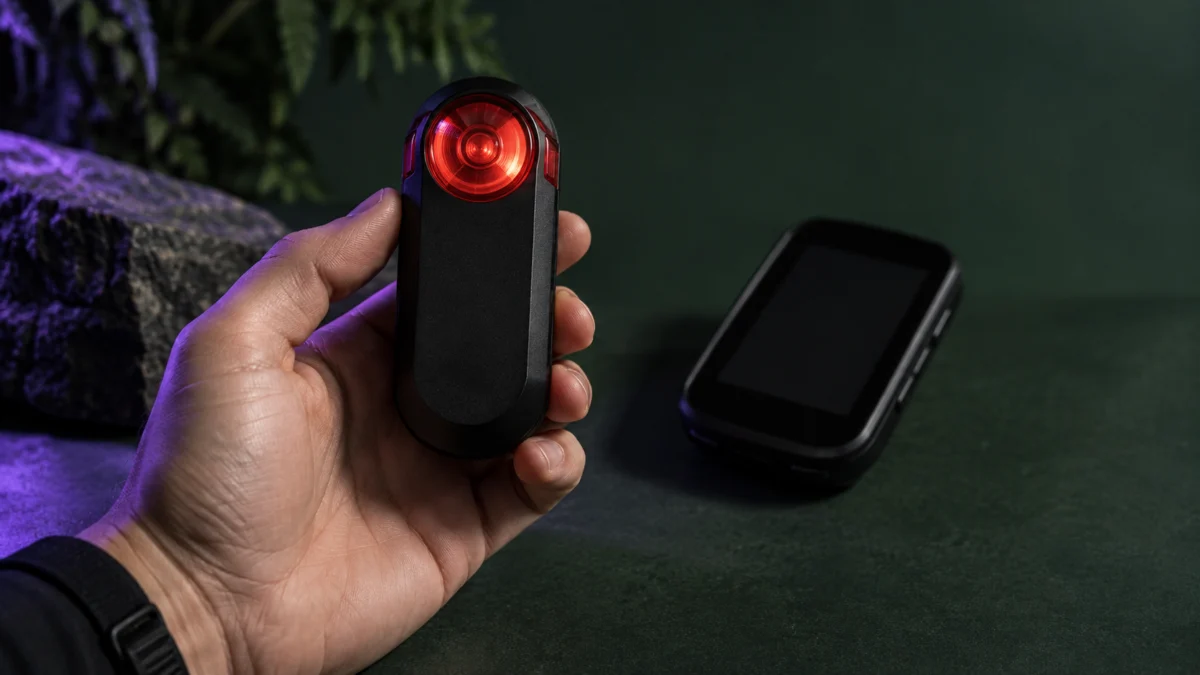
If your Garmin Varia RTL515 keeps disconnecting from your Edge, stop somewhere safe before you change anything. Garmin’s warning is explicit: when the radar is not connected or not sending radar data, stop riding and check the devices in a safe location. Then work out which of three things is happening. The radar may have dropped off the Edge completely. The light network may be failing while radar data still arrives. Or the Edge may list the Varia as connected while no vehicle alerts reach you. Garmin’s documented troubleshooting steps are to power both devices off and on, then pair them again.
Start Here: Work Out What Is Actually Disconnecting
Three different failures look alike. The radar can drop off the Edge entirely, the light network can fail while radar keeps working, or the Edge can list the Varia as connected while no vehicle alerts arrive. Identify which one you have before re-pairing, because the fixes differ.
The Edge shows two separate status icons for this device, one for the bike light and one for the radar, and both appear when the RTL515 is connected. That matters, because the taillight and the radar are not the same connection in practice.
| What you see on the Edge | Most likely situation | Go to |
|---|---|---|
| Radar icon gone, or a radar disconnected message | The radar connection has dropped, even if the taillight is still lit | Power and restart, then re-pair |
| Repeating message that the light is disconnected from the network, but the radar column still updates | A light network problem, not a radar failure | The light network section below |
| Sensor list says connected, radar icon flashes, no alerts as vehicles pass | A state riders report where the pairing is listed but radar data is not reaching you | Full power-off, then re-pair |
| Nothing from the Varia, status LED solid red | Officially an error state on the device itself | Power and restart section |
| Varia never appears in the sensor search, LED flashing purple | Still sitting in pairing mode | Pairing section |
Do not diagnose any of this while riding. Garmin is direct in the manual: the radar improves situational awareness but does not replace rider attentiveness. A disconnected radar is a reason to stop, not a reason to look down at the head unit.
Check Power, the Status LED, and Restart Both Devices
Garmin’s documented first step for a radar that disconnects from the Edge is to turn both devices off and back on. Before you do, read the status LED: it reports battery, pairing and error states, and a solid red LED means the device is in an error state.
Garmin: radar disconnect troubleshooting
| Status LED | What it means |
|---|---|
| Flashing purple | Active pairing mode |
| Flashing blue | Smart mode, controllable by a paired Varia RDU or compatible Garmin device |
| Flashing green | Charging |
| Solid green | Fully charged |
| Flashing red | Roughly 60 minutes or less of battery remaining |
| Solid red | An error occurred; the device may need restarting |
| Flashing yellow | Demo mode, where the device generates artificial data |
The device key handles all three power actions: one second to turn the unit on, two seconds to turn it off, eight seconds to reset it. Use the two-second power cycle here. The eight-second reset carries a consequence, covered in the next section.
On the head unit side, one Edge 1050 rider describes the problem appearing after the Edge has been left to sleep rather than fully powered down. That is a rider observation, not a documented cause, but a full power-off costs nothing to test.
Garmin Varia RTL515/RTL516 Owner’s Manual (PDF)
Pair the RTL515 With Your Edge Again
Re-pairing is Garmin’s second documented step, and it is worth doing properly rather than repeatedly. Note first that holding the device key for eight seconds resets the Varia and deletes its pairing connections, so treat that as a deliberate choice, not a quick retry. The fix takes 5 steps.
- Bring the Edge within 3 m of the sensor, and stay 10 m away from other ANT+ sensors while you pair.
- Turn on the Edge device.
- From the Sensors menu, select Add Sensor → Search All.
- With the RTL515 turned off, hold the device key for 2 seconds to enter pairing mode. The status LED flashes purple and the taillight turns on. Pairing mode stays open for 5 minutes, or until you press the device key again.
- Select your sensor. When pairing succeeds, the radar and bike light status icons appear solid on the Edge.
The pairing topic in the owner’s manual we checked is written for the Edge 1030, 830, 530 and 130, and points owners of other models elsewhere. Menu wording for the 540, 840, 1040 and 1050 is not documented in the official material we checked.
Garmin: pairing with a compatible Edge device
When the Error Is About the Light Network, Not the Radar
The message about the light being disconnected from the network does not by itself establish that the radar connection has failed. Riders report the radar column keeps updating while the message repeats. The owner’s manual documents light-network controls under Sensors → Lights; the workaround below comes from rider reports.
One rider reports that setting Sensors → Lights → Enable to off stopped the message while the radar kept working. Another reports only temporary improvement. Consider the limitations before trying it.
- You lose light control from the Edge, so the taillight is switched and set with the device key on the Varia itself.
- Riders in the same discussion report the errors eventually returning.
- This report does not establish a fix for radar dropouts. If your radar column stops updating, return to the power and pairing checks.
If the message appears but vehicle alerts still arrive, this section applies to you. If the alerts have stopped, go back to the power and pairing steps above.
Garmin community: light network error discussion
What Riders Report by Edge Model
Reports are model-specific and none of them is a confirmed product-wide cause. The pattern worth knowing is that the same headline symptom, disconnecting, describes different behaviour on different Edge units, so check reports for your own model before assuming another rider’s fix applies to your setup.
| Edge model in the reports | What riders describe |
|---|---|
| 530, 540 | Repeated short disconnect and reconnect cycles during a ride. One Edge 540 rider reported more frequent dropouts in groups and partial improvement after disabling and re-enabling the radar in sensor settings. |
| 1030, 1030 Plus, 1040 | The light network message repeating while the radar itself continued to work. |
| 1040 | The light connecting normally while the radar was never found in a sensor search. Restarting the Edge itself, rather than the Varia, restored it. |
| 1050 | The Edge listing the Varia as connected while the radar icon flashed and no vehicle alerts arrived. |
These are individual accounts from riders in Garmin’s own community, not verified failure causes, and several involve different software versions. Garmin staff replied in one discussion, pointing riders to a support article on sensors disconnecting and asking anyone with different symptoms to open a separate thread.
Garmin community: RTL515 connection problems with Edge 1040
Garmin community: Edge 1050 connected without radar alerts
Garmin community: repeated disconnects with Edge 540 and 530
Inspect the Mount and Physical Setup
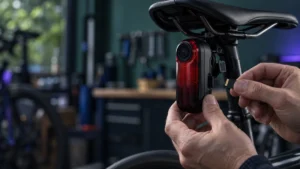
Mounting affects radar detection, and the manual sets specific requirements. Treat it as a separate check from wireless dropouts: the official material we checked does not connect mount position to disconnection. Confirm the device sits on the seat post between 250 and 1,200 mm above the road and faces backward.
- The mounting surface should be vertical, and the device should sit as high on the seat post as practical.
- The device faces backward and sits perpendicular to the road.
- Nothing should obstruct the area in front of the light.
- The universal mount uses a rubber pad matched to your seat post shape, secured with a band.
One rider in Garmin’s community traced their own repeated disconnects to a saddle bag pressing against the back of the Varia in an under-saddle mount, and reported it stopped after returning to the standard seat post mount. That rider noted they did not think it explained most other cases. Check only whether anything is physically contacting or loading your unit.
Do not disassemble the device, bend it, or modify the contacts to chase a connection problem. If you suspect physical damage, that is a support conversation, not a repair project.
Garmin community: RTL515 and Edge 830 disconnect reports
Record These Details Before You Contact Garmin
If the disconnect keeps returning after re-pairing, stop troubleshooting and start recording. The official forums ask for device and software details, and one Garmin moderator asked riders with differing symptoms to report them separately. A short written record is worth more than another reset.
- Your Edge model and its software version, plus the RTL515 software version.
- Exactly what the Edge displayed: the wording of any message, and whether the radar icon was absent, flashing or solid.
- The status LED colour and behaviour on the Varia at the moment it happened.
- Whether vehicle alerts were still arriving when the message appeared.
- The conditions: solo or group ride, how far into the ride, whether the Edge had been asleep rather than powered off.
- Every step you have already tried, including any eight-second reset and re-pair.
Updating the radar software through your Edge requires the radar paired to your Edge, a Garmin Connect account, and your Edge paired with a compatible smartphone. During the update the LED flashes blue and green, then green twenty times on success, or red on failure.
Avoid rushing to replace the Varia or the Edge while the cause is still unidentified. Record the symptoms and the checks you have tried, then contact Garmin.
How We Researched
This article is based on the Varia RTL515/RTL516 owner’s manual and its online help pages, plus rider reports in Garmin’s own community forums. We have not conducted hands-on lab testing. Procedures, LED behaviour, mounting requirements and radar specifications come from the official documentation. Symptom patterns, workarounds and suspected causes are identified as rider reports, and treated as individual accounts unless the same behaviour appeared across several discussions.
FAQ
Does the taillight staying on mean the radar is still connected?
No. The taillight runs from the Varia itself and its modes change with the device key, independently of any head unit. Connection status is shown on the Edge, which displays both a bike light icon and a radar icon when the device is connected. Check those icons, not the light.
Will resetting the Varia delete my pairing?
Yes. Holding the device key for eight seconds resets the device, and the manual states that resetting deletes the pairing connections. You will need to pair with your Edge again afterwards. Try the ordinary power cycle first: two seconds to switch off, one second to switch back on.
Can I rely on the radar if it drops out occasionally?
Treat it as an aid, not a guarantee. Garmin states the device improves situational awareness but does not replace rider attentiveness, and warns riders to stop in a safe location when the radar is not connected or sending data. If dropouts keep recurring, record the details and contact Garmin.
Conclusion
The most useful habit with this problem is to name the failure before acting on it. A radar that has dropped off the Edge, a light network message with the radar still running, and a sensor list that says connected while no alerts arrive are three different situations, so identify which one you are seeing before repeating a power cycle or re-pairing. Work through the relevant checks, and keep checking behind you yourself whatever the icons say.