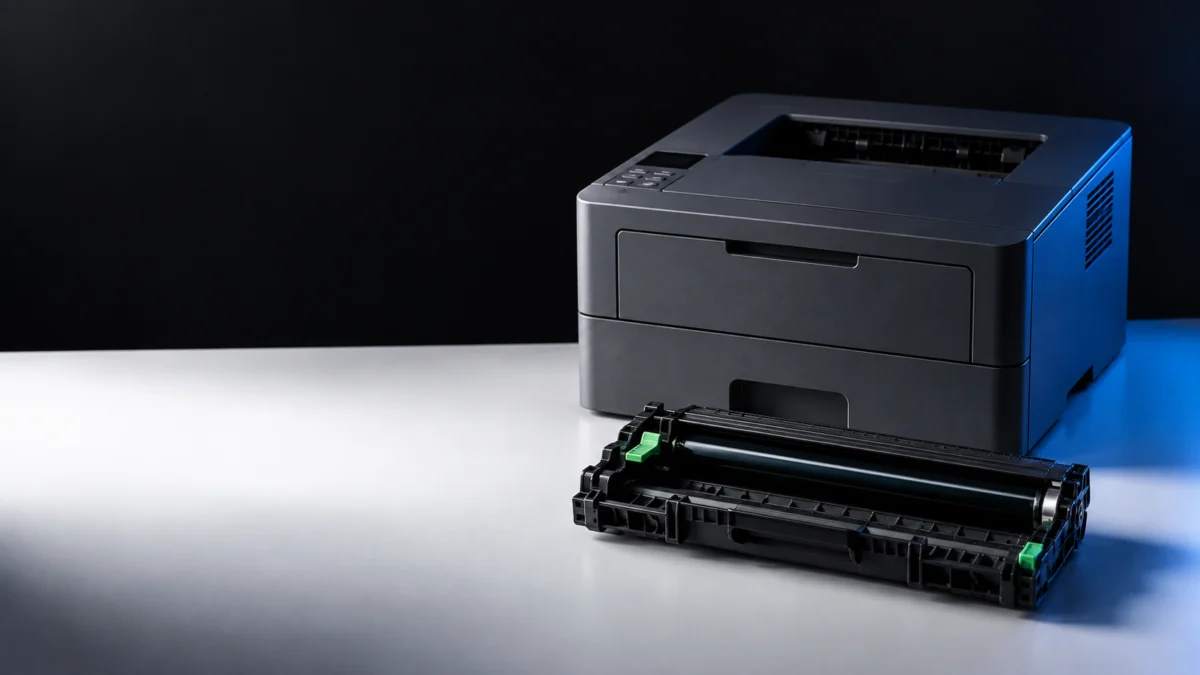
On the Brother HL-L2460DW, the drum unit and the toner cartridge are two separate supplies, and the message on the LCD tells you which one to replace. In the US, the drum unit is supply order number DR830. The toner cartridges are TN830 and TN830XL. Replace Drum means it is time to install a new drum unit. Drum End Soon means the drum is near the end of its life, but you can keep printing — order a replacement and hold it until print quality drops or until Replace Drum appears. Drum ! is a reason to check cleaning and installation first: Brother’s first action there is to clean the corona wire inside the drum unit.
After you install a new drum, you must reset the drum counter, and Brother states that you should not reset the counter unless you are replacing the drum unit. This article covers the decision, the correct part for a US machine, the official replacement steps, the reset procedure for this specific model, and what to check if the message stays on screen.
Do You Need a New Drum or a New Toner Cartridge?
The LCD message decides the part. Replace Drum means install a new drum unit. Drum End Soon means order one and keep printing. Drum ! means clean the corona wire before buying anything. Toner messages such as Replace Toner or Toner Low point to the TN830 or TN830XL cartridge instead.
The HL-L2460DW is a laser printer with two consumables that sit together as one assembly inside the front cover, which is why these messages get mixed up. The toner cartridge holds the powder that ends up on the page. The drum unit is the photosensitive component that transfers it. They wear out at very different rates and carry different order numbers, so the wrong purchase is easy to make and expensive to undo.
| Message on the display | What Brother says it means | What to do next |
|---|---|---|
| Drum End Soon | The drum unit is near the end of its life. | Order a new drum unit before the display shows Replace Drum. Keep printing in the meantime. |
| Replace Drum | It is time to replace the drum unit. | Install a new drum unit, then reset the drum counter. |
| Replace Drum, still showing after you installed a new drum | Brother lists an unreset drum counter as a cause. | Check that the drum counter reset completed before buying another drum. |
| Drum ! | The corona wire on the drum unit must be cleaned, or the assembly is not installed correctly. | Clean the corona wire, or reseat the toner cartridge in the drum unit. Replace the drum only if the problem continues. |
| No Drum Unit | The drum unit is not installed correctly. | Reinstall the toner cartridge and drum unit assembly. |
| Cannot Detect | The machine cannot detect the toner cartridge or the drum unit. | Remove the assembly, take the toner cartridge out of the drum, put it back, and reinstall. |
| Toner Low | The toner cartridge is near the end of its life. You can still print. | Order a TN830 or TN830XL cartridge. This is not a drum issue. |
| Replace Toner / Toner Ended | The toner cartridge is at the end of its life. | Replace the toner cartridge, not the drum. |
| Wrong Toner | The installed cartridge is not correct for the machine. | Remove it and install a cartridge with the correct supply order number. |
Drum End Soon is not a buy-and-install-today signal. Brother’s own FAQ for this printer says you can keep printing after the message appears, and that you can replace the drum when print quality is no longer acceptable or when Replace Drum is displayed. Have a replacement ready, but use the message and print quality to decide when to install it.
Brother manual: Error and Maintenance Messages
Check the Correct Replacement Drum for Your HL-L2460DW
In the US, the drum unit for the HL-L2460DW and HL-L2460DW XL is supply order number DR830, rated at approximately 15,000 pages at one page per job. It ships as a drum only. You reuse your existing TN830 or TN830XL toner cartridge, which locks into the new drum during installation.
Brother’s US support page for this printer lists exactly two consumable families for the machine. Checking your own machine’s support page before ordering matters, because supply order numbers differ by region and a drum sold for the same model name elsewhere may carry a different number.
| Supply | Order number (US) | Rated yield | What it is |
|---|---|---|---|
| Drum unit | DR830 | Approx. 15,000 pages (1 page per job) | The part you replace for Replace Drum |
| Toner cartridge, standard | TN830 | Approx. 1,200 pages (ISO/IEC 19752) | The part you replace for Replace Toner |
| Toner cartridge, high yield | TN830XL | Approx. 3,000 pages (ISO/IEC 19752) | The part you replace for Replace Toner |
Two things to confirm on any listing before you buy. First, that it is a drum unit and not a toner cartridge or a toner-plus-drum bundle. Second, that the quantity matches what you need.
On yield, Brother is explicit that the 15,000-page figure is an estimate under ideal conditions and that no minimum page count is guaranteed. Temperature, humidity, paper type, and toner type all affect the real number. Brother also notes that it may charge for repairs if non-genuine supplies are proven to have caused damage, even while the machine is still under warranty.
Disclosure: This section contains an affiliate link. If you buy through it, Fixory may earn a commission at no additional cost to you.
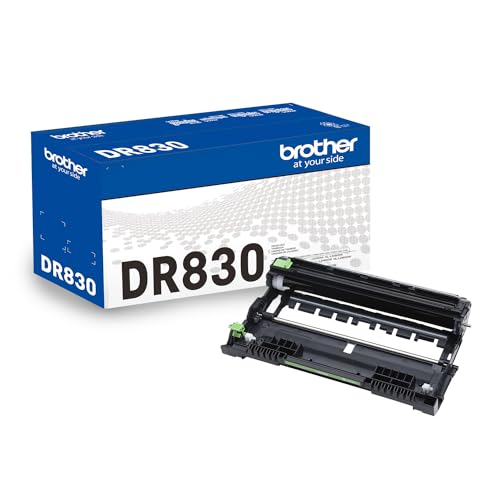
Please check the Amazon product page for the latest price and availability.
Brother US: HL-L2460DW(XL) drum supplies / Brother US: HL-L2460DW(XL) toner supplies
How to Replace the Drum Unit
Brother’s procedure runs with the printer powered on. You remove the toner cartridge and drum unit as one assembly, then release the green lock lever to separate the toner cartridge from the old drum. The same cartridge goes into the new drum.
The fix takes 8 steps.
- Make sure the machine is turned on.
- Open the front cover.
- Remove the toner cartridge and drum unit assembly from the machine.
- Push down the green lock lever and take the toner cartridge out of the drum unit.
- Unpack the new drum unit.
- Push the toner cartridge firmly into the new drum unit until it locks into place.
- Reinsert the toner cartridge and drum unit assembly back into the machine.
- Close the front cover of the machine.
Brother warns that if the toner cartridge is not seated correctly, it can separate from the drum unit inside the machine. Brother also gives a handling precaution:
- An unpacked drum unit can be damaged by direct sunlight, or by room light over a long period. Unpack it when you are ready to install it.
Once the front cover is closed, the job is not finished. Brother’s instruction at the end of this procedure is that the drum counter must be reset, which is the next section.
Brother manual: Replace the Drum Unit
Reset the Drum Counter After Installing a New Drum
Reset the counter only after installing a new drum. On the HL-L2460DW the documented reset uses OK and the up arrow together, followed by menu selections. The Go-button method you will find in many guides belongs to the HL-L2400D in Brother’s own documentation, not to this model.
The reset takes 5 steps.
- Make sure the machine is turned on.
- Make sure the machine’s cover is closed.
- Press OK and the up arrow at the same time.
- Press OK to select [Drum].
- Select [Reset] to reset the drum counter.
Brother’s documentation carries an explicit instruction alongside this procedure: do not reset the drum counter unless you are replacing the drum unit. Resetting a counter on a worn drum only clears the warning. Resetting the counter does not restore a worn drum.
Brother manual: Reset the Drum Counter
What to Check If the Message or Print Problem Remains
If Replace Drum persists after installing a new drum, first check that the counter reset completed. If Drum ! returns, clean the corona wire and check that the green tab sits at its Home position. If print quality is the real problem, confirm which supply you actually replaced before buying another part.
Work through these in order before spending anything further:
- Confirm which part you replaced. Brother’s FAQ raises this directly, because the toner cartridge and the drum unit are separate consumables and a new toner cartridge does not replace the drum unit.
- Confirm the counter reset actually completed. Brother lists an unreset counter as a documented cause of Replace Drum appearing after a drum swap.
- Reseat the assembly. For Drum ! and No Drum Unit, Brother’s action is to remove the drum unit, take the toner cartridge out, put it back in, and reinstall the assembly.
- Clean the corona wire. Slide the green tab inside the drum unit gently from left to right and back several times, then return it to the Home position. If the arrow on the tab is not aligned with the arrow on the drum unit, printed pages may show a vertical stripe.
- Separate print quality from the message. A blank, faint, or streaked page is not the same problem as a drum warning, and replacing the drum does not automatically resolve every print quality fault.
If a drum message survives a genuine new drum, a completed counter reset, and a reseated assembly, that combination is worth taking to Brother support rather than buying a second part on the assumption that the first one was faulty.
Brother manual: Clean the Corona Wire
FAQ
Can I keep printing after Drum End Soon appears?
Yes. Brother’s FAQ for this printer states that you can continue to print when Drum End Soon is displayed, and that you can replace the drum unit when print quality is no longer acceptable or when the Replace Drum message appears. The suggested approach is to have a new drum ready in advance.
Does a new DR830 drum come with a toner cartridge?
No. The DR830 is a drum unit. The replacement procedure has you take your existing toner cartridge out of the old drum and lock it into the new one. TN830 and TN830XL are the separate toner cartridges for this printer in the US.
Can I just reset the drum counter instead of replacing the drum?
Brother’s documentation instructs you not to reset the drum counter unless you are replacing the drum unit. The reset clears the warning, not the wear. Brother also notes that a machine will continue to function after the replacement message appears, though print quality may not be optimal.
How We Researched
This article is based on Brother’s official documentation for the HL-L2460DW as published for the United States: the online user’s guide sections covering drum replacement, drum counter reset, corona wire cleaning, and the error and maintenance message table, plus Brother’s US support pages for this model’s consumables and Brother USA’s DR830 product page. We have not conducted hands-on lab testing. Supply order numbers, procedures, and yield figures are attributed to those official sources. Where Brother describes a yield as an estimate, we have kept it as an estimate.
Conclusion
Read the message first, then buy. Drum messages point to DR830. Toner messages point to TN830 or TN830XL. Drum ! points to a cleaning job before either. When you do install a new drum, the toner cartridge moves across from the old unit and the counter reset is part of the replacement rather than an optional extra.