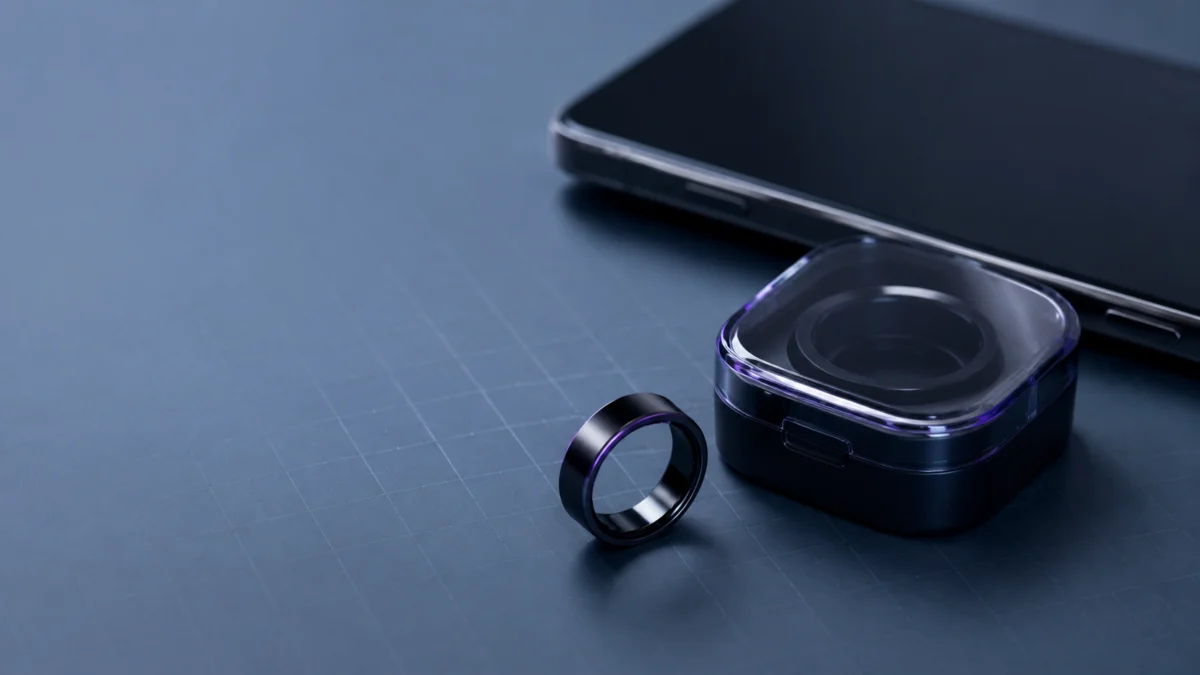
If your Galaxy Ring keeps disconnecting from your Android phone, start by separating three possible layers: the ring powering down on a low battery, the Bluetooth link dropping, or the ring losing its registration in Galaxy Wearable. Each layer needs a different check, so identify the observed symptom first.
Work through them in this order: confirm the ring is charged, update Galaxy Wearable, restart the ring with the charging case, and only then run a full reset. That order matters because a reset can delete health data that has not yet synced to Samsung Health, and it is the one step you cannot undo.
One pattern is worth knowing up front. If the ring holds a connection while it sits in the charging case but drops the moment you take it out, run the standard checklist once. If the exact pattern remains afterward, use the final section to decide when to contact Samsung service.
Quick Fix Checklist: Run These Checks in This Order
Samsung’s official troubleshooting starts with battery and app checks, not with a reset. This article combines Samsung’s published procedures into six steps, ordered so that reversible actions come first and the full reset comes last. It also separates pairing, restarting, and resetting instead of treating them as the same action.
The checklist takes 6 steps.
- Charge the ring fully in its case before trying to pair again.
- Clear obstacles such as walls and electrical equipment between the ring and the phone.
- Update Galaxy Wearable, then tap Ring software update.
- Restart the phone, reopen Galaxy Wearable, and hold the case’s Multipurpose button for three seconds.
- Restart the ring with a seven-second hold, then pair again with a three-second hold.
- Only then reset — and sync Samsung Health first, because a reset can delete unsynced data.
Identify Which Failure You Have: Powered Off, Bluetooth Dropped, or Wearable Offline
Match what you actually observed to one of the rows below before you start fixing anything. A ring that shows as connected in Android Bluetooth settings is not necessarily syncing correctly in Galaxy Wearable, and a ring that went quiet after a long stretch off the charger is a battery symptom, not a pairing one.
| What you observed | Most likely layer | Where to go next |
|---|---|---|
| The ring disappeared from both Galaxy Wearable and Android Bluetooth after hours away from the case | Ring power or battery | Battery checks |
| Android Bluetooth shows the ring as connected, but Galaxy Wearable shows it offline or stops updating | Galaxy Wearable registration or app version | Bluetooth and app checks |
| The ring drops out repeatedly through the day with charge still remaining | Bluetooth link | Bluetooth and app checks, then the charging case |
| The ring only comes back after you put it in the case and press the button | Ring power state; restart before resetting | The charging case section |
| The ring stays connected inside the case and disconnects the instant you remove it | Possible ring or battery fault after standard checks | The final section on service |
The last two rows are the distinction most guides skip. Occasionally needing the case to wake a ring is not the same as a ring that only holds a connection inside it.
Check Ring and Case Battery Before You Change Android Settings
Samsung’s official fix for repeated disconnection opens with charging, not with Bluetooth settings. If the ring will not pair, the documentation says to let it charge fully in the case first. Samsung’s rated capacity is also lower for sizes 5–11 than for sizes 12–13.
| Ring size | Rated capacity | Official battery rating |
|---|---|---|
| 5, 6, 7 | 17 mAh | Up to 6 days |
| 8, 9, 10, 11 | 18.5 mAh | Up to 6 days |
| 12, 13 | 22.5 mAh | Up to 7 days |
Samsung notes in its Galaxy Ring battery guide that battery life varies with usage patterns, temperature, and signal environment. Two documented behaviors matter for disconnection:
- Leaving the ring outside its case drains it. Samsung states the sensors stay active whenever the ring is out of the case, consuming battery unnecessarily. A ring left on a nightstand is still working.
- Wearing a Galaxy Watch alongside it can extend battery life by up to 30%, Samsung says, by reducing redundant feature usage.
Reconnect Bluetooth and Update Galaxy Wearable
Once the ring is charged, Samsung’s documented sequence is to clear obstacles, confirm you are within range, update the Galaxy Wearable app, run Ring software update, then restart the phone and re-pair. The app update step is easy to skip, but Samsung lists it as part of the fix.
- Range: Samsung documents 98 feet for the Galaxy Ring and notes the usable distance changes with the environment, so obstacles matter more than raw distance.
- App update path: Galaxy Wearable → Ring software update, then follow the on-screen instructions.
- Phone restart path: swipe down, tap the Power icon, tap Restart, confirm, then reopen Galaxy Wearable and hold the case button for three seconds.
For a broader Galaxy Wearable pairing checklist, see our Galaxy Watch Ultra2 connection guide. Device-specific buttons and reset procedures differ, so continue using the Galaxy Ring steps on this page.
The Charging Case: 3 Seconds Pairs, 7 Seconds Restarts, and the Reset Comes Last
Three different actions are often confused. Holding the case button for three seconds enters Bluetooth pairing mode. Holding it for seven seconds restarts the ring. A full reset is a separate action performed in the Galaxy Wearable app, and it is the only one of the three that can cost you data.
| Action | How to do it | What it does | Effect on your data |
|---|---|---|---|
| Enter Bluetooth pairing mode | Place the ring in the case, press and hold Multipurpose for three seconds | Makes the ring discoverable so the phone can connect | None |
| Restart the ring | Press and hold Multipurpose for seven seconds | Reboots the ring; Samsung also documents this for a frozen, unresponsive ring | None |
| Full reset | Galaxy Wearable → Reset → Reset | Unpairs the ring and returns it to pairing mode so it can join a different phone | May delete health data not yet synced to Samsung Health |
Samsung’s Bluetooth procedure says to use the seven-second reboot followed by a three-second pairing press when the ring will not enter pairing mode. That two-press sequence clears a stuck ring without touching your data, which is why it belongs before the reset.
Before you reset: Samsung states that resetting the ring may delete health data that has not been synced with the Samsung Health app, and advises opening Samsung Health on the connected phone to sync first. Do this before anything else in the steps below.
The reset takes 4 steps.
- Open Samsung Health on the connected phone and let your data finish syncing.
- Open Galaxy Wearable, tap Reset, then tap Reset again when prompted.
- Wait for the ring to enter Bluetooth pairing mode on its own. If it does not, place it in the charging case and press and hold the Multipurpose button.
- On the phone you want to use, open Galaxy Wearable and tap Connect on the Galaxy Ring pop-up, then follow the on-screen instructions.
These steps follow Samsung’s Galaxy Ring reset procedure.
Still Disconnecting After a Reset? How to Decide Between Your Phone, the Ring, and Service
If the problem survives a full reset, stop repeating the same steps and start isolating. A second compatible Android phone can help compare behavior, an error report can give Samsung diagnostic information, and one specific symptom pattern is a reason to discuss service rather than keep resetting.
Rule Out Your Phone First
Testing with a different compatible Android phone can help separate phone-side behavior from a problem that follows the ring. Sync Samsung Health first, reset the ring, connect it to the second phone, and observe whether the disconnection repeats. One successful test is useful evidence, but it does not by itself prove which device is at fault.
If the problem repeats on both phones, submit an error report so Samsung can review the symptom log. According to multiple reports in Samsung’s community forum, some owners described repeated drops from both Android Bluetooth and Galaxy Wearable, and Samsung staff directed them to the error-report route.
Reference: related Samsung Community discussion about repeated connection drops.
When “Connected in the Case, Dropped Outside It” Means Stop Troubleshooting
If this exact pattern persists after the checklist, repeating resets may add data-loss risk without providing useful new evidence. In two Samsung Community threads describing the symptom, staff routed the owners to service after standard steps had been tried. Treat the pattern as a reason to contact Samsung, not as proof of a product-wide fault.
The question Samsung’s moderators used to sort these cases is worth borrowing: outside the case, is the ring failing to connect or running out of battery? The first is a reason to discuss service after the checklist. The second points back to the battery section, because a ring that dies hours after a full charge is a power problem showing up as a disconnection.
Related discussions: case-only connection report 1 and case-only connection report 2.
Repair, Replace, or Switch Rings
Before paying for a repair or buying a replacement, confirm your warranty status and any evaluation cost through Samsung’s US repair-request page, because terms differ by region and purchase date. If you are considering leaving the Galaxy Ring, compare it against other Android-compatible smart rings first.
Have any prior support ticket numbers ready. Nothing here replaces Samsung’s official warranty terms or a technician’s assessment.
If a repair quote does not make sense for you, a replacement unit is the other path. Check sizing and finish availability before ordering, since Galaxy Ring sizes are listed separately.
![SAMSUNG Galaxy Ring, AI Smart Ring, Size First w/Sizing Kit, No App Subscription, Fitness Monitor, Sleep Tracker, Up to 7-Day Battery, Size 10, Titanium Black [US Version, 1Yr Manufacturer Warranty]](https://m.media-amazon.com/images/I/41DV-XjWrIL._SL500_.jpg)
Please check the Amazon product page for the latest price and availability.
If you would rather change platforms, our smart ring comparison covers how the Galaxy Ring sits against the alternatives on subscription cost, sizing, battery ratings, and ecosystem lock-in.
Frequently Asked Questions
Three questions come up more than any others once owners reach the reset stage: what a reset costs them, whether overnight drops are a battery problem or a pairing problem, and what to do about a ring that only stays connected inside its case.
Will resetting the Galaxy Ring delete my health data?
It can. Samsung documents that resetting the ring may delete health data that has not yet been synced with the Samsung Health app, and recommends opening Samsung Health on the connected phone to sync before you reset. This is the reason the reset belongs at the end of the checklist rather than the start.
Why does my Galaxy Ring disconnect overnight?
Check the charge level first thing in the morning before assuming it is a pairing fault. Samsung states that the sensors keep running whenever the ring sits outside its charging case. A ring that reads empty is a battery symptom; one with charge remaining that still shows offline points to the Bluetooth or Galaxy Wearable layer.
My ring connects in the charging case but drops as soon as I take it out. Is that a settings problem?
It may not be. In multiple Samsung Community reports, owners describing this behavior were routed to service after standard troubleshooting had been completed. Run the checklist once to confirm the pattern, then contact Samsung rather than repeating resets that may delete unsynced data.
How We Researched
This article is based on Samsung’s official support documentation for the Galaxy Ring and on owner reports confirmed across multiple threads in Samsung’s own community forum. We have not conducted hands-on testing. Official procedures are attributed to Samsung documentation, and owner-reported patterns are identified as community reports.
Where Samsung’s regional support sites differ on a figure, we used the documentation published for US readers. Single-thread reports and unverified fixes were left out rather than presented as general advice, and firmware version numbers were omitted because we could not confirm them against official release notes.
Conclusion
Check the battery first, update Galaxy Wearable second, restart with the seven-second button press third, and save the Galaxy Wearable reset for last so you do not lose unsynced health data. If the ring only holds a connection inside the case after the standard checklist, contact Samsung service.
The habit worth keeping is separating the three layers before acting. A ring that powered down, a dropped Bluetooth link, and a stale Galaxy Wearable registration all look identical on the phone screen, and each wastes your time if you treat it as one of the others.