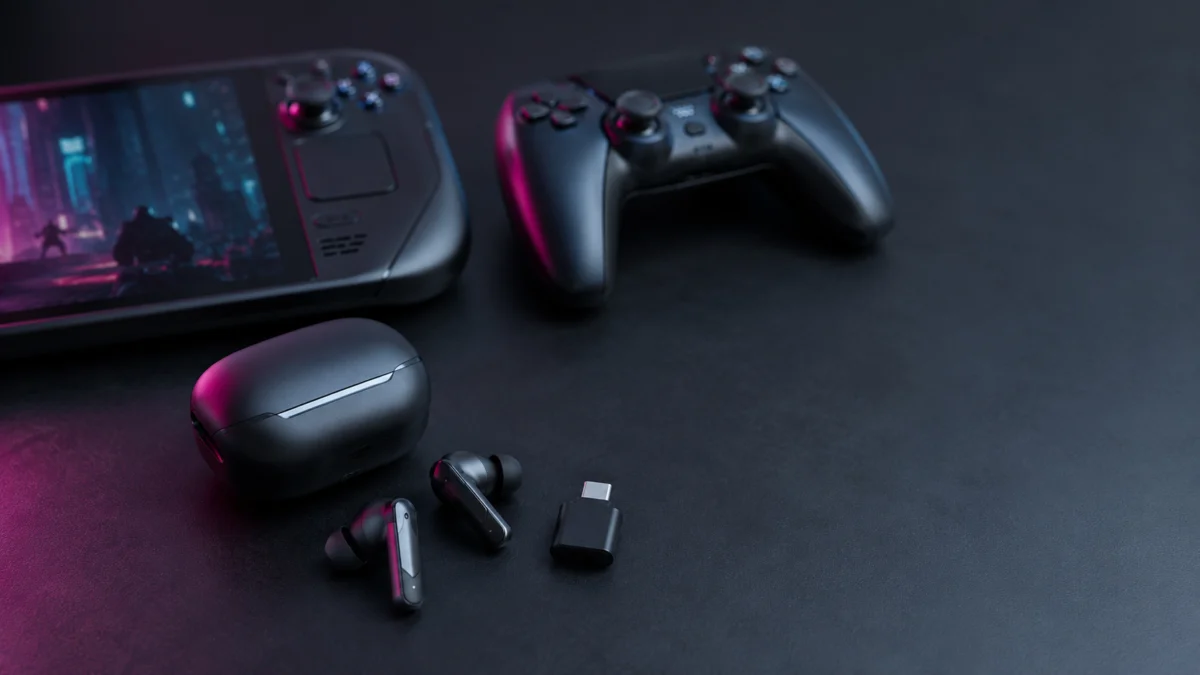
If you play shooters or action games wirelessly, a 2.4GHz USB-C dongle connection is the single most important feature to look for in gaming earbuds. Standard Bluetooth connections typically add 150–250ms of audio delay, which is enough to noticeably desync gunfire and footsteps from what you see on screen. Dedicated 2.4GHz connections cut that delay to roughly 30–40ms. Based on official specifications, third-party reviews, and recurring community reports, our top picks by use case are the SteelSeries Arctis GameBuds for PS5, the Sony INZONE Buds for PC, and the Soundcore VR P10 or ASUS ROG Cetra Open Wireless for Steam Deck and ROG Ally. This guide explains what to check before buying, where each product trades off, and which known issues to verify for your setup.
Jump to:
- Why gaming earbuds need a 2.4GHz dongle
- What to check before buying
- The 7 best low-latency gaming earbuds compared
- Which earbuds fit your setup
- User complaints to check before buying
- Common buying mistakes
- Earbuds or headset?
Disclosure: This article contains affiliate links. If you buy through these links, we may earn a commission at no extra cost to you.
Quick Comparison: Low-Latency Gaming Earbuds at a Glance
All seven picks below support a dedicated 2.4GHz (or equivalent proprietary) low-latency connection over a USB-C dongle. The main differences come down to which devices they pair with, battery life, whether the dongle supports passthrough charging for handhelds, and price tier.
| Product | Low-latency connection | Works with | Battery (buds / with case) | Passthrough charging | Price tier |
|---|---|---|---|---|---|
| Sony INZONE Buds | 2.4GHz dongle + Bluetooth LE Audio only | PC, PS5, LE Audio-capable Android | ~11.5–12 hrs / ~24 hrs | No | $180–$240 range |
| PlayStation Pulse Explore | PlayStation Link dongle + Bluetooth | PS5, PC, Mac, Portal, mobile | ~5 hrs / ~15 hrs | No | Around $200 |
| SteelSeries Arctis GameBuds | 2.4GHz dongle + Bluetooth 5.3 (quick switch) | PS5, PC, Switch, mobile | ~10 hrs / ~40 hrs | No | $160–$200 range |
| Razer Hammerhead V3 HyperSpeed | 2.4GHz (case acts as dongle) + Bluetooth 6.0 | PC, PS5, Switch, mobile | ~10 hrs / ~40 hrs | Yes (via case) | Around $130 |
| ASUS ROG Cetra TWS SpeedNova | 2.4GHz dongle + Bluetooth 5.3, simultaneous | PC, PS5, Switch, mobile | ~11.5 hrs / ~46 hrs | No | Around $200 |
| ASUS ROG Cetra Open Wireless | 2.4GHz dongle + Bluetooth 5.3 | PC, PS5, Switch, mobile | ~16 hrs / ~48 hrs | Yes (dongle USB-C port) | Premium $230 tier |
| Soundcore VR P10 | 2.4GHz dongle + Bluetooth, simultaneous output | Meta Quest, PC, PS5, Switch | ~6 hrs / ~24 hrs | Yes (dongle USB-C port) | Around $100 |
Why Do Gaming Earbuds Need a 2.4GHz Dongle Instead of Bluetooth?
A dedicated 2.4GHz dongle connection reduces wireless audio delay to roughly 30–40ms, while standard Bluetooth connections typically sit between 150ms and 250ms. That difference is clearly perceptible in shooters and rhythm-sensitive games. If low latency is your priority, treat the 2.4GHz dongle as a requirement, not an optional extra.
Bluetooth was designed for general audio convenience, not for frame-accurate game sound. Even on recent devices with Bluetooth 5.3 or Bluetooth 6.0, the combination of codec processing, operating system audio stacks, and transmission overhead keeps real-world delay high enough that gunshots and footsteps audibly lag behind the action. Earbuds marketed with a Bluetooth “low latency game mode” reduce this delay somewhat, but third-party measurements consistently show they do not reach the level a competitive player needs.
The clearest published comparison comes from a third-party latency test of the SteelSeries Arctis GameBuds, which measured an average of 34.4ms over the 2.4GHz dongle versus 218.9ms over Bluetooth on the same earbuds.
That gap of roughly 180ms is the difference between sound that feels attached to your inputs and sound that trails them. Reviewers also report that the budget-tier Soundcore VR P10 achieves delays around 30ms or lower on its dongle, which puts wireless earbuds in practical reach of wired-level responsiveness — but only over the dongle, never over Bluetooth alone.
What Should You Check Before Buying Gaming Earbuds for PS5, PC, or Handhelds?
Before buying, verify four things: that the earbuds include a 2.4GHz USB-C dongle, that the dongle officially supports your specific devices, whether the dongle or case supports passthrough charging if you play on a handheld, and which platform the companion app runs on. Skipping any of these is the most common cause of returns.
1. Connection type: dongle support is non-negotiable
Every pick in this guide includes a low-latency dongle, but the Bluetooth side varies more than spec sheets suggest. The Sony INZONE Buds, for example, support only Bluetooth LE Audio — not Classic Bluetooth — which means they cannot pair wirelessly with iPhones or most older Android phones at all. We cover this in detail in the product section below.
2. Device compatibility: check your exact console and generation
Dongle compatibility is per-platform, not universal. The Arctis GameBuds ship in separate PS5 and Xbox versions, and according to SteelSeries, the Xbox version uses dedicated security hardware that the PS5 version lacks, so the two are not interchangeable. PlayStation’s Pulse Explore uses Sony’s own PlayStation Link protocol rather than generic 2.4GHz, which is what enables its native PS5 integration.
3. Passthrough charging: critical for Steam Deck and ROG Ally
Most handheld gaming PCs have a single USB-C port. Plug a standard dongle into it and you can no longer charge the device while playing. Models whose dongle (Soundcore VR P10, ROG Cetra Open Wireless) or charging case (Razer Hammerhead V3 HyperSpeed) includes a passthrough USB-C port solve this structural problem and are strongly preferred for handheld use.
4. Companion app platform: where do the settings live?
The INZONE Buds depend on the Windows-only INZONE Hub software for detailed configuration, while the Arctis GameBuds and ROG models offer full-featured iOS and Android apps that can retune EQ even when the buds are connected to a console. If you game primarily on PS5 or a handheld, a mobile app is significantly more practical than a desktop-only one.
The 7 Best Low-Latency Gaming Earbuds Compared
All seven picks here include a dedicated low-latency dongle. The Arctis GameBuds cover the most device combinations. The INZONE Buds lead on PC-side tuning. The VR P10 and Cetra Open Wireless are the only picks with passthrough charging dongles, which determines the choice for handheld users. Details, trade-offs, and known issues follow for each.
Each product below is listed with the use case it fits best, what official specifications confirm, what reviewers highlight, and a Buy if / Don’t buy if summary. Exact pricing, stock, and current listings change frequently, so check the linked product pages for up-to-date details.
Sony INZONE Buds — best for PC players
The INZONE Buds (WF-G700N) pair a 2.4GHz USB-C dongle with one of the longest battery ratings in this category: roughly 11.5–12 hours per charge on the dongle connection, per Sony’s specifications. The INZONE Hub software on Windows unlocks spatial audio personalization and detailed mic tuning, which is why reviewers consistently position these as the strongest PC-first option.
⚠️ Important: no Classic Bluetooth support. The INZONE Buds support Bluetooth LE Audio only. They cannot pair wirelessly with any iPhone, or with Android phones that lack LE Audio support. Community threads contain numerous complaints from buyers who discovered this after purchase; some LE Audio-capable phones also show pairing or sync problems in user reports. If phone use matters to you, the only fallback is plugging the USB-C dongle directly into the phone.
- Buy if: you game mainly on Windows PC, want long single-charge battery life, and value deep software tuning.
- Don’t buy if: you want to use them wirelessly with an iPhone or an older Android phone — they will not pair.
Check on Amazon
/
Official site
PlayStation Pulse Explore — best native PS5 audio
The Pulse Explore is Sony Interactive Entertainment’s own earbud, built around planar magnetic drivers — a driver type rarely seen in this category — and the PlayStation Link wireless protocol. Reviewers credit the planar drivers with standout resolution and positional accuracy, which pairs naturally with the PS5’s Tempest 3D audio. Because it is natively integrated into the PS5 system software, battery level and volume controls appear directly on screen with no app required.
The trade-offs are real, though. There is no ANC, single-charge battery life is rated at roughly 5 hours — the shortest here — and multiple community threads report intermittent disconnections when using the dongle with a PS5 (covered in the complaints section below). Reviewers also describe the mic as muffled compared with the better earbuds in this group, and some found the angular housing uncomfortable for long sessions.
- Buy if: you are all-in on PS5 and PlayStation Portal, and audio quality plus native integration matter more than battery life.
- Don’t buy if: you need long unplugged sessions, ANC, or a dependable mic for constant voice chat.
Check on Amazon
/
Official site
SteelSeries Arctis GameBuds — best all-rounder for PS5 and multi-device use
The Arctis GameBuds combine a 2.4GHz dongle with Bluetooth 5.3 quick switching, roughly 10 hours per charge and 40 hours with the Qi-compatible case, and hybrid ANC. Their headline feature is the Arctis Companion App, which includes a large library of game-specific EQ presets — SteelSeries lists more than 100 — that you can apply from your phone even while the buds are connected to a PS5, effectively bypassing console-side audio limitations.
Reviewers also praise the fit: SteelSeries says the design draws on a database of more than 62,000 ear scans, and long-session comfort is a recurring positive in independent reviews.
Note that the PS5 and Xbox versions are separate products with different compatibility, and some users report a recurring disconnect-chime bug and occasional single-bud dropouts (see the complaints section).
- Buy if: you want one set of earbuds that works well across PS5, PC, Switch, and phone, with the most flexible EQ system in this category.
- Don’t buy if: you need passthrough charging for a handheld, or you want Xbox support from the PS5 version — buy the correct version for your console.
Check on Amazon
/
Official site
Razer Hammerhead V3 HyperSpeed — best value with a clever dongle design
Razer’s approach is structurally different: instead of a tiny separate dongle, the charging case itself functions as the 2.4GHz transmitter. Plug the case into a PC, PS5, or dock via USB-C and it becomes the dongle — while still supporting passthrough charging through the case. This removes the classic failure mode of losing a thumbnail-sized dongle, and it is one of the few designs that adds passthrough capability at a mid-tier price, around $130.
The V3 HyperSpeed also carries hybrid ANC and Bluetooth 6.0, with battery life rated around 10 hours per charge and 40 hours total. Be careful not to confuse it with the cheaper Hammerhead V3 X model, which is a different product without the detachable-dongle case design and ANC.
- Buy if: you want 2.4GHz low latency, ANC, and passthrough charging at the lowest price among the brand-name picks.
- Don’t buy if: you prefer a discreet always-plugged dongle — the case-as-transmitter approach means the case stays occupied while you play.
Check on Amazon
/
Official site
ASUS ROG Cetra True Wireless SpeedNova — best for simultaneous Bluetooth + 2.4GHz
Most gaming earbuds force you to switch between the dongle and Bluetooth. The Cetra SpeedNova’s hybrid multipoint mode runs both at once: game audio arrives over the 2.4GHz dongle while your phone stays connected over Bluetooth, so Discord calls and game sound mix without rebinding anything. For players who keep voice chat on their phone, this is the most direct solution in the category.
Official specs list adaptive ANC, roughly 11.5 hours per charge and 46 hours with the Qi-compatible case, and configuration through Armoury Crate on PC or mobile. Community threads do include reports of case-charging failures and left/right desync episodes for some units, with firmware updates and factory resets as the suggested fixes — worth knowing before you buy.
- Buy if: you want true simultaneous dongle + Bluetooth audio for game-plus-phone-chat setups.
- Don’t buy if: you want the simplest plug-and-play experience — this model rewards users willing to keep firmware current.
Check on Amazon
/
Official site
ASUS ROG Cetra Open Wireless — best comfort and best battery for handhelds
The Cetra Open Wireless takes an open-ear, ear-hook design that never seals or enters the ear canal, which makes it the pick for players who find canal-type earbuds fatiguing over multi-hour sessions. Its rated battery life — roughly 16 hours per charge, 48 with the case — is the longest in this roundup, and its USB-C dongle includes a passthrough charging port, making it a strong premium option for Steam Deck and ROG Ally.
The open design has an unavoidable acoustic cost: reviewers note weak sub-bass and a bright treble tilt, so cinematic single-player immersion suffers even though mids — footsteps, dialogue — come through clearly. You also keep full awareness of your surroundings, which is either a feature or a flaw depending on your household.
- Buy if: comfort over long sessions, situational awareness, huge battery life, and handheld passthrough charging top your list.
- Don’t buy if: you want deep bass, isolation, or ANC — the open structure rules all three out.
Check on Amazon
/
Official site
Soundcore VR P10 — best budget pick and best value for Steam Deck
At around the $100 mark, the VR P10 delivers the one feature that matters most — a 2.4GHz USB-C dongle that reviewers measure at roughly 30ms or below — plus passthrough charging through the dongle’s own USB-C port and simultaneous 2.4GHz + Bluetooth audio output. Originally positioned for Meta Quest, it has become a community favorite for Steam Deck and ROG Ally precisely because of that passthrough port.
What you give up is the premium feature set: no ANC, roughly 6 hours per charge, and a plainer sound signature than the picks above. For pure latency-per-dollar, nothing else in this group is close.
- Buy if: you want dongle-grade low latency and handheld passthrough charging at the lowest possible price.
- Don’t buy if: you want ANC, long single-charge battery life, or audiophile-leaning sound.
Check on Amazon
/
Official site
Which Gaming Earbuds Are Best for Your Setup?
For PS5, choose the Pulse Explore for native integration or the Arctis GameBuds for flexibility and EQ control. For PC, the INZONE Buds lead on tuning and battery. For Steam Deck or ROG Ally, prioritize passthrough charging: the VR P10 on a budget, the Cetra Open Wireless for comfort and battery.
- Best for PS5: PlayStation Pulse Explore (pure audio quality and on-screen integration) or SteelSeries Arctis GameBuds (game-specific EQ from your phone, more device flexibility, fewer reported dongle issues than the Pulse Explore — though not zero).
- Best for PC: Sony INZONE Buds, thanks to INZONE Hub tuning depth and class-leading single-charge battery. Remember the Windows-only software and the LE Audio-only Bluetooth limitation.
- Best for Steam Deck / ROG Ally: Soundcore VR P10 or ASUS ROG Cetra Open Wireless. Both include passthrough charging dongles, which is the deciding feature on single-port handhelds. The Razer Hammerhead V3 HyperSpeed’s case-based passthrough also works well here.
- Best if you also want Bluetooth: ASUS ROG Cetra SpeedNova for simultaneous dongle + Bluetooth audio, or the Hammerhead V3 HyperSpeed for fast switching with Bluetooth 6.0.
- Best for comfort: ASUS ROG Cetra Open Wireless — zero in-ear pressure across long sessions.
- Best budget option: Soundcore VR P10 — the core low-latency feature at roughly half the price of the premium picks.
- Be careful with: Logitech G FITS. Its custom-molding fit technology is genuinely distinctive, but at its premium $230 tier, multiple reviews and user reports describe the mic quality as a serious weak point and the battery life as dated. Voice-chat-heavy players in particular should look elsewhere.
User Complaints to Check Before Buying
Recurring community reports reveal issues that short-term reviews miss. None of the patterns below appears to affect every unit or every setup — wireless behavior depends heavily on your radio environment — but each is confirmed across multiple independent threads, so check whether your configuration matches before buying.
Pulse Explore: PS5 dongle disconnections
The most serious recurring pattern in this category. According to multiple threads across PlayStation-related communities, some Pulse Explore owners experience sudden audio dropouts during PS5 play, with slow reconnection. Commonly shared workarounds include fully shutting down the PS5 instead of using rest mode and moving the dongle away from the console on a USB extension. Users report that firmware updates have reduced the frequency, but threads continue to describe the problem as not fully resolved.
Arctis GameBuds: disconnect chimes and single-bud dropouts
Multiple threads describe a bug where the buds play a disconnect/reconnect chime during PC sessions even though audio never actually cuts out, and separate reports describe one bud (often the left) crashing until returned to the case. Some users report improvement after changing 2.4GHz Wi-Fi router settings, pointing to radio interference as one contributing factor.
INZONE Buds: Bluetooth expectations vs. LE Audio reality
The most common INZONE Buds complaint is not a defect but a specification surprise: buyers expecting normal Bluetooth discover that the buds cannot pair with iPhones or non-LE Audio Android phones, and some LE Audio-capable phones still show sync problems in user reports. Treat the Bluetooth line on this spec sheet as an exception, not a checkbox.
ROG Cetra SpeedNova: charging and desync reports
Some owners report buds failing to charge in the case overnight, and left/right units occasionally pairing as separate devices. ASUS support guidance shared in these threads points to firmware updates through Armoury Crate and factory resets as the standard fixes.
One habit that helps across all of these products: update the firmware immediately after purchase, via PC software or the companion app. Community threads repeatedly show that out-of-the-box firmware is the state most associated with connection bugs on recent gaming earbuds.
Common Buying Mistakes With Low-Latency Gaming Earbuds
The most expensive mistakes in this category are believing a Bluetooth “game mode” is enough for competitive play, assuming a dongle fits and works with your exact device, expecting headset-grade mic quality from earbuds, and skipping the firmware update. Each of these drives a large share of negative reviews and returns.
- Assuming Bluetooth game mode equals low latency. Reduced is not the same as eliminated. For deliberate, reaction-based play, only the 2.4GHz dongle connection delivers delay low enough to feel synchronized.
- Ignoring physical dongle fit on handhelds. Thick protective cases on a Steam Deck, ROG Ally, or Switch can prevent wider dongles from seating fully in the USB-C port, or block adjacent vents and buttons. Check clearance before you buy, especially with a case installed.
- Buying the wrong version or generation. PS5 and Xbox versions of the same earbuds can be incompatible with each other, and similarly named models (Hammerhead V3 HyperSpeed vs. V3 X) differ significantly in features.
- Expecting headset-level mic quality. Earbud mics sit far from your mouth. Even with AI noise reduction, every product here picks up more room noise and sounds more closed-in than a boom mic. The best earbud mics are good for their category — that is the honest ceiling.
- Skipping the firmware update. As covered above, day-one firmware is consistently the buggiest state for these products.
Should You Buy Gaming Earbuds or Stick With a Headset?
Choose earbuds if portability, comfort in warm conditions, and multi-device flexibility matter most, and your voice chat needs are moderate. Stick with a wireless headset if you need the best possible mic, the strongest bass and immersion, or all-day battery without a charging case.
Low-latency earbuds have genuinely closed the latency gap: at 30–40ms over a dongle, the wireless delay argument against earbuds no longer holds. What earbuds have not closed is the microphone gap — physics keeps a boom mic near your mouth superior — and the raw acoustic output of large drivers. They also rely on a charging case rhythm rather than continuous wear.
For players who move between a PS5, a PC, a handheld, and a commute, the earbud form factor is now the more rational choice. For a stationary, voice-chat-heavy competitive setup, a headset still earns its bulk.
Reference Links
The following links are supporting references for official specifications, third-party reviews, and related community discussions. Community threads are included as related discussions, not definitive product documentation.
- TechPorn — SteelSeries Arctis GameBuds Review
- SoundGuys — SteelSeries Arctis GameBuds Review
- Tom’s Guide — ASUS ROG Cetra Open Wireless Review
- SoundGuys — PlayStation Pulse Explore Review
- Related community threads for Pulse Explore: r/playstation discussion / r/playstation discussion / r/PS5 discussion
- Related community threads for Arctis GameBuds: r/steelseries discussion / r/steelseries discussion
- Related community threads for INZONE Buds: r/sony discussion / r/sony discussion
- Related community threads for ROG Cetra SpeedNova: r/ASUSROG discussion / r/ASUSROG discussion
How We Researched
This article is based on manufacturer documentation and official product pages, third-party reviews from established hardware outlets (including independent latency measurements), and recurring user reports across Reddit and official support communities. We have not conducted hands-on lab testing. All latency figures, battery ratings, and compatibility claims are attributed to official sources or clearly identified third-party and community sources. Community-reported issues are included only where the same pattern appears across multiple independent threads, and they should be read as risk signals that vary by environment, not as universal defects.
Final Recommendation
If you want one answer per platform: get the SteelSeries Arctis GameBuds for PS5 and multi-device life, the Sony INZONE Buds for a Windows-centric setup (only if you accept the LE Audio-only Bluetooth limitation), and the Soundcore VR P10 or ASUS ROG Cetra Open Wireless for Steam Deck and ROG Ally, where passthrough charging decides everything. The Razer Hammerhead V3 HyperSpeed is the value sweet spot if you want ANC and a lose-proof dongle design in the low-$100s range, and the ROG Cetra SpeedNova stands alone if simultaneous dongle-plus-Bluetooth audio is your core requirement.
Whichever you choose, the rule stays the same: play over the 2.4GHz dongle, update the firmware on day one, and confirm your exact device — console version, phone Bluetooth generation, handheld port clearance — before checkout.