
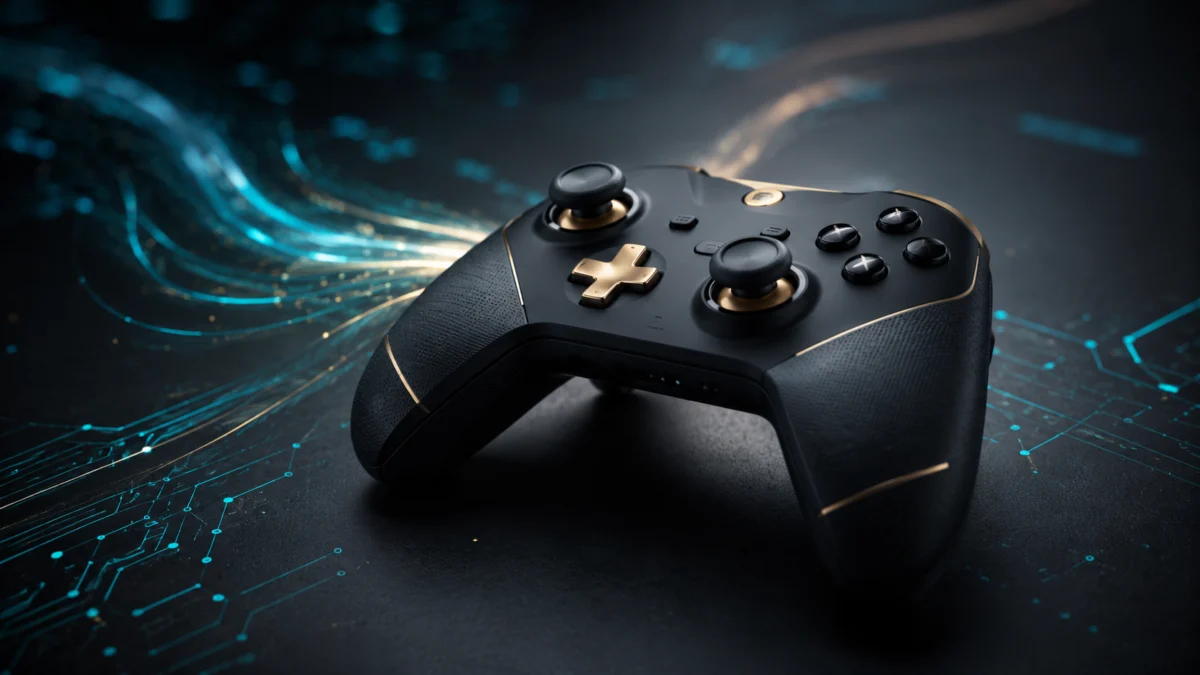
Quick answer: The GameSir G7 Pro 8K is best for PC FPS and action players who want very low input latency, TMR magnetic sticks, and adjustable polling up to 8000Hz. Based on independent latency data and user reports, its strongest setup is often 4000Hz for stability, not always maximum 8K. Skip it if you mainly play fighting games, need native Xbox console support, or use an older PC that may struggle with high polling rates.
The GameSir G7 Pro 8K PC enters a market where “8000Hz polling rate” is simultaneously the most compelling selling point and the most contested specification in competitive gaming peripherals. This guide summarizes official specs, independent latency data from a P82 testing apparatus, and user reports from multiple Reddit threads and community forums. Here is the direct verdict: this controller delivers very strong latency performance based on independent data, at an unusually strong value among 8K-capable controllers in this price range—but only if your PC is built to handle what it demands.
Available in: Champion Edition (black and gold) and Aimlabs Edition (cyan collaboration)
Price tier: Under $100
Platform: PC-first. Not natively compatible with Xbox consoles—read the software section before purchasing.
✅ Pros
- Verified 1.54ms average button latency and 0.68ms average stick latency over wired 8K connection, measured by independent P82 hardware testing
- TMR Gen-2 magnetic sticks deliver frictionless, drift-free tracking praised across multiple independent community reviews
- Dual-mode triggers: physical rear latch instantly converts long Hall Effect analog travel into a clicky micro-switch response
- 8000Hz polling reported and measured as functional in independent sources over the 2.4G wireless dongle—a rare capability at any price
- Ships with a charging dock, 1200mAh battery, and magnetic swappable faceplates at under $100
⚠️ Cons
- D-pad described as “wiggly” and requiring excessive actuation force across multiple community sources—a genuine weakness for fighting games and 2D platformers
- 8K mode demands a modern high-thread-count CPU and a direct USB 3.0+ motherboard connection; older systems risk stuttering and freezing
- No trigger-specific rumble motors—a regression from previous G7 models
- Not Xbox-console compatible; requires GameSir Connect software (Nexus will not recognize this controller)
GameSir G7 Pro 8K Battery Life: What Actually Determines It
Battery life on the G7 Pro 8K depends primarily on your polling rate and connection mode. The 1200mAh battery is substantially larger than the roughly 700mAh cells in standard controllers, but community reports consistently note that wireless runtime shortens at 8000Hz. Most users run 4000Hz for better uptime. The sources reviewed for this article do not confirm exact hour figures.
Battery capacity is rated at 1200mAh—substantially larger than standard controller batteries, which typically sit around 700mAh. According to GameSir’s official specifications, this additional capacity was engineered specifically to compensate for the power demands of continuous 8000Hz wireless data transmission.
The TMR Gen-2 thumbsticks play a supporting role here as well. According to GameSir’s official product page, the Gen-2 iteration is specifically optimized for low power consumption—a design requirement that directly offsets the battery drain imposed by 8000Hz wireless polling.
What shortens wireless runtime
- 8000Hz wireless polling: Multiple community reviews note that the increased power draw at the highest polling tier reduces usable wireless uptime. Pinging a 2.4G receiver 8,000 times per second is a non-trivial electrical cost, even for a 1200mAh battery.
- Sustained 2.4G sessions at maximum settings: The battery is large by controller standards, but it was sized around the demands of high-frequency wireless transmission—running everything at maximum is exactly the scenario it compresses under.
Playing wired over USB-C does not depend on battery runtime at all, which is one reason competitive players often default to the cable.
How to get the most runtime
The practical solution most users adopt, confirmed across multiple threads on r/Gamesir and r/GyroGaming, is running at 4000Hz instead of 8000Hz—battery drain drops substantially while latency remains far below standard 1000Hz controllers. The included charging dock also makes between-session top-ups easy, though note the loose-cradle caveat covered in the design section below.
What the available sources do not confirm
Neither the independent hardware testing data nor the community reports reviewed for this article provide a verified hour figure for battery runtime per polling tier. We have not conducted hands-on testing, so this guide does not state a specific number of hours. For current rated runtime figures, check GameSir’s official product page linked at the end of this article, and treat any single number you see elsewhere as dependent on polling rate, connection mode, and settings.
Wired vs Wireless Latency: What the Independent Data Shows
Independent P82 testing measured 1.54ms average button latency and 0.68ms average stick latency over a wired 8K connection. 8000Hz polling is also reported as functional over the 2.4G dongle, but the reviewed sources do not include a separate end-to-end wireless latency measurement—a sustained polling rate is not the same thing as total input latency.
Wired 8K: independently measured, very strong
The wired 8K hardware numbers, measured by independent analysts using the Prometheus 82 (P82) testing apparatus—the gold standard for hardware-level latency measurement—are very strong: 1.54ms average button latency (minimum 1.27ms, maximum 1.81ms), and 0.68ms average stick latency in circular mode. Stick jitter at wired 8K measures at just 0.02ms, meaning the response time is not only fast but fundamentally stable and predictable (source). OS-level diagnostic software confirms the controller genuinely sustains between 7,905Hz and 8,069Hz in operation—this is a verified 8K device, not a marketing approximation.
Beyond raw speed, the data density matters for aiming: at 8000Hz, independent diagnostic testing confirms the TMR sticks capture upwards of 8,768 discrete positional steps in a full circular rotation (source). This ultra-dense stream eliminates the micro-stutters and “stepping” artifacts that appear in the aiming curve at lower resolutions—a tangible advantage for extended tracking scenarios in titles like Apex Legends, or in precision aim training software like Aimlabs.
Wireless: 8K is functional, but end-to-end latency is not separately measured
8000Hz polling is reported and measured as functional in independent sources over the 2.4G wireless dongle—a rare capability at any price. However, the sources reviewed for this article do not include a separate end-to-end latency measurement taken specifically over the wireless connection. Do not treat “8K wireless” as automatically identical to the wired figures above: the polling rate describes how often the controller reports its state, not the total delay of the full wireless chain.
Bluetooth operates at standard polling rates and is aimed at Android and Nintendo Switch use rather than competitive PC play. If your priority is the lowest confirmed latency, wired USB-C is the configuration the independent measurements actually cover.
Official specs vs. third-party measurements: keep them separate
| Claim | Where it comes from |
|---|---|
| 8000Hz polling over USB-C wired and 2.4G dongle | Official specification; confirmed functional in independent diagnostics |
| 1.54ms average button latency (wired 8K) | Independent P82 hardware measurement (Gamepadla) |
| 0.68ms average stick latency (wired 8K) | Independent P82 hardware measurement (Gamepadla) |
| 0.25ms average latency at 4000Hz | Community-cited independent data |
| 1200mAh battery capacity | Official specification |
| Wireless end-to-end latency figure | Not confirmed in the sources reviewed for this article |
8K vs 1K Polling: Where It Works, How to Set It Up, and Who Needs It
8000Hz works over USB-C wired and the 2.4G dongle, on PC only—not Bluetooth, not Xbox. It requires GameSir Connect software, a direct USB 3.0+ motherboard port, and a modern CPU; independent data puts the CPU cost at 10–12%. For most players, 4000Hz is the practical everyday setting.
Where 8000Hz is available
The G7 Pro 8K operates across three connection modes: USB-C wired, 2.4GHz wireless via dongle, and Bluetooth. The 8000Hz polling rate is accessible on both USB-C wired and 2.4G wireless—Bluetooth operates at standard polling rates. The 3.5mm audio jack remains fully functional over both wired and 2.4G wireless connections, and the built-in 6-axis gyroscope is supported on PC only.
On Xbox consoles, high polling is off the table entirely: the controller is not natively compatible, and even through a third-party adapter, the Xbox operating system caps USB polling at 250Hz. The compatibility section below covers this in full.
Setup requirements for stable 8K
Connect the controller directly to a motherboard rear USB 3.0+ port—not a hub. The host machine should run a modern high-thread-count CPU (AMD Ryzen 5000 or 7000 series, X3D variants preferred; or Intel Core i7 equivalent or higher). A 240Hz or higher display is recommended to visually register the latency improvements at this polling tier. Older CPUs, USB 2.0 hubs, and legacy game engines without modern raw input paths are incompatible with stable 8K operation.
Polling rate switching, stick algorithms, deadzones, and macros are all configured in GameSir Connect—install it before first use. The software section below explains why Connect (not Nexus) is mandatory for this model.
The cost of running 8K
Processing 8,000 interrupt requests per second places a substantial computational load on the host CPU. Independent system monitoring data indicates that peripherals running at true 8000Hz consume between 10% and 12% of a modern processor’s total resources purely for input handling (source). On mid-range or older CPUs, or when interfacing with legacy game engines that lack modern raw input rendering paths, this overhead produces frame-rate stuttering, input buffer overflows, and in severe cases, system-wide freezing (source). Connecting via a USB 2.0 hub instead of a motherboard rear USB 3.0+ port compounds the problem significantly.
Running 8K wirelessly also carries the battery cost covered in the battery section above.
The 4000Hz sweet spot
Across multiple threads on r/Gamesir and r/GyroGaming, a clear consensus has formed: 4000Hz is the practical operating standard for the vast majority of users. At 4000Hz, average latency sits at 0.25 milliseconds—a 75% reduction compared to standard 1000Hz controllers—while CPU overhead and battery drain drop substantially (source) (source). Most players report no perceptible feel difference between 4000Hz and 8000Hz during actual gameplay, while the system stability improvements are immediate.
Who actually benefits from 8000Hz
Treat 8000Hz as a situational maximum, not a permanent baseline: dedicated competitive sessions on capable hardware, a 240Hz or higher display, and extended tracking or aim-training scenarios are where the ultra-dense positional data stream earns its cost. If that does not describe your setup, 4000Hz gives you nearly all of the benefit with none of the stability risk—and versus a standard 1000Hz controller, even 4000Hz is a major step up in data rate.
Which Players Should Buy the G7 Pro 8K—and Which Should Skip It
Buy it for competitive PC play on modern hardware. It also fits wireless-first players who use the 2.4G dongle at 4000Hz. Battery-first players should think twice: runtime shrinks at high polling rates, and exact hour figures are not confirmed in the sources reviewed here.
Competitive PC players: Buy
This is the controller’s home turf. On a modern CPU with a direct USB 3.0+ connection, the independently measured wired latency, the TMR Gen-2 stick tracking, and the dual-mode triggers form the strongest package in the sub-$100 bracket according to community comparisons. Run wired or 2.4G at 4000Hz for daily play, and reserve 8000Hz for sessions where your system can absorb the load.
Wireless-first players: Buy, with conditions
The 2.4G dongle supports high polling rates that are rare in wireless controllers at any price, and the 3.5mm audio jack stays functional over 2.4G. The conditions: your PC still needs to meet the same hardware requirements, 4000Hz is the sensible wireless default for battery reasons, and if your wireless use is primarily Bluetooth (Android or Nintendo Switch), you will be operating at standard polling rates—at which point the 8K capability you are paying for goes unused.
Battery-first players: Think twice
The 1200mAh cell is large by controller standards and the bundled charging dock softens the issue, but the fundamental trade-off is unavoidable: the headline feature of this controller actively consumes battery. If long, verified untethered runtime is your top priority, note that the sources reviewed here do not confirm hour figures per polling tier—and that community reports agree runtime compresses at 8000Hz. Players in this category should either plan around 4000Hz plus dock habits, or consider whether a high-polling controller is the right category at all.
One caveat that applies to every buyer type: if fighting games or precision 2D platformers are your main use case, the D-pad weakness documented in the user reports section below is reason enough to look elsewhere.
Design and Build Quality
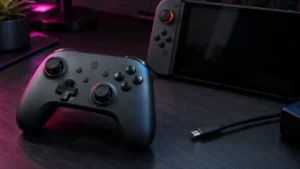
The G7 Pro 8K follows the asymmetrical layout made familiar by the Xbox ecosystem—left thumbstick above the D-pad, right thumbstick below the face buttons. According to multiple long-term user reports on r/Gamesir, this shape allows for immediate muscle-memory adaptation for players transitioning from standard console hardware (source). The chassis feels solid overall, and the three-piece magnetic faceplate system allows visual customization with compatibility extending to faceplates from previous G7 series models.
At 392 grams (0.86 lbs), the controller sits noticeably heavier than a standard Xbox Wireless Controller. According to GameSir’s official specifications, this mass increase is a direct consequence of the enlarged 1200mAh battery and the internal sensor arrays required to sustain 8000Hz wireless transmission. Community reports do not surface widespread fatigue complaints, but players who prefer ultralight setups should factor the weight difference into their decision.
The included charging dock is a strong value inclusion at this price tier. However, multiple users on r/Gamesir have noted that the cradle holds the controller somewhat loosely, allowing it to slip out of position without resistance—a minor quality-control oversight that detracts from an otherwise clean package (source).
Features and Performance
Thumbsticks and Triggers
The GameSir Mag-Res™ Tunnel Magnetoresistance (TMR) Sticks Gen-2 are the most consequential component in this controller. Traditional analog sticks use ALPS potentiometers—physical carbon-contact mechanisms that wear down over time and eventually produce stick drift. TMR sticks eliminate that failure mode entirely by reading changes in magnetic fields rather than physical friction.
The practical result—confirmed across multiple community reviews on r/Controller and r/GyroGaming—is a stick feel described consistently as smooth, friction-free, and precise at a level that users report is unmatched by any other hardware in the sub-$100 price tier (source) (source).
The triggers run Hall Effect analog sensors for full-depth travel, paired with physical micro-switch trigger stops accessible via rear latches. Engaging those latches physically shortens trigger travel to a short, clicky actuation—transforming a racing-sim trigger into something that behaves like a high-end gaming mouse button. Multiple community discussions on r/Gamesir identify this dual-mode system as one of the controller’s strongest engineering decisions, enabling a single peripheral to adapt cleanly between tactical shooters and driving titles without software intervention (source).
Buttons and Extra Inputs
The ABXY face buttons use Optical Micro Switches—infrared-beam actuation that registers input the instant the light path is interrupted, with no physical metal contact and therefore no debounce delay. Some users on r/Controller report that the buttons feel softer or carry a slightly longer travel distance than the ultra-short mechanical clicks found on competing devices (source). Actuation speed is measured as fast in independent latency data; the subjective travel feel is a matter of preference.
The D-pad uses a Mechanical Micro Switch design and is the controller’s most consistently criticized component. Multiple independent reviews and Reddit threads across r/Gamesir and r/Controller describe it as “wiggly” and “floaty,” requiring excessive actuation force and producing misclicks on diagonal inputs (source) (source). The community position on this is unambiguous: do not purchase this controller primarily for fighting games or 2D platformers.
For FPS and action players, the four programmable macro buttons—L4 and R4 (rear-mounted with locking latches to prevent accidental presses) and L5 and R5 (mini-bumpers adjacent to the main shoulder buttons)—add practical competitive utility. Each supports up to 32-step macro sequences configured through the GameSir Connect software.
What Real Users Are Saying
Where the G7 Pro 8K Earns Praise
The TMR Gen-2 thumbsticks draw near-universal praise across every community source we reviewed. According to multiple reports on r/Gamesir, r/Controller, and r/GyroGaming, users consistently describe the sticks as smooth, consistent, and free of the gritty friction that characterizes worn ALPS potentiometers (source) (source) (source). Competitive FPS players specifically cite the stick’s tracking linearity in Raw Mode—bypassing the internal circularity algorithms in GameSir Connect—as delivering aiming precision not found in any other controller at this price point.
The dual-mode trigger system is equally well-received. Several users on r/Gamesir highlight the ability to physically switch trigger modes without disassembly as a meaningful quality-of-life advantage for players who alternate between genres (source). PC plug-and-play setup is also frequently cited—immediate XInput recognition, no driver hunting, and a functional 3.5mm audio jack active out of the box.
Where It Falls Short
D-pad criticism is the most consistent negative finding across all sources reviewed. According to reports on r/Gamesir and r/Controller, the directional pad requires more force than competing devices such as the DualSense and exhibits an imprecise internal pivoting mechanism that produces misclicks on diagonal inputs (source) (source). This limitation does not affect standard FPS play, but it is a serious drawback for fighting games and precision 2D platformers.
Some users on r/Controller note that the optical ABXY buttons, while objectively fast, feel softer in travel than tactile mechanical alternatives on competing devices (source). The removal of trigger-specific rumble motors—present in earlier G7 iterations—is also raised in multiple reviews as a trade-off that optimizes for competitive input stability at the direct expense of immersive haptic feedback.
Finally, the Xbox compatibility issue has generated documented confusion across multiple r/Gamesir threads. Several users have reported purchasing the G7 Pro 8K expecting Xbox console compatibility—a reasonable assumption given the Xbox-licensed G7 SE and G7 HE predecessors—only to find the controller non-functional on console without a third-party adapter (source). This mistake is avoidable with the information in the section below.
How It Stacks Up: G7 Pro 8K vs. Vader 5 Pro vs. Wolverine V3 Pro
AD
Check on Amazon
/
Official site
Three controllers currently define the high-performance PC controller market. Here is where the G7 Pro 8K sits relative to each.
| Controller | Best for | Main advantage | Main drawback |
|---|---|---|---|
| GameSir G7 Pro 8K | PC FPS / low latency | 8K polling, TMR sticks, strong price value | D-pad weakness, not Xbox-native |
| Flydigi Vader 5 Pro | Extra buttons / software depth | More programmable inputs and tuning options | Lower polling rate than G7 Pro 8K |
| Razer Wolverine V3 Pro | Premium controller buyers | Higher-end build and better D-pad | Much higher price |
vs. Flydigi Vader 5 Pro (in the $80–$85 range)
The Vader 5 Pro is the G7 Pro 8K’s most direct price-bracket rival. It offers six programmable extra buttons (versus four on the GameSir), physically adjustable thumbstick tension rings, and a more complex macro software suite suited for MMO and RPG players. However, the Vader 5 Pro caps out at 1000Hz polling—an 8x reduction in data rate compared to the GameSir. Multiple comparative discussions on r/Controller and r/Gamesir indicate that the G7 Pro 8K’s TMR Gen-2 sticks provide a smoother, more linear tracking curve out of the box, and GameSir is reported to maintain stronger warranty fulfillment and lower defect rates than Flydigi across community discussions (source) (source). For maximum button count and software depth, the Vader is a competitive choice. For raw FPS responsiveness, the GameSir leads.
vs. Razer Wolverine V3 Pro (in the $200 range)
The Wolverine V3 Pro targets the same esports demographic at more than double the price. It matches 8000Hz polling via wired connection and features a clearly superior D-pad alongside premium accessories including swappable thumbstick heights. However, comparative hardware latency data from Gamepadla places the G7 Pro 8K’s average stick latency at 0.68ms versus approximately 2.8ms for the Wolverine in equivalent algorithmic test configurations—a significant performance delta at this tier (source). Multiple community comparisons describe the Wolverine’s sticks as overly stiff and “muddy” for micro-adjustments, contrasting with the frictionless glide of the TMR Gen-2 sticks (source). For the majority of competitive FPS use cases, the G7 Pro 8K delivers comparable or superior stick performance at a fraction of the cost.
Xbox Compatibility and Software: What You Need to Know Before You Buy
The G7 Pro 8K PC is not natively compatible with Xbox consoles. It is a PC-first controller and requires GameSir Connect, not GameSir Nexus. Do not buy it for Xbox Series X|S unless you already understand the adapter limitations.
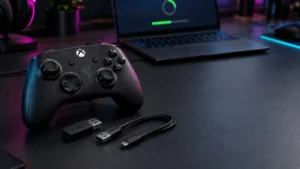
The G7 Pro 8K is not Xbox-licensed. Previous GameSir controllers—the G7 SE, G7 HE, and base G7—carried official “Designed for Xbox” certification and worked natively on Xbox consoles. The G7 Pro 8K PC carries no such certification. It operates via XInput and DInput on Windows PC, with Bluetooth support limited to Android and Nintendo Switch. Enabling Xbox console use requires a third-party hardware adapter such as the Brook XB3, and even with an adapter, the Xbox operating system caps USB polling at 250Hz—meaning the 8000Hz feature is entirely inaccessible on console regardless of connection method (source).
GameSir Connect is mandatory. GameSir currently operates two separate software applications. Officially licensed Xbox controllers use GameSir Nexus. The G7 Pro 8K requires GameSir Connect—Nexus will not recognize this device at all. GameSir Connect is required to switch polling rates, configure stick algorithms (circular vs. raw mode), set custom deadzones, and program 32-step macro sequences to the rear buttons. Install it before first use.
How We Researched
This article is based on GameSir’s official G7 Pro 8K PC product specification page, independent P82 hardware latency diagnostics published by Gamepadla, AttackShark Labs’ analysis of 8K polling CPU overhead, and community reports confirmed across multiple distinct threads on r/Gamesir, r/Controller, and r/GyroGaming. Three independent YouTube evaluations were selected based on their use of third-party diagnostic software and comparative testing frameworks rather than manufacturer promotional materials. We have not conducted hands-on lab testing. All latency figures reflect independent P82 hardware measurements sourced from Gamepadla. All subjective build and feel assessments reflect community-reported findings confirmed across multiple separate posts and threads.
✅ Pros
- Verified 1.54ms average button latency and 0.68ms average stick latency over wired 8K connection, measured by independent P82 hardware testing
- TMR Gen-2 magnetic sticks deliver frictionless, drift-free tracking praised across multiple independent community reviews
- Dual-mode triggers: physical rear latch instantly converts long Hall Effect analog travel into a clicky micro-switch response
- 8000Hz polling reported and measured as functional in independent sources over the 2.4G wireless dongle—a rare capability at any price
- Ships with a charging dock, 1200mAh battery, and magnetic swappable faceplates at under $100
⚠️ Cons
- D-pad described as “wiggly” and requiring excessive actuation force across multiple community sources—a genuine weakness for fighting games and 2D platformers
- 8K mode demands a modern high-thread-count CPU and a direct USB 3.0+ motherboard connection; older systems risk stuttering and freezing
- No trigger-specific rumble motors—a regression from previous G7 models
- Not Xbox-console compatible; requires GameSir Connect software (Nexus will not recognize this controller)
Final Verdict
The GameSir G7 Pro 8K PC is a genuine performance achievement for the price. Independent hardware testing shows very strong latency numbers—1.54ms average button response and 0.68ms average stick latency over wired 8K—and the TMR Gen-2 sticks deliver a tracking quality that community reports place above every competing device in the sub-$100 bracket. The dual-mode trigger system, four programmable rear buttons, an 8000Hz wireless mode reported as functional in independent testing, and a bundled charging dock represent a hardware package that is difficult to match on raw specifications at this price point.
This guide recommends it primarily for PC FPS and action players running modern hardware—specifically a Ryzen 5000/7000 or Intel Core i7 equivalent CPU, a 240Hz or higher display, and a direct USB 3.0+ motherboard port. For most of those users, running at 4000Hz delivers imperceptible latency with meaningfully better system stability than 8K, and the stick feel and dual-mode triggers alone justify the price at this tier.
Skip it if your primary use case is fighting games (the D-pad is a well-documented weak point), if you plan to use it on an Xbox console (native compatibility does not exist, and 8K polling is inaccessible on console regardless of adapter), or if your PC hardware is not equipped to sustain the interrupt load. Outside those conditions, the G7 Pro 8K is one of the strongest value options for PC-focused players in the high-performance PC controller market.
Check on Amazon
/
Official site
Frequently Asked Questions
How long does the GameSir G7 Pro 8K battery last?
The sources reviewed for this article do not confirm exact hour figures. The battery is rated at 1200mAh—larger than the roughly 700mAh cells in standard controllers—but community reports consistently note that wireless runtime shortens at 8000Hz polling. Running at 4000Hz and using the included charging dock is the practical approach most users adopt.
Is the GameSir G7 Pro 8K good for FPS games?
Yes, it is best suited for PC FPS and action games where low stick latency, TMR magnetic sticks, and adjustable polling rates matter. Based on available independent latency data and user reports, it is strongest for players with modern PCs who can run high polling rates reliably.
Should I use 8000Hz or 4000Hz on the GameSir G7 Pro 8K?
For most players, 4000Hz is the better everyday setting. It keeps latency very low while reducing CPU load and battery drain compared with 8000Hz. Use 8000Hz only if your PC is stable with it and you specifically want the maximum polling rate for competitive sessions.
Does the GameSir G7 Pro 8K work on Xbox?
No, the G7 Pro 8K PC is not natively Xbox-console compatible. It is a PC-first controller and uses GameSir Connect rather than GameSir Nexus. Xbox console use requires third-party adapter workarounds and does not preserve the full 8000Hz feature.
Is the GameSir G7 Pro 8K good for fighting games?
It is not the best choice if fighting games are your main use case. The D-pad is one of the most consistently criticized parts of the controller in user reports, so players who rely on precise D-pad inputs should consider other options.


Comments