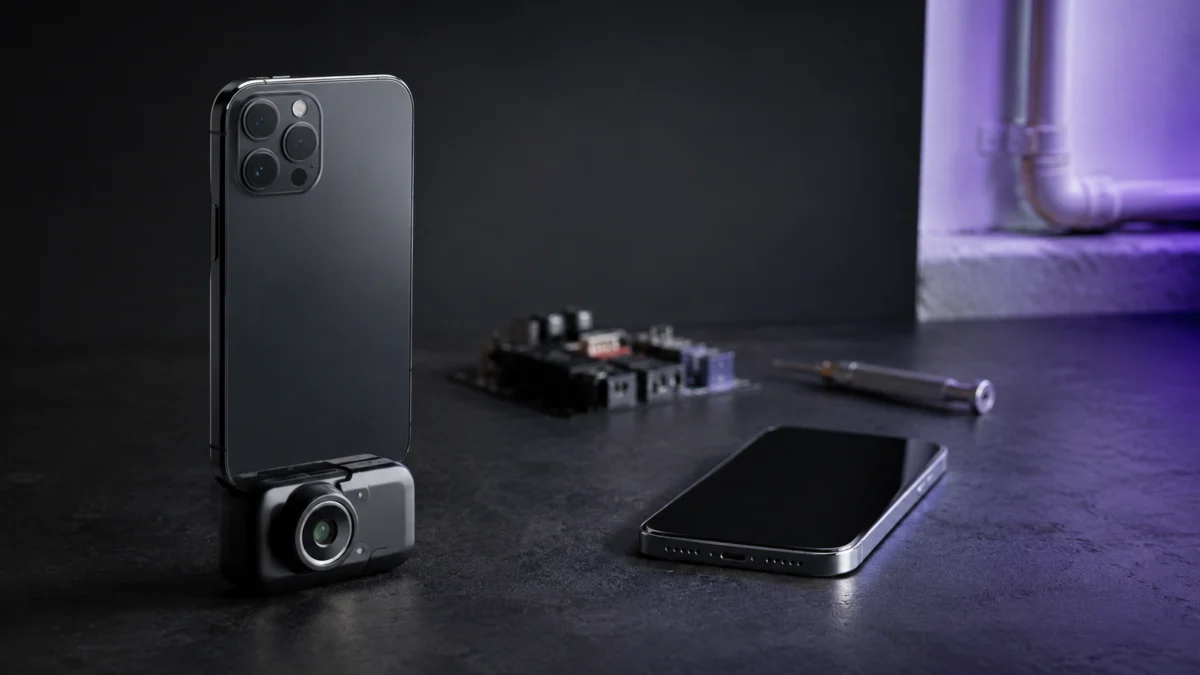
The best thermal camera for your iPhone or Android depends on two things before anything else: the connection type your phone supports, and the resolution your use case actually requires. If you have a USB-C iPhone (iPhone 15 or newer) or a modern Android phone, plug-in modules such as the TOPDON TC002C series offer high resolution at a mid-range price. If you switch between iOS and Android devices, a wireless model such as the FLIR ONE Edge Pro removes the connector problem entirely. This guide explains how USB-C, Lightning, and wireless thermal cameras differ, which specs matter for water leaks, insulation, HVAC, and electronics repair, and what to check before buying — including the phone case and compatibility issues that catch many first-time buyers.
Jump to:
- What is a phone thermal camera?
- USB-C, Lightning, or wireless?
- What to check before buying
- Best use cases
- Thermal cameras to compare
- Common buying mistakes
- Who should buy one
What Is a Phone Thermal Camera, and What Can It Actually Do?
A phone thermal camera is a small infrared sensor module that connects to your smartphone and turns it into a thermal imager through a companion app. It visualizes surface temperature differences, which makes it useful for finding water leaks, insulation gaps, HVAC problems, and overheating electronics — at a fraction of the cost of a standalone professional imager.
Unlike a regular camera, a thermal camera does not capture visible light. It reads infrared radiation emitted by surfaces and converts it into a color-coded heat map. Warm spots — a hot circuit breaker, a charging laptop, a hidden hot water pipe — stand out against cooler surroundings, and cold spots reveal drafts, missing insulation, or moisture evaporating from a damp wall.
Two practical points are worth understanding before you buy. First, phone thermal cameras measure surface temperature, not what is behind a wall; they reveal leaks and insulation gaps indirectly, through the temperature patterns those problems create on the surface. Second, these are DIY and inspection-assist tools. They are not certified instruments for electrical safety sign-off, medical screening, or structural diagnosis, and the readings should be treated as a starting point for investigation rather than a final verdict.
USB-C, Lightning, or Wireless: Which Connection Type Should You Choose?
Choose a USB-C plug-in model if you own a USB-C iPhone or a modern Android phone and want the simplest, lightest setup. Choose a wireless model if you switch between iOS and Android devices or need to scan hard-to-reach spots. Lightning models only make sense for older iPhones, and the selection is shrinking.
The connection type affects more than convenience — it determines compatibility, power source, and how you physically use the camera.
| Type | How it works | Strengths | Trade-offs |
|---|---|---|---|
| USB-C plug-in | Plugs directly into the phone’s USB-C port; powered by the phone | No battery to charge, compact, generally the best resolution per dollar | Drains the phone battery; thick cases can block the connector; iOS/Android versions are often sold separately |
| Lightning plug-in | Plugs into older iPhones via the Lightning port | Works with pre-2023 iPhones | Shrinking product selection; no path forward when you upgrade to a USB-C iPhone |
| Wireless | Connects over Wi-Fi/Bluetooth; has its own battery | Works with both iOS and Android; scans spots away from the phone; no connector or case interference | Needs charging; larger; battery runtime is limited |
One detail that matters for USB-C buyers: a “USB-C thermal camera” is not automatically cross-platform. Some models, such as the TOPDON TC002C, are built for USB-C iPhones and iPads only and do not work on Android, while others, such as the TOPDON TC001, are Android-only. Cross-platform USB-C models exist — TOPDON sells the TC002C Duo for exactly this reason — but you need to verify the supported OS list on the official product page, not just the connector shape.
What Should You Check Before Buying a Thermal Camera for Your Phone?
Before buying, verify five things: that your exact phone model is on the supported device list, the native infrared resolution, the temperature range your tasks require, the companion app’s reputation on your platform, and whether the connector clears your phone case. Most buyer complaints trace back to one of these five points.
Here is the pre-purchase checklist we recommend working through:
- Confirm OS and device compatibility, not just the port. Check the manufacturer’s supported device list for your exact phone. iPhone-only and Android-only USB-C models look identical in photos. On Android, port orientation and placement also vary by manufacturer, and Seek Thermal officially notes that some devices orient the USB-C connector in the opposite direction, which can leave the camera facing the wrong way without an extension cable.
- Compare native IR resolution, not marketing resolution. Many products advertise an upscaled figure — for example, 256×192 native enhanced to 512×384 through software processing. Upscaling helps readability, but the native sensor resolution is the honest baseline for comparing products. For reference, 160×120 is workable for finding hot spots, while 256×192 and above resolves smaller details such as individual PCB components.
- Match the temperature range to your tasks. Building inspection and leak detection live in a narrow range around room temperature, which almost any current model covers. Electronics repair and HVAC work benefit from wider ranges — several TOPDON models measure up to 550°C, while the FLIR ONE series tops out at 400°C.
- Check the app before the hardware. The app is half the product: it controls color palettes, spot measurement, recording, and image export. Read recent app store reviews for your platform, because app stability differs between iOS and Android and changes with updates.
- Check physical clearance with your phone case. Plug-in connectors often fail to reach the port through thick protective cases. FLIR’s OneFit connector extends up to 4 mm to clear many popular cases, but FLIR itself states that this is not enough for cases like the OtterBox Defender. Plan to remove a heavy-duty case or use the camera without one.
- Understand the power source. Phone-powered modules never need charging but draw from your phone’s battery. Models with internal batteries, such as the FLIR ONE Pro, spare your phone but introduce their own runtime limit you need to manage on longer inspection sessions.
What Are the Best Use Cases: Water Leaks, Insulation, HVAC, and Electronics?
Phone thermal cameras are most useful for locating temperature anomalies: tracing water leaks through cold evaporation patterns, finding insulation gaps and drafts, spotting HVAC duct losses, and checking heat buildup in chargers, laptops, routers, and PC components. Each use case stresses different specs, so match the camera to your main task.
Water leak detection. Moisture usually shows up as a cooler patch on a wall, ceiling, or floor because evaporation pulls heat from the surface. Resolution matters more than temperature range here — a higher-resolution sensor draws a sharper boundary around the damp area, which helps you separate a plumbing leak from ordinary condensation. Remember that the camera shows the surface effect, not the pipe itself, so use it to narrow down where to open the wall, not as final proof.
Insulation and drafts. Scanning exterior walls, window frames, and attic hatches on a cold day makes missing insulation and air leaks obvious as cold streaks. This is the most forgiving use case: nearly any current model has enough resolution and range, and even an entry-level sensor pays for itself quickly in energy diagnostics.
HVAC checks. Thermal imaging quickly shows whether a vent is delivering conditioned air, where a duct run loses temperature, and whether a radiator or heat pump coil heats evenly. A wider field of view helps when scanning ceilings and long duct runs, and a wireless model is convenient for crawl spaces and spots you cannot bring your phone close to.
Electronics and gadget heat checks. For inspecting a hot charger, a throttling laptop, a router, or a PC under load, prioritize native resolution and close-focus capability. Resolving individual components on a circuit board is where 256×192-class sensors clearly outperform 160×120-class ones, and models with adjustable focus, such as the Seek CompactPRO, hold an advantage at very short distances.
Which Thermal Cameras Should You Compare? FLIR, TOPDON, and Seek Thermal
For most USB-C iPhone and Android owners, the TOPDON TC002C series offers the best balance of native resolution and price. The FLIR ONE Edge Pro is the pick if you need one camera across iOS and Android or want wireless scanning, and Seek Thermal’s CompactPRO stands out for adjustable focus in close-up work.
Disclosure: This article contains affiliate links. If you buy through these links, we may earn a commission at no extra cost to you.
| Model | Connection | Native IR resolution | Temperature range | Power | Best for |
|---|---|---|---|---|---|
| FLIR ONE Edge Pro | Wireless (Wi-Fi/Bluetooth), iOS & Android | 160×120 | -20°C to 400°C | Internal battery (up to approx. 2.5 hours per FLIR) | Mixed iOS/Android households, hard-to-reach scanning |
| FLIR ONE Pro | USB-C plug-in (iOS and Android versions sold separately) | 160×120 | -20°C to 400°C | Internal battery | FLIR ecosystem users with standard cases |
| TOPDON TC002C | USB-C plug-in, USB-C iPhone/iPad only | 256×192 (512×384 upscaled) | -20°C to 550°C | Phone-powered | USB-C iPhone owners who want maximum detail |
| TOPDON TC002C Duo | USB-C plug-in, USB-C iPhone, Android & Windows | 256×192 (512×384 upscaled) | -20°C to 550°C | Phone-powered | One plug-in camera across multiple platforms |
| TOPDON TC001 | USB-C plug-in, Android only | 256×192 (512×384 upscaled) | -20°C to 550°C | Phone-powered | Android-only users on a tighter budget |
| Seek CompactPRO | Plug-in (Android USB-C; iOS version uses Lightning) | 320×240 | Phone-powered | Close-up electronics work needing adjustable focus |
FLIR ONE Edge Pro — the cross-platform wireless option
Check on Amazon
/
Official site
The FLIR ONE Edge Pro takes a different approach from every plug-in module: it connects to your phone over Wi-Fi and Bluetooth instead of a physical port. According to FLIR’s official specifications, it works with both iOS and Android smartphones and tablets, pairs a 160×120 thermal sensor with FLIR’s MSX and VividIR image processing, measures from -20°C to 400°C, and is IP54-rated and drop-tested from 2 meters, with a stated battery time of up to about 2.5 hours.
The wireless design solves three problems at once: it does not care which connector your phone has, it ignores phone cases entirely, and it lets you hold the camera in one hand near a target — under a sink, behind a server rack, above a ceiling tile — while watching the image on your phone in the other. The trade-offs are the lower native resolution compared with the TOPDON 256×192-class sensors, a larger body, and one more battery to keep charged. It also sits in a higher price tier than typical plug-in modules.
Buy if: you use both iPhone and Android devices, share the camera within a team or family, or regularly scan spots you cannot bring your phone close to.
Don’t buy if: you want maximum image detail for electronics work, or you prefer a pocketable module that never needs charging.
FLIR ONE Pro — the established plug-in with case-friendly design
The FLIR ONE Pro is the plug-in counterpart in FLIR’s lineup, sold in separate versions for USB-C iPhones and Android phones. Per FLIR’s specifications, it uses the same 160×120 sensor class, -20°C to 400°C range, and MSX/VividIR processing as the Edge Pro, and its OneFit connector extends up to 4 mm so it can reach the port through many common protective cases — though FLIR itself notes that heavy-duty cases such as the OtterBox Defender still require removal or an adapter.
Unlike the phone-powered TOPDON and Seek modules, the FLIR ONE Pro runs on its own internal battery. That spares your phone’s charge, but it also means the camera itself can run out mid-job. Third-party reviews, including Tom’s Guide’s assessment, have flagged short battery life and room for improvement in the FLIR ONE app as the main criticisms, so factor charging into your workflow if you choose this route. Buyers should also verify current availability and the exact version for their phone, as FLIR’s plug-in lineup has shifted over time.
Buy if: you want FLIR’s image processing and app ecosystem in a plug-in format, and your phone case is within the OneFit connector’s reach.
Don’t buy if: you need long uninterrupted scanning sessions, or higher native resolution matters more to you than brand ecosystem.
TOPDON TC002C and TC002C Duo — the resolution leaders for USB-C phones
Check on Amazon
/
TC002C official site
/
TC002C Duo official site
/
Review source
TOPDON’s TC002C series is built around a 256×192 native infrared sensor — roughly four times the pixel count of the FLIR ONE’s 160×120 — with software upscaling to 512×384. According to TOPDON’s official specifications, the series measures from -20°C to 550°C with a stated accuracy of ±2°C or ±2%, runs at a 25 Hz frame rate, and draws only 0.35 W directly from the phone, so there is no battery to charge.
The critical detail is the split between the two versions. The standard TC002C supports USB-C iPhones and iPads only — TOPDON explicitly states it is not compatible with Android or Mac. The TC002C Duo adds Android and Windows support, making it the one plug-in module in this comparison that genuinely covers both phone platforms. Third-party reviews such as Notebookcheck’s have highlighted the Duo’s build quality, companion app, and cross-platform flexibility as its standout traits.
Buy if: you have a USB-C iPhone (TC002C) or want one high-resolution plug-in module across iPhone, Android, and Windows (TC002C Duo).
Don’t buy if: you still use a Lightning iPhone, or you need wireless scanning away from the phone.
TOPDON TC001 — the Android-only value pick
Check on Amazon
/
Official site
/
Review source
The TC001 is essentially the same 256×192 sensor package as the TC002C, restricted to Android USB-C devices and typically sold at a lower price tier. If everyone in your household is on Android and you have no plans to scan with an iPhone, it delivers the same image detail as its iOS sibling for less money. According to Tom’s Guide’s review of the TC001, the module is highly portable and easy to carry, with the main complaint being that the connector is difficult to seat through a thick phone case — the same caveat that applies across all plug-in modules.
Buy if: you are Android-only and want the best native resolution in the budget-to-mid tier.
Don’t buy if: there is any chance you will need iPhone compatibility during the camera’s lifetime.
Seek Thermal Compact and CompactPRO — adjustable focus for close-up work
Check iOS version on Amazon
/
Official site
Seek Thermal’s CompactPRO carries a 320×240 thermal sensor — the highest native resolution in this roundup — together with an adjustable-focus lens, which is rare in this category and genuinely useful for very close inspection of circuit boards and small components. The entry-level Seek Compact uses a 206×156 sensor with the same phone-powered, no-battery design. Confirm the full temperature range specifications on Seek’s official product page before purchasing,
The compatibility picture needs attention. Seek sells separate Android USB-C and iOS versions, and the iOS version has historically used the Lightning connector — retailer documentation indicates that pairing it with a USB-C iPhone requires Apple’s USB-C to Lightning adapter cable. Seek also officially cautions that some Android phones orient or position the USB-C port differently, which can point the camera the wrong way without an extension cable. Before buying any Seek model, confirm on the official product page exactly which version matches your phone and how current the listing is.
Buy if: close-focus electronics inspection is your primary use and you want the highest native resolution available in a phone module.
Don’t buy if: you have a USB-C iPhone and want a clean plug-in connection without adapters.
What Are the Most Common Buying Mistakes With Phone Thermal Cameras?
The most common mistakes are buying the wrong platform version of a USB-C module, ignoring phone case clearance, comparing upscaled resolution figures instead of native sensor specs, and expecting X-ray-like vision. Each of these is avoidable with a few minutes of checking before checkout.
Mistake 1: assuming USB-C means universal. The TOPDON TC002C (iPhone-only) and TC001 (Android-only) use the same connector but are not interchangeable, and Seek’s iOS and Android versions are separate products. Always match the product version to your OS, not just the port.
Mistake 2: ignoring the phone case. According to community reports and the manufacturers’ own documentation, thick protective cases are a recurring source of “camera not detected” frustration with plug-in modules. FLIR’s 4 mm OneFit extension covers many cases but not heavy-duty ones, and reviewers have reported the same seating difficulty with TOPDON modules. If you use a rugged case, plan to remove it for scanning or choose a wireless model.
Mistake 3: comparing upscaled numbers. A listing that leads with “512×384 super resolution” is describing software-enhanced output from a 256×192 sensor. Upscaling is a legitimate readability feature, but compare products on native resolution first.
Mistake 4: expecting too much. A thermal camera cannot see through walls, glass, or water; it reads surface temperature only. It is excellent at telling you where to look — the cold streak on the drywall, the hot breaker in the panel — and it is not a substitute for a moisture meter, a licensed electrician, or any certified diagnostic instrument.
Mistake 5: skipping the app reviews. Because all imaging, measurement, and export runs through the companion app, an unstable app undermines good hardware. According to multiple community reports, app-side frustrations are a more consistent pain point than sensor quality, and experiences differ between iOS and Android, so check recent reviews for your specific platform.
Who Should Buy a Phone Thermal Camera — and Who Should Skip It?
Buy a phone thermal camera if you regularly diagnose home, HVAC, or electronics heat issues and want fast visual answers in the under-$100 to mid-$200s range. Skip it if you need certified measurements for professional sign-off, or if you would use it once — renting or borrowing covers one-off inspections.
For homeowners and DIYers, the value case is strong: a single found water leak, insulation gap, or failing breaker can justify the purchase, and the camera keeps earning its place every winter draft season. For electronics hobbyists and repair-minded users, a 256×192-class module is a fast way to spot a shorted component or a thermal-throttling device without disassembly.
On the other side, professionals who need documented, certified readings for electrical compliance or insurance reports should look at dedicated instruments rather than phone attachments, and anyone expecting medical or safety-diagnostic use should not buy these products for that purpose. If your need is a one-time pre-purchase home inspection, hiring an inspector who carries professional equipment will produce more defensible results than a first-time scan with a phone module.
How We Researched
This article is based on manufacturer documentation and official product specifications from FLIR (Teledyne FLIR), TOPDON, and Seek Thermal, supplemented by third-party reviews and recurring user reports from retail reviews and community forums. We have not conducted hands-on lab testing of these products. All performance figures, temperature ranges, and compatibility claims are attributed to official sources or clearly identified third-party reviews, and community-reported issues are described as reports rather than confirmed product-wide defects. Pricing changes frequently, so we describe price tiers only — check current listings for exact prices and availability.
Final Recommendation
Start with your phone, not the camera. If you own a USB-C iPhone, the TOPDON TC002C delivers the strongest native resolution per dollar in a plug-in format; if your household mixes iPhone and Android, step up to the TC002C Duo or go wireless with the FLIR ONE Edge Pro. Android-only users get the same imaging from the cheaper TC001, and close-up electronics specialists should weigh the Seek CompactPRO’s adjustable focus and 320×240 sensor despite its adapter requirements on newer iPhones.
Whichever direction you lean, run the five-point check before you buy: exact device compatibility, native resolution, temperature range, app reputation on your platform, and case clearance. Those five minutes are the difference between a tool you reach for every month and a module that never seats properly in your charging port.