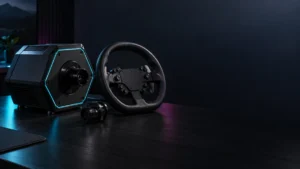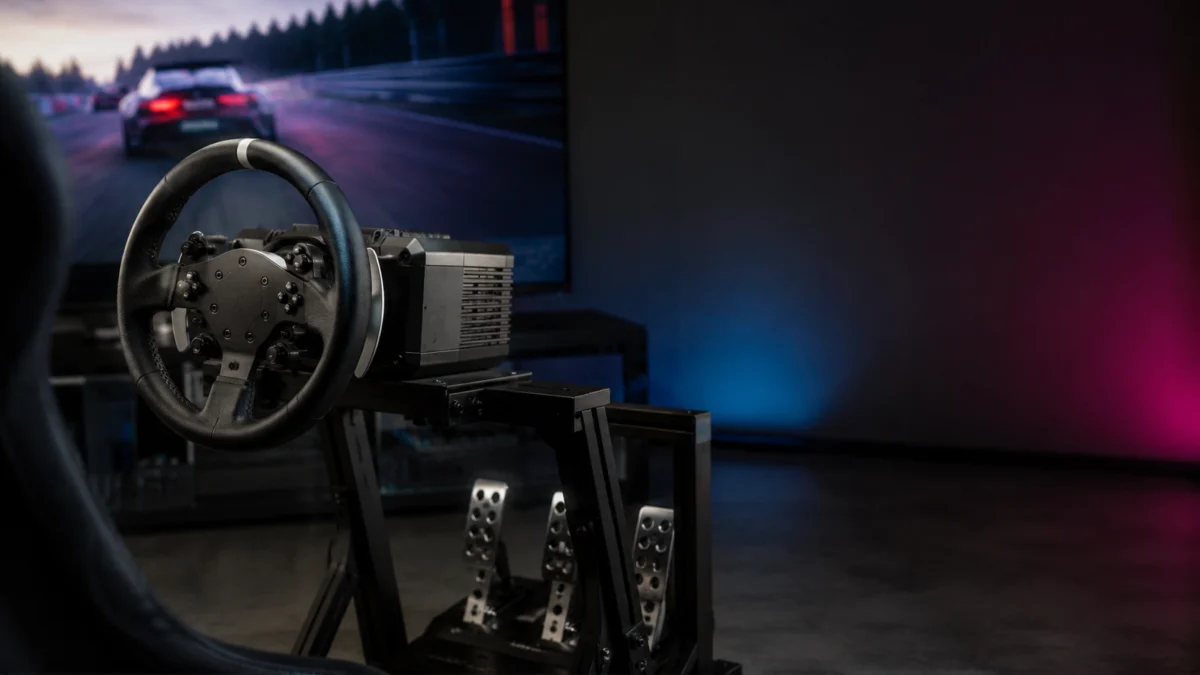
Direct drive describes how a wheel generates force feedback — it says nothing about whether the wheel works on PS5. A direct drive base that runs perfectly on PC can be completely unusable on a PlayStation 5, because PlayStation support is decided at the wheel-base level, not by the motor type, the wheel rim, or the box art. Before you buy a PS5 direct drive racing wheel for Gran Turismo 7 or any other PS5 title, the single most important step is to confirm that the exact wheel base and platform variant are officially PlayStation-licensed. This guide walks through that check brand by brand for Fanatec, Logitech, and Thrustmaster, and gives you a use-case decision table at the end.
If you want the broader cross-market comparison rather than a PS5 compatibility check, start with our sim racing wheel buying guide.
Do not buy a PS5 direct drive wheel by PC specs alone
The most common PS5 buying mistake is assuming a PC-compatible direct drive base will work on PS5. It often will not. PlayStation compatibility comes from an officially licensed wheel base, not from the words “direct drive” or a high torque figure. Always verify PS5 support for the specific product and platform variant before buying — never infer it from a PC spec sheet.
Direct drive (DD) refers to a motor that connects the wheel rim straight to the motor shaft, with no belt or gears in between. It improves force feedback clarity, but it has nothing to do with console licensing. Two near-identical bases can differ entirely on PS5 support. Before you commit, run through this checklist:
| Check this first | Why it matters for PS5 |
|---|---|
| Wheel base | The base carries the PlayStation license. This is the primary compatibility checkpoint. |
| Platform variant | Some brands sell a PC-only version and a PlayStation version separately, under almost the same name. |
| Pedals | Pedals are not always included, and load-cell pedals are often a separate purchase. |
| Wheel rim / hub | The rim or hub can change Xbox support, and in some ecosystems it does not enable PlayStation support on its own. |
| Game support | The game also has to support the wheel; check the title you actually play. |
| Mounting setup | Stronger direct drive bases may need a wheel stand or cockpit rather than a desk clamp. |
The wheel base matters most for PS5 compatibility
On a sim racing setup, the wheel base is almost always the core PS5 compatibility checkpoint. According to Fanatec’s platform compatibility documentation, the PlayStation security chip sits inside the wheel base, and any product connected to a PlayStation-licensed base inherits that compatibility. So the base is what you verify first — not the rim, not the pedals, and not the listing title.
A few principles follow from this:
- Do not infer PS5 compatibility from a wheel rim name, a pedal set, or a bundle photo. According to Fanatec, compatibility flows from the licensed base outward to connected peripherals, not the other way around.
- Treat discontinued PlayStation-compatible bases with caution. They may technically be PS-licensed, but that does not make them sensible new-buy candidates in 2026, given availability and support.
- A retailer or marketplace listing title is not compatibility proof. Confirm the platform variant on the manufacturer’s own product page.
Fanatec: Gran Turismo DD Pro, ClubSport DD+, and ClubSport DD are not interchangeable
Fanatec is the clearest warning case for buying by the base. According to Fanatec’s official support, the ClubSport DD wheel base is not compatible with PlayStation consoles, while the ClubSport DD+ is the PlayStation-compatible version. The two look almost identical and share a name, but only the DD+ carries the PlayStation license. PC compatibility and PS5 compatibility are entirely separate here.
According to Fanatec’s support article listing PlayStation-compatible bases, the wheel bases usable on PS5 and PS4 are the ClubSport DD+, the Gran Turismo DD Pro, and the now-discontinued Podium DD1 PS4 and CSL Elite Wheel Base +. The plain ClubSport DD, Podium DD1, and DD2 are not PlayStation-compatible. The two bases most buyers should focus on today are:
| Fanatec base | PS5 / PS4 | Notes (per Fanatec official pages) |
|---|---|---|
| Gran Turismo DD Pro | Yes (officially licensed) | Bundle includes steering wheel, pedals, and table clamp. Sold as 5 Nm, or 8 Nm with the Boost Kit 180. QR2 preinstalled. |
| ClubSport DD+ | Yes (officially licensed) | Higher-torque base. According to Fanatec’s official product page, holding torque was increased to 18 Nm via a firmware update (version V1.4.2.3 or later, May 2026). Base only — wheel and pedals are separate. |
| ClubSport DD | No | PC and Xbox-capable (with an Xbox-licensed wheel), but not PlayStation-compatible. Easy to confuse with the DD+. |
One detail trips up Fanatec buyers specifically: according to Fanatec’s Gran Turismo DD Pro product page, the GT DD Pro steering wheel does not enable PlayStation compatibility when used with a non-PlayStation-licensed base. The license lives in the base. On Xbox, Fanatec’s documented behavior is different again — a PlayStation-licensed base combined with an Xbox-licensed steering wheel can open up Xbox support, but this depends on the exact wheel used, so confirm it on the relevant product page. Check current product names, availability, and the latest firmware notes before buying.
Check Gran Turismo DD Pro on Amazon
/
Gran Turismo DD Pro official page
/
ClubSport DD+ official page
Logitech: check the PlayStation/PC variant before choosing the RS50
Logitech sells the RS50 in two separate base variants, and this is the buying trap to avoid. According to Logitech’s official RS50 product pages, PlayStation compatibility requires the RS50 for PlayStation and cannot be added later. A PC-only RS50 base does not become PS5-compatible after purchase. If you race on PS5, you must buy the PlayStation/PC variant from the start.
From Logitech’s official specifications, the PlayStation/PC RS50 delivers up to 8 Nm of direct drive peak torque with TRUEFORCE, and is listed as compatible with PlayStation 5, PlayStation 4, and Windows 10/11. TRUEFORCE is Logitech’s haptic layer that pulls a second data stream from the game to add texture on top of standard force feedback, but it only activates in titles that support it. A few buying points worth confirming:
- Variant: there is a PC (Xbox-ready) base and a PlayStation/PC base. For PS5, you need the PlayStation/PC version specifically.
- What’s in the box: the RS50 System bundle includes the base, RS Wheel Hub, RS Round Wheel, and table clamp. According to Logitech, the RS Pedals are not included in that bundle and are bought separately.
- Existing pedals: Logitech notes that older G-series pedals (such as G29/G923) can be reused on the RS50 via the Logitech G Racing Adapter.
- Software: G HUB is used for configuration on Windows, while console settings can be adjusted on the base’s on-unit screen.
The RS50 is a popular upgrade target for players coming from the gear-driven G923. If you are upgrading and your old wheel’s force feedback has been giving you trouble, our guide on Logitech G923 force feedback not working covers the diagnostics before you move to direct drive.
Check on Amazon
/
Official site
Thrustmaster: T598 is a PS5/PC candidate, but firmware and My Thrustmaster Panel still matter
The Thrustmaster T598 is a single base that, according to Thrustmaster’s official product and support pages, is compatible with PS5, PS4, and PC (Windows 10/11) — no separate PlayStation versus PC variant to choose. It uses a Direct Axial Drive motor rated at 5 Nm of constant torque with overshoot capability, and the bundle ships with a detachable SportCar wheel rim and the Raceline Pedals LTE set.
Two things are worth knowing before buying, both from Thrustmaster’s official documentation:
- My Thrustmaster Panel, the configuration and update tool, is PC-only. If you are a console-only owner, plan around setting up and updating the wheel using a PC where needed.
- Firmware affects how the wheel is detected on PS5. According to Thrustmaster’s support page, since the v2.52 base firmware, in PS5 games using the latest Thrustmaster SDK the wheel is detected as a T598 in one PlayStation mode and as a T-GT (backward compatibility) in another. Keeping firmware current matters for game detection.
Thrustmaster’s official game-settings list confirms Gran Turismo 7 (PS4 and PS5) and the EA Sports F1 titles among supported PS5 games. Wheel rim and Raceline LC pedal firmware requirements should only be treated as needed where Thrustmaster’s own support documentation states it — do not assume every Thrustmaster wheel follows the same workflow. If your T598 is connected but not recognized, our Thrustmaster T598 not detected guide covers the firmware and My Thrustmaster Panel steps.
Check on Amazon
/
Official site
What to check before buying pedals, shifters, and a stand
The base is only part of the cost. Before buying, confirm whether pedals are bundled, whether load-cell pedals are included or an upgrade, and how you will physically mount the wheel. A strong direct drive base generates real force, so a flimsy desk setup can become the weak link. Treat pedals, mounting, and accessories as part of the buying decision, not an afterthought.
Specifics to confirm against official pages:
- Pedals included or not: the Fanatec Gran Turismo DD Pro bundle includes a steel two-pedal set; the Logitech RS50 System does not include the RS Pedals; the Thrustmaster T598 bundle includes the Raceline Pedals LTE set.
- Load-cell brake: often a separate upgrade rather than the default. Confirm whether load-cell is in the box or sold as a kit.
- Desk vs stand: a table clamp can work for entry-level torque, but higher-torque bases are more demanding. Check the manufacturer’s mounting guidance for your base.
- Shifters and handbrakes: support can depend on the game and the ecosystem. Do not assume cross-brand accessory compatibility without official confirmation.
One safety note: a direct drive wheel base is not a toy. Fanatec’s own product documentation warns that the fast movements and strong torque of a direct drive base can be dangerous, and the device is not suitable for children. Always read the manufacturer’s safety instructions before setup, and check the manufacturer’s specifications and mounting requirements before installation.
Use-case decision table
Use this table to match your situation to the right type of product and the compatibility checkpoint that matters most. It is a starting point for narrowing choices, not a final purchase decision — confirm the exact variant on the manufacturer’s page before buying.
| Your situation | Best product type | Compatibility checkpoint | Main caution |
|---|---|---|---|
| First PS5 racing wheel | All-in-one PS-licensed bundle (e.g. GT DD Pro, T598) | Base is PlayStation-licensed; pedals included | Don’t overspend on torque you can’t yet use |
| Upgrading from Logitech G923 | Mid-range DD base; reuse existing pedals via adapter | PS/PC variant; G Racing Adapter for old pedals | Buy the PlayStation variant, not PC-only |
| Direct drive for GT7 | PS-licensed base confirmed for GT7 | Base license + GT7 game support | Verify GT7 on the official game-support list |
| PC + PS5 shared setup | Base listed for both PS and PC | Single variant covering PS5 and Windows | Check which version also adds Xbox if needed |
| Desk setup | Entry/mid base with table clamp | Clamp included or available | Higher torque can outgrow a desk |
| Wheel stand / cockpit setup | Higher-torque base | Mounting points match your rig | Confirm brackets/bolts are included or sold separately |
| Long-term ecosystem expansion | Base with a broad first-party accessory range | Rim, pedal, shifter support within one ecosystem | Don’t assume cross-brand accessory compatibility |
If your wheel is already not detected
If you have already bought a wheel and PS5 or your PC is not detecting it, the issue is usually connection mode, firmware, or software rather than the hardware itself. Start with the troubleshooting guide that matches your platform and brand before assuming the wheel is faulty.
- PC not detecting the wheel: see racing wheel not detected on PC.
- Thrustmaster T598 detection or firmware: see Thrustmaster T598 not detected.
- Still comparing options: see our broader sim racing wheel buying guide.
How We Researched
This article is based on manufacturer documentation and official support materials from Fanatec, Logitech, and Thrustmaster, including their official compatibility and product pages, plus community reports where available. We have not conducted hands-on lab testing. Any compatibility claims, specifications, or torque figures are attributed to official sources or clearly identified as such. PS5 compatibility statements are drawn from each brand’s own product and support pages, and exact product availability, pricing, and listing details should be confirmed at the point of purchase.
FAQ
Does any direct drive wheel work on PS5?
No. Direct drive describes the force feedback motor, not console compatibility. Many direct drive bases are PC-only. A wheel works on PS5 only if its specific base is officially PlayStation-licensed, so you must check the exact base and platform variant on the manufacturer’s page before buying.
Is the Fanatec ClubSport DD the same as the ClubSport DD+?
No. According to Fanatec’s official support, the ClubSport DD is not compatible with PlayStation consoles, while the ClubSport DD+ is the PlayStation-compatible version. They look similar and share a name, but only the DD+ carries the PlayStation license. For a PS5 setup, the DD+ is the relevant model.
Does a PC Logitech RS50 work on PS5?
No. According to Logitech, PlayStation compatibility requires the RS50 for PlayStation and cannot be added later. A PC-only RS50 base will not gain PS5 support after purchase. If you race on PS5, buy the PlayStation/PC variant from the start.
Final Recommendation
For a PS5 direct drive racing wheel, the safest buying rule is simple: choose a wheel base that is officially PlayStation-licensed for the exact variant you need, then confirm pedals, mounting, and game support around it. Don’t buy on torque numbers or the words “direct drive” alone, and don’t trust a PC spec sheet or a marketplace title as proof of PS5 support. Fanatec’s Gran Turismo DD Pro and ClubSport DD+, Logitech’s RS50 for PlayStation/PC, and Thrustmaster’s T598 are all documented by their makers as PlayStation-compatible — verify the specific version before you check out. For the full cross-market comparison, head to our sim racing wheel buying guide.