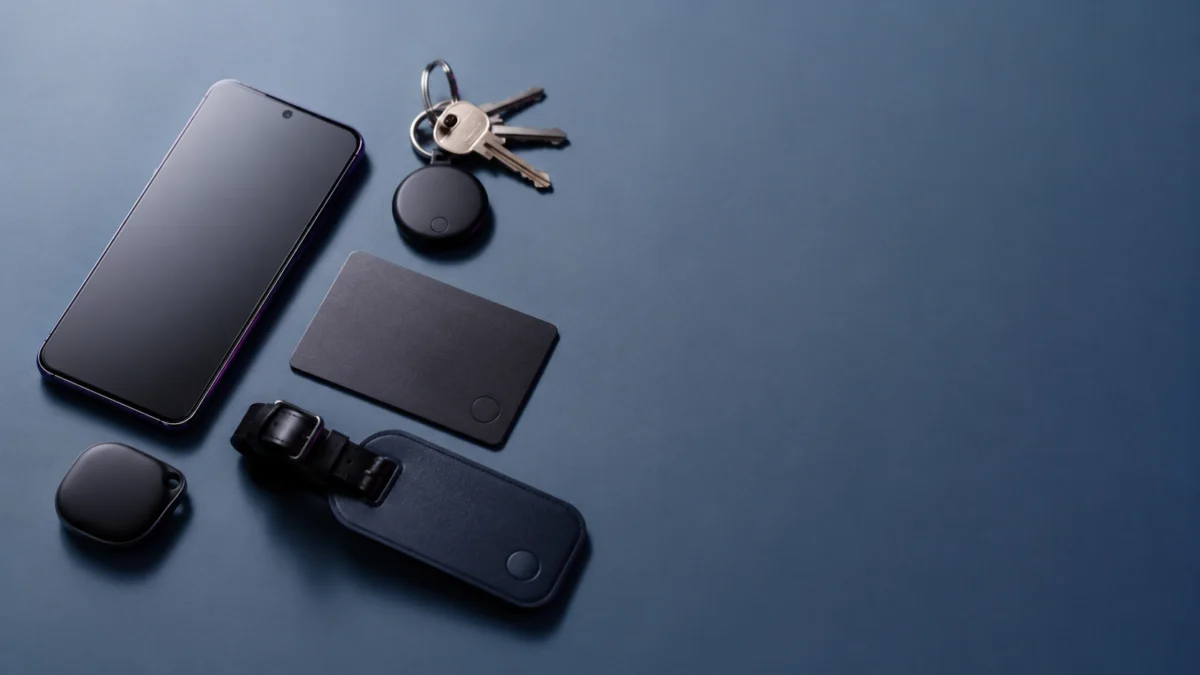
Quick answer: The best all-around Google Find Hub tracker for most Android users in 2026 is the Moto Tag 2, the only mainstream third-party tag with both UWB and Bluetooth 6.0 Channel Sounding. For keys, the Pebblebee Clip 5 or Chipolo POP are strong picks; for a wallet, the Nomad Tracking Card Air; and on a budget, the UGREEN FineTrack Slim G. Before you buy, two things matter most: most 2026 trackers are “dual-network” but work on only one network at a time, and Find Hub relies on a crowdsourced network rather than real-time GPS, so updates can lag in quiet areas.
Quick Picks: Which Google Find Hub Tracker Should You Buy?
For most Android users, the Moto Tag 2 is the best overall Find Hub tracker because it pairs UWB with Bluetooth 6.0 Channel Sounding for closer-range finding. The Pebblebee Clip 5 and Chipolo POP suit keys, the Nomad Tracking Card Air fits wallets, and the UGREEN FineTrack Slim G is the budget choice. None replaces real-time GPS.
- Best overall for Android: Moto Tag 2
- Best for keys: Pebblebee Clip 5 or Chipolo POP
- Best for wallets: Nomad Tracking Card Air (Find Hub version)
- Best rechargeable, longest battery: KeySmart SmartCard Pro
- Best replaceable-battery option: Rolling Square AirNotch Pro Dual
- Best UWB-ready option: Moto Tag 2
- Best for travel and luggage: Rolling Square AirCard Pro Dual
- Best budget pick: UGREEN FineTrack Slim G
Jump to a section:
- What “Google Find Hub Compatible” Actually Means
- Quick Comparison Table
- Best Google Find Hub Trackers by Use Case
- Chipolo vs Pebblebee vs Moto Tag
- Buying Checklist Before You Buy
- Models to Avoid Confusing
- FAQ
As an Amazon Associate, Fixory earns from qualifying purchases. This does not affect our recommendations.
What “Google Find Hub Compatible” Actually Means
“Google Find Hub compatible” means a tracker can report its location through Google’s crowdsourced Find Hub network on Android phones running Android 9 or later with Google Play Services installed. It does not mean real-time GPS, and it does not guarantee Apple Find My support.
Many 2026 trackers are also “dual-network,” meaning they support both Find Hub and Apple Find My — but only one network at a time. Switching ecosystems requires a factory reset on the tracker. This matters because the word “universal” is easy to misread. According to manufacturer documentation from brands like Chipolo, Pebblebee, and Rolling Square, a dual-network tracker does not broadcast to both Apple and Google networks simultaneously; the protocols are exclusive. If you live in an Android-only household, this is rarely an issue. If your household mixes iPhone and Android, you choose one network per tag.
There is a second, equally important point. Find Hub is not a real-time GPS tracker. It locates tags using nearby Android phones, and Google’s default privacy setting uses the network primarily in high-traffic areas. The practical effect is covered in the checklist below, but the short version is: expect fast updates in busy places and slower updates in quiet residential or rural areas.
Compatibility baseline: Works with Android 9.0 and above on devices with Google Play Services installed. Phones without Play Services (for example, AOSP-only builds) are not supported.
Quick Comparison Table
This table summarizes the main Find Hub trackers by network support, battery type, form factor, water resistance, loudness, and price band. All figures are manufacturer-stated specs, not Fixory measurements. Use it to shortlist by what matters to you — slimness for wallets, replaceable batteries for low maintenance, or UWB for close-range finding.
| Model | Find Hub | Apple Find My | Battery | Form | UWB / BLE 6.0 CS | Water | Stated loudness | Price band |
|---|---|---|---|---|---|---|---|---|
| Moto Tag 2 | Yes | No | Replaceable CR2032 | Key tag | UWB + BLE 6.0 CS | IP68 | ~77 dB | Under $35 |
| Chipolo POP | Yes | Yes* | Replaceable CR2032 | Key tag | BLE 6.0 | IP55 | ~120 dB | Under $30 |
| Chipolo LOOP | Yes | Yes* | Rechargeable USB-C | Key / luggage | BLE 6.0 | IP67 | ~125 dB | Under $40 |
| Chipolo CARD | Yes | Yes* | Rechargeable (Qi) | Wallet card | BLE 6.0 | IP67 | ~110 dB | Under $40 |
| Pebblebee Clip 5 | Yes | Yes* | Rechargeable USB-C | Key tag | Not specified | IP66 | ~130 dB | Under $35 |
| Pebblebee Card 5 | Yes | Yes* | Rechargeable (Qi) | Wallet card | Not specified | IP66 | Not stated | Under $35 |
| Rolling Square AirCard Pro Dual | Yes | Yes* | Rechargeable (Qi) | Wallet card | Not specified | Water-resistant | Built-in buzzer | Around $40 |
| Rolling Square AirNotch Pro Dual | Yes | Yes* | Replaceable 2× CR2032 | Key / luggage | Not specified | IP68 | Dual buzzer | Around $40 |
| KeySmart SmartCard Pro | Yes | Yes* | Rechargeable (Qi) | Wallet card | Not specified | IPX8 | Not stated | Around $50 |
| Nomad Tracking Card Air (Find Hub) | Yes | No | Rechargeable (Qi) | Wallet card | Not specified | IPX7 | Not stated | Under $30 |
| UGREEN FineTrack Slim G (Android) | Yes | No | Built-in (non-replaceable) | Wallet card | Not specified | IP68 | 80 dB+ | Under $30 |
*Dual-network: supports both Apple Find My and Google Find Hub, but only one at a time. A factory reset is required to switch networks. Battery-life figures and water ratings are manufacturer-stated. See the Google Find Hub compatible devices list.
Best Google Find Hub Trackers by Use Case
The right Find Hub tracker depends on what you are tracking: keys need loudness and a sturdy keyring hole, wallets need slimness, and travelers benefit from a finder ID. Below are the strongest options per use case, each with a short Buy if / Don’t buy if to make the trade-offs clear. All specs are manufacturer-stated.
Best Overall: Moto Tag 2
The Moto Tag 2 is the best all-around Find Hub tracker because it is the rare third-party tag with both UWB and Bluetooth 6.0 Channel Sounding for closer-range finding. It uses a replaceable CR2032 battery rated for roughly 500–600 days, carries an IP68 rating, and is loud enough for everyday use. It is a Find Hub (Android) tracker, not a dual-network device.
Buy if: you have a UWB-capable Android phone (such as a Pixel Pro or Galaxy Ultra model) and want the most advanced close-range finding available on Android.
Don’t buy if: you need Apple Find My support, or your phone lacks a UWB chip — you would not get the full precise-finding benefit.
Check Moto Tag 2 4-pack on Amazon
/
Official site
Best for Keys: Pebblebee Clip 5 or Chipolo POP
For keys, loudness and durability matter most, and both of these deliver. The Pebblebee Clip 5 is rated around 130 dB with an LED strobe and a built-in alarm feature, on a rechargeable USB-C battery. The Chipolo POP offers a stated ~120 dB, a replaceable CR2032 battery, and a colorful, compact design. Both attach easily to a keyring.
Buy if: you want a loud, rugged key tag — choose Clip 5 for the loudest alarm and rechargeable convenience, or POP for replaceable-battery simplicity.
Don’t buy if: you specifically need UWB precise finding; neither lists UWB support.
Check Pebblebee Clip 5 on Amazon
/
Pebblebee official site
/
Check Chipolo POP on Amazon
/
Chipolo official site
Best for Wallets: Nomad Tracking Card Air (Find Hub)
For wallets, the single most important spec is thinness, and the Nomad Tracking Card Air is built around it. Nomad markets it at roughly 1.7 mm — about the thickness of two credit cards — with Qi wireless charging so it is not disposable. It is a Find Hub (Android-only) SKU, so it will not join the Apple Find My network.
Buy if: you want the slimmest rechargeable wallet card on the Find Hub network and use Android.
Don’t buy if: you might switch to an iPhone later, or you want a replaceable battery instead of recharging.
Best Rechargeable, Longest Battery: KeySmart SmartCard Pro
The KeySmart SmartCard Pro stands out for battery longevity: Qi wireless charging with a manufacturer-stated life of around 24 months per charge, plus dual-network support. That combination means you rarely think about power, which suits a wallet card you forget about for months at a time.
Buy if: you want the longest stretch between charges and dual-network flexibility.
Don’t buy if: you prefer a lower price; it sits at the higher end of the wallet-card range.
Best Replaceable-Battery Option: Rolling Square AirNotch Pro Dual
If you would rather swap a battery than recharge, the Rolling Square AirNotch Pro Dual uses two CR2032 cells for a manufacturer-stated life of around 20 months. It pairs that with an aluminum frame and an IP68 rating, making it a durable key or luggage tag that minimizes both charging hassle and sudden dead-battery surprises.
Buy if: you want long, maintenance-light life without recharging, in a rugged body.
Don’t buy if: you want the slimmest possible profile; replaceable-battery tags are thicker than cards.
Best for Travel and Luggage: Rolling Square AirCard Pro Dual
For travel, the Rolling Square AirCard Pro Dual adds a Digital ID (QR code) on the tracker itself, so a finder can scan it to reach your contact details securely. Combined with Find Hub coverage, that is useful when a bag goes missing at an airport. It is a Qi-rechargeable wallet-card form factor.
Buy if: you travel often and want a finder-contact QR feature alongside network tracking.
Don’t buy if: you only need a basic key tag and do not value the Digital ID feature.
Best Budget Pick: UGREEN FineTrack Slim G
The UGREEN FineTrack Slim G keeps costs down by skipping recharging and battery swaps in favor of a built-in battery rated for around five years. It is a slim, IP68 wallet card priced under $30 and designed as an Android-only (Find Hub) SKU, which makes it a high-value entry point for Android users.
Buy if: you want a low-cost, low-maintenance wallet card and stay on Android.
Don’t buy if: you want a replaceable or rechargeable battery, or Apple Find My support — the built-in battery is not user-serviceable and the SKU is Android-only.
Check on Amazon
/
Official site
Chipolo vs Pebblebee vs Moto Tag: Key Differences Before Buying
The three most-searched Find Hub brands differ mainly in finding technology, loudness, and battery approach. Moto Tag leads on close-range tech with UWB and Bluetooth 6.0 Channel Sounding. Pebblebee leans into loud alarms and rechargeable convenience. Chipolo balances loud, colorful tags across replaceable and rechargeable models. Your priority decides the brand.
- Finding technology: Moto Tag 2 is the standout for close-range precision (UWB plus BLE 6.0 Channel Sounding). Chipolo and Pebblebee rely on standard Bluetooth finding.
- Loudness: Pebblebee Clip 5 is among the loudest at a stated ~130 dB; Chipolo models are also loud (~110–125 dB). Moto Tag 2 is quieter at ~77 dB.
- Battery: Moto Tag 2 and Chipolo POP use replaceable CR2032 cells; Pebblebee Clip 5 and Chipolo LOOP/CARD are rechargeable.
- Ecosystem: Chipolo and Pebblebee offer dual-network models (Find Hub or Find My, one at a time); Moto Tag 2 is Find Hub only.
Buying Checklist: Battery, Wallet Fit, UWB, Sound, App Support, and Network Lock-In
Before buying a Find Hub tracker, check six things: battery type, form factor fit, UWB requirements, loudness, app support, and network lock-in. The most common mistakes are assuming UWB works on every phone and assuming a “dual-network” tag runs both networks at once. Match each point to your phone and use case.
- Battery type: Replaceable (CR2032) means quick swaps; rechargeable (USB-C or Qi) means no spares but periodic charging. Choose by how often you want to maintain it.
- Form factor: Wallet cards need to be slim; key tags need a sturdy ring hole and loudness. Buy the shape that fits the item.
- UWB requires three things: a UWB-capable tag (essentially Moto Tag 2 today), a UWB-equipped Android phone (such as a Pixel Pro or Galaxy Ultra model), and Find Hub support for the feature. Missing any one means no precise finding.
- Loudness: Stated decibel figures are best-case; a tag buried in a bag or thick wallet can sound quieter in practice. Treat dB numbers as relative, not guaranteed.
- App support: Most tags work through the Find Hub app; some also use a brand app (for example, Moto Tag) for extra features. According to multiple community reports, some users have seen the Moto Tag 2 register in Find Hub while the brand app initially fails to find it, often resolved by clearing the Bluetooth cache or doing a factory reset, so check whether you need the brand app before buying.
- Network lock-in: Dual-network tags run Find Hub or Find My, not both at once. Switching requires a factory reset. Android-only SKUs (some UGREEN and Nomad models) cannot join Find My at all.
Related Moto Tag 2 pairing discussion
/
Related Moto Tag 2 app discussion
Reality check on speed: According to multiple community reports, some users see slower location updates in low-traffic residential or rural areas, because Find Hub’s default setting uses the network mainly in high-traffic places. This appears tied to the network’s design rather than a specific product defect, so confirm your typical environment matches your expectations before buying.
Related Find Hub update-speed discussion
/
Related r/Android network-setting discussion
Models to Avoid Confusing: Google Find Hub, Apple Find My, and Older Tracker Lines
The biggest buying mistakes come from mixing up similar-looking models: OS-specific SKUs, older tracker generations, and Apple-only versions. A tracker’s name alone does not tell you its network. Always confirm the listing specifies Google Find Hub (for Android) and the current model generation before checking out.
- OS-specific SKUs: Some UGREEN and Nomad cards ship as separate Android (Find Hub) and Apple (Find My) versions. Buying the wrong SKU means it will not work on your network, and a reset will not fix it. Look for “for Android” or a “G” suffix and a Find Hub spec line.
- Older generations: Older lines such as earlier Chipolo models or the previous Pebblebee Universal series are easy to confuse with the current POP / LOOP / CARD and Clip 5 / Card 5. Verify you are on the latest model’s product page.
- Apple-only versions: Some cards are sold as Apple Find My exclusives. These will not work on Find Hub even after a reset, because they are built as Apple-only hardware.
How We Researched
This article is based on manufacturer documentation, official support materials, and community reports where available. We have not conducted hands-on lab testing. Specifications such as battery life, water resistance, loudness, and network compatibility are attributed to manufacturer sources, and any performance observations (such as update speed in quiet areas or pairing issues) are clearly identified as recurring community reports rather than our own measurements. Where exact prices and product links apply, those are verified separately before publication.
FAQ: Google Find Hub Trackers for Android
Can I use Apple Find My and Google Find Hub at the same time?
No. Many modern trackers from Chipolo, Pebblebee, Rolling Square, and others are “dual-network” or “universal,” but they operate on only one network at a time. To switch from the Apple ecosystem to the Android ecosystem (or back), you must perform a factory reset on the tracker, according to manufacturer documentation.
Are Find Hub trackers as fast as AirTags?
Not always. Find Hub relies on the crowdsourced network of nearby Android phones, and its default setting uses that network mainly in high-traffic areas. According to multiple community reports, updates can be quick in busy places but slower in low-traffic residential or rural areas. It is not a real-time GPS tracker.
Does UWB precise finding work on any Android phone?
No. UWB precise finding needs three things together: a UWB-capable tag (essentially the Moto Tag 2 today), an Android phone with a built-in UWB chip (such as a Pixel Pro or Galaxy Ultra model), and Find Hub support for the feature. Without all three, you get standard Bluetooth finding rather than precise finding.
Will a Find Hub tracker show up on the Find Hub website?
It can show the last known location, provided the tracker was recently detected by the network. If a tag has been isolated from nearby Android phones for a long time, the web version of Find Hub may simply show it as disconnected. That is normal behavior for a crowdsourced network, not necessarily a fault.
Final Recommendation
For most Android users in 2026, the Moto Tag 2 is the best overall Find Hub tracker thanks to its UWB and Bluetooth 6.0 Channel Sounding support — provided your phone has a UWB chip. Choose the Pebblebee Clip 5 or Chipolo POP for keys, the Nomad Tracking Card Air or KeySmart SmartCard Pro for wallets, and the UGREEN FineTrack Slim G if budget is the priority. Whichever you pick, confirm two things first: that the listing is the current model on the Google Find Hub (Android) network, and that the network’s high-traffic-area behavior fits how and where you will actually use it.