This article contains affiliate links. If you purchase through our links, Fixory may earn a commission at no extra cost to you. Our editorial analysis is based on independent research and is not influenced by manufacturers.
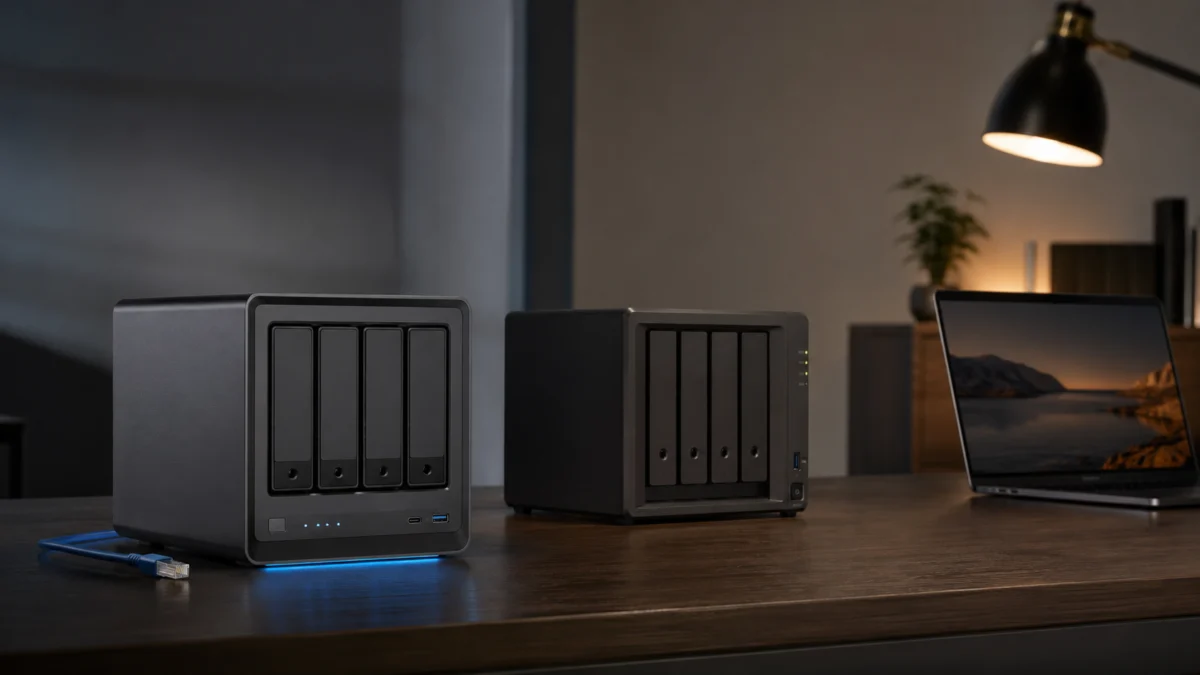
Choosing between the UGREEN NASync DXP4800 Pro and a Synology 4-bay NAS in 2026 comes down to one fundamental split: do you want the best hardware on the market, or the most mature software ecosystem? The DXP4800 Pro delivers an Intel Core i3-1315U with hardware transcoding, built-in 10GbE, DDR5 RAM expandable to 96 GB, and an unlocked BIOS that officially supports TrueNAS and Unraid — without voiding the hardware warranty. Synology’s DS925+, DS923+, and DS1522+ counter with DSM, the gold standard for low-maintenance backups, photo management, and surveillance. If you run Plex, Docker, or a home lab, UGREEN wins on specs. If you need reliable, zero-touch data protection or plug-and-play IP camera management, Synology remains the stronger recommendation. This guide maps each platform to the specific use cases where it earns its place.
In This Guide:
Quick Verdict: UGREEN DXP4800 Pro or Synology?
The UGREEN DXP4800 Pro is the stronger choice for Plex, Jellyfin, Docker, virtualization, and 10GbE file transfers. Synology DS923+, DS925+, and DS1522+ are the stronger choice for automated backups, surveillance, photo management, and users who want a stable, low-maintenance setup. The right answer depends entirely on what you expect the NAS to do day to day.
✅ UGREEN NASync DXP4800 Pro — Key Strengths
- Intel Core i3-1315U with integrated GPU: native hardware transcoding for AV1, HEVC, and H.264 at 4K/60 fps
- Built-in 10GbE port — no proprietary PCIe add-on card required
- DDR5 5600 MT/s RAM, expandable to 96 GB — triple the ceiling of any Synology 4-bay model here
- Dual M.2 2280 NVMe slots on a PCIe Gen 4 bus for SSD cache or dedicated NVMe storage pools
- Unlocked BIOS: TrueNAS SCALE, Unraid, and Proxmox installable without voiding hardware warranty
- Open drive compatibility — WD Red Plus, Seagate IronWolf, or any standard SATA HDD accepted
⚠️ UGREEN NASync DXP4800 Pro — Key Limitations
- UGOS Pro has no Synology Hybrid RAID (SHR) equivalent — mixed-capacity drives scale to the smallest drive, wasting usable storage
- Native backup suite is basic rsync-style sync only — no bare-metal recovery, snapshot replication, or deep system state backup
- No native surveillance application as of 2026 — Surveillance Center is on the roadmap but not yet released
- TrueNAS and Unraid installation requires BIOS-level changes and community scripts — not a plug-and-play process
- App ecosystem is significantly thinner than DSM’s package library
- Background telemetry is enabled by default; manual opt-out is recommended before deployment
Specs Comparison: CPU, RAM, 10GbE, M.2, and Drive Compatibility
The hardware gap between the UGREEN DXP4800 Pro and Synology’s current 4-bay lineup is decisive across almost every category. The table below covers the specs that matter most for buyer decisions, including Synology’s controversial 2025 drive compatibility policy that locks DS925+ users into Synology-certified storage for new volume creation.
| Feature | UGREEN DXP4800 Pro | Synology DS925+ | Synology DS923+ | Synology DS1522+ |
|---|---|---|---|---|
| CPU | Intel Core i3-1315U (6C / 8T, up to 4.4 GHz) |
AMD Ryzen V1500B (4C / 8T, 2.2 GHz) |
AMD Ryzen R1600 (2C / 4T, 2.6 GHz) |
AMD Ryzen R1600 (2C / 4T, 2.6 GHz) |
| Hardware Transcoding | ✅ Intel UHD 64 EUs (AV1, HEVC, H.264 — 4K/60) |
❌ Software only | ❌ Software only | ❌ Software only |
| Base / Max RAM | 8 GB DDR5 / 96 GB | 4 GB DDR4 ECC / 32 GB | 4 GB DDR4 ECC / 32 GB | 8 GB DDR4 ECC / 32 GB |
| Network Interfaces | 1× 10GbE + 1× 2.5GbE | 2× 2.5GbE | 2× 1GbE | 4× 1GbE |
| 10GbE Upgrade Path | ✅ Built-in | ❌ Expansion slot removed | ✅ Proprietary PCIe module | ✅ Proprietary PCIe module |
| M.2 Slots / PCIe Gen | 2× M.2 2280 — PCIe Gen 4 | 2× M.2 2280 — PCIe Gen 3 | 2× M.2 2280 — PCIe Gen 3 | 2× M.2 2280 — PCIe Gen 3 |
| Drive Compatibility | Open — any SATA HDD/SSD | ⚠️ Locked — Synology certified only | Open — any SATA HDD/SSD | Open — any SATA HDD/SSD |
| Flexible RAID (mixed drives) | ❌ Standard RAID only | ✅ Synology Hybrid RAID (SHR) | ✅ Synology Hybrid RAID (SHR) | ✅ Synology Hybrid RAID (SHR) |
| Third-Party OS | ✅ Unlocked BIOS | ❌ Locked | ❌ Locked | ❌ Locked |
| Drive Bays | 4-bay (3.5″ / 2.5″) | 4-bay | 4-bay | 5-bay |
| Native Backup Suite | Basic (Sync & Backup) | Advanced (Active Backup + Hyper Backup) | Advanced (Active Backup + Hyper Backup) | Advanced (Active Backup + Hyper Backup) |
Synology DS925+ official specs
/
Synology DS923+ official manual
/
Synology DS1522+ official datasheet
Why the DS923+ and DS1522+ Are Still Relevant in 2026
Synology’s 2025 DS925+ introduced a faster AMD V1500B processor and dual 2.5GbE ports, but it simultaneously removed the PCIe expansion slot used for 10GbE add-on cards and introduced a hard drive lock that prevents new volume creation using third-party drives. Reviewers have noted that the DS925+ is behind its predecessor in real-world 10GbE performance for users who relied on that upgrade path. The DS923+ and DS1522+ remain on open drive compatibility policies, still accept any standard SATA HDD, and still support Synology’s proprietary 10GbE PCIe module. If you want Synology’s software without the DS925+’s hardware compromises, both older models remain viable for that reason.
Blackvoid review
/
Dong Knows Tech review
Where UGREEN DXP4800 Pro Wins: Plex, Docker, 10GbE, and Home Lab
The UGREEN DXP4800 Pro’s hardware advantage is decisive for media streaming, containerized workloads, and home lab deployments. An Intel UHD GPU with 64 Execution Units handles AV1, HEVC, and H.264 hardware transcoding that AMD Ryzen-based Synology models cannot perform. Built-in 10GbE and PCIe Gen 4 M.2 slots create a storage platform that no current Synology 4-bay unit can match on raw throughput.
Why the Integrated GPU Changes Everything for Plex
Every Synology model in this comparison — the DS925+, DS923+, and DS1522+ — runs an AMD Ryzen processor with no integrated graphics unit. That means Plex and Jellyfin must transcode 4K video entirely through the CPU. Under sustained load with multiple remote viewers, this can bottleneck the processor and lead to playback buffering. The UGREEN DXP4800 Pro’s Intel Core i3-1315U includes an Intel UHD GPU with 64 Execution Units, offloading H.264, HEVC, and AV1 transcode tasks to dedicated hardware accelerators. According to a review by Android Central, the DXP4800 Pro delivers best-in-class hardware transcoding performance for a 4-bay NAS, with the Intel QuickSync engine handling multiple concurrent 4K streams at minimal CPU utilization and native AV1 decode support for modern high-efficiency content.
For households streaming to multiple devices — or running Jellyfin with 4K AV1 libraries — this hardware difference is the single most important factor in the buying decision.
10GbE as a Built-In Standard, Not an Add-On
The DXP4800 Pro ships with a dedicated 10 Gigabit Ethernet port and a 2.5GbE port directly on the motherboard. This eliminates the need for proprietary PCIe expansion cards at any additional cost. The DS925+ cannot be upgraded to 10GbE at all — the expansion slot was removed in this generation. The DS923+ and DS1522+ accept Synology’s proprietary 10GbE PCIe module, but it adds cost and requires Synology’s specific hardware. To fully utilize the UGREEN’s 10GbE port, you will also need Cat6A or Cat7 Ethernet cabling and a 10GbE-capable switch — standard infrastructure from multiple vendors, but an additional investment to factor into the total cost.
Where Synology Still Wins: DSM, Backups, Photos, Surveillance, and Support
Synology’s DiskStation Manager remains the strongest argument for choosing a Synology NAS in 2026. Active Backup for Business, Hyper Backup, Synology Photos, and Surveillance Station are mature, deeply integrated applications with years of active development. UGOS Pro does not yet replicate any of them natively. For users who treat their NAS primarily as a backup appliance, surveillance hub, or long-term photo archive, this software maturity gap is the deciding factor.
Active Backup and Hyper Backup: Enterprise-Grade Data Protection
Synology’s backup suite is the most significant long-term advantage over UGREEN. Active Backup for Business provides agentless bare-metal backup of Windows PCs, macOS devices, and virtual machines with global deduplication across all protected endpoints. Hyper Backup adds encrypted, versioned, block-level backups to major cloud providers — AWS S3, Backblaze B2, and Synology’s own C2 object storage. Together, these two applications form a comprehensive disaster recovery stack that requires minimal ongoing maintenance.
UGOS Pro’s native backup functionality is currently limited to rsync-style directory synchronization. It can mirror file folders between locations, but it does not support deep system state replication, application-aware snapshot topologies, or granular point-in-time recovery for database workloads. For users managing irreplaceable personal data, business files, or regulated archives where recovery point objectives are non-negotiable, this gap is decisive.
Surveillance Station and Photo Management: The Ecosystem Gap
Synology Surveillance Station supports thousands of ONVIF-compliant IP cameras, edge recording, AI-powered motion detection, and a dedicated mobile application. It is fully integrated into DSM and requires no Docker configuration. As of 2026, UGREEN has not released a native surveillance application — a “Surveillance Center” is listed on their roadmap, but no confirmed release date is publicly available. Users requiring surveillance capability on a UGREEN NAS must currently deploy Docker-based solutions such as Frigate or Agent DVR, which offer powerful features but require significantly more configuration than Synology’s native implementation.
Synology Photos is also more polished than UGREEN’s AI Photos application. It provides stable background upload behavior from mobile, reliable offline caching, and granular album sharing with fine-grained permissions. UGREEN’s AI Photos leverages the hardware’s local processing power for on-device facial and object recognition — an advantage for privacy-conscious users who want AI photo management without cloud data routing. However, based on patterns observed across multiple community comparisons, the mobile app’s background upload reliability and offline depth still trail Synology Photos for most users.
UGOS Pro vs Synology DSM: What Feels Different Day to Day
UGOS Pro has improved steadily through over-the-air updates and handles basic SMB file sharing, Docker deployments, and straightforward synchronization reliably. The browser-based interface is modern and approachable for users transitioning from other platforms. But DSM’s decade-plus development lead is evident in three specific areas: flexible RAID, backup depth, and native application breadth. For most advanced use cases, UGOS Pro requires bridging gaps through Docker containers where DSM offers first-party solutions.
What UGOS Pro Does Well
For users whose primary requirements are file sharing over SMB, running Docker containers, and cross-device synchronization, UGOS Pro handles these tasks reliably. Popular self-hosted applications — Home Assistant, Nextcloud, Portainer, Jellyfin — can be deployed natively through the Docker container manager without requiring a third-party operating system. The interface has a low learning curve and does not demand deep Linux familiarity for everyday operation.
Where UGOS Pro Still Falls Short
The most consistently reported limitation in community discussions is the absence of an SHR-equivalent flexible RAID system. UGOS Pro uses standard ext4/mdadm RAID, which requires all drives in an array to match the smallest drive’s usable capacity. Combining a 4 TB and an 8 TB drive in RAID 1 results in effective 4 TB of protected storage — the remaining 4 TB on the larger drive is unusable unless the array is rebuilt. Synology Hybrid RAID handles mixed capacities intelligently, making it a meaningful operational advantage for users who add drives incrementally over time.
UGOS Pro’s native application catalog also remains thin compared to DSM’s Package Center. Cloud backup vaulting, granular snapshot scheduling, two-way PC backup with global deduplication, and several other functions that DSM handles natively require Docker workarounds on UGOS Pro — adding configuration complexity that non-technical users may find difficult to manage and maintain.
Docker, VMs, TrueNAS, and Unraid: Who Should Choose UGREEN?
For home lab users, Docker power users, and those comfortable with alternative operating systems, the UGREEN DXP4800 Pro’s architecture makes it one of the most capable compact servers available at a consumer price point. The combination of Intel Core i3-1315U, DDR5 RAM expandable to 96 GB, 10GbE, and PCIe Gen 4 M.2 creates a platform capable of running dozens of containers simultaneously, hosting virtual machines, and saturating a 10GbE file share — workloads that would quickly bottleneck Synology’s V1500B-based hardware.
What Installing TrueNAS on UGREEN Actually Requires
UGREEN officially confirms that installing third-party operating systems does not void the hardware warranty, though software support from UGREEN is not available for third-party platforms. In practice, the installation process requires several specific steps that are not plug-and-play, based on community experience with the platform:
- Disable the Watchdog Timer in BIOS: If this hardware timer remains enabled, the motherboard expects a periodic heartbeat signal from UGOS Pro. Without it, the system performs a forced hardware reboot approximately every three minutes — making TrueNAS or Unraid inoperable until this setting is explicitly disabled via BIOS.
- Navigate the Boot Menu at Startup: The internal 128 GB Debian NVMe drive that ships with UGOS Pro is the default boot target. Press CTRL+F12 during startup to access the boot menu and redirect to external installation media for TrueNAS SCALE or Unraid.
- Deploy Fan and LED Control Scripts: TrueNAS SCALE and Unraid do not natively recognize UGREEN’s proprietary chassis fan controller or drive activity LEDs out of the box. Community members have developed scripts targeting the onboard SuperIO IT8613E chip — the miskcoo/ugreen_leds_controller repository on GitHub is frequently cited — to restore proper fan regulation and drive status indicators under third-party operating systems. Without this, fan speeds may not respond correctly to thermal load.
Users who work through these steps report consistently excellent results. The i3 processor, native 10GbE, and expandable DDR5 RAM make the DXP4800 Pro an elite compact TrueNAS host for ZFS workloads and heavy application stacks. But this path requires BIOS-level comfort and willingness to engage with community resources — it is not a setup experience comparable to buying a NAS and clicking through a setup wizard.
Security and Long-Term Updates: What Buyers Should Check Before Switching
Synology maintains a decade-long track record of CVE patching, with built-in security tooling including Security Advisor, native two-factor authentication via FIDO2 hardware key support, sophisticated firewall rule management, and automatic IP blocking for repeated failed login attempts. UGREEN has established a formal vulnerability disclosure program and delivers updates through OTA mechanisms. The primary community concern around UGREEN’s security posture centers on background telemetry that, according to multiple community threads, routes data to external servers by default.
Synology DSM security overview
/
UGREEN vulnerability disclosure policy
⚠️ UGREEN Security Best Practices: Based on patterns observed across multiple community discussions, security-conscious UGREEN NAS owners consistently follow three steps before exposing the device to a home network: (1) manually disable the “Help UGREEN NAS improve” telemetry setting in Control Panel, (2) avoid direct internet exposure via UGREENlink or port forwarding, and (3) use a VPN overlay such as Tailscale or WireGuard for all remote access. These are not unusual steps for any self-hosted NAS, but they are worth reviewing specifically for UGREEN deployments before going live.
Reference thread
/
Related discussion
For buyers managing sensitive data or deploying on networks with limited IT oversight, Synology’s longer security audit history and more mature incident response process remain a meaningful advantage. For home lab users comfortable with VPN-based access control and manual telemetry adjustment, UGREEN’s security posture is manageable with the steps above applied consistently.
Who Should Buy the UGREEN NASync DXP4800 Pro?
The UGREEN DXP4800 Pro is the right purchase for technically engaged buyers who prioritize hardware performance and platform openness. Its advantages in media transcoding, virtualization, 10GbE connectivity, and third-party OS flexibility are genuine and, for the right use cases, decisive.
Check on Amazon
/
Official site
✅ Buy the UGREEN DXP4800 Pro if…
- You run Plex or Jellyfin and need 4K hardware transcoding for AV1 or HEVC content — including multiple simultaneous streams
- You want native 10GbE networking without buying a proprietary expansion card or working around hardware limitations
- You plan to run Docker containers, Home Assistant, or a full home lab workload that benefits from more CPU cores and memory bandwidth
- You want to install TrueNAS SCALE, Unraid, or Proxmox and are comfortable with the BIOS-level configuration that process requires
- You need RAM expandability beyond 32 GB — VM workloads and ZFS deduplication benefit significantly from 64 GB or 96 GB configurations
- You want the flexibility to use any SATA hard drive from any manufacturer without firmware-level compatibility restrictions
- You are evaluating alternatives specifically because of the DS925+’s mandatory drive compatibility enforcement
🚫 Don’t buy the UGREEN DXP4800 Pro if…
- You have hard drives of different capacities that you want to combine into a flexible RAID array without wasting storage space
- You need automated bare-metal backup of Windows PCs, Macs, or VMs with point-in-time recovery and cloud vaulting
- You want plug-and-play IP camera management via a native, maintained surveillance application
- You are a beginner who wants a minimal-configuration NAS experience with long-term stability and guided recovery options
- Your existing workflow depends heavily on DSM-native applications like Synology Drive, Active Backup, or Surveillance Station
✅ UGREEN DXP4800 Pro — Strengths Summary
- Best hardware transcoding in the 4-bay segment (Intel iGPU with native AV1 decode)
- 10GbE built-in — no add-on card, no compatibility dependency
- DDR5 RAM expandable to 96 GB — triple the Synology ceiling
- Open drive policy; any SATA HDD works
- Unlocked BIOS — excellent TrueNAS or Unraid host once configured
⚠️ UGREEN DXP4800 Pro — Limitations Summary
- No SHR — mixed-capacity RAID wastes storage on the larger drive
- Backup tools trail Synology significantly for complex data protection workflows
- No native surveillance application in 2026
- TrueNAS / Unraid setup requires BIOS tweaks and community scripts — not plug-and-play
Who Should Still Buy Synology?
Synology remains the right choice for users whose primary priority is software reliability, automated data protection, and a stable ecosystem designed to run without regular intervention. The more nuanced question is which Synology model makes sense in 2026. The DS925+ introduces CPU and networking improvements but imposes drive compatibility restrictions and removes 10GbE upgrade potential. The DS923+ and DS1522+ retain open drive policies and the 10GbE expansion path — making them compelling within the Synology lineup for users who want DSM without the DS925+’s hardware compromises.
✅ Buy a Synology NAS (DS923+, DS925+, or DS1522+) if…
- You need automated, reliable bare-metal backup of Windows PCs, Macs, or VMs using Active Backup for Business — with global deduplication and minimal ongoing configuration
- You rely on Hyper Backup for encrypted, versioned, block-level cloud vaulting to AWS, Backblaze, or Synology C2
- You manage IP cameras and want a fully maintained, plug-and-play surveillance application with mobile app integration
- You have hard drives of different capacities to combine into a single storage pool — SHR is a significant operational advantage
- You want the most stable, low-maintenance setup with a proven decade-long security and update track record
- You are a first-time NAS buyer who wants a guided experience without BIOS configuration or Docker expertise
🚫 Avoid the Synology DS925+ specifically if…
- You want to use WD Red Plus, Seagate IronWolf, or any non-Synology-certified drive to create a new storage volume
- You plan to upgrade to 10GbE networking — the DS925+ has no expansion slot for it
- You run Plex or Jellyfin and need hardware transcoding for 4K content with multiple remote viewers
- Your budget does not accommodate the premium pricing of Synology-branded HAT-series drives as your only option for new volume creation
If you want Synology’s DSM software without the DS925+’s constraints, the DS923+ or DS1522+ may be a better fit — both accept standard SATA drives, both support 10GbE via Synology’s proprietary PCIe module, and both run the full DSM application suite including Active Backup and Surveillance Station.
Recommended Add-Ons: HDDs, 10GbE Switch, UPS, SSD Cache, and RAM
Regardless of which NAS you choose, a few targeted hardware investments significantly affect the overall experience. The UGREEN’s 10GbE port delivers its full throughput advantage only with compatible switching infrastructure, and both platforms benefit substantially from NVMe SSD caching and UPS power protection.
NAS Hard Drives
For the UGREEN DXP4800 Pro, the open drive policy lets you choose standard NAS-grade drives from any manufacturer. Western Digital Red Plus and Seagate IronWolf are widely used NAS-optimized options with consistent community track records for sustained multi-drive workloads. For a Synology DS925+, the drive compatibility matrix currently limits new volume creation to Synology-certified drives — primarily Synology’s HAT3300 and HAT5300 branded series — which carry a premium compared to their OEM counterparts. Factor that into your total cost estimate before purchasing.
Check WD Red Plus on Amazon
/
Check Seagate IronWolf on Amazon
10GbE Network Switch
To utilize the UGREEN’s native 10GbE port at full capacity, you need a 10GbE-capable unmanaged or managed switch and Cat6A or Cat7 patch cabling for signal integrity at 10 Gbps over standard distances. Unmanaged 10GbE switches from NETGEAR and TP-Link are available across a range of port counts. For a Synology DS925+, a 2.5GbE-capable switch with 802.3ad Link Aggregation or SMB Multichannel support is sufficient to take advantage of the dual 2.5GbE ports.

Please check the Amazon product page for the latest price and availability.
M.2 NVMe SSD Cache
Both platforms support NVMe SSD caching for frequently accessed files and random I/O acceleration. The UGREEN’s PCIe Gen 4 architecture can utilize high-speed Gen 4 NVMe drives and will not bottleneck their sequential read performance. Synology’s PCIe Gen 3 limitation on the DS923+, DS925+, and DS1522+ caps internal bus throughput regardless of the NVMe drive’s rated specification — making older-generation Gen 3 drives a cost-effective choice that does not sacrifice usable performance in practice.
UPS — Uninterruptible Power Supply
A pure sine wave UPS is strongly recommended for either platform. TrueNAS with ZFS and Synology with Btrfs both rely on journal-based file system integrity that can be compromised during abrupt power loss. CyberPower and APC both manufacture pure sine wave UPS units at consumer price points compatible with home NAS setups.

Please check the Amazon product page for the latest price and availability.
RAM Upgrade (UGREEN DXP4800 Pro Only)
For TrueNAS with ZFS, heavy Docker stacks, or virtual machine workloads, a RAM upgrade is a high-value investment. The DXP4800 Pro accepts DDR5 5600 MT/s SODIMM modules and supports expansion from the stock 8 GB up to 96 GB total. Verify the specific SODIMM configuration and slot compatibility via UGREEN’s official documentation or confirmed community reports before purchasing to ensure compatibility with your planned configuration.

Please check the Amazon product page for the latest price and availability.
FAQ: UGREEN NASync DXP4800 Pro vs Synology
Can I use any hard drive in the UGREEN DXP4800 Pro?
Yes. UGREEN maintains a fully open drive compatibility policy. Any standard 3.5-inch or 2.5-inch SATA hard drive or SSD from Seagate, Western Digital, Toshiba, or other manufacturers can be used to create storage volumes without firmware-level restrictions or software blocks.
Does installing TrueNAS on a UGREEN NAS void the hardware warranty?
According to UGREEN’s official position, installing a third-party operating system does not void the hardware warranty. UGREEN specifies that software-level support for third-party platforms is not covered, but hardware defects remain eligible for service under the standard 2-year warranty term. Verify the current wording on UGREEN’s support documentation before purchase, as policy language can be updated.
Can the Synology DS925+ be upgraded to 10GbE later?
No. The DS925+ does not include a PCIe expansion slot, and Synology has not announced an alternative 10GbE upgrade path for this model. The DS923+ and DS1522+ both accept Synology’s proprietary PCIe network module for 10GbE — this is a meaningful hardware differentiation between the DS925+ and its predecessors.
Does UGOS Pro support hardware transcoding for Plex?
UGOS Pro supports Docker, which means you can run the Plex Media Server container natively. For Intel Quick Sync hardware transcoding to function correctly within that container on UGOS Pro, GPU passthrough must be properly configured in the platform’s container manager. Community reports on current firmware versions confirm this works in most cases, though behavior can vary between UGOS Pro updates — check the current documentation for your specific firmware version before assuming hardware transcoding is active.
What is Synology Hybrid RAID and does UGREEN support it?
Synology Hybrid RAID is Synology’s proprietary RAID implementation that combines hard drives of different capacities into a single storage pool without wasting usable space. It is a significant feature for users who add drives incrementally. UGREEN’s UGOS Pro does not include SHR or an equivalent. Standard RAID arrays on UGOS Pro scale to the smallest drive’s usable capacity — combining a 4 TB and an 8 TB drive in RAID 1 results in 4 TB of protected storage, with the remaining 4 TB on the larger drive unavailable unless the array is reconfigured.
Is the UGREEN DXP4800 Plus worth considering instead of the Pro?
The DXP4800 Plus uses an Intel Pentium Gold 8505 with one Performance core and four Efficiency cores. The DXP4800 Pro’s Intel Core i3-1315U adds a second Performance core for higher multi-threaded throughput. For basic SMB file sharing and light Plex use, the Plus is highly capable and handles those tasks without difficulty. For TrueNAS with heavy ZFS workloads, virtual machines running simultaneously, or workloads where the second P-core’s thread performance matters, the Pro’s additional headroom justifies the price difference.
How We Researched
This article is based on official hardware specifications from UGREEN and Synology, professional reviews from Android Central, Blackvoid, and Dong Knows Tech, and community reports drawn from multiple threads in r/UgreenNASync, r/synology, r/HomeNAS, and r/DataHoarder. We have not conducted hands-on lab testing. Performance characteristics, software behavior descriptions, and installation procedures attributed to community sources reflect patterns confirmed across multiple independently reported threads — not single-post findings. Exact pricing is excluded from the body text; check current retail listings for up-to-date figures. Synology’s drive compatibility policy and UGREEN’s Surveillance Center roadmap are active developments — verify current status at publication time via the respective official pages.