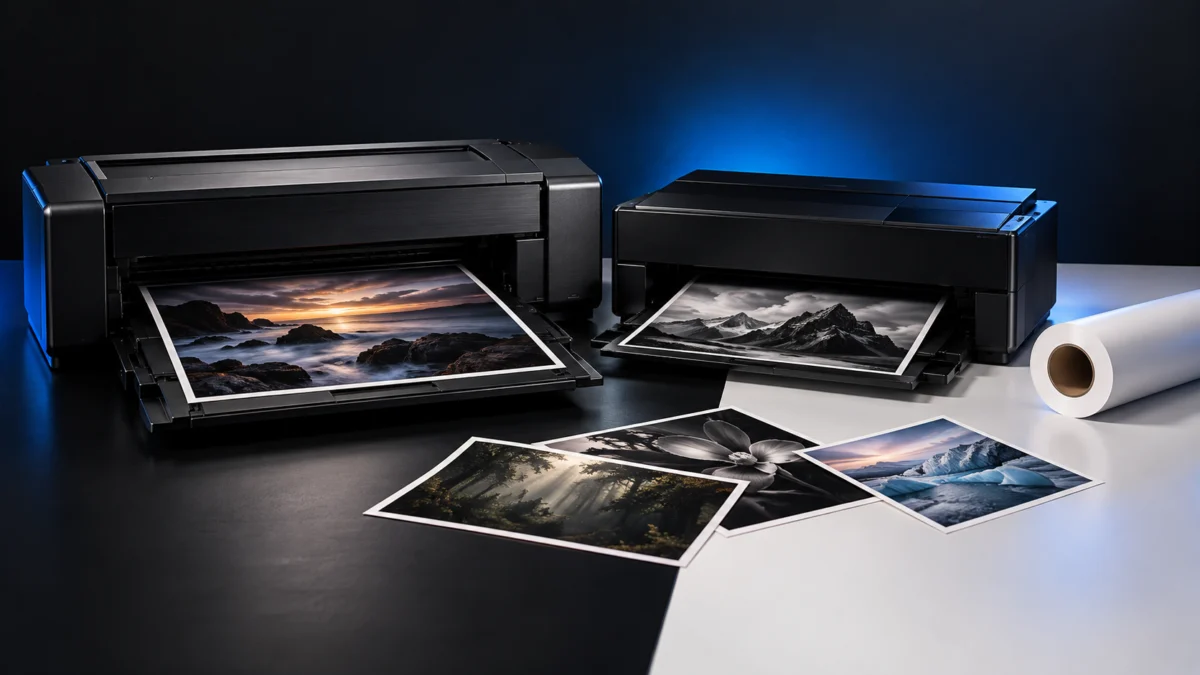
If you print cut sheets of photo and fine art paper up to 17 x 22 inches, work with media no thicker than 0.7 mm, and have room for a heavy desktop machine, the Canon imagePROGRAF PRO-1100 is the stronger default choice. If you need roll paper, rigid boards thicker than 0.7 mm, or a lighter printer, the Epson SureColor P900 is the one built for that, with roll printing through an optional adapter.
Both are 17-inch pigment-ink photo printers sold in the same premium price tier, so the sticker price rarely settles the decision. Three checks do: the thickness and format of the media you actually use, whether your work needs rolls, and how much desk space and ink capacity fit how often you print. This guide compares the official Canon U.S.A. and Epson America specifications feed path by feed path, separates official specs from third-party review findings, and ends with a checklist for cases where neither printer is the right buy.
Quick Choice: Which 17-Inch Photo Printer Fits Your Workflow?
Choose the PRO-1100 for sheet-fed photo and fine art printing on media up to 0.7 mm, especially if you print often and value 80 ml cartridges. Choose the P900 if you need roll paper, boards up to 1.5 mm, or a printer that weighs about half as much. Everything else is secondary to those media and space conditions.
| Your situation | Better fit | Why |
|---|---|---|
| Cut sheets only, media 0.7 mm or thinner | Canon PRO-1100 | Larger cartridges (80 ml vs 50 ml) and a 12-cartridge set including Chroma Optimizer |
| You want to print from rolls (panoramas, long runs) | Epson P900 | Optional roll adapter; Canon lists no roll feed for the PRO-1100 |
| Boards or media thicker than 0.7 mm | Epson P900 | Front media path accepts sheets up to 1.5 mm |
| Limited desk space or you move the printer | Epson P900 | 35.3 lb vs 71.4 lb, and a smaller closed footprint |
| You only need 13-inch width | Neither (consider a 13-inch model) | Paying for 17-inch capability you never use adds cost and size |
Canon imagePROGRAF PRO-1100
✅ Pros
- 80 ml cartridges across 12 slots (11 pigment inks plus Chroma Optimizer)
- Manual feed slot takes media from 0.1 mm to 0.7 mm
- User-replaceable print head and a nozzle non-firing compensation function, per Canon
⚠️ Cons
- No roll paper support in Canon’s listed media handling
- 71.4 lb and a wider closed footprint than the P900
- 3.0-inch LCD rather than a touchscreen
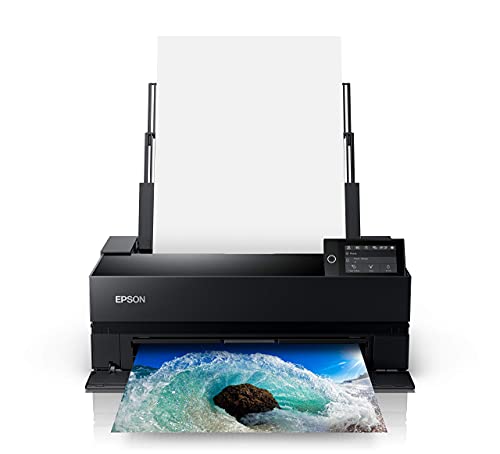
Epson SureColor P900
✅ Pros
- Front media path for single sheets up to 1.5 mm thick
- Optional roll adapter for 17-inch rolls on 2-inch or 3-inch cores
- 35.3 lb with a compact storage footprint and a 4.3-inch touchscreen
⚠️ Cons
- Roll adapter is sold separately and requires manual cutting
- 50 ml cartridges mean more frequent replacements at the same ink use
- USB and Ethernet cables are not included, per Epson
Paper Sizes and Feed Paths: What Media Can Each Printer Take?
Both printers handle cut sheets up to 17 x 22 inches, but thickness limits depend on the feed path. The PRO-1100 accepts up to 0.3 mm in its main tray and 0.1–0.7 mm in its manual feed slot. The P900 takes single sheets up to 1.5 mm through its front media path. Match your thickest paper to a path first.
Check thickness in millimeters on your paper’s spec sheet. Paper weight in gsm is a different measurement and does not tell you whether a sheet fits a given path, so do not use one as a stand-in for the other.
Canon media and ink specifications: Canon U.S.A. PRO-1100 support.
Epson media paths and box contents: Epson SureColor P900 product specifications.
| Feed path | Canon PRO-1100 | Epson P900 |
|---|---|---|
| Main multi-sheet tray | Up to 0.3 mm; photo paper 20 sheets at 4 x 6, 10 sheets at letter/8 x 10, 1 sheet at 13 x 19 or 17 x 22 | Up to 17 x 22; 30 sheets of photo paper, single-sheet loading for thicker fine art paper |
| Single-sheet thick media path | Manual feed slot, 0.1–0.7 mm, one sheet at a time | Front media path, up to 1.5 mm, one sheet at a time |
| Roll paper | Not listed | Optional adapter; 17-inch roll, 2-inch or 3-inch core, up to 150 mm diameter |
| Largest listed sheet | 17 x 25 inches | 17 x 22 inches |
| Maximum printable length | 129 inches | 129 inches (printable area 17 x 129 inches) |
| Borderless up to | 17 x 22 and 17 x 25 | 17 x 22 (C size) |
Two details matter for fine art buyers. Canon lists 17 x 25 inches among supported and borderless sizes, which Epson’s P900 sheet specs do not. On the Epson side, the user guide’s cut-sheet table lists 0.08–0.3 mm, while the P900 specification sheet assigns the 1.5 mm limit specifically to the front media path, so thick boards belong in that path only.
Do You Need Roll Paper? How the P900’s Optional Adapter Works
Only the P900 can print from rolls, and only with the optional Roll Paper Adapter (C12C935221), which Epson sells separately. It accepts 17-inch rolls on 2-inch or 3-inch cores, can be installed at any time, and requires manual cutting. If rolls are central to your work, the PRO-1100 is not an option.
Roll paper dimensions: Epson P700/P900 paper specifications (P900 values).
Adapter details: Epson SureColor P900 Roll Paper Adapter.
According to Epson, the adapter supports 2-inch core canvas rolls and 3-inch core fine art, photographic, and proofing rolls in lengths up to 100 feet, and it can print up to 10 feet long with no margin between prints. The P900’s user guide lists roll media thickness from 0.08 mm to 0.7 mm and a maximum roll diameter of 150 mm.
Budget for the adapter as part of the P900’s real cost if you plan to use rolls. It sits in the $250–$300 range on Epson’s U.S. store, and Epson’s store listed it as out of stock when we checked on September 28, 2026. Also plan for trimming: without automatic cutting, every roll print needs to be cut by hand.
Ink Systems and Running Costs: What Should You Compare?
A full PRO-1100 set holds 960 ml of ink across twelve 80 ml cartridges. A full P900 set holds 500 ml across ten 50 ml cartridges. Larger cartridges mean fewer replacements, but cost per milliliter depends on current cartridge prices, so compare the two replacement sets on the day you buy.
| Item | Canon PRO-1100 | Epson P900 |
|---|---|---|
| Ink set | LUCIA PRO II: 11 pigment inks plus Chroma Optimizer | UltraChrome PRO10: 10 pigment inks including Violet |
| Cartridges | 12 x 80 ml (PFI-4100 series) | 10 x 50 ml (T46Y series) |
| Photo and matte black | Separate PBK and MBK cartridges | Dedicated nozzles for both; no black ink switching, per Epson |
| Maintenance part | MC-20 Maintenance Cartridge | Maintenance tank; one additional tank included in the box |
| Print head | User-replaceable, per Canon | Not listed as user-replaceable in the materials we checked |
Epson notes that the P900’s included initial cartridges are used to charge the printer during setup, so the ink left in them afterward is limited. Check replacement ink prices and plan for your expected print volume. Canon’s product page we checked did not itemize the included starter ink, so confirm that with the seller before comparing first-year costs.
Both manufacturers tie reliability to genuine supplies. Epson states the P900 is designed for Epson cartridges only. Canon’s U.S. limited warranty excludes damage caused by non-Canon or refilled ink cartridges. Treat third-party ink as outside the support path for either printer.
Canon lists a user-replaceable print head and a function that compensates for non-firing nozzles. TechRadar’s review notes that a replacement print head is expensive, so the replaceable design is a repair option rather than a routine running cost.
Desk Space, Connections, and Daily Workflow
The P900 is the easier printer to place: Epson lists 35.3 lb and a 24.2 x 14.5 x 7.8-inch storage footprint. The PRO-1100 weighs 71.4 lb and measures 28.5 x 17.1 x 11.2 inches closed. Both expand when trays open, so measure the operating depth, not just the closed size.
| Item | Canon PRO-1100 | Epson P900 |
|---|---|---|
| Weight | 71.4 lb | 35.3 lb |
| Size (W x D x H) | 28.5 x 17.1 x 11.2 in (closed) | 24.2 x 14.5 x 7.8 in (storage); 24.2 x 35.6 x 20.5 in (printing) |
| Wired connections | Hi-Speed USB, Ethernet | SuperSpeed USB 3.0, 100Base-T Ethernet |
| Wireless | Wi-Fi 802.11a/b/g/n/ac, 2.4 GHz and 5 GHz, Wireless Direct | Wi-Fi 802.11b/g/n/ac, 2.4 GHz and 5 GHz, Wi-Fi Direct |
| Display | 3.0-inch LCD | 4.3-inch touchscreen |
| Mobile printing | AirPrint, Canon PRINT app, Mopria | AirPrint, Epson Print Layout for iOS |
| Layout software | Canon Professional Print & Layout | Epson Print Layout |
For the PRO-1100, TechRadar reports that depth grows from about 43 cm to about 115 cm with the front and rear flaps extended. Digital Camera World notes that the rear manual feeder used for thick media adds considerably to the space needed behind the printer. Leave that clearance if you plan to use the manual feed slot often.
Official print speed figures are not directly comparable. Canon quotes about 2 minutes 25 seconds for a bordered 13 x 19 color photo under its ESAT method, while Epson quotes 2 minutes 23 seconds for 13 x 19 based on print engine speed only. Treat speed as a tie unless you find a test that ran both printers under the same conditions.
Price Tier and What’s in the Box
Both printers sit in the same premium tier, roughly $1,100 to $1,450 depending on current promotions from Canon and Epson’s U.S. stores. Because the gap between them often shifts with time-limited discounts, add the P900 roll adapter if you need it, and compare replacement ink sets before deciding on price.
Price and availability source: Canon U.S.A. PRO-1100 store page.
Price comparison source: Epson U.S. photo printer listings.
Epson lists the following in the P900 box: the printer, initial ink cartridges, an AC power cable, a user guide kit, a CD/DVD disc tray, and an additional maintenance box. Epson also states that USB and Ethernet cables are not included. For the PRO-1100, the Canon pages we checked did not itemize the box contents, so confirm cables and starter ink with the seller.
Availability can matter as much as price. Epson’s own store listed the P900 as out of stock when we checked on September 28, 2026, while Canon’s store listed the PRO-1100 as in stock. Store status changes often, and other authorized retailers may have different stock.
If 13 inches of width is enough, the Epson SureColor P700 is the realistic lower-cost option, sitting under $900 on Epson’s store and including roll handling as standard, per Epson. It is not a substitute when you need 17-inch prints, because its maximum roll width is 13 inches.
Purchase Checklist and Situations Where Neither Model Fits
Before ordering, confirm your thickest paper in millimeters, whether you need rolls, how wide your prints must be, and the space you have with trays extended. If you need wider than 17 inches, automatic roll cutting, or stacked feeding of thick media, neither desktop printer fully meets that need.
- Write down the thickness in mm of every paper and board you plan to use, and match each to a feed path in the table above.
- Decide whether rolls are essential. If yes, the P900 with its separate adapter is the only option of the two.
- Confirm you need 17-inch width. If 13 inches is enough, a 13-inch model costs less and takes less space.
- Measure the desk depth with trays open, and check that the surface can carry the printer’s weight.
- Price a full replacement ink set for each printer on the day you buy, not just the printer itself.
- Check that your layout workflow fits the maker’s software or your existing color-managed workflow.
Neither printer fits well if you need prints wider than 17 inches, since both top out at 17-inch width. Neither offers automatic roll cutting: the PRO-1100 has no roll feed, and the P900 adapter requires manual cutting. Both load thick media one sheet at a time, so large batches of heavy stock mean feeding each sheet by hand.
Frequently Asked Questions
Does the Canon PRO-1100 support roll paper?
No. Canon’s U.S. specifications list only a rear tray and a manual feed slot for media handling, and TechRadar’s review also lists the lack of a paper roll input as a drawback. For roll printing in this pair, you need the P900 with its optional adapter.
Is the roll adapter included with the Epson P900?
No. Epson states that roll media handling is standard on the P700 but optional on the P900. The Roll Paper Adapter C12C935221 is sold separately and is not part of Epson’s P900 box contents list.
Which printer produces better prints?
We did not print with either model. Digital Camera World ran comparison prints and reported that the PRO-1100 rendered dark tones and deep blues more accurately than the P900 in its tests. That result reflects that reviewer’s files, papers, and settings, so treat it as one data point alongside your own media needs.
Can I use third-party ink in either printer?
Epson states the P900 is designed for genuine Epson cartridges only. Canon’s U.S. limited warranty excludes damage caused by non-Canon or refilled ink cartridges. Using third-party ink risks both function and warranty coverage on either printer.
How We Researched
This article is based on manufacturer documentation, official support materials, and third-party reviews where available. We used Canon U.S.A.’s PRO-1100 support specifications and store page, Epson America’s P900 product page, specification sheet, user guide paper specifications, and roll adapter page, plus reviews from TechRadar and Digital Camera World. We have not conducted hands-on lab testing. Performance and print-quality observations are attributed to the reviewers who ran them, and prices are shown as bands checked on September 28, 2026.
Independent review: TechRadar PRO-1100 review.
Comparison print review: Digital Camera World PRO-1100 review.
Final Verdict: Canon PRO-1100 or Epson P900?
For sheet-fed photo and fine art work on media up to 0.7 mm, the PRO-1100 is the better default thanks to its 80 ml cartridges and 12-cartridge ink set. The P900 wins whenever rolls, boards up to 1.5 mm, or limited space are part of the job. Decide on media and space first, then price.
Canon imagePROGRAF PRO-1100
Buy if: you print cut sheets up to 17 x 22 or 17 x 25 inches, your thickest media is 0.7 mm or less, you print often enough to value larger cartridges, and you have a sturdy surface with rear clearance.
Don’t buy if: you need roll paper, print on boards thicker than 0.7 mm, or need a printer you can move easily.

Please check the Amazon product page for the latest price and availability.
Epson SureColor P900
Buy if: you want roll printing through the optional adapter, need to feed boards up to 1.5 mm, or need a 17-inch printer at about half the PRO-1100’s weight.
Don’t buy if: you want automatic roll cutting, prefer larger cartridges for heavy printing, or would not use the roll or thick-media capabilities that set it apart.
Please check the Amazon product page for the latest price and availability.
Whichever you choose, confirm current pricing, stock, and the maker’s media compatibility list for the specific papers you plan to use before ordering.