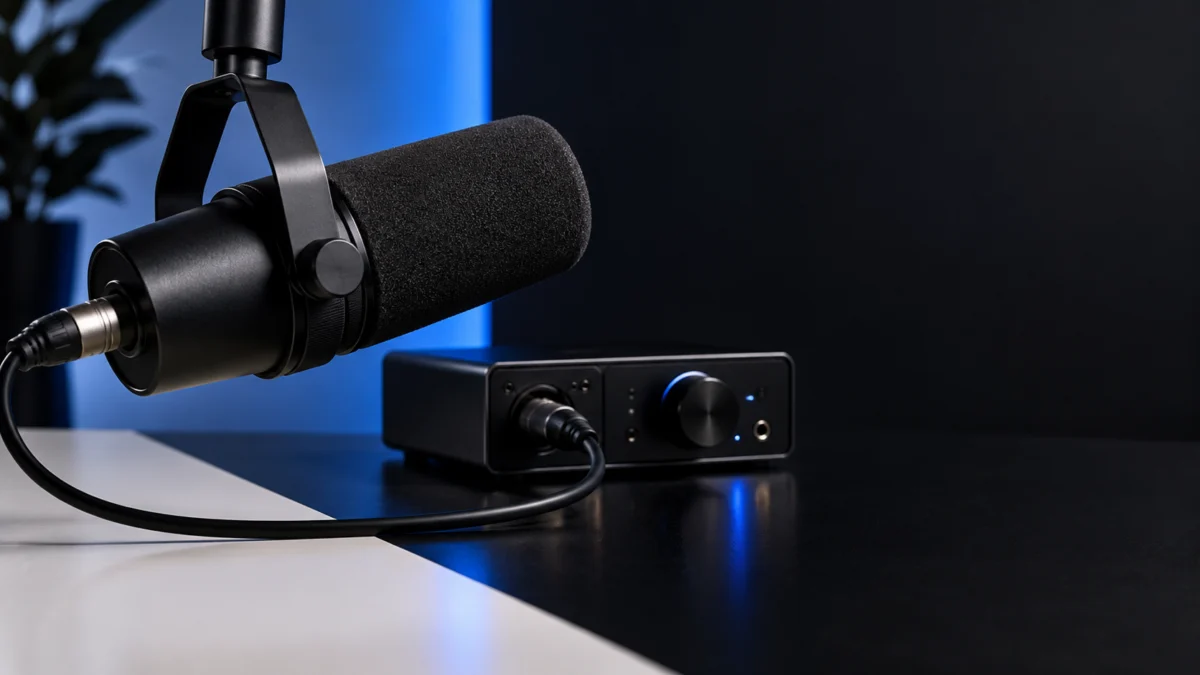
If your Shure SM7dB shows no signal or a weak signal on a Windows PC, check the chain around the mic before assuming it is faulty. The SM7dB has a built-in preamp, and Shure is explicit about what it needs: “All you need is an interface or mixer offering +48V of phantom power to operate the preamp.” Start by confirming +48V on the exact XLR input the mic uses. Then flip the mic to bypass to see whether the problem follows the preamp, and check whether your interface’s own input meter moves before you troubleshoot Windows or your recording app.
This guide covers the SM7dB on a powered XLR audio interface or mixer connected to a Windows PC. Every check uses gear you already own. A replacement microphone only enters the picture after those checks and Shure support point to the mic itself. USB microphones, phone and tablet setups, and the older SM7B are outside its scope.
Quick Checklist: What to Try First
- Confirm the mic is an SM7dB, not an SM7B, and note which preamp setting is selected.
- Turn on +48V phantom power for the exact input the mic is plugged into, following your interface or mixer manual.
- Compare preamp mode with bypass on the same cable and input.
- Watch the interface’s own input meter while you speak.
- Confirm the interface is the selected input in Windows and in your recording app.
- Swap in an XLR cable, input channel, or microphone you already own and know works.
Which SM7 Model and Signal Chain Do You Have?
The SM7dB is a dynamic vocal microphone with a built-in preamp that adds either +18dB or +28dB of gain, plus a bypass switch that turns the preamp off and returns the mic to original SM7B performance. It is not a USB microphone. It still needs an XLR cable and an XLR interface, mixer, or recorder.
Matthew McLean’s review at The Podcast Host makes the same point about the chain: beyond the mic, you still need a USB audio interface, mixer, or digital recorder. “An XLR cable too.” McLean also notes having recorded the SM7dB through a Maono PS22 USB audio interface.
| Mic setting | What Shure documents | What the input needs |
|---|---|---|
| Preamp +28dB | Full onboard boost; suggested for podcasting or quiet vocals | +48V phantom power on that input |
| Preamp +18dB | Smaller onboard boost; suggested (along with bypass) for loud sources | +48V phantom power on that input |
| Bypass | Preamp off; original SM7B performance and output level | Enough gain from the interface alone, because the mic adds no boost |
The last cell of the bypass row is our inference: with the preamp off, the mic contributes none of its +18dB or +28dB boost.
Why Is the SM7dB Silent or Weak in Preamp Mode?
When either preamp setting is selected, the SM7dB depends on +48V phantom power from the interface or mixer channel it is plugged into. If +48V is off, or switched on for a different channel, the preamp’s documented operating condition is not met. Fix that first; it costs nothing and needs no new equipment.
How +48V is switched, labeled, and indicated varies by interface and mixer model. Use your own interface’s manual for the exact control rather than a generic button guide.
One limit on what we can tell you: the Shure pages we checked do not describe exactly what the mic outputs when a preamp setting is selected without +48V. Treat both silence and an unusually weak signal in preamp mode as reasons to verify phantom power on that channel.
How Does Bypass Mode Help You Isolate the Problem?
Bypass turns the onboard preamp off. Shure’s explainer says the SM7dB “can be used in Bypass mode as a regular SM7B”, which makes the bypass switch a free diagnostic tool. Comparing preamp mode with bypass on the same cable and input shows whether the fault follows the preamp’s power requirement or sits elsewhere in the chain.
Expect bypass to be quieter. The same explainer describes the onboard preamp as providing +18dB or +28dB, so switching to bypass removes that extra gain and leaves all of it to your interface.
| What you see | What it suggests | Next check |
|---|---|---|
| Signal in bypass, none or very little in preamp mode | The preamp is not getting what it needs | Confirm +48V on that exact channel using the interface manual |
| No signal in either mode | The problem is likely outside the preamp: cable, input channel, interface, or the mic itself | Swap the XLR cable and input; try a known-good mic |
| Signal in both modes, but bypass is much quieter | Expected behavior, since bypass removes the onboard boost | Return to +18dB or +28dB, or raise interface gain |
| Interface meter moves, but the app records nothing | The mic chain works; the problem is after the interface | Check the input selected in Windows and in your app |
This table is our editorial diagnostic reasoning built on Shure’s documented preamp and bypass modes. It is not a Shure troubleshooting chart.
Is the Interface Meter Moving, or Is It Windows and Your App?
Check the interface’s own input meter or signal indicator first. If it responds when you speak, the SM7dB, cable, and phantom power are delivering signal, and the silence happens after the interface: in the input device Windows uses, the input your recording or streaming app uses, or the monitoring path. This split is editorial diagnostic logic.
- Make sure the interface, not a webcam or built-in laptop mic, is the selected input in Windows sound settings and inside your app.
- Confirm the app is recording the channel the SM7dB is plugged into.
- Hearing yourself in headphones depends on the interface’s direct monitoring or the app’s monitoring settings, so check both against their own documentation.
If the interface meter stays flat, stay on the hardware side: phantom power, the preamp switch, the cable, and the input channel.
Step-by-Step: Isolate the Fault With Gear You Already Own
The fix takes 6 steps. Change one thing at a time and keep the rest of the chain the same, so each result points to one component.
- Confirm the mic is an SM7dB and note whether the preamp is set to +18dB, +28dB, or bypass.
- Enable +48V phantom power on the exact input the mic uses, following your interface or mixer manual.
- With a preamp setting selected, speak at your normal level and watch the interface’s input meter.
- Switch the mic to bypass and repeat. Compare the result with the diagnostic table above.
- Replace the XLR cable with another one you own, then try a different input channel on the same interface.
- If you own another XLR microphone that you know works, plug it into the same input with the same cable.
If a known-good mic works on the same cable and input, and the SM7dB stays silent in both preamp mode and bypass, the evidence points to the microphone. Contact Shure support, linked from the official SM7dB product page, or your retailer before buying anything. We have not listed warranty terms because they are not covered by the sources we used.
Do not open the microphone or attempt internal repairs as part of these checks.
Do You Need an Inline Preamp or a New Microphone?
Not for a missing +48V or a wrong input selection. Shure says the SM7dB “frees you from clunky in-line preamps”, so adding an inline booster in front of it is not a fix for a configuration problem. A replacement only makes sense after controlled swaps and Shure support point to the mic itself.
The same logic applies if your current SM7B or SM7dB already works in your chain: keep it.
Buy a new SM7dB if
- Same-cable, same-input comparisons with a known-good mic and contact with Shure support or your retailer indicate that your SM7dB is faulty, and buying is the route you choose.
- You are intentionally moving to an SM7-style broadcast mic and your interface or mixer provides +48V phantom power over XLR.
Don’t buy if
- Phantom power was off or enabled on the wrong channel.
- The interface meter moves but Windows or your app is set to a different input.
- Your SM7dB works in bypass or after you enable +48V.
- Your interface or mixer cannot supply +48V phantom power.
If you have reached that point, the exact US listing is titled “Shure SM7dB Dynamic Vocal Mic with Preamp for Streaming – Black” (ASIN B0CCSVYWMH), a premium-tier microphone.

Please check the Amazon product page for the latest price and availability.
FAQ
Does the Shure SM7dB need phantom power?
Yes, to use its built-in preamp. Shure states that the preamp needs an interface or mixer offering +48V phantom power. With bypass selected, the preamp is deactivated and the mic reverts to original SM7B performance.
Should I use +18dB or +28dB?
Shure suggests +18dB or bypass for loud sources such as a guitar cab or snare drum, and the full +28dB for podcasting or quiet vocals. Treat that as a starting point, not a fixed rule. As one reviewer example, Podcastage’s Bandrew Scott lists Preamp Mode +28dB with a Focusrite Scarlett 18i20 2nd Gen interface in the published recording settings.
Why is my SM7dB so quiet in bypass?
Bypass removes the onboard +18dB or +28dB boost, so your interface has to provide all of the gain. A quieter signal in bypass is expected. If you want the boost, return the switch to a preamp setting and confirm +48V on that channel.
How We Researched
This article is based on manufacturer documentation, two independent hands-on reviews, and the Amazon US product listing. We have not conducted hands-on lab testing. Specifications and operating requirements are attributed to Shure, and review details are attributed to the named reviewers. The symptom tables and isolation order are our editorial diagnostic reasoning built on those sources.
- Shure SM7dB product page (Shure US)
- Preamp Powerhouse: Inside the SM7dB Microphone (Shure Insights)
- Shure SM7dB Review / Test (Podcastage, Bandrew Scott)
- Shure SM7db Review: Tame the Gain Chain (The Podcast Host, Matthew McLean)
Conclusion
A silent or weak Shure SM7dB is a chain problem until proven otherwise. Enable +48V on the exact input, use bypass as a free A/B test, and check the interface meter before touching Windows or app settings. Only when a known-good mic works on the same cable and input, and Shure support agrees, does a replacement make sense.