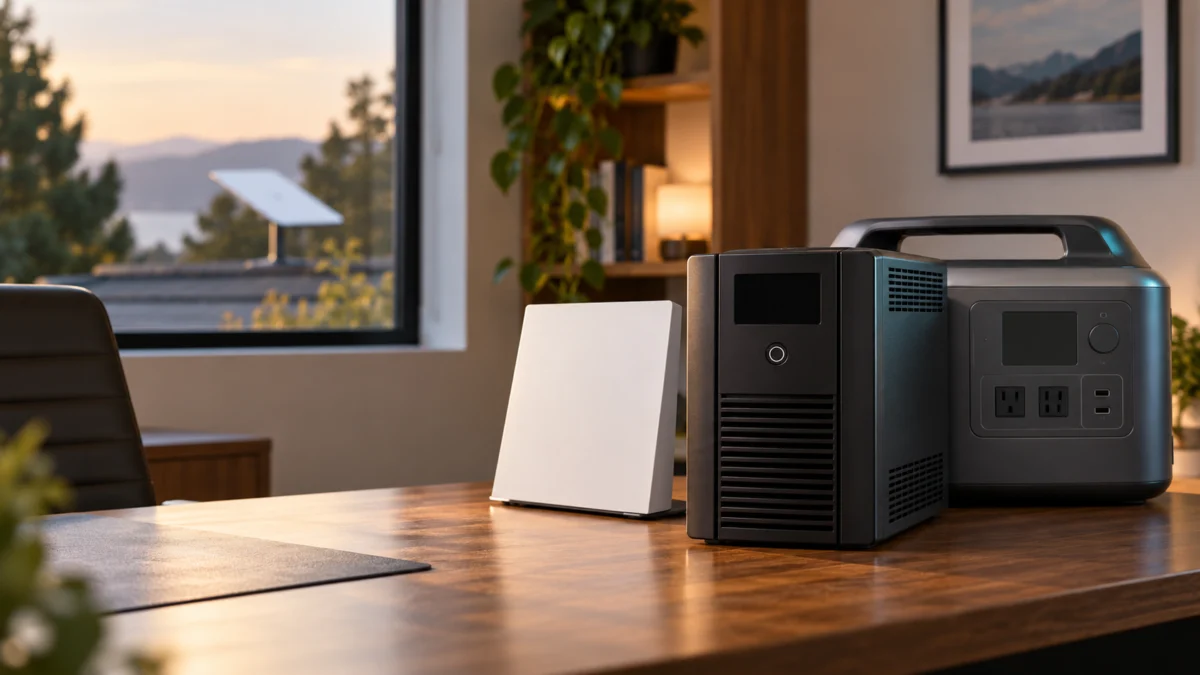
Starlink’s published specification sheet for the Standard 4 X kit lists an average power consumption of 75–100 W. That figure is where UPS sizing starts, and it is also why the VA number printed on the front of a UPS box cannot, on its own, answer the question you actually have.
VA describes the electrical capacity a UPS is rated to handle. How long it keeps your dish online is a separate question that depends on the load you measure at the wall, the manufacturer’s runtime figures at that load, the usable battery capacity, conversion losses, and the battery’s age, temperature, and state of charge. VA alone will not predict runtime. VA remains a necessary specification — it answers “can this UPS carry my load,” not “for how long.”
That splits the decision into two classes. For momentary dips and short outages, a compact line-interactive sine-wave UPS is the right category. For outages measured in hours, a LiFePO4 power station is a different category with different trade-offs. This guide keeps them separate on purpose.
Fixory participates in the Amazon Associates Program. If you buy through links on this page, we may earn a commission at no additional cost to you. This does not affect which products we include or how we describe them.
Quick Picks: Choose by Outage Length and Starlink Setup
Match the product class to the outage you are planning for, not to the largest VA number on the shelf. Short dips and brief outages point to a compact line-interactive UPS. Outages measured in hours point to a LiFePO4 power station. Your measured load then decides which specific model fits.
- How to size a UPS for your setup
- The four traditional UPS models
- Traditional UPS vs LiFePO4 power station
- Installation, runtime test, and checklist
| If you are planning for | Class to look at | Candidates | What still has to be checked |
|---|---|---|---|
| Momentary dips, brownouts, and short interruptions | Traditional line-interactive UPS | CyberPower CP850PFCLCD, APC BR1000MS | Battery-and-surge outlet count and runtime at your measured load |
| Short outages with more gear on the same circuit | Traditional line-interactive UPS, larger frame | CyberPower CP1500PFCLCD, APC BR1500MS2 | Manufacturer runtime at your measured load, not half or full load |
| Outages measured in hours | LiFePO4 power station with UPS pass-through | EcoFlow RIVER 3 Plus | Your own watt-hour arithmetic, with losses and reserve included |
One caveat applies to every row: exact runtime changes with the load you actually measure.
Who this guide is for
This guide covers AC-powered Standard-series Starlink kits plugged into a wall outlet in the United States. Gen 3 is the name most owners and most search queries still use for this hardware; the official specification sheet we opened is headed Standard 4 X and names the router Router 3. We use both names below.
If you use a Starlink Mini, this is the wrong guide. The Mini uses a different power input and accessory class, so sizing an AC UPS around it will mislead you. Start with our guide to Starlink Mini USB-C and vehicle power problems.
How to Size a UPS for Starlink Gen 3 (Standard 4 X)
Start with a wall-outlet measurement of everything you intend to back up, decide how long you need it to stay up, then read the manufacturer’s runtime figures at that load. Do not derive runtime from a VA rating, from a power-supply rating, or from a battery’s nominal cell energy.
Step 1: Measure at the wall, not from the spec sheet
The specification sheet gives you an average band for the kit, not your exact number. Starlink lists 75–100 W average for the Standard 4 X kit, and the power supply is rated 100–240 V, 2.5 A, 50–60 Hz. Your measured draw can differ with operating conditions and the equipment that shares the backup path.
Put a plug-in power meter between the wall and the Starlink power supply, and take two readings:
- A normal-conditions reading on a clear day with typical household use.
- A comparison reading during the bad-weather conditions relevant to your location, to see whether the measured draw changes.
Use the highest reading you actually record as your sizing figure. Starlink’s specification sheet lists a Snow Melt capability of up to 40 mm per hour (1.5 in per hour), but that is a melt rate, not a power figure. The sheet we checked gives one average band and does not break out a separate wattage for Snow Melt, so measure cold-weather draw yourself.
Step 2: Add everything else that has to stay up
A dish that stays powered while your router loses power does not keep you online. List every device on the path between the dish and the equipment you actually use, then count both the watts they add and the backed-up outlets they will occupy. Your setup determines that list.
- Dish and Router 3 only. The simplest case, and the one the 75–100 W band most directly describes.
- Dish, Router 3, and Starlink mesh nodes. The specification sheet states Router 3 is compatible with Starlink Gen 2 and Router 3 mesh nodes, up to three nodes. Each node needs its own backed-up outlet, and nodes on other circuits will not be covered by one UPS.
- Dish, Router 3, and third-party networking gear. The same sheet states Router 3 is not compatible with third-party mesh systems, which describes Starlink’s own wireless mesh pairing. It does not by itself tell you what happens with an Ethernet-connected access point, AP mode, a second router, or a bypass-mode configuration. One of those is covered in our guide to setting up Starlink Gen 3 bypass mode with a mesh router.
- Everything above plus a switch, NAS, VoIP adapter, or camera hub. These add load and, just as importantly, they add outlets.
Step 3: Decide the outage duration you are actually buying
This is the step most buyers skip, and it is the one that decides the product class rather than the model. Decide whether you are covering a momentary flicker, a few minutes while a generator starts, or an outage that runs for hours. The three answers point to different hardware.
Step 4: Read the manufacturer’s runtime figures at your load
For a traditional UPS, the manufacturer’s load-versus-runtime data is the source that matters, and it should be read at the load you measured — not only at half load or full load, which is what specification tables often publish. CyberPower’s official Runtime Calculator estimates 30 minutes at 100 W for the CP850PFCLCD and 66 minutes at 100 W for the CP1500PFCLCD. APC provides runtime graphs from its product pages. Treat every figure as an estimate and check the curve nearest your own measured load.
Two limits on the arithmetic:
- Do not calculate runtime from a VA rating. Battery configuration and published load-versus-runtime behavior do not scale in proportion to VA, so you cannot work backwards from VA to real duration.
- Do not calculate runtime from a power supply’s maximum rating. A supply rated for a peak is not drawing that continuously, which is exactly why Step 1 exists.
Step 5: Build in margin
Treat whatever number you land on as a best case for a new, fully charged battery under the manufacturer’s test conditions. Battery age, temperature, state of charge, and the load you measure can all change the result. Size for the highest reading you have actually recorded, then leave room above it.
Best UPS Battery Backups for Starlink Gen 3
These four models are traditional line-interactive UPS units with published US specifications. We list what each manufacturer publishes — rated watts, transfer time, battery-and-surge outlet count, replacement battery cartridge — and use manufacturer runtime data rather than calculating duration from VA.
CyberPower CP850PFCLCD — compact short-outage candidate
CyberPower publishes 850 VA / 510 W, line-interactive topology, sine wave output on battery, and a 4 ms typical transfer time. It has ten outlets, five of them battery-and-surge protected, and one user-replaceable 12 V 9 Ah sealed lead-acid battery. Treat it as a short-outage candidate.
| Published specification | Value |
|---|---|
| Capacity | 850 VA / 510 W |
| Topology / waveform on battery | Line interactive / sine wave |
| Typical transfer time | 4 ms (manufacturer-published) |
| Outlets | 10 total — 5 battery and surge, 5 surge only |
| Battery | 1 × 12 V / 9 Ah sealed lead-acid, user replaceable |
| Replacement cartridge | RB1290 or RB1280A, by serial number prefix |
| Published runtime | 30 min estimated at 100 W; 3 min at full load; 9 min at half load |
Buy if: your backed-up list is short and you want a small footprint with sine wave output and a self-replaceable cartridge. Don’t buy if: you need more than five battery-backed outlets, or you want coverage measured in hours.
CyberPower’s official calculator estimates 30 minutes at 100 W. Your result can differ with the exact load, battery condition, state of charge, and environment, so use the official curve at your measured watts and confirm it with an outage test.

Please check the Amazon product page for the latest price and availability.
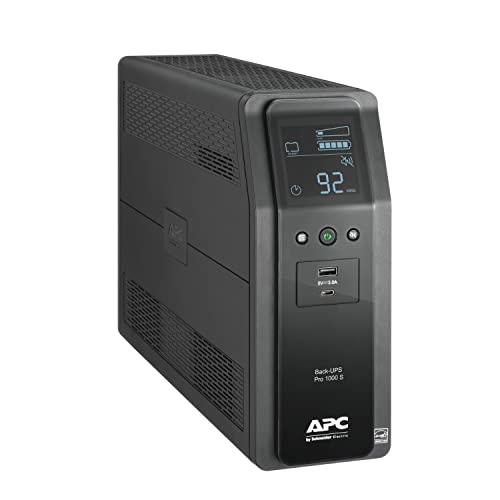
APC BR1000MS — documented-runtime candidate
APC publishes 1000 VA / 600 W, line-interactive topology, sine wave output, and a transfer time of 8 ms typical with a 10 ms maximum. The store listing gives 3 minutes 41 seconds at a full 600 W load and names APCRBC160 as the replacement cartridge.
| Published specification | Value |
|---|---|
| Capacity | 1000 VA / 600 W |
| Topology / waveform | Line interactive / sine wave |
| Transfer time | 8 ms typical, 10 ms maximum (manufacturer-published) |
| Outlets | 10 × NEMA 5-15R |
| Battery-and-surge outlet count | Not stated on the store page we checked |
| Replacement cartridge | APCRBC160, 12 V 7.2 Ah lead-acid, 2-year repair-or-replace warranty |
| Published runtime | 3 min 41 s at 600 W (100% of rated capacity) |
Buy if: you want a named, orderable cartridge, a manufacturer runtime graph, and coax plus Ethernet surge paths on one unit. Don’t buy if: you need the outlet split published before purchase.
Please check the Amazon product page for the latest price and availability.
CyberPower CP1500PFCLCD — more backed-up outlets
CyberPower publishes 1500 VA / 1000 W, twelve outlets with six battery-and-surge protected, two 12 V 9 Ah batteries, and the same 4 ms typical transfer time. The extra battery-backed outlets matter when bypass mode, a third-party router, a switch, or a NAS all need protection.
| Published specification | Value |
|---|---|
| Capacity | 1500 VA / 1000 W |
| Topology / waveform on battery | Line interactive / sine wave |
| Typical transfer time | 4 ms (manufacturer-published) |
| Outlets | 12 total — 6 battery and surge, 6 surge only |
| Battery | 2 × 12 V / 9 Ah sealed lead-acid, user replaceable |
| Replacement cartridge | RB1290X2 or RB1280X2B, by serial number prefix |
| Published runtime | 66 min estimated at 100 W; 2.5 min at full load; 10 min at half load |
Read this carefully against the CP850PFCLCD. CyberPower’s official calculator estimates 66 minutes at 100 W for this model and 30 minutes at 100 W for the CP850PFCLCD. That comparison applies to the published 100 W test point; check the manufacturer curve again at your measured watts before choosing.
Buy if: your backed-up list has outgrown five outlets, or you want SNMP monitoring available as an option. Don’t buy if: you only have a dish and a router to protect.

Please check the Amazon product page for the latest price and availability.
APC BR1500MS2 — the 1500 VA APC comparison
APC publishes 1500 VA / 900 W, ten outlets with six battery-backup-and-surge and four surge-only, 1080 joules of surge suppression, and APCRBC163 as the replacement cartridge. The Amazon.com product page we checked matched the exact BR1500MS2 model and the published 1500 VA / 900 W specification.
| Published specification | Value |
|---|---|
| Capacity | 1500 VA / 900 W |
| Topology / waveform | Line interactive / sine wave |
| Transfer time | 8 ms typical, 10 ms maximum (manufacturer-published) |
| Outlets | 10 total — 6 battery backup and surge, 4 surge only |
| Replacement cartridge | APCRBC163, 12 V 9.4 Ah lead-acid, 2-year repair-or-replace warranty |
| Published runtime | 3 min 12 s at 900 W (100% of rated capacity) |
This is the closest APC comparison to the CP1500PFCLCD on outlet split. Availability and merchant details are dynamic, so confirm the exact BR1500MS2 listing before purchase. The cartridge designation does not reveal cell count or total watt-hours, and we are not inferring either.

Please check the Amazon product page for the latest price and availability.
What the manufacturers do not publish
Three gaps still matter here, because filling them with guesses is how buying guides go wrong: APC runtime at your exact Starlink-level load, the internal battery count and total watt-hours for the APC units, and cold-weather behavior with your specific dish. The pages we checked do not supply those exact figures, so we have not estimated them.
- Runtime does not scale linearly down from published full-load and half-load figures.
- The APC store pages name the cartridge but not the cell count or total energy.
Traditional UPS vs LiFePO4 Power Station
A lead-acid UPS and a LiFePO4 power station solve different problems. These traditional UPS models emphasize fast transfer and user-replaceable cartridges. The RIVER 3 Plus publishes capacity in watt-hours, faster AC recharging, and battery expansion, while offering fewer backed-up AC outlets than the UPS models here.
What each side publishes
| Point of comparison | Traditional line-interactive UPS | EcoFlow RIVER 3 Plus |
|---|---|---|
| Published transfer or switchover | CyberPower publishes 4 ms typical; APC publishes 8 ms typical / 10 ms maximum | EcoFlow advertises less than 10 ms |
| Battery chemistry | Sealed lead-acid | LiFePO4 |
| Published capacity | Stated as VA and W, with battery cell size | 286 Wh, 600 W AC output |
| Recharge | Typically 8 hours (CyberPower published figure) | AC 0–100% in 1 hour; solar 1.5 h, car 3.3 h |
| Expansion | Not applicable on these models | Up to 858 Wh with the Extra Battery |
| Service life claim | Replaceable cartridge, user serviceable | Over 10 years before dropping to 80% capacity; 5-year warranty |
| Backed-up AC outlets | 5 to 6 depending on model | 3 AC outlets, all UPS-protected |
Read the transfer times as published values, not as a performance ranking. We could not confirm that these manufacturers measure switchover under identical conditions, so a smaller published number does not establish better real-world handover.
About watt-hour figures and why we are not converting them to runtime
CyberPower publishes battery cell size and quantity, which makes a nominal figure calculable: roughly 108 Wh nominal cell energy for the CP850PFCLCD (12 V × 9 Ah × 1) and roughly 216 Wh nominal cell energy for the CP1500PFCLCD (12 V × 9 Ah × 2).
Those figures describe what is physically inside the unit. They are not the energy available at the AC outlets, and they exclude lead-acid discharge behavior, the UPS shutdown voltage, the connected load, and inverter conversion losses. Do not calculate Starlink runtime from them, and do not compare them directly against EcoFlow’s 286 Wh rating. The two numbers are specified differently.
Where the RIVER 3 Plus fits
Treat the RIVER 3 Plus as a multi-hour candidate in the longer-outage class, not as a guaranteed number of hours on Starlink. EcoFlow publishes 286 Wh, 600 W AC output, pure sine wave, and switchover under 10 ms, with all three AC outlets UPS-protected. It weighs 10.4 lb and recharges from empty in about an hour on AC.
To estimate what that means for you, work from your measured wattage, subtract for conversion losses, and hold back reserve rather than planning to run the pack flat. EcoFlow’s published runtime examples are its own laboratory figures for other appliances, not a Starlink-specific commitment.
The traditional UPS models here use cartridges the manufacturers identify as user replaceable; compare outlet count, battery service, and runtime at your load before choosing between classes.

Please check the Amazon product page for the latest price and availability.
Installation, Runtime Test, and Final Buying Checklist
Plug Starlink into a battery-and-surge outlet, not a surge-only one, then run your own outage test after a full charge. Record the wall reading in normal weather and again in the bad-weather conditions relevant to your location. Confirm alarms, recharge time, replacement battery availability, and warranty terms before you commit.
Installation
- Identify the outlet groups. Only the battery-and-surge group carries load during an outage. CyberPower states that its automatic voltage regulation applies to those outlets and not to the surge-only ones.
- Fill the battery-backed group in priority order, starting with the Starlink power supply and your router.
- Keep prohibited loads off the unit. CyberPower lists laser printers, space heaters, copiers, shredders, and vacuums as devices that void the warranty, and states that anything exceeding the VA/W rating should not be plugged in.
- Charge fully before the first test. CyberPower publishes a typical recharge time of 8 hours for these models, and notes the battery charges whether the unit is on or off.
Run your own outage test
- Charge the unit fully, then note both the LCD load reading and your power meter’s wall reading.
- Pull the UPS input plug and start a timer.
- Record how long the dish stays online and usable, not just how long the UPS light stays on.
- Repeat during the bad-weather conditions relevant to your location, and record whether the measured draw changes.
- Repeat annually. Lead-acid capacity declines with age, so a year-one result does not describe year three.
Final checklist before buying
- Does the battery-and-surge outlet count cover every device that must stay up?
- Is the replacement cartridge named, orderable, and user-replaceable?
- Does the manufacturer publish runtime data at or near your measured load?
- Does the warranty cover the battery as well as the unit?
- Have you checked the official specifications for the exact model and revision being sold, rather than an older listing for a similar model number?
What a UPS will not do
A UPS keeps the equipment in your home powered. It does not keep the service running. If Starlink has a network-side outage, an obstruction problem, or weather-driven service degradation, a fully charged UPS will not restore your connection. Nothing on this page guarantees uninterrupted operation or protection during an outage.
Check the manufacturer’s official specifications and installation conditions before you install anything. If your setup involves electrical work, a dedicated circuit, or changes to fixed wiring, consult a qualified electrician or installer. In a rental or shared building, confirm the rules with your landlord or building manager first. For any use case beyond standard indoor equipment backup, check whether the manufacturer explicitly supports it before relying on it.
How We Researched
This article is based on manufacturer documentation, official product and store specification pages, and Starlink’s published specification sheet. We have not conducted hands-on lab testing. Every figure above is attributed to the source type it came from, and anything we could not confirm on a page we opened is marked as unconfirmed rather than estimated.
- Starlink: the publicly distributed Standard 4 X specification sheet, for kit contents, average power consumption, Snow Melt capability, and Router 3 detail.
- CyberPower: the official CP850PFCLCD and CP1500PFCLCD product pages and Runtime Calculator, for capacity, transfer time, outlet split, battery configuration, published runtime, and warranty.
- APC: the official Schneider Electric store pages for BR1000MS and BR1500MS2, for the same specification categories.
- EcoFlow: the official RIVER 3 Plus product page, for capacity, output, switchover, charging times, and expansion.
We did not include a user-reports section. Our standard is to use community reports only when the same issue is confirmed across multiple independent posts or threads, and we were unable to carry out that verification for this article. Rather than fill the section with generic complaints, we left it out.
Frequently Asked Questions
Will a 1500 VA UPS run Starlink longer than an 850 VA UPS?
Not necessarily, and you cannot determine it from the VA figures alone. VA tells you the electrical capacity the unit is rated to handle. Runtime depends on battery configuration, the manufacturer’s load-versus-runtime data at your specific load, conversion losses, and battery condition. In CyberPower’s official calculator, the CP1500PFCLCD is estimated at 66 minutes at 100 W and the CP850PFCLCD at 30 minutes at 100 W. Compare the manufacturer curves again at your measured watts.
Do I need a pure sine wave UPS for Starlink?
All four traditional models covered here publish sine wave output, so the question does not arise if you buy one of them. We have not found an official Starlink requirement making sine wave mandatory, and we are not asserting one. If waveform matters for your equipment, check each device’s documentation.
Can I use a portable power station instead of a UPS for Starlink?
A power station with UPS pass-through can serve a similar role, and the RIVER 3 Plus publishes a switchover under 10 ms with all AC outlets protected. It is not identical to a traditional UPS: outlet count, software, battery service, and size all differ. Decide by outage duration first.
Does Snow Melt change how large a UPS I need?
Starlink’s specification sheet lists Snow Melt capability as a melt rate in millimetres per hour, which is not a power figure, and the sheet we checked does not publish a separate wattage for it. Do not infer a Snow Melt wattage from that rate. Measure your own draw in the bad-weather conditions relevant to your location and size from the highest reading you actually record.
Final Recommendation
There is no single best answer here, and any guide that gives you one has skipped the measurement step. Your recommendation falls out of two numbers you supply: the highest watts you actually measure at the wall and the outage duration you are actually buying coverage for.
- Blips and short outages, short device list. Look at the CyberPower CP850PFCLCD or the APC BR1000MS, and confirm the manufacturer runtime at your measured load before committing.
- Blips and short outages, longer device list. Look at the CyberPower CP1500PFCLCD for its six battery-and-surge outlets, or the APC BR1500MS2 if you want APC at that capacity.
- Coverage measured in hours. Look at the EcoFlow RIVER 3 Plus as a longer-outage candidate, and do the watt-hour arithmetic from your own measurement with conversion losses and reserve included.
Then test it. A specification page is a starting point; the outage test you run on your own hardware is the only figure that describes your setup.