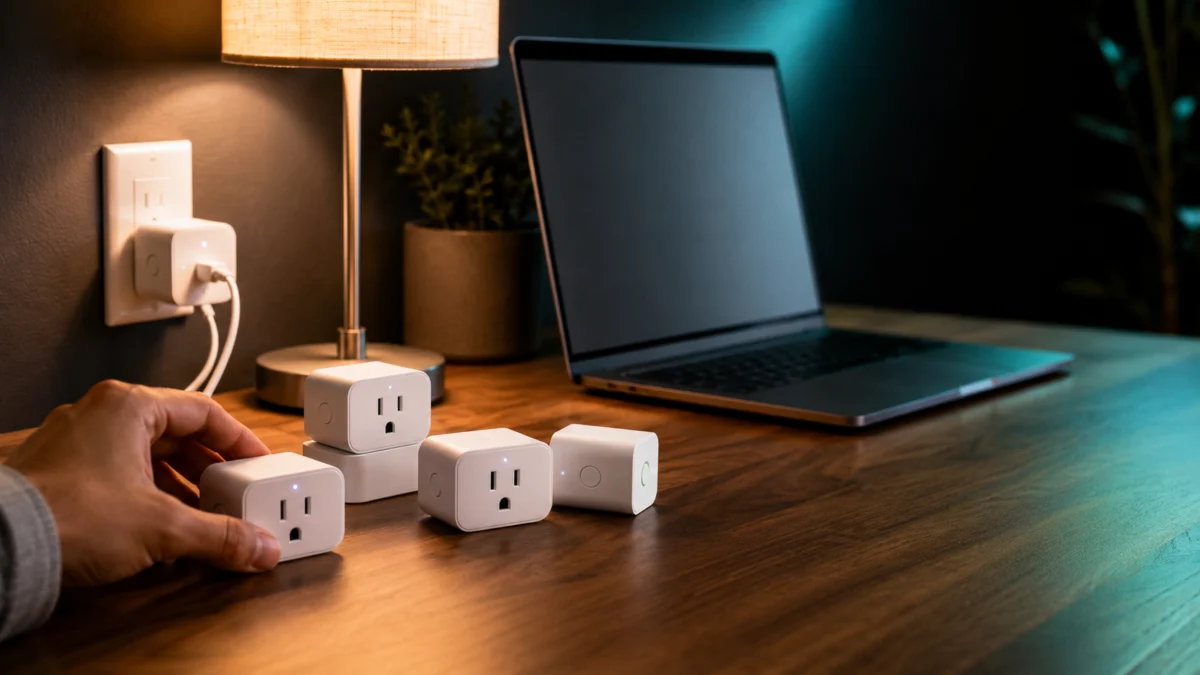
If you’re shopping for a Matter smart plug with energy monitoring, the Matter logo alone is not enough to go on. A plug can be fully Matter-certified and still show no power usage data inside Apple Home, Google Home, Alexa, or SmartThings — because three separate conditions have to be true at once: the plug needs a physical power meter, the plug’s firmware needs to support Matter 1.3 Energy Reporting, and your smart home platform needs to actively expose that data in its app.
Most buying guides skip that third layer entirely. This one doesn’t. Before listing any products, this guide explains what to verify for your specific setup, which platforms currently surface energy data from Matter plugs, and where vendor apps fill the gap when the Matter path falls short.
- Why Matter support doesn’t mean energy monitoring
- The three layers to confirm before you buy
- What Matter 1.3 and 1.4 changed
- Smart plugs worth considering
- Platform compatibility: Apple Home, Google Home, Alexa, SmartThings, Home Assistant
- Common problems with Matter energy data
- How to choose
- FAQ
This comparison includes affiliate links.
| Plug | Hardware energy meter | Matter transport | Matter Energy Reporting (1.3+) | Best platform match | Thread border router required |
|---|---|---|---|---|---|
| Eve Energy | ✅ Yes | Thread | ✅ Confirmed | SmartThings / Home Assistant; Eve app for Apple users | ✅ Yes |
| TP-Link Tapo P110M (US Matter + energy model) |
✅ Yes | Wi-Fi | ✅ Confirmed (firmware-dependent) | Tapo app + Matter control | ❌ No |
| Meross MSS315 US (Matter + energy model) |
✅ Yes | Wi-Fi | ❌ Not confirmed | Meross app + Matter control | ❌ No |
| Shelly Plug US Gen4 (US Matter-capable energy model) |
✅ Yes | Wi-Fi / Zigbee | ❌ Not confirmed | Shelly app / Home Assistant | ❌ No |
Matter energy data availability still depends on exact model, firmware, and platform support. See product sections below for details.
Matter Support Doesn’t Automatically Mean Energy Monitoring in Your App
A Matter-certified smart plug with a built-in energy meter and the correct firmware can still arrive as an on/off switch inside your smart home app. Matter support and energy data visibility are not the same thing — three separate layers all need to be confirmed before a smart plug will show energy data where you expect it.
The reason is straightforward: Matter is a protocol, not a guarantee of which features each platform chooses to implement. A smart home app can pair a Matter 1.3 plug, read its on/off state and scheduling controls, and simply not request or display energy reporting data — because that part of the specification is optional for controllers to implement, even if the device supports it fully.
The practical result is that the same hardware can behave differently depending on which app you use to control it. A plug that shows live wattage in the manufacturer’s own app may show nothing in Apple Home. A plug that works cleanly in Home Assistant may not display energy totals in Alexa. Buying based on the Matter logo without checking platform behavior first is one of the most common sources of frustration in community forums around Matter plugs.
The Three Layers to Confirm Before You Buy Any Matter Smart Plug
Before buying, verify all three independently: the plug has a hardware power meter, the plug’s firmware exposes energy data over Matter 1.3 or later, and your chosen smart home app actually displays that data. Passing two of three is not enough.
Layer 1: Hardware Energy Meter
Not every smart plug contains a power measurement chip. Plugs designed purely for on/off scheduling often omit the hardware entirely to reduce cost. Check the manufacturer’s spec sheet for wording such as “energy monitoring,” “power meter,” “wattage tracking,” or “kWh consumption.” If the official product page does not mention these, the hardware is likely absent.
Layer 2: Matter Energy Reporting or Energy Management Support
Having a power meter in hardware is necessary but not sufficient. The plug’s firmware also needs to implement the Matter clusters that transmit energy data to other devices and apps. Matter 1.3, released in 2024, introduced the Electrical Power Measurement and Electrical Energy Measurement clusters. Matter 1.4 expanded this further with Device Energy Management features aimed at grid-aware and time-of-use scenarios. A plug must be on firmware implementing at least Matter 1.3 to expose energy data to other controllers over the Matter protocol.
Checking this layer requires looking at the manufacturer’s release notes or firmware changelog. “Supports Matter” without a version number does not confirm Energy Reporting is implemented.
Layer 3: Platform Display Support
Even when layers one and two are satisfied, your smart home platform needs to request and surface the energy data in its app. This layer is controlled entirely by Apple, Google, Amazon, Samsung, or the Home Assistant project — not by the plug manufacturer. Some platforms display live wattage and cumulative kWh totals. Others pair the plug correctly over Matter but simply do not surface energy data yet. The platform layer is where most reported disappointments originate.
The section on platform compatibility below goes through each major ecosystem.
Matter 1.3 and Matter 1.4: What Changed for Energy Reporting
Matter 1.3 added standard Electrical Power Measurement and Electrical Energy Measurement clusters to the specification, giving plugs a standard path to send power data to controllers. Matter 1.4 added Device Energy Management for grid-aware scenarios. Neither addition guarantees your smart home app or your plug’s firmware has actually shipped support for these features yet — the gap between specification and real-world availability is significant.
Before Matter 1.3, the specification had no standardized way for a plug to communicate energy consumption data to a Matter controller. Energy monitoring in plugs existed entirely within vendor apps and proprietary cloud connections. Matter 1.3 changed that by defining the Electrical Power Measurement and Electrical Energy Measurement clusters, giving devices a standard way to report live power draw and accumulated energy totals over the Matter protocol.
Matter 1.4 built on this with Device Energy Management features, which allow platforms and devices to coordinate around scheduled charging, off-peak energy use, and grid-aware automation. This is primarily relevant for EV chargers and battery storage systems today, but smart plugs can also implement it for load scheduling scenarios.
The gap between specification release and real-world availability is worth understanding. A specification cluster being published does not mean every manufacturer immediately ships firmware implementing it, and it does not mean every platform controller immediately queries and displays it. As of mid-2026, the distribution of Matter 1.3 Energy Reporting implementation across smart plug products and across smart home platforms is uneven. Some products and some platforms are ahead; others have not yet shipped the relevant updates.
What this means in practice: if a product listing says “Matter compatible” without specifying the Matter version, and the platform app you use has not announced Matter 1.3 energy data support, neither the plug nor the platform may deliver what you expect.
Matter Smart Plugs Worth Considering for Energy Monitoring
The products below are included because they combine hardware energy monitoring with Matter support. Exact compatibility with your platform depends on the platform layer described above — check the platform section before deciding.
Eve Energy
Eve Energy is the most widely discussed Matter smart plug with official Matter 1.3 certification and hardware power metering. It uses Thread rather than Wi-Fi as its Matter transport, which means it requires a compatible hub with Matter Controller and Thread Border Router functionality in your network.
Energy data is available through the Eve app, and Eve’s official product page says energy management features are currently available on Samsung SmartThings and Home Assistant. Apple Home native energy-data display should be verified for your exact OS and device setup before purchase.
Eve Energy is a stronger fit for Apple-centric households than for Google Home or Alexa users. Thread-based Matter plugs require specific border router hardware, and not all households already have a compatible device.
Check on Amazon
/
Official site
✅ Buy if: You use Apple Home and already have a Thread border router (HomePod mini, Apple TV 4K). You are comfortable using the Eve app, SmartThings, or Home Assistant for energy data. You prefer a Wi-Fi-free connection path for the plug itself.
⚠️ Don’t buy if: Your primary platform is Google Home or Alexa and you need native energy data there. You do not have a Thread border router and do not plan to add one. You want the lowest-cost option in this category.
TP-Link Tapo P110M (Matter model with energy monitoring)
TP-Link’s Tapo P110M is the confirmed US Tapo model that combines Matter certification and energy monitoring hardware in a single smart plug. This matters because not all Tapo energy-monitoring models are Matter-certified, and not all Matter-certified Tapo plugs include energy monitoring hardware.
The Tapo P110M uses Wi-Fi for its Matter connection rather than Thread, making it compatible with standard 2.4 GHz Wi-Fi routers without any additional border router hardware. Tapo’s own app exposes detailed energy history, scheduled consumption reports, and monthly kWh totals regardless of the Matter path.
Community reports around Tapo Matter plugs and energy data visibility in Google Home and Alexa are mixed. Platform-level energy display should be confirmed for your specific ecosystem before purchase.
Check on Amazon
/
Official site
✅ Buy if: You want Wi-Fi-based Matter without needing a Thread border router. You’re comfortable relying on the Tapo app for detailed energy history alongside Matter control. Price is a significant factor.
⚠️ Don’t buy if: You need energy data natively inside Apple Home, Google Home, or Alexa without opening a vendor app. Confirm current firmware and platform energy display support before finalizing.
Meross MSS315 US (Matter model with energy monitoring)
Meross MSS315 US is the confirmed current Meross model that combines Matter support and energy monitoring hardware. The official Meross product page identifies it as a Matter smart plug with energy monitor and highlights energy data through the Meross app.
Check on Amazon
/
Official site
✅ Buy if: You want a confirmed current Meross model that combines Matter and energy monitoring, and you want multi-platform Matter control with the Meross app as a supplemental energy dashboard.
⚠️ Don’t buy if: You need energy data inside your primary smart home app and have not confirmed that Meross exposes it there via Matter. Model lineup changes frequently — verify current firmware behavior at purchase time.
Shelly Plug US Gen4
Shelly Plug US Gen4 is the clearest US Shelly plug candidate confirmed combines power metering with Matter-certified multi-protocol connectivity. Shelly is well-regarded among Home Assistant and advanced smart home users for its energy-monitoring hardware and local-first control options.
The key point to verify for Shelly: older energy-monitoring Shelly plug models may expose energy data through Shelly’s native path but not necessarily through Matter Energy Reporting. Shelly’s native integration with Home Assistant via the Shelly integration or local API exposes detailed energy data independently of Matter. For users who prefer Home Assistant, this path can be more reliable than waiting for Matter 1.3 Energy Reporting support.
Check on Amazon
/
Official site
✅ Buy if: You use Home Assistant and are comfortable with direct Shelly integration or Matter setup. You want granular energy monitoring with a local-control option. You are choosing the confirmed Shelly Plug US Gen4 model.
⚠️ Don’t buy if: You want a simple plug-and-play Matter experience with energy data in Apple Home or Alexa. Shelly’s Matter energy behavior remains firmware- and platform-dependent — verify Matter Energy Reporting for your exact setup before relying on it.
Platform Compatibility Check: Apple Home, Google Home, Alexa, SmartThings, and Home Assistant
The platform layer determines whether energy data you paid for actually appears in the app you use daily. Below is a summary of the current state for each major ecosystem based on official documentation and confirmed community reports. Platform behavior can change with app updates, so treat this as a starting point and verify against current release notes before purchasing.
| Platform | Matter energy data display | Notes |
|---|---|---|
| Apple Home | Verify for your setup | Apple Home pairs and controls Matter plugs, but native display of Matter energy data should be confirmed for your exact OS and device configuration. A plug may show live wattage in the manufacturer’s own app while showing nothing in Apple Home. Check current release notes before relying on native energy display. |
| Google Home | Mixed / confirm first | Community reports on Matter energy data display in Google Home are mixed. Confirm platform energy display support before choosing a plug based on Matter alone, and treat the vendor app as a fallback for energy history. |
| Amazon Alexa | Limited / skill-dependent | Energy data display is not guaranteed and can depend on skills and app updates. A plug that works in another ecosystem may not display energy totals in Alexa. Confirm current support for your specific plug before relying on it. |
| Samsung SmartThings | Supported for select Matter devices | SmartThings documents powerConsumptionReport and powerMeter capabilities, including Matter devices that support energy and power consumption reporting. Device firmware and SmartThings presentation still determine what appears in the user-facing app. |
| Home Assistant | Supported via Matter integration; also via native integrations | Home Assistant’s Matter integration supports local Wi-Fi and Thread Matter devices through the official Matter Server path. Native Shelly, Tapo, and Meross integrations can provide energy data independently of Matter and are often more complete. |
One consistent pattern across community reports: vendor apps (Eve, Tapo, Meross, Shelly) almost always show more complete energy data than the Matter path to a platform app. If detailed energy history, monthly totals, or cost estimates are important to you, factor in whether you are willing to use a separate vendor app alongside your smart home platform.
Common Problems with Matter Smart Plug Energy Data
If energy monitoring isn’t appearing after a successful Matter pairing, the problem almost always comes down to one of three root causes: the platform app hasn’t implemented energy display, a firmware update is still pending on the plug side, or a Thread border router is missing or out of range. The following patterns are drawn from recurring reports across smart home communities.
Matter pairing succeeds, but no energy data appears. The most commonly reported scenario. The plug pairs over Matter and on/off works, but the energy section is blank in the app. This usually means the platform app has not implemented display of the Energy Reporting cluster, even if the plug supports it. Check whether the platform has released an update specifically mentioning Matter energy data support.
Vendor app shows energy data, Matter app does not. This is not a malfunction. Vendor apps often communicate directly with the plug over the local network using proprietary protocols and can display energy data regardless of what the Matter path exposes. If this pattern applies to your setup, you can use the vendor app for energy monitoring and the Matter app for automation and voice control.
Thread border router missing or out of range. Thread-based Matter plugs like Eve Energy require a Thread border router within range. If the plug is too far from the border router, Matter commands may fail intermittently and energy data may not update reliably. Confirm Thread border router coverage before placing the plug in a distant room.
Energy monitoring not available on the regional model purchased. Some plug models are sold in different hardware variants for different regions (US/EU/UK). Occasionally the energy monitoring chip is present in one regional variant but not another, or firmware versions differ. Confirm the specific regional model before purchasing, especially from international retailers.
Firmware update required after pairing. Some plugs ship with firmware that supports Matter on/off but has not yet implemented Energy Reporting. An OTA firmware update adds it. Check the manufacturer’s firmware release notes for your specific model. If the update is available, install it and re-check the platform app.
How to Choose: Key Questions Before You Buy
Use the following questions to narrow to the right option for your setup rather than relying on product rankings alone.
- What is your primary smart home platform? Apple Home users have a strong Matter control path with Eve Energy, but native energy display should still be verified for your exact OS and device setup. Google Home and Alexa users should confirm platform energy display support before choosing a plug based on Matter alone.
- Do you have a Thread border router? If yes, Thread-based Matter plugs like Eve Energy are an option. If no, stick to Wi-Fi-based Matter plugs to avoid adding a border router requirement.
- Do you use Home Assistant? If yes, native integrations for Shelly, Tapo, and Meross often provide more complete energy data than the Matter path. Matter is still useful for voice control and cross-platform automation, but it need not be the energy monitoring path.
- Is the vendor app acceptable as your energy dashboard? If you are willing to open a separate app for energy reports and use your smart home app only for control and automation, your product options expand considerably. If you want energy data inside your one main app without opening a vendor app, your options narrow and require careful platform confirmation first.
- How many plugs do you need? For a single appliance monitor, Eve Energy is straightforward if you use Apple Home for control and a supported app for energy data. For five or more plugs across a home, cost and reliability at scale matter more. Check community reports for the specific multi-plug experience with your platform.
- What are you monitoring? For high-draw appliances such as EV chargers, dryers, or air conditioners, confirm the plug’s rated amperage and whether it can handle continuous high loads safely. Plug ratings for energy monitoring models vary.
How We Researched
This article is based on official specifications and documentation from the Connectivity Standards Alliance (for Matter 1.3 and 1.4 energy-related features), manufacturer product pages and support documentation (Eve, TP-Link Tapo, Meross, and Shelly), and platform documentation from Apple, Google, Amazon, Samsung, and the Home Assistant project where available.
We have not conducted hands-on lab testing of any product listed in this article. We have not independently measured energy reading accuracy, latency, or Matter commissioning time. Real-world observations in this article are drawn from recurring patterns confirmed across multiple community threads on r/MatterProtocol, r/HomeKit, r/homeassistant, and r/smarthome. Single-thread reports have not been used as product-wide verdicts.
FAQ: Matter Smart Plugs and Energy Monitoring
Does every Matter smart plug support energy monitoring?
No. Matter certification covers interoperability for device control and commissioning, not hardware capabilities. A plug can pass Matter certification without containing a power meter. Check the manufacturer’s spec sheet for explicit energy monitoring language before assuming it is present.
What should I check before buying a Matter energy monitoring plug?
Confirm three things independently: the plug has a hardware power meter, its firmware exposes energy data over Matter 1.3 or later, and your smart home app actually displays that data. Passing two of the three is not enough — a plug can have the meter and the right firmware and still show no energy data in your app if the platform hasn’t implemented that display. The platform layer is where most disappointment originates, so check it first for your specific ecosystem.
What Matter version do I need for energy monitoring?
Matter 1.3 introduced the standard clusters for electrical power and energy measurement. A plug needs to implement Matter 1.3 or later to transmit energy data to controllers over the Matter protocol. Earlier Matter versions have no standardized energy reporting path.
Can Apple Home show energy monitoring from Matter smart plugs?
It depends on your setup and is best verified before buying. Apple Home can pair and control Matter plugs, but native display of Matter energy data should be confirmed for your exact OS and device configuration. A plug may show live wattage in the manufacturer’s own app while showing no energy data in Apple Home, because the vendor app and the Matter path operate separately. Check current release notes before relying on native energy display in Apple Home.
Why does energy monitoring work in the Tapo app but not in Google Home?
Vendor apps communicate with the plug directly over the local network using the manufacturer’s own protocol, which is independent of Matter. Google Home, Apple Home, and other platform apps communicate with the plug over Matter, and whether they request and display energy data depends on what each platform has implemented. The two paths operate separately.
Do I need a Thread border router for all Matter smart plugs?
No. Thread is one of several radio technologies Matter can use. Eve Energy uses Thread; most other smart plugs in this category use Wi-Fi for their Matter connection. Thread plugs require a compatible border router (such as HomePod mini or Apple TV 4K) in range. Wi-Fi plugs do not.
Is Thread better than Wi-Fi for smart plugs?
Neither is universally better — they suit different setups. Wi-Fi-based Matter plugs connect to a standard 2.4 GHz router with no extra hardware, which keeps setup simple. Thread-based plugs like Eve Energy need a compatible Thread border router (such as a HomePod mini or Apple TV 4K) within range, and Matter commands may fail intermittently if the plug is too far from it. Thread can fit Apple-centric households that already have a border router; Wi-Fi avoids the added requirement. Choose based on whether you already have a border router and which platform you use.
Can I use a Matter smart plug for energy monitoring in Home Assistant without Thread?
Yes. Home Assistant supports both Wi-Fi-based and Thread-based Matter plugs. Additionally, Home Assistant has native integrations for Shelly, Tapo, and Meross that provide energy monitoring independently of the Matter path, often with more complete data than the Matter route currently offers.
Is energy reading accuracy the same across all Matter smart plugs?
No. Measurement accuracy depends on the hardware and firmware in each plug. Matter 1.3 defines how energy data is reported, not its accuracy. Manufacturer documentation occasionally specifies accuracy tolerances; independent accuracy testing results are not reproduced in this article.