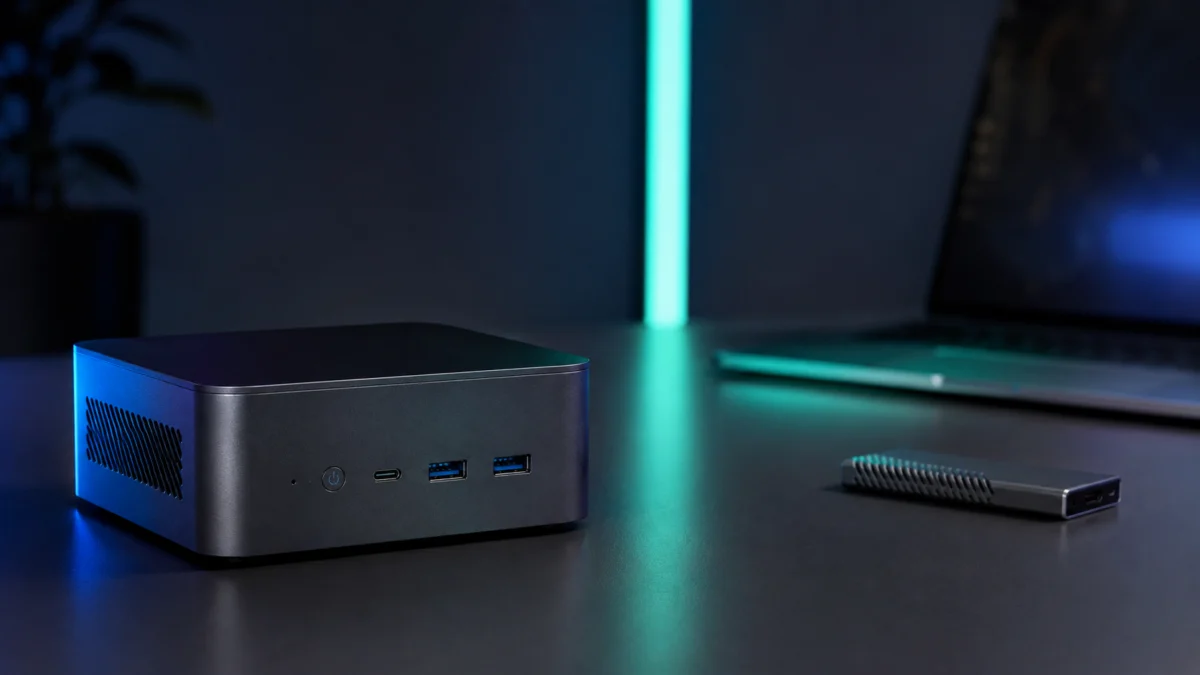
If you want the best local AI mini PC for running LLMs, coding assistants, image generation, or private document AI at home, the honest starting point is this: do not choose based on “AI PC” branding or a big NPU TOPS number alone. For local language models, real-world speed is governed mostly by memory bandwidth and how much fast memory your GPU can reach, not by peak FLOPS or marketing labels. The right machine depends on which models you actually want to run, at what size and quantization, and for what task. This guide separates the main hardware categories, explains what specs matter, and flags where buyers get burned. Fixory has not run hands-on lab tests; this is based on manufacturer documentation and recurring community reports.
Quick Answer: The Best Local AI Mini PC Depends on the Models You Want to Run
There is no single best local AI mini PC. For most prosumers who want friction-free local LLMs on familiar Windows or Linux, an AMD Strix Halo machine is the most flexible pick. For lighter private inference, a Ryzen AI 9 HX 470 NPU mini PC fits better. For Arm/Linux AI development with very large models, a GB10-class desktop is purpose-built.
Here is the same guidance as a quick map from your main goal to the category that fits, before the detailed breakdown further down:
| If your main goal is… | Best category | Why it fits |
|---|---|---|
| Running larger local LLMs with minimal setup | AMD Strix Halo (Ryzen AI MAX+ 395) | Up to 128GB unified memory on familiar x86 Windows/Linux, so big quantized models can load |
| Light private inference, coding, or RAG on a lower budget | Ryzen AI 9 HX 470 | 86 TOPS NPU for efficient, low-power background inference at a more affordable price |
| A first, low-cost taste of local AI | Beelink SER9 (entry NPU mini PC) | Runs smaller models for learning the workflow; not built for large-model speed |
| Arm/Linux AI development with very large models | GB10-class desktop (DGX Spark, ASUS Ascent GX10) | 128GB unified memory and data-center-derived architecture, but Linux-only and specialized |
Use these jump links to skip to what matters for your situation:
- What “local AI mini PC” actually means
- AI mini PC vs NPU PC vs GPU workstation
- Best categories and use-case picks
- GB10-class AI desktops (DGX Spark, ASUS Ascent GX10)
- What specs matter most
- When a local AI mini PC makes sense (and when it doesn’t)
- Common buying mistakes
- FAQ
Affiliate disclosure: Some links in the recommendation sections below are sponsored affiliate links. Fixory may earn a commission from qualifying purchases at no extra cost to you. This does not change which products we recommend or how we describe their limits.
What “Local AI Mini PC” Actually Means
A “local AI mini PC” is a compact desktop built to run AI models on your own hardware instead of in the cloud. In 2026, the most capable options have shifted away from the old “x86 CPU plus a discrete GPU” formula toward compact systems built around a single SoC with a large, high-bandwidth pool of unified memory shared by the CPU and GPU.
This shift matters because large language models need to hold billions of parameters in memory the GPU can read quickly. On a traditional setup, that means a discrete GPU’s VRAM, which is fast but usually limited to a fraction of what these new SoCs offer. Platforms such as NVIDIA’s GB10 Superchip and AMD’s Strix Halo (Ryzen AI MAX+ 395) instead expose up to 128GB of memory the integrated GPU can address directly. That makes it possible to load far larger models on a small machine than a typical consumer dGPU allows, though, as we explain below, capacity is only half the story.
AI Mini PC vs NPU PC vs GPU Workstation: The Key Difference
These terms describe different machines for different jobs. An “AI PC” or NPU mini PC is a normal computer with an added neural processing unit for low-power AI features. A unified-memory AI mini PC trades raw GPU power for a huge addressable memory pool. A GPU workstation maximizes a discrete GPU’s speed and VRAM. A GB10-class desktop is a specialized Arm/Linux AI development box.
It helps to separate four categories before you shop:
- NPU mini PCs (AI PCs): Standard x86 machines whose NPU accelerates background AI tasks. The NPU is efficient for small models and assistant features, but on its own it is not built to run large LLMs at high speed.
- Compact unified-memory AI mini PCs: Strix Halo systems with up to 128GB of shared memory. The integrated GPU is modest by gaming-dGPU standards, but the large memory pool lets you load big models that simply won’t fit on most consumer graphics cards.
- GB10-class “AI supercomputer” desktops: Arm-based, Linux-only development kits with data-center-derived architecture. Powerful for specific optimized workflows, but not general-purpose PCs.
- Conventional small-form-factor GPU workstations: A compact case with a real discrete GPU. The fastest per-token option when a model fits in VRAM, but VRAM capacity, size, heat, and cost rise quickly.
Best Local AI Mini PC Categories to Consider
Rather than crowning one winner, it is more useful to match a category to your workload and skill level. The table below summarizes the main platforms by memory, bandwidth, software environment, and the kind of buyer each suits. Treat memory bandwidth, not the headline AI performance number, as the figure most tied to local LLM speed.
| Platform / Example | Memory | Approx. memory bandwidth | NPU / AI marketing figure | OS / software | Best for | Price band |
|---|---|---|---|---|---|---|
| AMD Strix Halo (GMKtec EVO-X2, Beelink GTR9 Pro) | Up to 128GB unified LPDDR5X (soldered) | ~256 GB/s | 50 TOPS NPU; ~126 TOPS system peak | Full x86, Windows / Linux | Friction-free local LLM experimentation | Premium tier |
| Ryzen AI 9 HX 470 (Beelink SER10 MAX, Minisforum AI X1 Pro) | 32–64GB DDR5 (dual-channel) | Lower (standard DDR5) | 86 TOPS NPU | Full x86, Windows / Linux | Light private inference, coding, RAG | Mid tier |
| NVIDIA GB10 (DGX Spark, ASUS Ascent GX10, Dell Pro Max with GB10) | 128GB unified LPDDR5X | 273 GB/s | Up to 1 PetaFLOP (FP4, theoretical) | Arm-based custom Linux (DGX OS) | Specialized AI development | Premium / enterprise tier |
| Budget NPU mini PC (Beelink SER9) | 32GB LPDDR5 | Lower (standard LPDDR5) | Entry-level iGPU (Radeon 780M) | Full x86, Windows / Linux | Smaller models, first experiments | Budget tier |
Best for Local LLM Experimentation: AMD Strix Halo
For software engineers and prosumers who want to load larger models with minimal setup, the AMD Strix Halo platform (Ryzen AI MAX+ 395) is currently the most versatile option. With up to 128GB of unified LPDDR5X at roughly 256 GB/s, it can hold quantized models in the tens of billions of parameters and run them at usable speeds, while keeping a familiar x86 Windows or Linux environment where tools like LM Studio or Ollama install without friction. The integrated Radeon 8060S also handles 4K gaming when you are not running AI.
Representative machines include the GMKtec EVO-X2 and the Beelink GTR9 Pro, the latter often described as the quieter design of the two.
GMKtec EVO-X2 on Amazon
/
GMKtec official site
/
Beelink GTR9 Pro on Amazon
/
Beelink official site
Buy if: you want to run larger quantized models on familiar Windows/Linux with minimal setup, and you also value strong integrated graphics.
Don’t buy if: you need a silent machine for a bedroom or quiet office, or you assume you can add RAM later — the memory is soldered.
Best for Privacy-Focused Home AI (Light Inference): Ryzen AI 9 HX 470
If your goal is private document search, a coding assistant, or a local chatbot using mid-size models, a Ryzen AI 9 HX 470 mini PC is the better value. This class typically pairs dual-channel DDR5 with an 86 TOPS XDNA 2 NPU. Through AMD’s Lemonade SDK and Lemonade Server, that NPU can be used for background inference via an OpenAI-compatible API, so a local assistant can run without monopolizing the CPU or iGPU. The Minisforum AI X1 Pro also adds an OCuLink port for possible future external-GPU expansion.
Beelink SER10 MAX on Amazon
/
Beelink official site
/
Minisforum AI X1 Pro on Amazon
/
Minisforum official site
/
AMD Lemonade Server notes
/
Lemonade Server docs
Buy if: you mainly run mid-size models for coding, RAG, or a private assistant and want a balanced, lower-cost machine.
Don’t buy if: you plan to run very large models in memory — standard DDR5 capacity and bandwidth become a real bottleneck.
Best Budget Entry Point: Beelink SER9
For a first taste of local AI without a large outlay, an entry machine such as the Beelink SER9 can run smaller models with a tool like llama.cpp. It is best understood as a starting point for learning the workflow rather than a machine for large-model work.
Beelink SER9 on Amazon
/
Beelink official site
Buy if: you want an affordable way to experiment with smaller local models and learn the tooling.
Don’t buy if: you expect to run large LLMs quickly — limited memory and bandwidth will hold it back.
NVIDIA DGX Spark, ASUS Ascent GX10, and GB10-Class AI Desktops
GB10-class machines are not consumer PCs. They are Arm-based, Linux-only AI development kits built on a desktop-sized version of NVIDIA’s data-center architecture. They pair a 128GB unified memory pool with Blackwell-generation GPU cores, but they ship with a custom Linux OS (DGX OS) and do not run ordinary x86 Windows apps or unmodified CUDA tooling out of the box.
The GB10 Superchip combines a 20-core Arm CPU with a Blackwell GPU and 128GB of coherent unified LPDDR5X at 273 GB/s. NVIDIA cites up to 1 PetaFLOP of AI performance using FP4 precision with sparsity, a theoretical peak rather than a guide to everyday token-generation speed. Two GB10 systems can be linked over NVIDIA ConnectX-7 networking to work on very large models together. The DGX Spark is positioned as an enterprise AI dev kit; the ASUS Ascent GX10 packs the same GB10 into a roughly 1.6-liter chassis with vapor-chamber cooling and USB-C power delivery; the Dell Pro Max with GB10 targets enterprise developers with a more robust build.
Important: Confirm the return policy and your software needs before buying — these are specialized Linux AI machines, not “tiny gaming PCs.”
NVIDIA DGX Spark
/
DGX Spark hardware guide
/
NVIDIA GB10 platform notes
/
ASUS Ascent GX10
/
Dell Pro Max with GB10
Buy if: you work in Arm/Linux, containers, and optimized quantization formats, and you need a large on-desk memory pool for model development.
Don’t buy if: you expect a Windows desktop, plug-and-play CUDA scripts, or a gaming machine — this is a specialized development platform.
What Specs Matter Most: VRAM, Unified Memory, RAM, Storage, GPU, and NPU
For local LLMs, the two specs that decide your experience are how much fast memory the GPU can reach and how quickly it can read it. A model must fit in GPU-accessible memory (VRAM or unified memory), and once it fits, token-generation speed is limited mainly by memory bandwidth. Peak FLOPS and NPU TOPS rarely translate directly into faster output.
Here is how the key specs actually affect local AI use:
- VRAM / unified memory (capacity): Determines the largest model and quantization you can load. More capacity lets you run bigger models; a 128GB unified pool can hold models that won’t fit on a typical consumer dGPU.
- Memory bandwidth (GB/s): The biggest driver of token-generation speed. For context, GB10 runs at 273 GB/s and Strix Halo around 256 GB/s, while Apple’s M4 Max reaches 546 GB/s and a high-end desktop dGPU like the RTX 4090 is roughly 1008 GB/s. Higher bandwidth generally means faster output for the same model.
- System RAM: Plain DDR5 capacity helps the OS and apps, but on its own it does not make local LLMs fast. This is the most common source of disappointment for new buyers.
- GPU: Drives both prompt processing and generation. Integrated GPUs in these mini PCs are modest compared to gaming dGPUs, which is the trade-off for the large memory pool.
- NPU (TOPS): Efficient for low-power background AI and small models. A high TOPS figure does not guarantee fast large-LLM inference, and many third-party frameworks won’t use the NPU at all without a specific SDK.
- Storage: Matters for holding multiple large model files. Fast NVMe and expandable storage (including USB4/external options on some systems) are worth checking.
- Quantization (Q4, MXFP4, etc.): Compresses a model so it fits in less memory and runs faster. Some hardware is tuned for specific formats, so the same machine can feel slow with one format and dramatically faster with another.
Note on unified memory: Unified memory is soldered next to the SoC so the CPU and GPU share one large pool without the latency of a separate graphics card. The downside is that it cannot be upgraded later, and not all of it is dedicated to the GPU at once — capacity is allocated dynamically with the OS and CPU.
When a Local AI Mini PC Makes Sense—and When It Does Not
A local AI mini PC makes sense when privacy, predictable cost, or offline access matter more than having the absolute best answer quality. If you process sensitive documents, want to avoid recurring API bills, or experiment constantly, owning the hardware pays off. If you mainly want top-tier answer quality or instant handling of huge contexts, the math often favors alternatives.
A few situations are worth calling out specifically:
- Who should wait: If you need very fast prompt processing — feeding in long codebases or large PDFs at once — current mini-PC bandwidth (roughly 256–273 GB/s) can introduce noticeable delays on large contexts. Buyers who prioritize instant context handling may prefer to wait for next-generation memory or consider another route.
- Strong alternative — Apple Silicon: For fast local inference with privacy, an Apple Mac Studio (M4 Max or Ultra) offers substantially higher unified-memory bandwidth (M4 Max around 546 GB/s, Ultra-class higher), which, with a mature framework like MLX, can outpace these PC mini-PC architectures on token generation.
- Strong alternative — Cloud AI: If you do not need to keep data local and simply want the best answer quality, paying for a cloud AI subscription or API is often far cheaper than a four-figure machine and avoids hardware obsolescence.
Common Buying Mistakes with Local AI Hardware
Most buyer regret comes from a gap between marketing language and physics. The biggest mistakes are confusing system RAM with GPU-accessible memory, assuming an “AI PC” label means a machine can run large LLMs, and reading a big TOPS or FLOPS number as a promise of fast token generation. Checking the right specs first avoids expensive returns.
Watch for these recurring pitfalls:
- Trusting the “AI PC” / “Copilot+ PC” label: This branding indicates a machine meets Microsoft’s NPU requirement (40+ TOPS). It does not guarantee the memory capacity or bandwidth needed to run large LLMs.
- Confusing RAM with VRAM: According to multiple community reports, new buyers often expect a machine with plenty of standard DDR5 to run LLMs quickly and are disappointed; fast local inference depends on GPU-accessible memory, not RAM capacity alone.
- Reading NPU TOPS as LLM speed: A high TOPS number does not translate directly into tokens per second. Without a supporting SDK such as AMD’s Lemonade, many tools fall back to the integrated GPU instead of using the NPU.
- Underestimating noise and heat: Fitting 128GB of memory and a 140W processor into a sub-2-liter chassis has physical limits. Community and video reviews note that high-load operation on Strix Halo machines can be audibly loud, so silent bedroom use is not a safe assumption.
- Assuming GB10 is a consumer PC: Multiple early-adopter reports describe friction running existing x86 CUDA tooling on GB10 systems because the platform is Arm-based and ships with a specialized Linux OS; development often requires specific container environments.
- Ignoring price volatility: Reports indicate that high-capacity LPDDR5X memory has seen sharp price swings due to supply constraints, so Strix Halo machine prices can move significantly over short periods. Check the current price before buying.
- Overlooking eGPU power limits: Some Strix Halo systems have been reported to cap power to OCuLink-connected external GPUs at around 120W under current BIOS versions; reports note this could be addressed by a future BIOS update, so verify the latest status if you plan an eGPU.
Microsoft Copilot+ PC guidance
/
Related DGX Spark compatibility discussion
/
Related MXFP4 discussion
/
Related GX10 vs Strix Halo discussion
/
Related OCuLink eGPU discussion
How We Researched Local AI Mini PCs
This article is based on manufacturer documentation, official platform materials, and recurring community reports where available. We have not conducted hands-on lab testing, and we have not run these models locally ourselves. Specifications such as memory capacity, bandwidth, NPU figures, and platform details are attributed to official sources and pending final URL verification. Performance impressions and compatibility concerns are drawn from issues that recur across multiple community threads on forums such as r/LocalLLaMA and r/MiniPCs, plus context from technical YouTube reviews, and are presented as community reports rather than measured results. Where reports conflict or describe a single setup, we have avoided turning them into product-wide verdicts. Prices are described only as broad bands; current pricing and availability should be confirmed on official product pages before purchase.
Final Recommendation
For most people who want the best local AI mini PC, the decision comes down to workload and environment rather than a single spec sheet. A Strix Halo machine is the most flexible all-rounder for running larger quantized models with minimal setup, a Ryzen AI 9 HX 470 mini PC is the value pick for lighter private inference and coding, and a GB10-class desktop is a specialist tool for Arm/Linux AI development. If raw token speed and convenience matter most, weigh Apple Silicon or cloud AI before committing. Whichever you choose, confirm current specs, return terms, and price on the official product page first.
FAQ: Local AI Mini PCs, LLMs, NPUs, and Home AI Desktops
Is an NPU mini PC enough to run local LLMs?
For small models and background AI features, an NPU mini PC can be enough. For larger LLMs at usable speed, the NPU’s TOPS figure matters less than how much fast memory the GPU can reach and at what bandwidth. Many tools also won’t use the NPU without a specific SDK.
Can a 128GB machine run a 70B model?
A 128GB unified-memory machine can hold a large model in a quantized form, which is why these systems are popular for big-model experiments. Whether it runs at a speed you find usable depends on memory bandwidth and the quantization format, not capacity alone, so expectations should be set accordingly.
Will a GB10 desktop run Windows games or normal CUDA apps?
No. GB10-class systems are Arm-based and ship with a specialized Linux OS, so ordinary x86 Windows applications and unmodified CUDA tooling do not run as-is. They are AI development machines, not general-purpose or gaming PCs.
Does a higher TOPS number mean faster local AI?
Not directly. TOPS describes peak NPU throughput and is useful for low-power tasks, but local LLM token-generation speed is governed mainly by GPU performance and memory bandwidth. Treat TOPS as one data point, not a ranking of local LLM speed.
Is it cheaper to use cloud AI instead of buying a local AI mini PC?
Often, yes, if you do not need data to stay local. For top answer quality without privacy constraints, a cloud subscription or API can be far cheaper than four-figure hardware and avoids obsolescence. A local machine pays off when privacy, predictable cost, or offline use are the priority.