
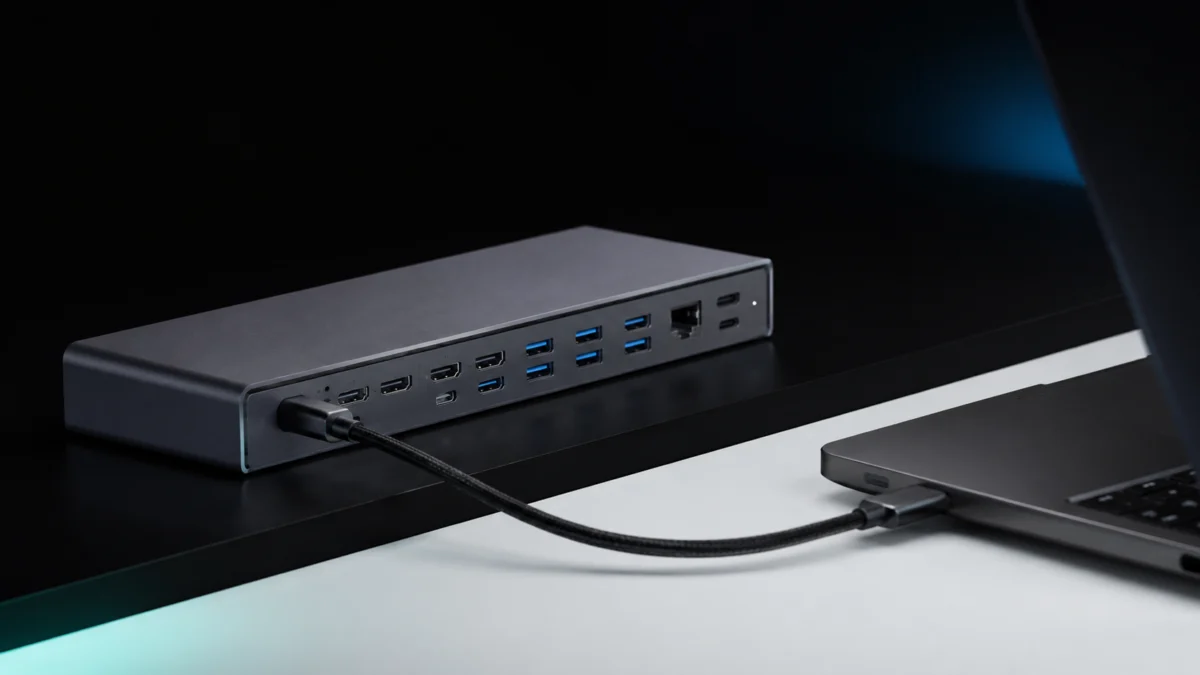
Thunderbolt 5 docking stations are the fastest single-cable expansion hubs available for a laptop in 2026 — but the market is still small, the price premium over Thunderbolt 4 is real, and a surprising number of buyers end up with the wrong dock for their actual setup. This guide covers the six Thunderbolt 5 docks with fully verified specifications and confirmed U.S. retail availability as of May 2026.
Quick answer: For most Thunderbolt 5 users, the CalDigit TS5 is the safest overall pick — three downstream TB5 ports, SD 4.0 UHS-II, 2.5GbE, and 140W host charging. Step up to the CalDigit TS5 Plus for 10GbE and heavier storage workflows, choose the Plugable TBT-UDT3 for the lowest verified TB5 price, the Anker Prime A83B5 for native HDMI or DisplayPort, the OWC Thunderbolt 5 Dock for high display counts on compatible Windows hosts, and the Razer Thunderbolt 5 Dock Chroma for the most compact chassis with a built-in M.2 slot.
Jump to a section:
- What to Look For in a TB5 Dock
- TB5 vs. TB4: What the Upgrade Actually Gets You
- Best Overall — CalDigit TS5
- Best for Video and Photo Editing — CalDigit TS5 Plus
- Best Value Under $300 — Plugable TBT-UDT3
- Best for Standard Monitor Cables — Anker Prime Docking Station
- Best for High Display Counts — OWC Thunderbolt 5 Dock
- Most Compact Form Factor — Razer Thunderbolt 5 Dock Chroma
- Compatibility Pitfalls to Check Before You Buy
- How We Researched
- Final Recommendations
Quick List: Best Thunderbolt 5 Docks in 2026
AD: This guide contains affiliate links. Fixory may earn a commission if you purchase through them, at no extra cost to you.
- Best Overall: CalDigit TS5 — Four TB5 ports (three downstream), SD 4.0 UHS-II, 2.5GbE, and 140W host charging in one of the most compact full-size chassis in this group. The right dock for most TB5 users who do not need 10GbE or a native DisplayPort output.
- Best for Video and Photo Editing: CalDigit TS5 Plus — 10GbE, dual independent USB 10Gb/s controllers, a native DisplayPort 2.1 output, and the 64Gbps PCIe bandwidth that makes TB5 worthwhile for multi-SSD workflows.
- Best Value Under $300: Plugable TBT-UDT3 — Three downstream TB5 ports, 2.5GbE, 140W charging, and SD/microSD at the lowest verified price in this group. PCWorld rated it a solid all-around TB5 dock.
- Best for Standard Monitor Cables: Anker Prime Docking Station (A83B5) — The only dock here with a native HDMI 2.1 or DisplayPort 2.1 output, which removes the need for Thunderbolt-to-display adapters on a standard desk monitor setup.
- Best for High Display Counts: OWC Thunderbolt 5 Dock (OWCTB5DOCK11P) — Supports up to three 8K/60Hz displays on compatible Windows hosts, with a street price currently below its original list price at B&H as of May 2026.
- Most Compact Form Factor: Razer Thunderbolt 5 Dock Chroma — At approximately 524 g with a low-profile body, this is the easiest dock to carry between a home desk and an office desk, and it adds a built-in M.2 SSD slot that no other dock here offers.
Quick Comparison: Best Thunderbolt 5 Docks in 2026
| Dock | Best for | Key advantage | Main caveat |
|---|---|---|---|
| CalDigit TS5 | Most TB5 users | Three downstream TB5 ports, SD 4.0, 140W charging | No 10GbE or native HDMI/DP |
| CalDigit TS5 Plus | Video, photo, NAS, storage workflows | 10GbE, DisplayPort 2.1, stronger USB layout | Higher price and only two downstream TB5 ports |
| Plugable TBT-UDT3 | Value under $300 (as of May 2026) | Three downstream TB5 ports and 140W charging at a lower price | No 10GbE or native display output |
| Anker Prime A83B5 | Standard HDMI / DisplayPort monitors | Native HDMI 2.1 or DisplayPort 2.1 | HDMI and DP cannot be used at the same time |
| OWC Thunderbolt 5 Dock | High display-count Windows setups | Up to three 8K/60Hz displays on compatible Windows hosts | Mac display limits still apply |
| Razer Thunderbolt 5 Dock Chroma | Compact desks and M.2 storage | Low-profile chassis and built-in M.2 SSD slot | Only 1GbE LAN |
Before buying: confirm that your laptop has a real Thunderbolt 5 port. A Thunderbolt 5 dock connected to a Thunderbolt 4 or USB-C-only laptop will not deliver TB5 bandwidth, even if the connector looks the same.
What to Look For in a Thunderbolt 5 Dock
Start with your laptop, not the dock. A Thunderbolt 5 dock only delivers full TB5 bandwidth when your laptop has a verified TB5 port. After that, compare downstream TB5 port count, LAN speed, native video outputs, card-reader speed, and host charging.
Bandwidth: What “Up to 120Gbps” Actually Means
Every TB5 dock in this guide advertises up to 120Gbps, and that headline requires a correction before you evaluate any spec sheet. According to Intel’s official Thunderbolt 5 platform documentation, the baseline is 80Gbps bidirectional bandwidth. The 120Gbps figure is the result of Bandwidth Boost — a dynamic mode that activates only when the system detects high-volume video traffic, shifting to 120Gbps in one direction while the opposite direction drops to 40Gbps. For storage-only workloads, the more relevant figure is the 64Gbps PCIe Gen 4 x4 tunnel, which doubles the 32Gbps ceiling on Thunderbolt 4 and is the primary throughput advantage for fast NVMe enclosures and PCIe expansion devices.
In practical terms: TB5 is meaningfully faster than TB4 for display-heavy setups and high-speed PCIe storage. It is not a blanket doubling of every peripheral’s speed at all times. CalDigit and Plugable both state this in their own product documentation — Bandwidth Boost prioritizes display traffic, and storage workloads draw on the 64Gbps PCIe pipe rather than the display-mode headline.
Port Layout, LAN Speed, and Power Delivery
Beyond the TB5 badge, three specifications separate the docks in this group from one another. First, the number of downstream TB5 ports: docks with three downstream ports support longer Thunderbolt device chains and more simultaneously connected TB5 accessories than docks with two. Second, LAN speed: four of the six docks here ship with 2.5GbE, while the CalDigit TS5 Plus steps up to 10GbE — a meaningful difference for users feeding a NAS or a direct-attached 10Gb switch. Third, native video output: most docks in this group route all video through the TB5 ports, which means you need either Thunderbolt-capable monitors or adapters. The Anker Prime A83B5 is the exception, with a dedicated HDMI or DisplayPort jack — though its two native ports cannot be used simultaneously, per Anker’s own specification page.
TB5 vs. TB4: What the Upgrade Actually Gets You
Thunderbolt 5 is worth paying for when you need more display bandwidth, faster PCIe storage, or longer high-end dock chains. If your laptop is Thunderbolt 4 and your workflow is basic USB, Ethernet, and one or two displays, a TB4 dock can still be the better value.
Thunderbolt 4 is not obsolete in 2026. Intel describes TB4 as having a broad installed base, and PCWorld reported in late 2025 that TB5 docks were still roughly $100 more expensive than comparable TB4 models at that time. If your workflow does not involve 8K or high-refresh 4K display chains, multiple fast NVMe drives running simultaneously, or 10GbE networking, a well-priced TB4 dock still covers the basics at meaningfully lower cost.
That said, TB5’s two concrete advantages over TB4 are well-defined. The external PCIe bandwidth doubles from 32Gbps to 64Gbps — the figure that governs fast SSD enclosures and PCIe expansion boxes. And the display bandwidth headroom under Bandwidth Boost makes it possible to drive triple 4K/144Hz or dual 8K configurations on a single dock from a compatible host, setups that run into hard ceilings on TB4. If either of those use cases applies to your workflow and your laptop has a verified TB5 port, the price premium is justified.
One compatibility point that applies to every dock in this guide: connecting a TB5 dock to a Thunderbolt 4 laptop works, but the connection runs at TB4 performance ceilings. CalDigit states explicitly that TB4 or TB3 hosts see roughly half the performance of a native TB5 connection on the TS5 Plus. Plugable makes the same point about its TBT-UDT3. A TB5 dock does not upgrade a TB4 machine.
Best Overall — CalDigit TS5

Please check the Amazon product page for the latest price and availability.
The CalDigit TS5 is the most balanced choice for a TB5 user who wants maximum downstream TB5 ports without paying for specialized storage features. Its four TB5 ports — one upstream host connection at up to 120Gbps and three downstream ports at 80Gbps each — give it the highest downstream TB5 port count of any dock in this comparison at the $400 price tier. CalDigit pairs that port layout with SD 4.0 UHS-II and microSD 4.0 UHS-II readers, 2.5GbE, and 140W host charging, all in a 5.55 × 1.65 × 4.46 in chassis weighing 1.41 lb.
Additional USB connectivity consists of three USB-C ports at 10Gb/s, one USB-A at 10Gb/s, and one USB-A at USB 2.0. There are no native DisplayPort or HDMI outputs; all video routes through the TB5 ports. CalDigit’s official compatibility chart shows support for up to three 4K/144Hz displays on TB5 hosts with daisy-chaining, and up to four displays on Apple M5 Max hosts. PCWorld has included the TS5 alongside the TS5 Plus in its buying guide as the right pick for users who genuinely need the full TB5 feature set.
As of May 6, 2026, B&H listed the TS5 in stock in the $390–$410 range.
✅ Buy if:
- You want three downstream TB5 ports at the $400 price tier
- You use SD 4.0 UHS-II cards for photography or video ingest
- Your monitors connect via Thunderbolt cables or TB5-compatible adapters
- You do not need 10GbE or a native HDMI or DisplayPort output
❌ Don’t buy if:
- You need 10GbE for a NAS or high-speed network switch
- Your monitors use only standard HDMI or DisplayPort cables
- Budget is a firm constraint — the Plugable TBT-UDT3 covers similar essentials for less
Best for Video and Photo Editing — CalDigit TS5 Plus

Please check the Amazon product page for the latest price and availability.
Where the TS5 prioritizes TB5 downstream port count, the TS5 Plus prioritizes throughput at every USB and network connection. Its headline additions over the TS5 are 10GbE, dual independent USB 10Gb/s controllers covering five USB-C and five USB-A ports at 10Gb/s each, and a native DisplayPort 2.1 output. It maintains the same 64Gbps PCIe bandwidth and Bandwidth Boost display behavior, with one upstream host port at up to 120Gbps and two downstream TB5 ports at 80Gbps. SD 4.0 UHS-II and microSD 4.0 UHS-II readers are present, as on the TS5.
For a desk running multiple fast NVMe enclosures, a direct NAS or 10Gb switch connection, high-speed card readers, and 140W laptop charging simultaneously, the TS5 Plus is the most storage-and-networking-centric full-size dock in this comparison. CalDigit’s official compatibility chart lists triple 4K/144Hz support on TB5 hosts, quad 4K/144Hz on M5 Max, and dual 6K/120Hz on M5 Max. The physical footprint is 6.10 × 1.85 × 5.03 in at 1.98 lb — slightly larger than the TS5.
As of May 6, 2026, the TS5 Plus was listed at around $490–$510, with B&H showing expected availability on May 8, 2026. Confirm in-stock status before ordering.
CalDigit TS5 Plus official specs
✅ Buy if:
- You run multiple fast NVMe enclosures or connect to a NAS via 10GbE
- You need up to ten USB 10Gb/s ports across USB-A and USB-C simultaneously
- You want a native DisplayPort 2.1 output without an adapter
- Your workflow justifies the $490–$510 price tier
❌ Don’t buy if:
- You only need one or two USB peripherals — the TS5 delivers similar port count at a lower price
- 10GbE networking is irrelevant to your setup
- You need three downstream TB5 ports rather than two
Best Value Under $300 — Plugable TBT-UDT3

Please check the Amazon product page for the latest price and availability.
The Plugable TBT-UDT3 is the only TB5 dock in this group with a verified list price under $300. At that price it still delivers one upstream and three downstream TB5 ports, 2.5GbE, 140W host charging, and both SD and microSD card slots. USB connectivity covers two USB-A ports at 10Gb/s and one USB-A at 5Gb/s; there are no additional non-TB USB-C data ports. All video routes through the TB5 connections — Plugable markets support for dual 8K/120Hz-class output on compatible Windows hosts and dual 6K/60Hz on compatible Mac hosts.
PCWorld’s review of the TBT-UDT3 described it as a solid all-around TB5 dock with a feature mix that matches its spec sheet unusually well for its price tier. As of May 2026, Plugable listed the dock directly and confirmed availability through Amazon, B&H, Walmart, Staples, Insight, and CDW. The dock carries a 2-year warranty. Body dimensions are 176 × 41 × 75 mm at approximately 700 g, making it a desk-first product rather than a travel accessory.
✅ Buy if:
- Budget is a firm priority and you want the lowest verified list price in the TB5 category
- Three downstream TB5 ports and 2.5GbE cover your full peripheral list
- Wide retail availability across multiple channels matters to you
❌ Don’t buy if:
- You need 10GbE, a native HDMI or DisplayPort output, or specifically SD 4.0 UHS-II
- You require more than three USB-A ports running at 10Gb/s
Best for Standard Monitor Cables — Anker Prime Docking Station

Please check the Amazon product page for the latest price and availability.
Most TB5 docks in this group send all video through the Thunderbolt ports, which requires either Thunderbolt-capable monitors or TB-to-DisplayPort/HDMI adapters. The Anker Prime A83B5 is the exception: it includes a dedicated HDMI 2.1 port and a dedicated DisplayPort 2.1 port, both supporting output up to 8K/60Hz as stated by B&H’s listing data. This removes the adapter layer for users whose monitors use standard cable connections.
One important limitation, stated explicitly in Anker’s own documentation: the HDMI 2.1 and DisplayPort 2.1 ports cannot be used simultaneously. The dock supports one or the other, not both at once. For displays beyond those two native outputs, the A83B5’s two downstream TB5 ports provide the expansion path. Those downstream TB5 ports supply 15W each — lower than the downstream charging output on some competing docks in this group.
On the USB side, the A83B5 offers three USB-A at 10Gb/s and two front USB-C at 10Gb/s with up to 45W shared output between them, plus 2.5GbE and SD/microSD card slots rated at UHS-I. Host charging reaches up to 140W, though Anker notes explicitly that actual charging speed depends on the laptop’s own power input specification. The dock includes a built-in power supply rather than an external power brick, which contributes to its 38 oz / 1,086 g weight and 4.6 × 4.6 × 3.0 in footprint. As of May 2026, Best Buy and Amazon both listed the A83B5 in the $390–$410 range with active fulfillment. Note that Anker explicitly does not support Thunderbolt 3 laptops on this dock.
✅ Buy if:
- Your monitors use standard HDMI or DisplayPort cables and you want to avoid Thunderbolt-to-monitor adapters
- You run a single external display, or plan to use one native port plus one Thunderbolt display — not the HDMI and DP outputs simultaneously
- A built-in power supply with no separate power brick suits your desk layout
❌ Don’t buy if:
- You need to run HDMI and DisplayPort monitors simultaneously from the same dock
- Your workflow requires SD 4.0 UHS-II rather than UHS-I read speeds
- You use a Thunderbolt 3 laptop — Anker explicitly does not support TB3 on this model
- You need more than two downstream TB5 ports
Best for High Display Counts — OWC Thunderbolt 5 Dock

Please check the Amazon product page for the latest price and availability.
The OWC Thunderbolt 5 Dock (OWCTB5DOCK11P) targets users building the highest-resolution, highest-display-count configurations that TB5 supports. According to OWC’s official product page, on compatible Windows hosts the dock supports up to three 8K/60Hz displays, two 8K/120Hz displays, or three displays at 6K or below. On Apple hosts, OWC notes the current two-native-display limitation per connected Thunderbolt host port applies. All video routes through TB5 — there are no native HDMI or DisplayPort jacks.
The port layout pairs one upstream host connection with three downstream TB5 USB-C ports, plus two USB-A at 10Gb/s and one USB-A at 5Gb/s. OWC confirms SD 4.0 UHS-II support for its built-in SD and microSD readers, alongside a 2.5GbE port and 140W host charging. At 7 × 3.1 × 1.7 in and 18.7 oz / 530 g, it is the lightest AC-powered dock in this comparison by weight. OWC launched the dock in May 2025 with shipping from early July 2025. As of May 2026, B&H listed it in stock in the $270–$290 range — currently discounted below its original list price — making it a strong option for buyers whose primary requirement is maximum display bandwidth.
✅ Buy if:
- You are on Windows and want the highest verified simultaneous display count from a single TB5 dock
- Three downstream TB5 ports and SD 4.0 UHS-II cover your needs, and you want them at the current discounted street price
- A lighter chassis — around 530 g — is a preference for your desk setup
❌ Don’t buy if:
- You are on a Mac and need more than two simultaneous external displays from a single Thunderbolt host connection
- You need more than three USB-A ports or any non-TB USB-C data ports
- 10GbE or native HDMI/DP output is a requirement
Most Compact Form Factor — Razer Thunderbolt 5 Dock Chroma

Please check the Amazon product page for the latest price and availability.
No TB5 dock in this group qualifies as a true travel accessory — all six require AC power and are designed for stationary desk use. That said, the Razer Thunderbolt 5 Dock Chroma has the lowest verified weight in this comparison at approximately 524 g, and its 8.08 × 3.35 × 1.18 in low-profile body makes it the most practical option for users who carry their dock between a home desk and an office rather than leaving it permanently installed.
Beyond form factor, the Chroma delivers three downstream TB5 ports, 140W host charging, a UHS-II SD card slot, and — uniquely in this comparison — a built-in M.2 SSD slot for an internally mounted fast storage drive. USB peripherals connect through two USB-A 3.2 Gen 2 and one USB-C 3.2 Gen 2 port. All video routes through TB5; Razer’s official page and Best Buy listings describe triple 4K/144Hz or single 8K/60Hz support on compatible hosts. The wired LAN port is 1GbE — lower than every other dock in this group — which is the primary trade-off against its size and portability advantage. As of May 2026, the Chroma was listed in the $390–$410 range at Best Buy and through the Razer store.
✅ Buy if:
- You regularly move your dock between locations and chassis weight is a real factor
- The built-in M.2 SSD slot is useful for your workflow
- 1GbE wired LAN is sufficient — you do not need 2.5GbE or 10GbE
❌ Don’t buy if:
- Wired network speed above 1GbE is a requirement
- You need more than three total USB-A or USB-C data ports beyond TB5
- RGB lighting is a concern in a professional or shared workspace
Compatibility Pitfalls to Check Before You Buy
The most common buying mistake with TB5 docks is not choosing the wrong dock — it is buying a TB5 dock for a laptop that does not have a TB5 port. A USB-C port that supports only data transfer or standard DisplayPort Alt Mode will not unlock a TB5 dock’s headline bandwidth. Intel recommends checking for the Thunderbolt icon beside the port, verifying the I/O specification sheet for your exact laptop model, or using Intel’s support tools. Anker goes further and explicitly tells buyers to verify the Thunderbolt version directly with the PC maker or reseller before purchase.
Four additional checks to complete before ordering:
- Bandwidth Boost is display-triggered, not storage-triggered. Intel specifies that the link dynamically shifts to 120Gbps in one direction only when high-volume video traffic is detected, and the opposite direction drops to 40Gbps during Boost. CalDigit’s dock documentation confirms the same behavior. If your primary use is storage rather than multi-display output, the 64Gbps PCIe pipe is the number that governs your drive speeds.
- Host charging is limited by the laptop, not the dock. All six docks claim up to 140W host charging. Anker states explicitly that actual charging speed depends on the laptop’s own power input specification. A dock rated at 140W does not force a laptop to draw 140W if that laptop is designed for a lower input ceiling.
- Check your laptop’s display limit, not just the dock’s marketing. CalDigit notes that TB4 hosts do not support TB5-class triple-display modes. Anker states that base M-series Mac models have stricter external display limits than Pro or Max configurations. A TB5 dock cannot override limits set by the host GPU or the host Thunderbolt controller.
- Check older-platform exceptions before assuming backward compatibility. Anker does not support Thunderbolt 3 laptops on the A83B5 at all. CalDigit states the TS5 Plus is compatible with TB3 Macs but not with TB3 Windows PCs. All six docks will operate on Thunderbolt 4 hosts, but will run at TB4 bandwidth and functionality limits rather than TB5.
How We Researched
This guide is based on a structured research process completed in May 2026. Primary sources include Intel’s official Thunderbolt 5 platform documentation, the official product specification pages for each of the six docks (CalDigit, OWC, Plugable, Anker, and Razer), and confirmed retail listings at Amazon US, B&H Photo, Best Buy, and direct vendor storefronts — with availability and pricing verified as of May 6, 2026. Third-party evaluation sources include PCWorld’s Thunderbolt dock buying guide and its dedicated review of the Plugable TBT-UDT3, The Verge’s coverage of the CalDigit TS5/TS5 Plus and Anker Prime TB5 launches, NotebookCheck’s analysis of TB5 bandwidth behavior in high-end peripheral scenarios, and buyer discussion threads in the Reddit r/Thunderbolt community. Fixory does not conduct in-house hardware testing; all performance characterizations in this guide are sourced from the primary and third-party references listed above.
Final Recommendations
For most TB5 users who want the highest downstream port count at a mid-range price, the CalDigit TS5 is the clearest starting point. Its three downstream TB5 ports, SD 4.0 UHS-II, and 140W charging cover the majority of desk setups without paying for 10GbE or native video outputs that most users will not use.
If your workflow centers on fast external storage — multiple NVMe enclosures, a NAS connection, or direct video ingest from UHS-II media — the CalDigit TS5 Plus is the correct step up. The 10GbE port, dual USB 10Gb/s controllers, and native DP 2.1 output make it the most storage-and-networking-focused dock in this group, at roughly $100 more than the TS5.
If budget is the deciding factor, the Plugable TBT-UDT3 is the only verified sub-$300 TB5 dock in this comparison that still delivers three downstream TB5 ports and 140W charging. PCWorld’s assessment of it as a solid all-around dock aligns with its published specification sheet. Users whose monitors use standard HDMI or DisplayPort cables should look at the Anker Prime A83B5 first — with the clear understanding that its two native video ports cannot operate simultaneously. Users building the highest display-count setups on Windows should consider the OWC Thunderbolt 5 Dock, which is currently selling below its original list price at B&H and supports three 8K/60Hz outputs on compatible hosts. And users who prioritize a lighter, more portable chassis and can work within 1GbE wired networking should evaluate the Razer Thunderbolt 5 Dock Chroma, particularly if the built-in M.2 slot fits their storage workflow.
Before any purchase, confirm that your laptop has a verified Thunderbolt 5 port. A TB5 dock connected to a TB4 machine is a functional setup, but it operates at TB4 performance limits. At TB5 prices, that trade-off is rarely the right one.
Frequently Asked Questions
What is the best Thunderbolt 5 dock for most users?
For most users with a verified Thunderbolt 5 laptop, the CalDigit TS5 is the safest starting point. It offers three downstream TB5 ports, SD 4.0 UHS-II, 2.5GbE, and 140W host charging without moving into the higher 10GbE price tier.
Is a Thunderbolt 5 dock worth it over Thunderbolt 4?
A Thunderbolt 5 dock is worth it if you need higher display bandwidth, faster PCIe storage, multiple high-speed NVMe enclosures, or advanced display chains. If your laptop only has Thunderbolt 4 and your setup is basic, a Thunderbolt 4 dock can be the better value.
Will a Thunderbolt 5 dock work with a Thunderbolt 4 laptop?
In many cases yes, but it will run at Thunderbolt 4 bandwidth and display limits. A Thunderbolt 5 dock does not upgrade a Thunderbolt 4 laptop to Thunderbolt 5 performance.
Which Thunderbolt 5 dock is best under $300?
As of the May 2026 research window, the Plugable TBT-UDT3 was the lowest verified list-price option in this group while still offering three downstream TB5 ports and 140W host charging. Confirm the current price before ordering.







Comments