If your TV speakers play sound but your Sonos Arc Ultra stays silent, check the connection between the TV and the soundbar before you suspect a faulty unit. Arc Ultra plays TV audio only after setup in the Sonos app, and only through the TV’s HDMI ARC/eARC port or, on TVs without ARC, a separately sold optical adapter.
The order matters. Most fixes in Sonos’s own support articles involve the TV side: the port, the speaker output setting, HDMI-CEC, and other HDMI devices that interfere. Try a second cable only after those checks, and skip the eARC extractor if both your TV and Arc Ultra support eARC.
Quick Fix Checklist
The fix takes 6 steps.
- Match your symptom to a likely cause: every input silent, one source silent, dropouts, or no ARC port.
- Confirm Arc Ultra is set up in the Sonos app and plugged into the TV’s HDMI port labeled ARC or eARC.
- Set the TV’s sound output to the external speaker or audio system option, turn on HDMI-CEC, and isolate other HDMI devices.
- Check the audio format badge in the Sonos app, then test another source and Stereo/PCM output.
- Reseat the included HDMI cable, then test with a different HDMI cable.
- If sound is still missing, contact Sonos support; if the TV itself drops audio, contact the TV manufacturer.
Disclosure: This article contains affiliate links. If you buy through them, Fixory may earn a commission at no extra cost to you. We mention products only for readers whose symptoms point to them.
Step 1: Identify When TV Sound Is Missing
Start by naming your symptom, because each one points to a different check. Silence on every TV input points to setup, the ARC/eARC port, or TV output settings. Silence on one source points to that device or its audio format. Dropouts point to the cable or the TV’s signal, and a TV without ARC needs the optical route.
| Symptom | Where to look first | Go to |
|---|---|---|
| Silent on every TV input and app, while TV speakers work | Sonos app setup, ARC/eARC port, TV speaker output, HDMI-CEC | Steps 2 and 3 |
| Silent on one app, input, or device only | That source’s audio output format | Step 4 |
| Audio stops or skips | Audio format, TV software, the cable | Steps 3, 4, and 5 |
| TV has optical output but no HDMI ARC port | Connection type | Optical adapter section |
Step 2: Confirm Arc Ultra Setup and the TV’s ARC/eARC Port
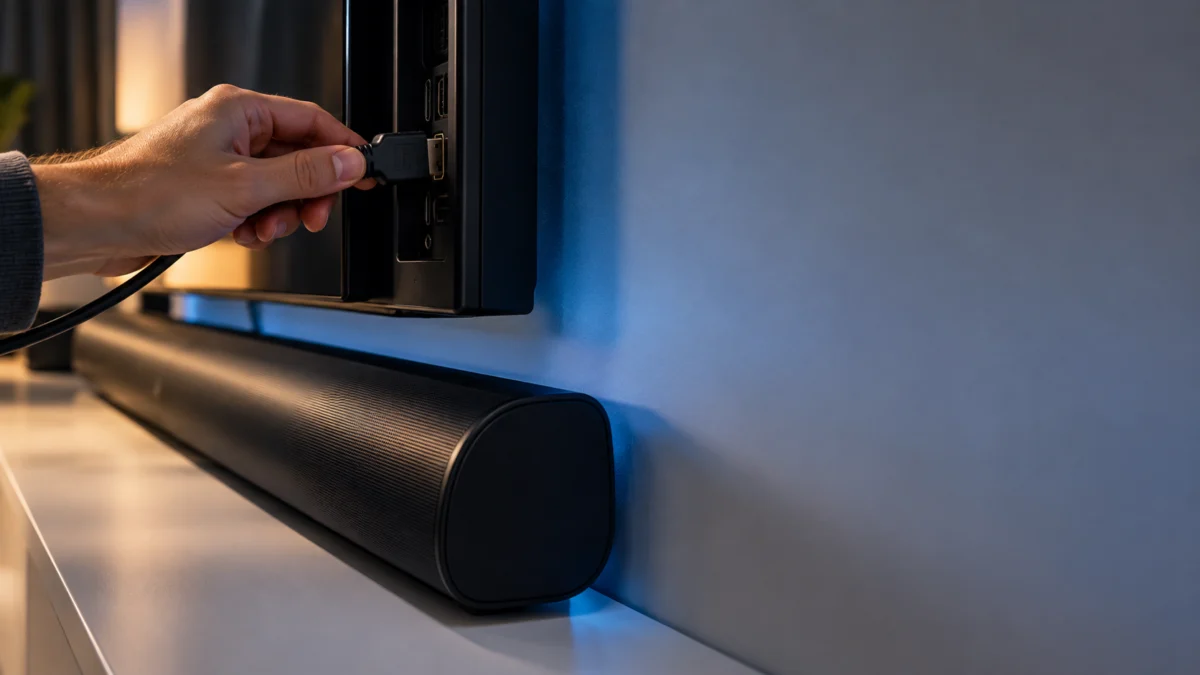
Arc Ultra must be set up in the Sonos app before it can play any TV audio, and it has to be plugged into the TV’s HDMI port labeled ARC or eARC. Most TVs have several HDMI inputs but only one ARC port, so a cable in an ordinary HDMI input cannot return TV audio to the soundbar.
Open the Sonos app and confirm Arc Ultra appears in your system. If setup was skipped or interrupted, finish it in the app. Sonos’s setup guide notes that the app tells you which cables and ports to use when connecting Arc Ultra to your TV. (Sonos support guide)
Next, check the label on the TV port. Arc Ultra connects to the one HDMI input marked ARC or eARC, and the TV manual shows its location if the label is unclear. Sonos’s HDMI ARC troubleshooting guide lists this port check alongside reseating and swapping the cable. (Sonos support guide)
Step 3: Check TV Audio Output and HDMI-CEC Settings
When the TV speakers work, check what the TV is sending. Set the TV’s sound output to the external speaker or audio system option for HDMI ARC/eARC, and make sure HDMI-CEC is turned on. Sonos says that when CEC is disabled on the TV, the soundbar cannot send commands to it.
- Speaker output: In the TV’s sound menu, choose the option for an external speaker, receiver, or audio system over HDMI ARC/eARC. Menu names differ by brand, so check the TV manual if you cannot find it.
- HDMI-CEC: TV brands use their own names for CEC, such as Anynet+ on Samsung, SimpLink on LG, and BRAVIA Sync on Sony. Make sure the setting is on.
- Power cycle: Unplug the TV and any connected source, such as a cable box or console, then plug them back in. Sonos’s dropout guide says to wait 10 seconds; a Sonos staff member in the community suggested a couple of minutes for the TV.
- TV software: Update the TV’s software and firmware using the steps in its manual.
Other HDMI devices can also interfere. Sonos says a receiver, cable box, or game console connected to the same TV can block commands over the ARC connection, and the Sonos app may show an HDMI interference or “CEC broadcast blocked” error. (Sonos support guide) To find the device causing it:
- Disconnect every HDMI device from the TV except Arc Ultra.
- Play TV audio and confirm it reaches Arc Ultra.
- Reconnect one device at a time and check the Sonos app for the error after each one.
- Disable CEC in the problem device’s settings. If it has no such option, Sonos suggests an HDMI cable or adapter that removes CEC functionality.
Step 4: Test Another TV Source and Its Audio Format
If only one app, input, or device is silent, compare it with another source and check the format Arc Ultra receives. The Sonos app shows the incoming audio format as a badge on the Now Playing screen, so you can see whether a signal is arriving before you change any settings.
To see the badge, open the Sonos app, select your system name at the top to open System view (or tap the System tab if tab navigation is on), and select Arc Ultra. The format appears above the playback controls. (Sonos support guide)
Sonos’s official format list shows which formats Arc Ultra accepts, and which of them need eARC: (Sonos supported format list)
| Format | Over HDMI ARC | Over HDMI eARC |
|---|---|---|
| Stereo PCM, Dolby Digital, DTS Digital Surround | Supported | Supported |
| Dolby Digital Plus, Dolby Atmos (Dolby Digital Plus) | Supported | Supported |
| Dolby TrueHD, Dolby Atmos (TrueHD), Multichannel PCM, Dolby Multichannel PCM | Not supported | Supported |
If your TV has ARC rather than eARC, set the source device or the TV to output a format from the first two rows. For dropouts, Sonos recommends testing Stereo/PCM output on the TV. If interruptions happen only with Dolby Digital, the TV may not be passing the signal correctly, and Sonos suggests contacting the TV manufacturer. (Sonos support guide)
Arc Ultra supports Dolby Digital Plus, so the format itself is not incompatible with the soundbar. If one streaming source stays silent, compare another source and test Stereo/PCM; a source setting or the TV audio handoff can still be involved. Sonos’s no-sound article lists Arc, Arc SL, and Arc Ultra as supporting Dolby Digital Plus. (Sonos support guide)
Step 5: Isolate the HDMI Cable Before Buying a New One
Rule out the cable in two stages. First, unplug the included HDMI cable at both ends and reconnect it firmly. If sound is still missing, connect Arc Ultra with a different HDMI cable you already own. Sonos lists a faulty cable as a possible cause, but buy a replacement only after this test points to it.
Inspect the cable for bends or kinks, and make sure both ends are fully inserted. The result of the second-cable test tells you what to do next:
- If a second cable restores sound, the original cable is the likely fault, and a replacement makes sense.
- If a second cable changes nothing, the cable is unlikely to be the cause. Go back to Steps 3 and 4, or contact support.
If you need a replacement, pick a cable whose product listing states eARC support, so it can carry the formats in Step 4.
If Your TV Has No HDMI ARC Port: The Optical Adapter’s Limits
If your TV has a digital optical output but no HDMI ARC port, Arc Ultra can still play TV audio through the Sonos Optical Audio Adapter. The adapter is not included with Arc Ultra, and the optical route gives up Dolby Atmos, TV control over HDMI-CEC, and voice commands for turning the TV on and off.
Sonos’s TV requirements page states that the adapter is included only with Arc and Beam, and that CEC and voice control of the TV are unavailable over optical. (Sonos support guide)
| Feature | HDMI ARC/eARC | Optical Audio Adapter |
|---|---|---|
| Dolby Atmos | Supported | Not supported |
| TV control over HDMI-CEC | Supported | Not supported |
| Voice commands to turn the TV on and off | Supported with CEC enabled | Not supported |
| TV remotes | IR and RF remotes | IR remotes only; Bluetooth or RF remotes may need extra setup or may not work |
Sonos says Arc Ultra can connect to a TV’s optical output with this adapter and a standard HDMI cable. (Sonos optical adapter)
If you already use optical and hear nothing, Sonos’s no-sound guide gives two checks: remove any dust cap from the cable or adapter ends, and set the TV to output audio through its optical port instead of its internal speakers.
Buy the adapter only if your TV lacks HDMI ARC. If your TV has an ARC or eARC port, optical adds limits without fixing the underlying problem.

Please check the Amazon product page for the latest price and availability.
Step 6: When to Contact Sonos or the TV Manufacturer
Contact Sonos support once setup, the ARC port, TV output, CEC, and a second cable have all been checked without restoring sound. Contact the TV manufacturer if the TV speakers also drop out or only one format fails on the TV side. Sonos staff say an eARC extractor is not needed when both devices support eARC.
In a Sonos Community thread about a Sony Bravia 8 II connected over eARC, a support agent had advised the owner to buy an eARC extractor. A Sonos staff member replied that one is not needed and recommended these steps instead: (Sonos Community discussion)
- Unplug the TV from power for a couple of minutes to reboot its software.
- Disconnect other HDMI devices from the TV while setting up Arc Ultra.
- If that fails, contact Sonos technical support again with the existing case number and ask for escalation. The staff member noted there may be a fault with the device, and escalation can lead to a replacement or more involved help.
Also contact the TV manufacturer if you cannot find the ARC port, the speaker output option, or the CEC setting on your TV. Sonos directs owners to the TV manual or manufacturer support when those ports or menus are missing.
What Other Owners Report
In several Sonos Community threads, new Arc Ultra owners describe a soundbar that appears connected yet plays no TV audio. The setups differ, including a Samsung TV with a cable box and Sony Bravia TVs on eARC, so treat these reports as patterns to compare against, not as a confirmed defect.
- Samsung TV with a cable box: TV speakers worked, and the TV showed Arc Ultra as connected over ARC/eARC with the Sonos-supplied cable and CEC on. Arc Ultra played nothing after the output was switched, although Bluetooth playback worked. A power cycle did not help, and the owner reported returning the unit. (Sonos Community report)
- Sony Bravia 8 II over eARC: The Sonos app’s TV setup reported that the TV could not be detected, while the TV itself listed Arc Ultra as a BRAVIA Sync device.
- Sony BRAVIA 5 (2025 model): A reply in the same thread described sound working after setup but going missing each time the TV turned on, with switching speakers only sometimes restoring it.
How We Researched
This article is based on Sonos’s official support articles for Arc Ultra setup, TV requirements, supported audio formats, HDMI and CEC errors, and TV audio dropouts, plus the Sonos Optical Audio Adapter product page. We also reviewed Sonos Community threads from Arc Ultra owners. We have not conducted hands-on lab testing.
Frequently Asked Questions
Do I need an eARC extractor to get sound from Arc Ultra?
Not when both your TV and Arc Ultra support eARC. In a Sonos Community thread, a Sonos staff member said an extractor was not needed for an Arc Ultra connected to a Sony Bravia 8 II over eARC. Check setup, the port, TV output, CEC, and a second cable first.
Why doesn’t my TV remote change Arc Ultra’s volume?
Over HDMI ARC, Arc Ultra works with both IR and RF TV remotes, but Sonos requires HDMI-CEC to be enabled on the TV and the soundbar to be on the ARC port. Over optical, only IR remotes are supported, and Bluetooth or RF remotes may need extra setup or may not work. (Sonos support guide)
Can Arc Ultra play Dolby Atmos through the optical adapter?
No. Sonos states that Arc Ultra must be connected to HDMI ARC or eARC to play any Dolby Atmos content. Atmos carried in Dolby TrueHD or multichannel PCM additionally requires an eARC connection. If Atmos matters to you, use an ARC or eARC port rather than the optical adapter.
Conclusion
When Arc Ultra is silent but the TV speakers work, work through the handoff in order: app setup, the ARC/eARC port, the TV’s speaker output, HDMI-CEC, and other HDMI devices. Test a second cable before buying one, use optical only on TVs without ARC, and contact Sonos support if a fault remains.