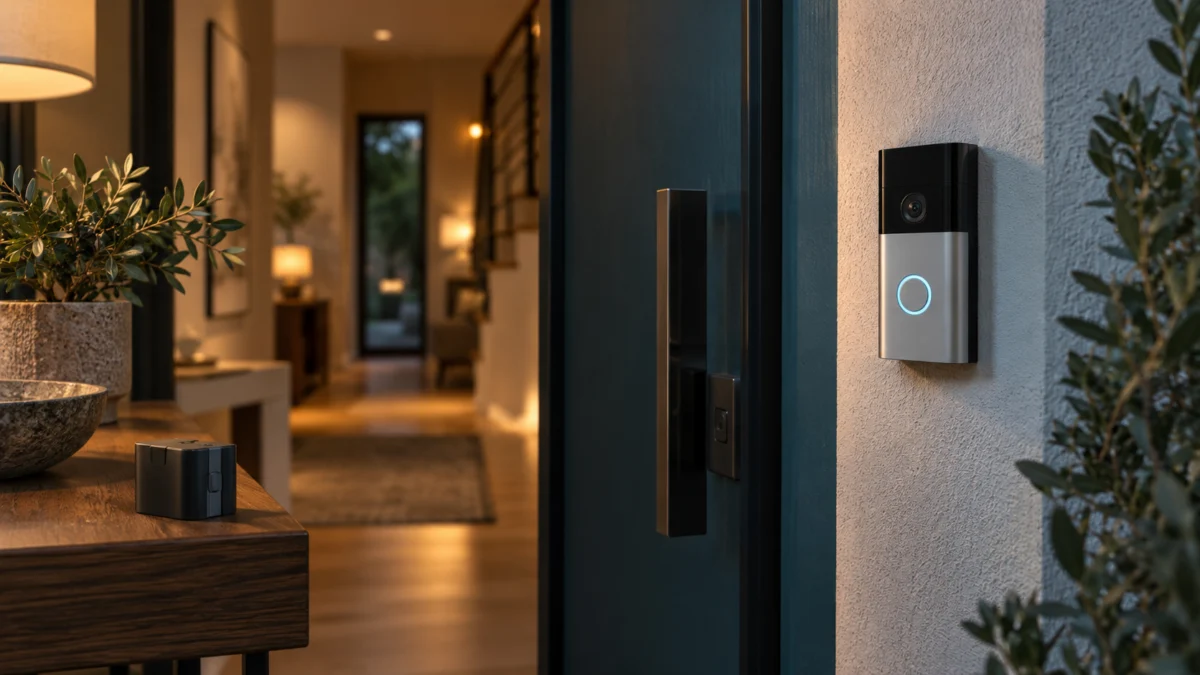
If your Ring Battery Doorbell Plus (2nd Gen) — now sold as the Battery Doorbell 2K Plus — keeps losing battery percentage after you connected it to your doorbell wiring, the wiring may still be working. Ring documents hardwiring on its battery doorbells as a trickle charge, not a conversion to wired power. The doorbell stays battery-powered, the pack tops up slowly in the background, and whenever the device spends more in a day than that trickle replaces, the percentage falls.
There is a second reason a hardwired reading sits below 100%. Ring states that its solar-powered, plug-in, and wired devices using a Ring Battery Pack stop charging before 100% on purpose, to keep the cell from wearing out. A reading below 100% can therefore be expected behavior, not a fault.
So one question comes before anything electrical: does the Ring app still report an external power source? Everything below follows from that answer.
Start Here: Match What Your Ring App Is Showing
Open Device Health in the Ring app and read the Power section before changing anything. What it shows puts you in one of three states: wired power not detected, wired power detected but the percentage drifting down, or a fast drop despite low activity. Each state has a different fix.
| What Device Health shows | What it points to | Where to go next |
|---|---|---|
| Power Source reports battery only | Wired power is missing, or not recognized | Model check, then transformer and chime |
| Wired power reported, percentage drifting down over weeks | Consumption outruns the trickle charge, or charge protection is in effect | Demand, then weather |
| Fast drop or power-off despite few events | Battery condition or seating, not wiring | The step-by-step fix |
| A power warning under Power | Ring is reporting a supply problem directly | Transformer and chime, plus an electrician |
Confirm Your Model: Battery Doorbell Plus (2nd Gen) Is Now Battery Doorbell 2K Plus
Ring renamed Battery Doorbell Plus (2nd Gen) to Battery Doorbell 2K Plus on August 5, 2026. Ring states the change is cosmetic: hardware, firmware, and features are unchanged. Confirm the name in the app before following any guide, because several similarly named Ring doorbells behave differently when hardwired.
Ring’s product FAQ says the same: nothing separates the two names but the name itself. Two models whose guides are not interchangeable with yours:
Ring Battery Doorbell 2K Plus product page
- Wired Doorbell 2K Plus — a different line, which Ring lists as not compatible with existing chimes.
- Battery Doorbell 2K and Battery Doorbell 4K Pro — separate models with their own accessory compatibility.
To check what you own, open Device Health and read Product Name. That field follows current Ring naming rather than the printing on the box.
Check Whether the Ring App Actually Sees Wired Power
Device Health is where the doorbell tells you what it is running on. Open the Ring app, tap the menu, tap Devices, select the doorbell, then tap the Device Health tile. Under Power you will see Power Source and Battery Level, and on hardwired devices, transformer readings and any power warnings.
Ring: Checking Device Health in the Ring app
Three fields carry the diagnosis. Power Source reports what the device believes it is running on. Battery Level is the charge in the pack. Transformer Voltage / Power Output appears only for hardwired Ring devices, and Ring documents that power warnings show there when applicable.
Across multiple threads in Ring’s own community, owners of earlier Ring battery doorbell models describe one version of this: a unit that reported hardwired power for months starts reporting battery instead, and the percentage falls from then on, even after a new battery is fitted. Those reports concern earlier models and do not establish a fault in the Battery Doorbell 2K Plus.
Ring Community: Hardwired battery doorbell not charging
Ring Community: Ring Video Doorbell 2 no longer showing as hardwired
Confirm the Transformer and In-Home Chime Meet Ring’s Requirements
Ring battery doorbells require a transformer rated 8 to 24 VAC, 50/60 Hz, 5 VA to 40 VA. For this model Ring lists no diode, no resistor, and no Pro Power Kit. Check your in-home chime against Ring’s compatibility list too, because an incompatible chime kit can damage equipment.
| Requirement | What Ring documents for Battery Doorbell 2K Plus |
|---|---|
| Transformer | 8–24 VAC, 50/60 Hz, 5 VA to 40 VA. The product page states 8–24 VAC, 40 VA max, 50/60 Hz for wiring in. |
| Diode for digital chimes | Not required |
| Resistor for a direct AC transformer connection | Not required |
| Pro Power Kit | Not required |
| Existing in-home chime | Supported when hardwired, if your chime kit is on Ring’s compatible list |
Ring: Guidelines for hardwiring your Ring Video Doorbell
Volts and volt-amperes are separate checks. A transformer can sit inside the 8–24 VAC range and still fall below the VA figure the doorbell needs, which can prevent the expected trickle charge. Read both numbers from the transformer’s printed label.
The chime matters as much. Ring publishes tested compatible mechanical and digital chime kits and a list it identifies as incompatible, and states that an incompatible transformer or chime kit could damage your devices. The model number is usually printed inside the chime cover.
Ring in-home chime kit compatibility list
Where this article stops. Ring states that installation by a qualified electrician may be required in your area, that local laws and building codes apply, and that permits or professional installation may be required by law. Ring also instructs disconnecting power at the breaker or fuse box before installation work. Measuring live voltage, replacing a transformer, opening a panel, or tracing concealed wiring is work for a qualified electrician, not a troubleshooting step. In a rental or shared building, confirm the rules with your landlord or building manager. Nothing here substitutes for professional advice.
Find What’s Spending More Than the Trickle Charge Replaces
When the app confirms wired power, the problem is demand, not supply. Open Power Settings and read Feature Power Usage: Ring flags any feature drawing extra power. Motion events, Live View sessions, and linked device events are the usual causes, and a weak Wi-Fi signal quietly adds to all of them.
Ring: Troubleshooting battery performance
Motion events, zones, and Motion Frequency
Ring’s documented remedy for activity-driven drain is to cut the number of events recorded. Open the device, tap Motion Settings, lower Motion Sensitivity, redraw Motion Zones away from a road, gate, or anything that moves in wind, and under Advanced Settings change Motion Frequency.
Motion Frequency carries the clearest trade-off, and Ring labels it that way: Frequently keeps detection always active for the shortest battery life, Regularly pauses briefly after each alert for medium battery life, Periodically pauses longer for maximum. If your doorbell faces a street or shared walkway, this one change often does more than anything on the electrical side. Unlinking other Ring devices helps too, since linked events trigger recordings your doorbell would not otherwise make.
Weak Wi-Fi and reconnection loops
A weak connection makes the doorbell drop off the network and reconnect repeatedly, and Ring documents that cycle as a cause of faster drain. Signal quality appears in Device Health as Signal Strength, measured as RSSI.
| RSSI | Quality | What Ring says to expect |
|---|---|---|
| 0 to −60 | Great | Strong |
| −60 to −70 | Okay | Could be improved |
| −70 to −80 | Poor | Possible delays and interruptions in service |
| −80 or worse | Very poor | Intermittent service or falling offline |
Ring recommends a minimum 10 Mbps upload per device for its 2K devices, and this doorbell supports dual-band Wi-Fi. If it uses 5 GHz at the edge of range, test 2.4 GHz and compare the RSSI and connection stability. Weak Wi-Fi is one contributor among several, so treat a poor RSSI reading as something to fix alongside the motion settings.
Ring: Understanding Wi-Fi recommendations for Ring devices
Cold and Hot Weather Change What “Normal” Looks Like
Temperature changes what normal looks like. Ring specifies operation between −4°F and 122°F, with best performance around 75°F. Below freezing the doorbell is designed to stop charging altogether, so a hardwired unit can lose ground all winter. In heat it may limit features, stop charging, or shut down.
Around freezing, Ring documents shorter battery life that returns to normal once the weather warms and the battery is recharged, and suggests an indoor USB charge rather than waiting. In heat, some devices enter Device Cooldown, which limits features and reduces video quality; too hot, and the device will not charge and can shut down. So a January decline and a July decline are different problems, and neither proves the transformer failed.
Ring devices and extreme temperatures
The Step-by-Step Fix
Before you spend anything, reset the battery to a known state and measure what happens from there. A trickle charge is slow by design, so a single day rarely tells you anything useful — give the observation window real time. The fix takes 7 steps.
- Charge the pack fully, off the doorbell. Remove the security screws with the included star-shaped screwdriver, press in the faceplate sides to remove it, then press the metal release tab and slide the battery out. Charge it with the Micro-USB cable supplied with this model, from a source delivering at least 1 amp. Ring documents a full charge as up to 10 hours; the pack shows green and amber while charging, green alone when finished.
- Reinstall the battery until it clicks. Slide the charged pack back in until it clicks, refit the faceplate, and reinsert the security screws, using only the screws supplied with the device. Allow up to 60 seconds to power back on. If the app percentage never changes after a charge, an unseated battery is one possible reason.
- Confirm the new percentage registered. Open Device Health and check that Battery Level reflects the charge you just completed. If it still shows the old figure, reseat the pack rather than assuming a fault.
- Read Power Source and any power warning. With a known-full battery in place, this reading now means something. Wired power and no warning sends you to step 5. Battery-only reporting, or a warning, puts the supply side first: inspect only what is accessible and de-energized, compare the transformer’s label against the 8–24 VAC and 5–40 VA requirement, and hand live-voltage testing or concealed wiring to a qualified electrician.
- Cut daily demand. Lower Motion Sensitivity, redraw Motion Zones away from busy areas, set Motion Frequency to Regularly or Periodically, reduce Live View sessions, and unlink devices that trigger extra recordings. Recheck Feature Power Usage afterwards.
- Check Signal Strength. Read RSSI in Device Health. If it sits in the poor or very poor band, move the router closer to the doorbell, add an extender, or test 2.4 GHz before drawing conclusions about the battery.
- Observe, then compare. Note the starting percentage and date, leave the settings alone, and check again after two weeks. A stable or rising figure means the trickle charge is ahead of demand. Still falling under reduced activity, with wired power reported, is where Ring’s documented next step applies: try a second battery.
Ring: Charging your Ring doorbell
When a Spare Battery, a Solar Charger, or a Different Doorbell Is the Right Answer
Add hardware only after the free checks are done. A spare battery is the right answer when the pack is aging or you cannot afford downtime while charging. A solar charger fits homes with no usable wiring and real direct sun. Replacing the doorbell is a last resort.
Disclosure: this section contains affiliate links. If you buy through them, Fixory may earn a commission at no additional cost to you. This does not change what we list or the order of the checks above.
A spare Quick Release Ultra Battery Pack
Ring’s own escalation, once charging and settings are ruled out, is to try a second battery, and Ring lists this pack among the accessories compatible with this doorbell. Buy if the battery keeps falling under reduced activity with wired power reported, or you want no coverage gap during a charge that can run up to 10 hours. Don’t buy if you have not yet done a full external charge and a two-week observation window, because a new pack drains the same way under the same load.

Please check the Amazon product page for the latest price and availability.
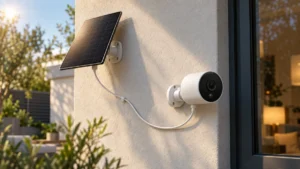
A Ring Solar Charger
A solar charger supplies the same kind of trickle charge hardwiring does, with the same limit: it tops the pack up, it does not make the doorbell mains-powered. Ring describes its Solar Charger for this doorbell as extending battery life with three to four hours of direct sunlight per day, and that condition is the whole decision. Buy if you have no usable wiring and the mounting position genuinely gets direct sun that long — a north-facing porch or a doorway under deep eaves will not. Don’t buy if your wiring already works and Device Health reports wired power, since a solar charger would not address a consumption problem already present with external power detected.

Please check the Amazon product page for the latest price and availability.
The same expectation gap appears on other battery cameras that rely on solar top-up: confirm the device registers the external source before blaming the panel.
Related: Tapo C425 Solar Panel Not Charging
Replacing the doorbell, or moving to a wired-only model
Replacement fits a narrow case: abnormal behavior with a known-good battery, wired power reported, demand reduced, and Ring Support unable to resolve it. Buy if that describes you, or you are reading before purchase and want the removable-pack design. Don’t buy if you simply dislike managing a battery — the answer there is a wired-only Ring doorbell, a separate decision, since Ring’s wired models differ on in-home chime support. The Wired Doorbell 2K Plus, despite the name, is not compatible with existing chimes.

Please check the Amazon product page for the latest price and availability.
Deliberately absent from this list: a replacement transformer. Ring publishes the requirement range, but selecting and wiring a transformer is electrical work, and the right next step is an electrician rather than a purchase.
How We Researched
This article draws on Ring’s official product page and technical specifications for the Battery Doorbell 2K Plus, Ring’s official support documentation on charging, hardwiring, battery performance, Device Health, motion detection, Wi-Fi recommendations, extreme temperatures, and chime compatibility, and threads on Ring’s official community. We have not conducted hands-on lab testing. Every specification, voltage range, temperature limit, and app path above is attributed to Ring’s official material. Community threads describe only how the symptom is reported, and they concern earlier Ring battery doorbell models; we make no claim of a defect in this one.
Frequently Asked Questions
Should a hardwired Ring Battery Doorbell 2K Plus stay at 100%?
No. Ring documents hardwiring as a trickle charge, and separately states that its wired, plug-in, and solar-powered devices using a Ring Battery Pack stop charging before 100% to protect the battery. A steady reading below 100% that recovers after quiet periods fits both behaviors.
My app switched from hardwired to battery. Does that mean my transformer failed?
Not on its own. It means the doorbell no longer recognizes external power, which can originate at the supply or at the connection to the device. Check Device Health for a power warning, confirm the battery is charged and clicked into place, and read the transformer’s label against the 8–24 VAC and 5–40 VA requirement. Live voltage or concealed wiring goes to an electrician.
Will a larger transformer charge the battery faster?
Ring publishes a supported range rather than a more-is-better scale — 8 to 24 VAC, 50/60 Hz, 5 VA to 40 VA for its battery doorbells — and warns that an incompatible transformer or chime kit could damage devices. Staying inside the range matters more than sitting at the top of it.
Is it normal for charging to stop in winter?
Yes. Ring states the device is designed to stop charging below freezing, and that battery life shortens around freezing temperatures. Ring’s suggested workaround is charging the battery indoors over USB rather than waiting for it to charge in place.
The Short Version
Read Device Health before anything else. Wired power with no warning puts the fix in motion settings, Wi-Fi strength, and seasonal expectations. No wired power, or a warning showing, puts it on the supply side — and anything past inspecting accessible, de-energized connections belongs to a qualified electrician.
Check Ring’s official specifications and compatibility lists for your exact model before installing or buying accessories, and confirm local rules and building or rental requirements before any electrical work. Nothing here guarantees uninterrupted operation, continuous power, or home security, and none of it substitutes for professional electrical, legal, contractual, or insurance advice.